الأدوات
API
الموارد
الميزات
نبذة عنا
تنزيل

Avatar Maker: Create Your Own Avatar with AI

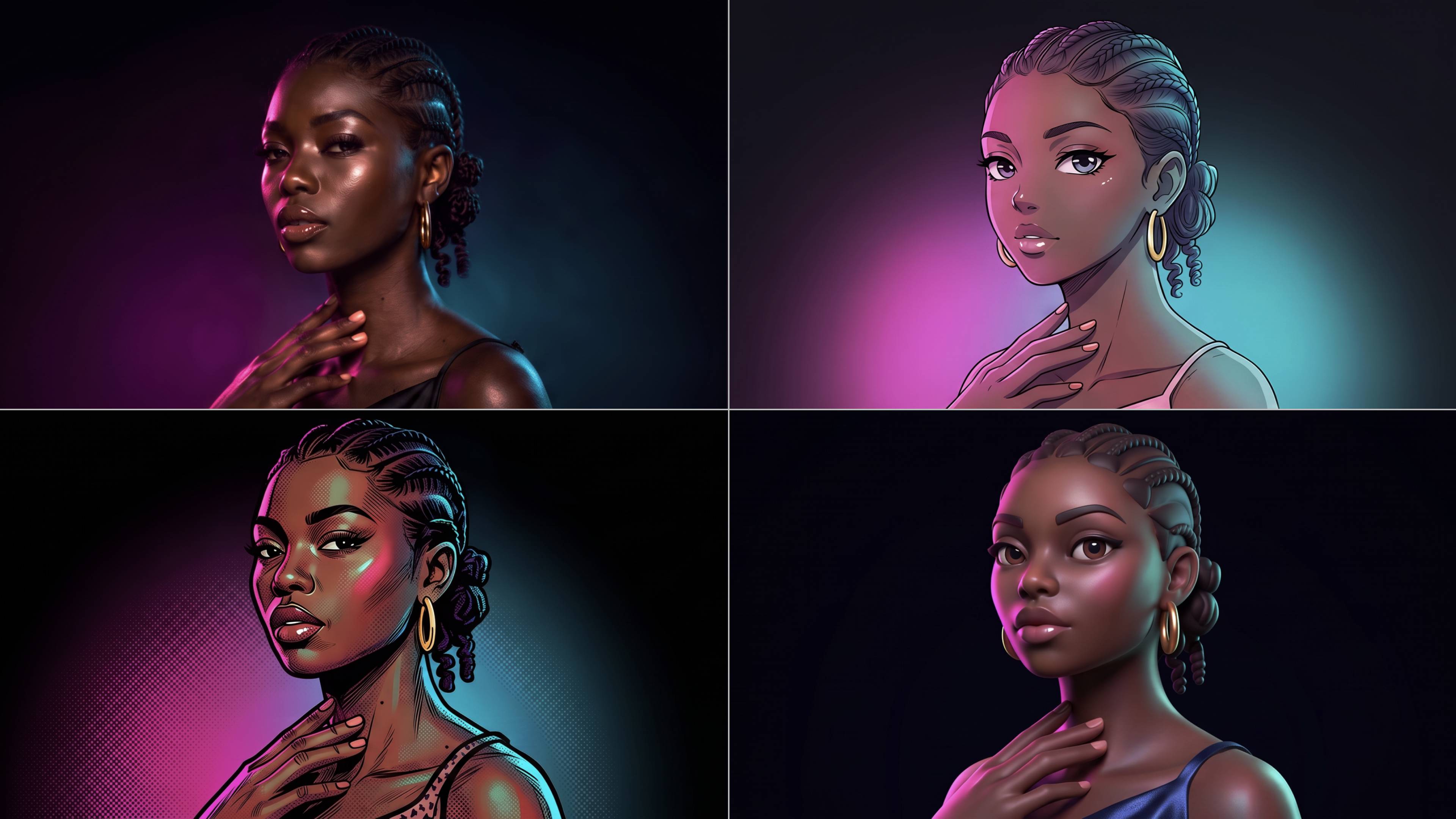
Make an avatar from a photo or create one from a prompt with Kling AI. Keep recognizable features as you explore anime, cartoon, 3D-style, and illustrated looks, then customize hair, outfits, expressions, and framing.
Avatar Maker: Create Your Own Avatar with AI

How to Make an Avatar with Kling

Bring a Photo or an Idea

Bring a Photo or an Idea

Have an original photo to recreate? Upload it and use it as the visual starting point. If you would rather invent someone new, skip the photo and begin with a description.

Make the Look Your Own

Make the Look Your Own

Describe the avater you want to see, including the features, hairstyle, or outfit, or take the whole image into a different art style. The more specific the direction, the easier it is to shape the result around your idea.

Generate Your Avatar

Generate Your Avatar

Choose the available image settings and generate your avatar. Found one that feels close? Use it on other platforms right away.

Make an Avatar That Looks the Part

Create Avatars Across Different Visual Styles

Create Avatars Across Different Visual Styles

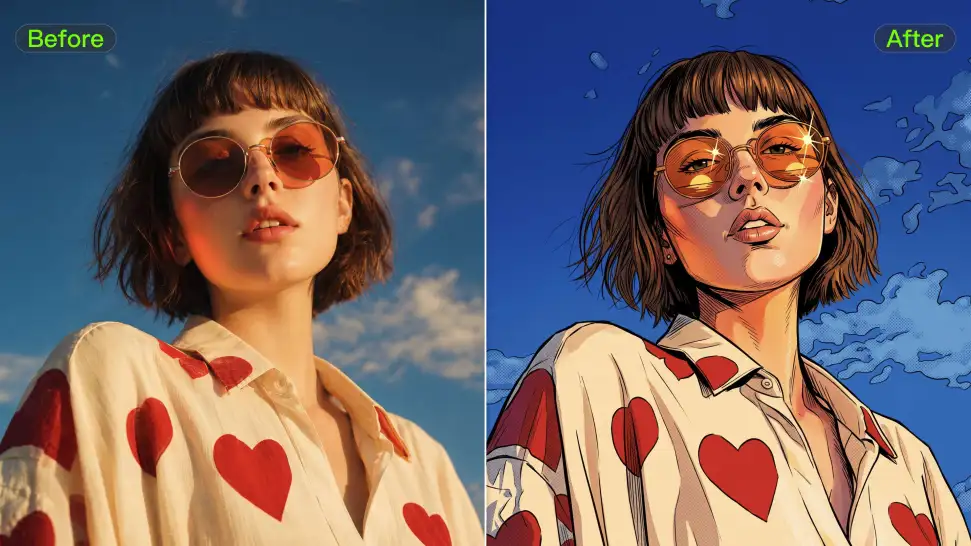
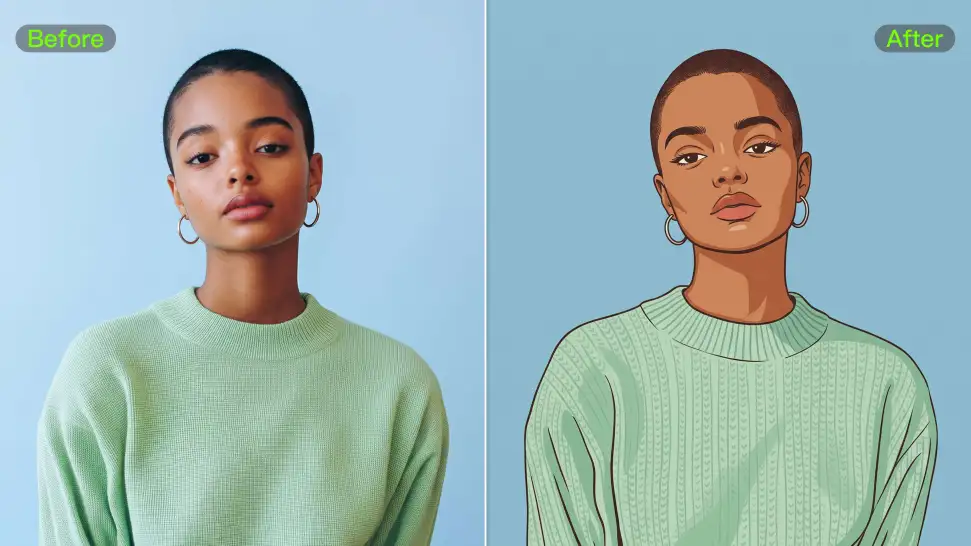
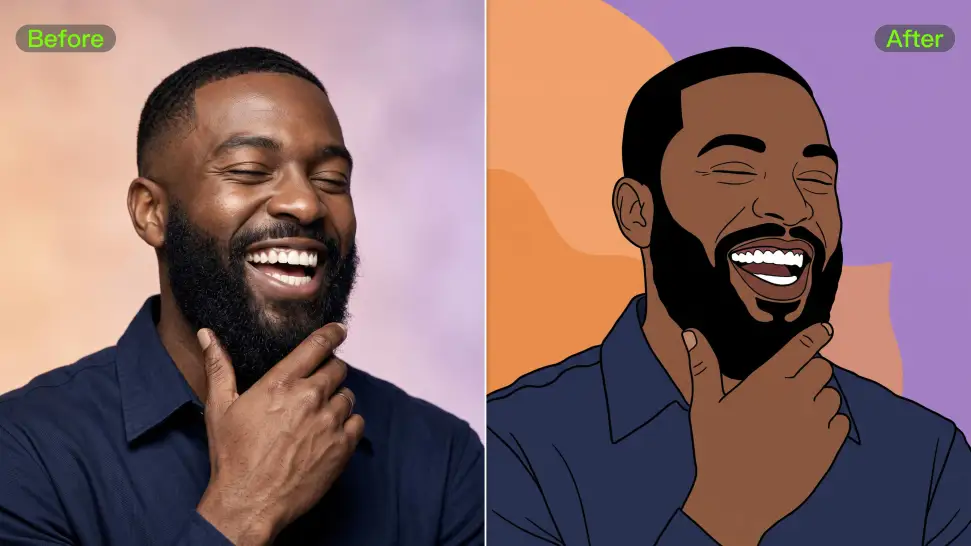
Ever wondered what you would look like as an anime character, a clean 3D-style portrait, a cartoon, or an illustrated character? Use your photo as the starting point and take it in a new visual direction, or use a style reference when there is already a look you love.

Keep the Details That Still Feel Like You

Keep the Details That Still Feel Like You

A strong avatar can look completely different without losing the features that make the person recognizable. Your reference photo gives Kling IMAGE 3.0 something familiar to work from, so details such as the face and hairstyle can stay closer to the source even when the clothing, setting, or art style changes.

Create an Avatar with or Without a Photo

Create an Avatar with or Without a Photo

Upload a portrait to create an avatar that resembles you, or start with a text prompt to design an original character from scratch. Kling IMAGE 3.0 supports both approaches, giving you the freedom to create your own avatar even without a reference image.

Apps

صورة إلى فيديو
صورة إلى فيديو

صورة إلى فيديو

نص إلى فيديو
نص إلى فيديو

نص إلى فيديو

أومني
أومني

أومني

إنسان رقمي
إنسان رقمي

إنسان رقمي

إعادة تصفيف
إعادة تصفيف

إعادة تصفيف

نص إلى صورة
نص إلى صورة

نص إلى صورة

60M+
60M+
Users
600M+
600M+
AI Videos Generated
4.7 ★
4.7 ★
App Store
Industry-Leading
Industry-Leading
Cinematic 4K

المراجعات

James Phillips

James Phillips

★★★★★

Kling AI has transformed my workflow by collapsing timelines and democratizing production. It’s shifted my mindset from resource-dependent filmmaking to a boundless creative sandbox, where experimentation yields unexpected beauty.

Vincent Smadja

Vincent Smadja

★★★★★

Kling AI seamlessly integrates into my creative workflow, playing a key role in transforming my images. After generating and upscaling an image, Kling becomes a crucial element, bringing my creations to life with movement and depth.

Huang Lu (Elson)

Huang Lu (Elson)

★★★★★

I’ve been using Kling AI since its initial release, and it’s remained one of the leading AI media generators ever since. With Kling AI, I’ve created hundreds of videos, collectively amassing millions of views.

الأسئلة الشائعة

Q1What is an AI avatar maker?
Q2How Do I Make an Avatar of Myself?
Q3Can I create an avatar from a photo?
Q4Can I design an avatar from scratch without uploading a photo?
Q5What kind of photo works best for creating an avatar?
Q6Can I make anime or 3D avatars?
Q7Can I edit my avatar after creating it?
Q8Can I change my avatar’s hairstyle, clothes, or accessories?
Q9Can I create different expressions for the same avatar?
Q10Is this the same as Kling AI Avatar?
Q11Can I download a high-resolution avatar?

Create an Avatar That Feels Like Yours

Start with a photo or a prompt, explore different styles, and keep shaping the details until the character fits the look you want.