










Herramientas
API
Recursos
Funciones
Sobre nosotros
Descargar

Change Color of Image with AI

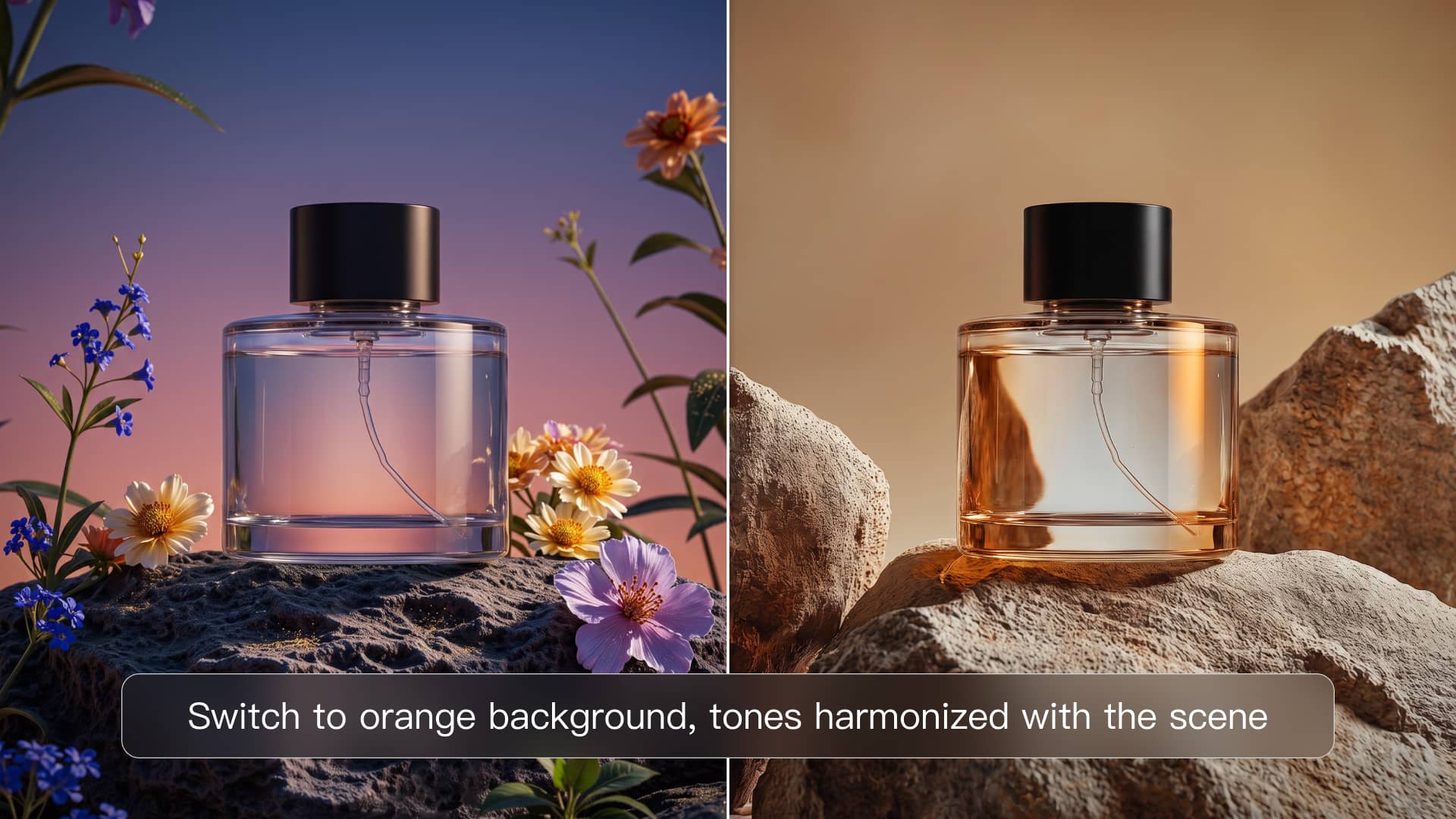
Give your image a fresh new look without starting over. Upload a photo, tell Kling AI what you want to recolor, and describe the new shade you have in mind. Change the color of clothes, products, furniture, backgrounds, and more.

Change Color of Image with AI

How to Change the Color of an Image with AI

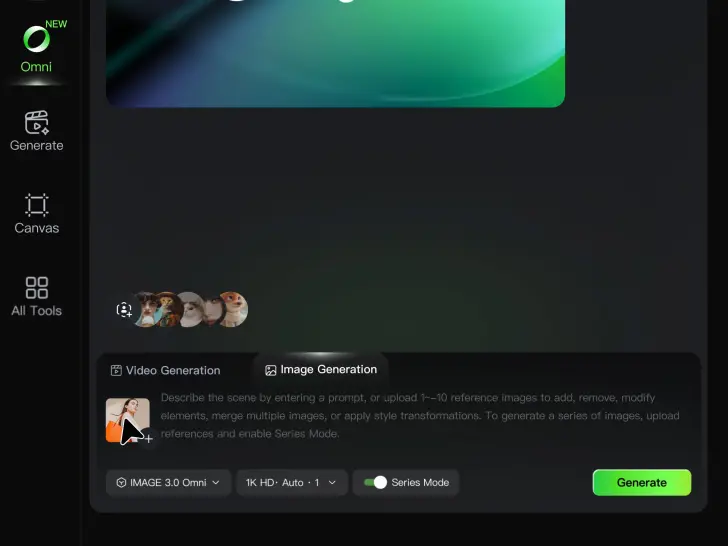
Upload Your Image

Upload Your Image

Start with the photo you want to recolor, whether it is a product shot, portrait, fashion image, room interior, or another creative visual.

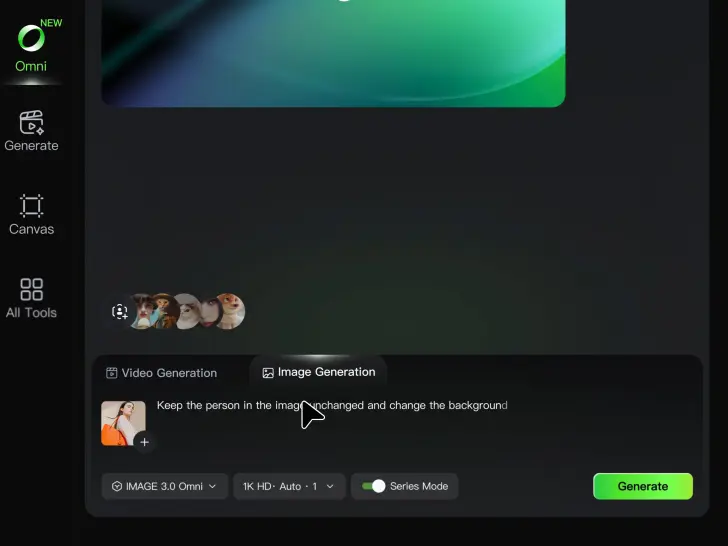
Describe the Color Details

Describe the Color Details

Describe the object or area you want to recolor and the new color you want to see. Give a direct instruction like: “Change the jacket to dark green.”. You can also add more detail about the shade, tone, or visual direction when you have something specific in mind.

Generate and Review

Generate and Review

Generate your new image and see how the color works with the original scene. Want a warmer shade, a deeper tone, or a different area changed? Update your prompt and try another version.

Change Image Colors with Natural Detail

Explore Different Colorways from One Image

Explore Different Colorways from One Image

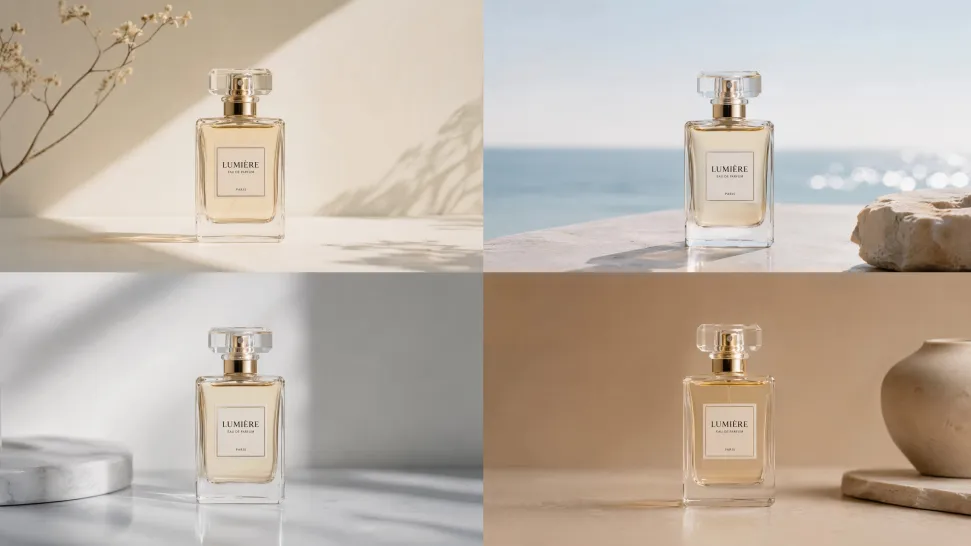
One photo can give you more than one look. Turn a single product shot, outfit, or creative asset into different color variations without rebuilding the image from scratch. Kling IMAGE 3.0 can update the color direction while helping keep the subject, composition, and surrounding scene consistent.

Match a Color from a Reference Image

Match a Color from a Reference Image

Sometimes a color is easier to show than describe. Upload a product, outfit, design, or other visual reference and tell Kling IMAGE 3.0 which color direction you want to follow. It gives you a simple way to communicate a palette, shade, or overall look without relying on words alone.

Change the Color, Keep the Texture

Change the Color, Keep the Texture

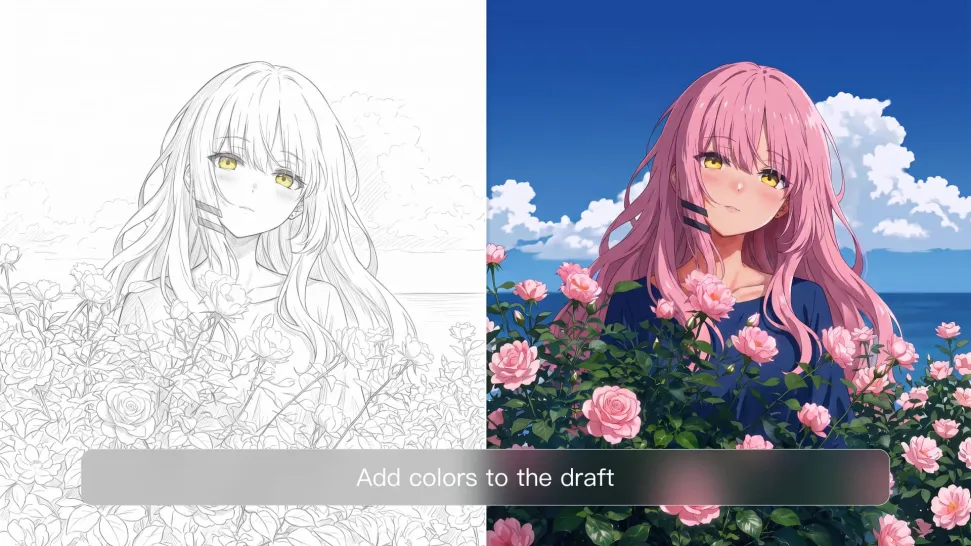
A new shade should still look right on the material underneath it. Kling IMAGE 3.0 can help retain visible details such as fabric texture, metallic reflections, wood grain, glass surfaces, and skin texture as you recolor an object. That means a blue jacket can still look like fabric, and a black cabinet can still look like painted wood.

Apps

Imagen a video
Imagen a video

Imagen a video

Texto a video
Texto a video

Texto a video

Omni
Omni

Omni

Humano digital
Humano digital

Humano digital

Remodelar
Remodelar

Remodelar

Texto a imagen
Texto a imagen

Texto a imagen

60M+
60M+
Users
600M+
600M+
AI Videos Generated
4.7 ★
4.7 ★
App Store
Industry-Leading
Industry-Leading
Cinematic 4K

Reseñas

Samuele Poggi (@visualsk2)

Samuele Poggi (@visualsk2)

★★★★★

I use Kling AI daily to push the limits of AI filmmaking. It allows me to create highly cinematic content, blending AI and VFX to develop innovative projects. It has significantly impacted my creative process, enabling me to achieve complex animations that would otherwise require high production budgets.

Huang Lu (Elson)

Huang Lu (Elson)

★★★★★

I’ve been using Kling AI since its initial release, and it’s remained one of the leading AI media generators ever since. With Kling AI, I’ve created hundreds of videos, collectively amassing millions of views.

Vincent Smadja

Vincent Smadja

★★★★★

Kling AI seamlessly integrates into my creative workflow, playing a key role in transforming my images. After generating and upscaling an image, Kling becomes a crucial element, bringing my creations to life with movement and depth.

Preguntas frecuentes

Q1What is an AI image color changer?
Q2Can I edit the colour of an image online?
Q3Can I use a hex code or reference image to guide the target color?
Q4Can AI recolor one area without changing the rest of the image?
Q5Will recoloring preserve the original texture and shadows?
Q6Can I recolor clothes, products, cars, or furniture with AI?
Q7Does changing image color reduce resolution?
Q8How long does it take to recolor an image with AI?
Q9Can I refine the color after the first AI edit?

See Your Image in a Whole New Color

Explore a different product color, refresh an outfit, rethink a room, or give an existing creative a new direction with Kling IMAGE 3.0. Describe the change, and generate a new version now.