Creative Studio
API
Resources
Features
About Us
Download

Blur Background - Urban Motion & Shallow Depth Portraits

Unleash creativity with cinematic blur effects and dynamic motion techniques inspired by iconic landmarks and everyday scenes, enhancing visual storytelling and emotional impact in your videos. Start exploring Blur Background ideas and generate your own content with AI.

Blur Background - Urban Motion & Shallow Depth Portraits

Recommended

Kling AI work 309617080617882 - Blur Background AI video
SAtfRKKy avatar
SAtfRKKy
Kling AI work 317622185611057 - Blur Background AI image
Dreaming avatar
Dreaming
Elite Creator
Kling AI work 299998170506987 - Blur Background AI image
AU_Girlxx avatar
AU_Girlxx
Kling AI work 313665259500453 - Blur Background AI image
Bolgorath avatar
Bolgorath
Kling AI work 314725445525744 - Blur Background AI image
uHMAkiPv avatar
uHMAkiPv
Kling AI work 313665147521154 - Blur Background AI image
Bolgorath avatar
Bolgorath
Kling AI work 321188340502806 - Blur Background AI image
RwJwDwgt avatar
RwJwDwgt
Kling AI work 316013864326151 - Blur Background AI video
UsSmith avatar
UsSmith
Elite Creator
Kling AI work 315227435522667 - Blur Background AI image
UvUclpvr avatar
UvUclpvr
Kling AI work 316194383665762 - Blur Background AI video
dGorFCdY avatar
dGorFCdY
Kling AI work 309575425663028 - Blur Background AI image
lis296 avatar
lis296
Kling AI work 309575425664021 - Blur Background AI image
lis296 avatar
lis296
Kling AI work 313092072618543 - Blur Background AI image
lestAGkr avatar
lestAGkr
Kling AI work 308782040502775 - Blur Background AI image
SIMPS avatar
SIMPS
Kling AI work 313665423503540 - Blur Background AI image
Bolgorath avatar
Bolgorath
Kling AI work 315465150507924 - Blur Background AI video
ELLY & LECOS avatar
ELLY & LECOS
Kling AI work 311527136662890 - Blur Background AI image
wZGfPYPG avatar
wZGfPYPG
Jia doing Yoga - Blur Background AI image
vGJHQGwx avatar
vGJHQGwx
Kling AI work 297528702508642 - Blur Background AI video
Snowy avatar
Snowy

How to Upscale Video to 4K with Kling AI

Upload Your Video

Upload Your Video

Upload the video you want to improve to Kling VIDEO 3.0 Omni. You can work with clips between 3 and 10 seconds, including lower-resolution, blurry, compressed, or AI-generated footage.

Describe the Result You Want

Describe the Result You Want

Enter a prompt for any changes you want alongside the upscale. You can ask for clearer detail or adjust lighting, color, atmosphere, background, and other visual elements while keeping the original footage as your starting point.

Generate Your 4K Video

Generate Your 4K Video

Select 4K as the output resolution and generate your new video. Review the result for clarity, detail, and subject appearance, then refine your prompt or references if you want another version.

Natural Face Swaps Without the Editing Hassle

Image Face Swap Without the Busywork

Image Face Swap Without the Busywork

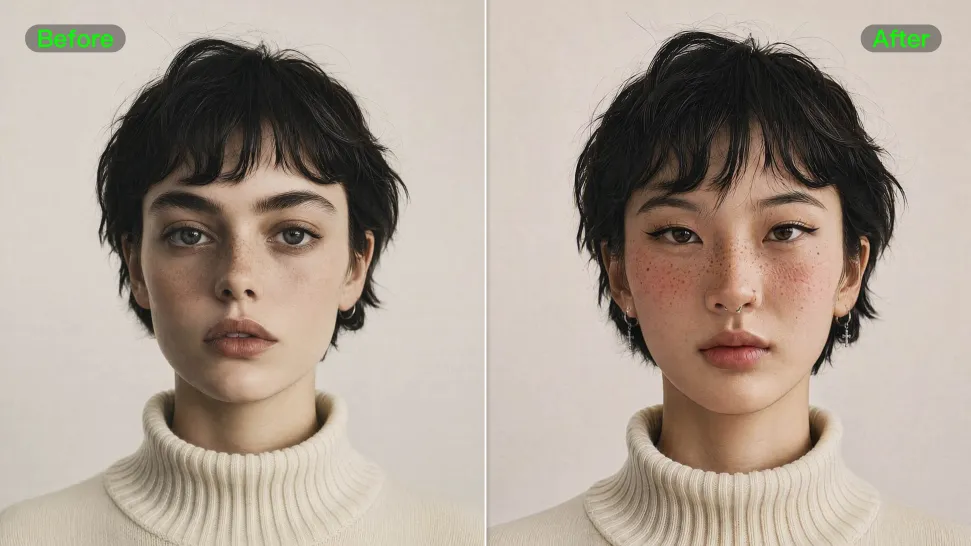
From portrait-style shots to playful creative images, Kling IMAGE 3.0 helps you create more natural and consistent face swaps. Add the photo you want to edit, provide a face reference, and tell Kling AI what you want to change. The edit can stay close to the original photo, helping the new face feel like part of the image rather than something added on top.
Keep the Same Face Across Angles and Shots

Keep the Same Face Across Angles and Shots

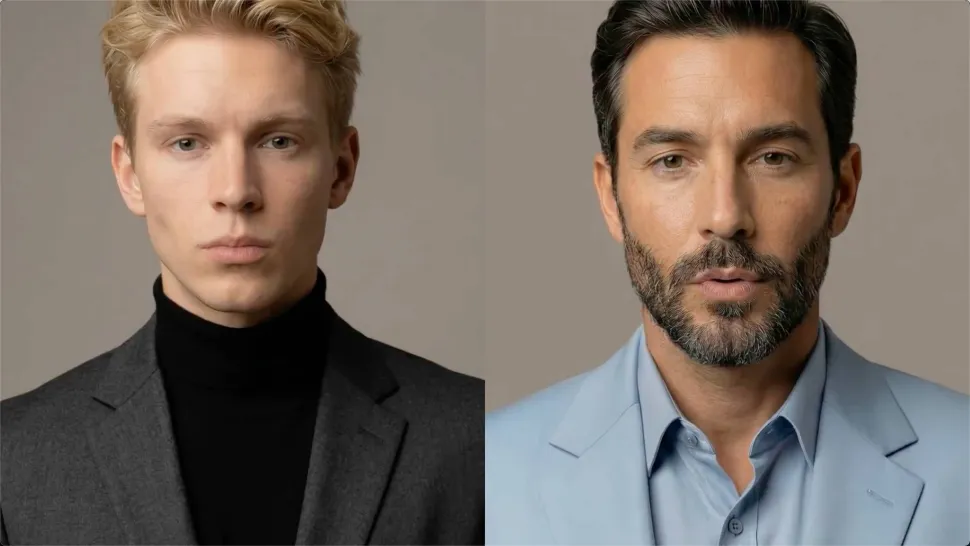
A single reference does not always show everything. Add multiple views or use a character element to give Kling AI more information about the person you want to preserve. Kling VIDEO 3.0 Omni uses those references to help maintain key identity features as the subject changes pose, the camera moves, or the scene shifts—especially useful for moving footage and multi-shot videos where consistency matters.
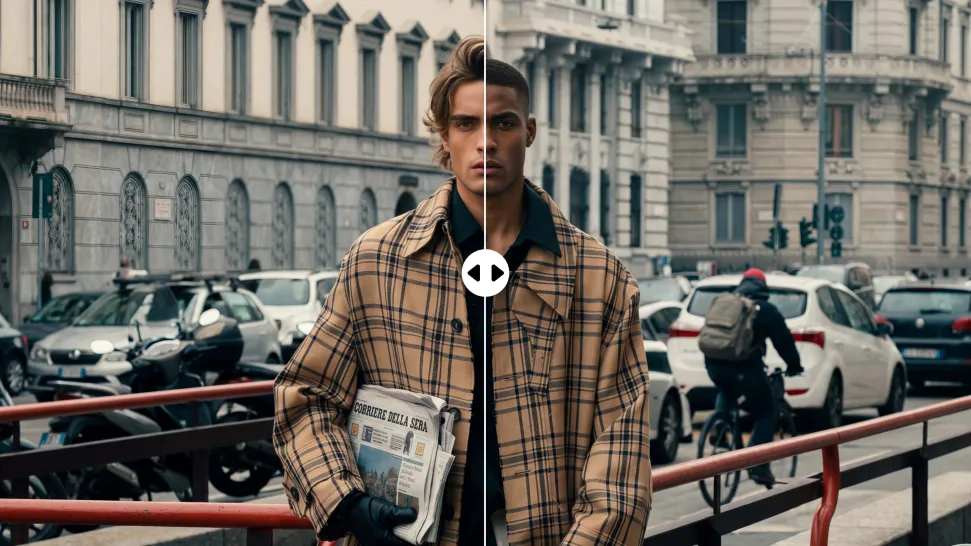
Change the Face, Keep the Scene

Change the Face, Keep the Scene

Swap the face, not the whole scene. Kling AI keeps the original lighting, mood, and overall look in place, helping the new face blend naturally into the shot while the setting and visual feel stay true to the original.

Apps

Image to Video
Image to Video

Image to Video

Text to Video
Text to Video

Text to Video

Omni
Omni

Omni

Digital Human
Digital Human

Digital Human

Restyle
Restyle

Restyle

Text to Image
Text to Image

Text to Image

60M+
60M+
Users
600M+
600M+
AI Videos Generated
4.7 ★
4.7 ★
App Store
Industry-Leading
Industry-Leading
Cinematic 4K

Reviews

Halim Alrasihi

Halim Alrasihi

★★★★★

I use AI daily and Kling AI is a crucial part of my workflow, whether for client work or personal projects. What I love most about using Kling AI is that it provides all the tools I need in one place, from keyframes to character references, elements and special effects.

Déborah

Déborah

★★★★★

I use Kling AI every day. It's amazing to see the almost daily progress it makes. I used AI for fun at first, and I now find that Kling AI's animations allow me to gain professional visibility, with three times more views on my animated posts than on my static posts.

PJ Ace

PJ Ace

★★★★★

Kling AI has made it easy for us to generate world class visuals for Fortune 500 companies, TV shows and music for big artists. We love the easy of use of the platform and the quality of the generations. My first time using Kling AI, I got 22 million views on just one video. It's that good.

FAQ

Q1What is an AI art generator?
Q2Can AI art be copyrighted?
Q3Can Kling AI generate AI art in 4K?

Make Every Scene Speak

Turn your script into a video with native dialogue and sound for multi-character conversations, multilingual scenes, and more.

Native audio | Multi-Character Coreference | Multilingual Content Generation