Creative Studio
API Platform
Resources
About Us

AI Image to Video AI Free – Cost-Free Conversions

Convert images to videos for free with our AI tool. Quick and easy, perfect for creating content without any cost. Customize your videos with different styles and effects.

AI Image to Video AI Free – Cost-Free Conversions

Recommended

work cover
video-play
NguyenToanThang
work cover
video-play
SaBiChi
work cover
video-play
OVczTilS
work cover
video-play
OVczTilS
work cover
01:14
tinta.artificial
work cover
video-play
JmOAUMiZ
work cover
video-play
Chloe
work cover
00:23
VIOirErm
work cover
video-play
ToshDaveProductions
work cover
01:14
tinta.artificial
work cover
video-play
Raf3105
work cover
lQoSUghm
work cover
video-play
KLING9286
work cover
video-play
OVczTilS
work cover
video-play
tfnwwfvx
work cover
video-play
🦁
work cover
video-play
UVhOXMzl
work cover
video-play
tKCRyKxK
work cover
video-play
tfnwwfvx
work cover
video-play
JXeAgfmJ

How to Master AI Motion Control in 3 Steps

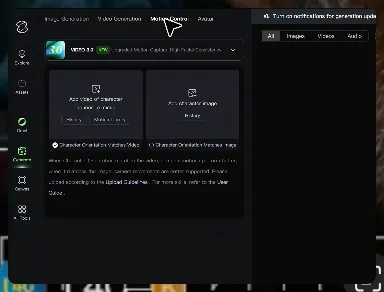
Upload Your Assets

Upload Your Assets

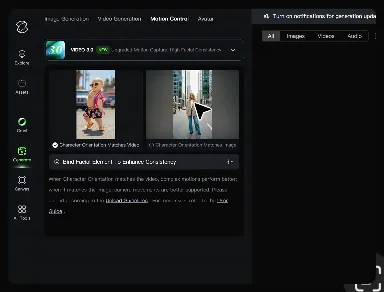
Provide a static character image and a motion reference video showing the exact expressions you want to replicate.

Bind Face Subject

Bind Face Subject

Enable this feature to lock facial consistency. Upload multi-angle photos to create a precise facial reference map.

Generate & Export

Generate & Export

Process your motion-controlled video and download the final render in high resolution.

Why Kling Motion Control Stands Out

Flawless Facial Consistency in Any Angle

Flawless Facial Consistency in Any Angle

Unlike standard AI video generators that distort features during head turns, Kling locks your character’s identity for stable, recognizable results from any perspective.

Extreme Precision for Complex Emotions

Extreme Precision for Complex Emotions

Replicate micro-expressions and dramatic emotional transitions with elite motion transfer technology. Kling captures every subtle muscle movement from your reference.

Stable Across Angles, Occlusion, and Distance

Stable Across Angles, Occlusion, and Distance

Maintain character consistency even when the subject is partially blocked or moves between close-up and long shots

Apps

Image to Video
Image to Video

Image to Video

Text to Video
Text to Video

Text to Video

Omni
Omni

Omni

Digital Human
Digital Human

Digital Human

Restyle
Restyle

Restyle

Text to Image
Text to Image

Text to Image

60M+
60M+
Users
600M+
600M+
AI Videos Generated
4.7 ★
4.7 ★
App Store
Industry-Leading
Industry-Leading
Cinematic 4K

Reviews

Samuele Poggi (@visualsk2)

Samuele Poggi (@visualsk2)

★★★★★

I use Kling AI daily to push the limits of AI filmmaking. It allows me to create highly cinematic content, blending AI and VFX to develop innovative projects. It has significantly impacted my creative process, enabling me to achieve complex animations that would otherwise require high production budgets.
Vincent Smadja

Vincent Smadja

★★★★★

Kling AI seamlessly integrates into my creative workflow, playing a key role in transforming my images. After generating and upscaling an image, Kling becomes a crucial element, bringing my creations to life with movement and depth.
James Phillips

James Phillips

★★★★★

Kling AI has transformed my workflow by collapsing timelines and democratizing production. It’s shifted my mindset from resource-dependent filmmaking to a boundless creative sandbox, where experimentation yields unexpected beauty.

FAQ

Q1What is the best AI video generator?
Q2Is there a free AI video generator with no watermark?
Q3How do I generate an AI video?
Q4Can I generate AI videos from text prompts?
Q5Can I create AI videos from images?
Q6Does Kling support audio and talking characters?
Q7How long can AI-generated videos be?
Q8Can I use AI-generated videos for commercial use?

Experience Video 3.0 on Kling

Create cinematic, multi-shot videos with native audio and precise control—all in one generation.

Native audio | Multi-shot control | Up to 15s continuous output