Creative Studio
API
Resources
Features
About Us
Download

creator ai - NeonRift set & futuristic city

Immerse in futuristic cityscapes and festive creator celebrations, alongside dynamic NeonRift sets and transformative anime fashion showcases. Start exploring creator ai ideas and generate your own content with AI.

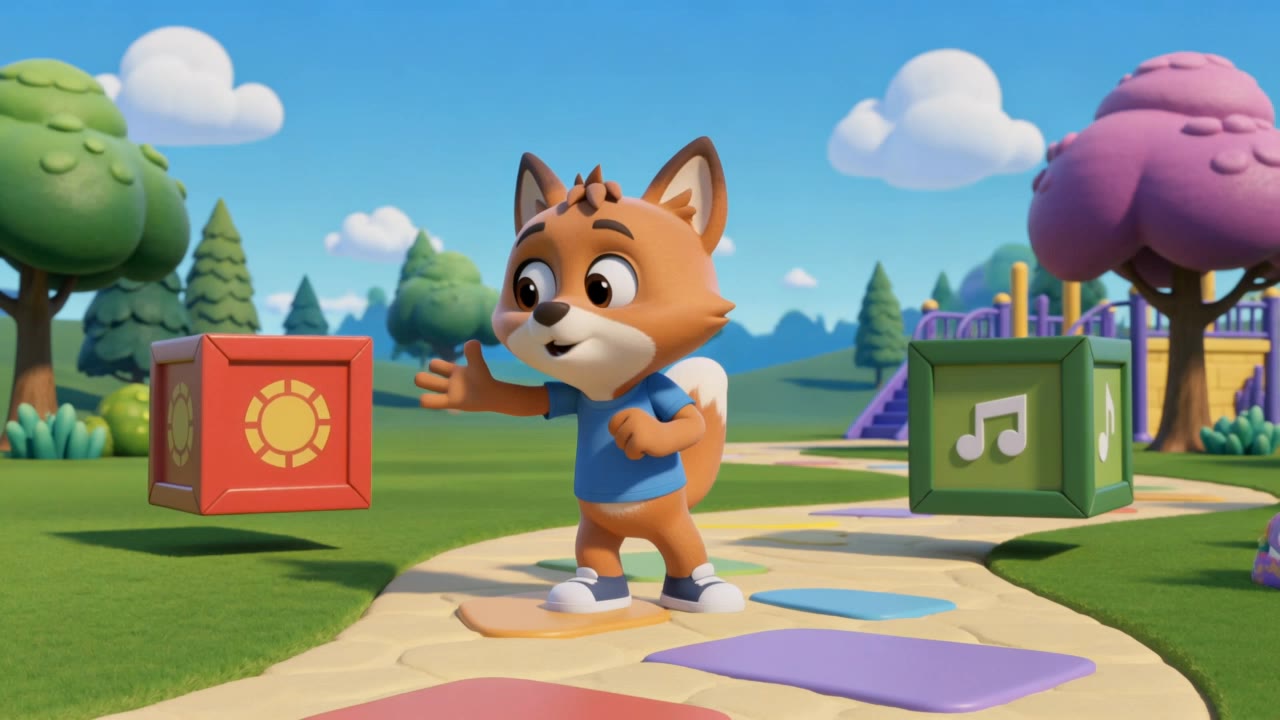
creator ai - NeonRift set & futuristic city

Recommended

Chinese trend - creator ai AI video
Chinese trend
hhZZLelr avatar
hhZZLelr
The Architect of Artificial Inte - creator ai AI image
aImWIUAK avatar
aImWIUAK
AI Content Creator - creator ai AI video
iBJCWeVo avatar
iBJCWeVo
ai creator  - creator ai AI video
00:30
BUoSWJhX avatar
BUoSWJhX
Kling AI work 309885722615356 - creator ai AI image
hsvFnDxs avatar
hsvFnDxs
LIFE AS AN AI CREATOR - creator ai AI video
00:10
D'Sign.ai avatar
D'Sign.ai
Kling AI work 876371080582791175 - creator ai AI video
00:09
shabanibilago avatar
shabanibilago
AI creator  - creator ai AI video
03:04
onvMWnwq avatar
onvMWnwq
Kling AI work 313325475617808 - creator ai AI image
huukTbpo avatar
huukTbpo
Motion creator - creator ai AI video
ugTmEckZ avatar
ugTmEckZ
Kling AI work 317132071325113 - creator ai AI image
VtrPobUo avatar
VtrPobUo
Kling AI work 311185677611012 - creator ai AI video
UEZgKpZV avatar
UEZgKpZV
Kling AI work 312494529610623 - creator ai AI image
hQuvouKs avatar
hQuvouKs
Kling AI work 896587991304118318 - creator ai AI video
01:22
mrmCuzne avatar
mrmCuzne
AI Storytelling Content Creator - creator ai AI video
00:09
TomZtGdv avatar
TomZtGdv
Kling AI work 310307744522359 - creator ai AI video
UdYOaQEB avatar
UdYOaQEB
Kling AI work 312545794665201 - creator ai AI video
Cathrinegart.creatio avatar
Cathrinegart.creatio
Julia Skalozub ai creator - creator ai AI video
00:18
WJvWgfTG avatar
WJvWgfTG
Kling AI work 313640240663102 - creator ai AI image
RdaTnLCO avatar
RdaTnLCO

A Complete AI Video Editing Workflow

Create Videos with AI

Create Videos with AI

Start with a prompt, image, or visual reference. Animate a still, build a new scene, or recreate a popular effect with Kling’s AI video tools.

Edit Videos with AI

Edit Videos with AI

Upload existing footage and tell Kling what to change. Use Kling VIDEO 3.0 Omni to replace subjects, rebuild backgrounds, restyle footage, or reframe a shot. When you need more time, continue the clip with Video Extension without tedious frame-by-frame work.

Make Avatar or Talking Videos

Make Avatar or Talking Videos

Create presenter-led videos for ads, explainers, product demos, and social content with Kling AI Avatar tool. Use Lip Sync to add dialogue, dubbing, or narration from text or uploaded audio.

Edit Any Part with Kling AI

Add, Remove, or Replace Image Content

Add, Remove, or Replace Image Content

Tell Kling what you want to change in text prompts. Replace a person, remove an object, or fine-tune details such as color, material, pose, and expression. Even detailed edits take fewer and easier steps because you can change the photo with AI instead of with traditional photo editing tools. IMAGE 3.0 follows your instruction while keeping the photo’s original style, lighting, and texture in place, so the edited area still belongs in the same shot.

Change the Color, Lighting, or Style

Change the Color, Lighting, or Style

Give an existing photo a different mood effortlessly. Lift a dim scene, soften harsh light, warm or cool the colors, or bring color to a black-and-white photo or line drawing. A short prompt replaces the usual round of manual adjustments. Looking for a bigger shift? Add a style reference or spell out the visual direction. IMAGE 3.0 carries the palette, texture, and atmosphere across the whole image, so the new look feels cohesive rather than pasted on. Use it for studio-style professional headshots, distinctive portrait treatments, cinematic scene design, or a visual style that feels entirely your own.

Rework the Shot or Camera Angle

Rework the Shot or Camera Angle

Tell Kling how you want the shot to look in a text prompt. Turn a front-facing photo into a side view, move the camera higher or lower, or change a wide shot into a close-up. You can explore a new composition around the same subject without setting up another shoot. IMAGE 3.0 rebuilds the scene from the angle you request, adjusting the perspective, camera height, shot size, focal length, and depth of field along with it. The result is a newly generated view based on the source photo, rather than hidden details recovered from outside the original frame.

Apps

Image to Video
Image to Video

Image to Video

Text to Video
Text to Video

Text to Video

Omni
Omni

Omni

Digital Human
Digital Human

Digital Human

Restyle
Restyle

Restyle

Text to Image
Text to Image

Text to Image

60M+
60M+
Users
600M+
600M+
AI Videos Generated
4.7 ★
4.7 ★
App Store
Industry-Leading
Industry-Leading
Cinematic 4K

Reviews

Ozan Sihay

Ozan Sihay

★★★★★

Kling AI allows me to rapidly prototype ideas, refine storytelling elements, and produce visually compelling content efficiently. It has not only accelerated my creative processes, but also deepened my understanding of how AI can enrich visual storytelling.

Maria Rubtsova

Maria Rubtsova

★★★★★

I’m Maria Rubtsova, an AIGC digital artist passionate about creating stunning visuals in the worlds of fashion, aesthetics, and fantasy. I use KlingAi to bring imagination to life through video. My work is all about exploring beauty, emotion, and the limitless possibilities of digital art.

Déborah

Déborah

★★★★★

I use Kling AI every day. It's amazing to see the almost daily progress it makes. I used AI for fun at first, and I now find that Kling AI's animations allow me to gain professional visibility, with three times more views on my animated posts than on my static posts.

FAQ

Q1Does Kling support audio and talking characters?
Q2Is there a free AI video generator with no watermark?
Q3Can I create AI videos from images?

Start Creating AI Videos with Kling

Turn your text or images into a stunning, high-quality video in seconds. No watermarks, No complicated setup.

Free tier includes watermark (Memberships are watermark-free) | 1080p export (Pro unlocks 4K) | Instant results