
Creative Studio
API
Resources
Features
About Us
Download

vai video generator - everyday moments & romantic narratives

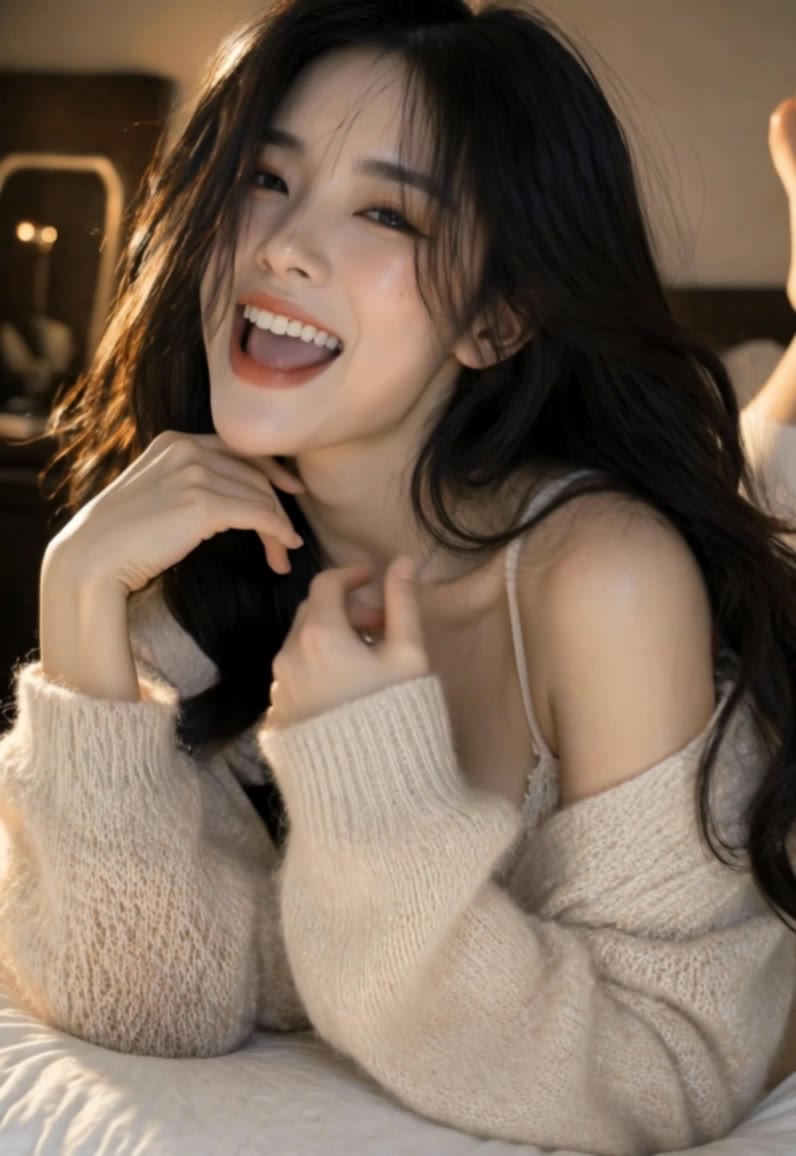
Experience the power of AI with vai video generator, featuring cinematic vertical videos and warm, golden-hour lighting that capture authentic, emotionally engaging moments. Unleash your creativity with AI-driven prompts and professional-quality scene storyboards for compelling narratives. Start exploring vai video generator ideas and generate your own content with AI.


vai video generator - everyday moments & romantic narratives

Recommended

Kling AI work 316614035667512 - vai video generator AI video
rhPCvjyI avatar
rhPCvjyI
Pretty Manola🥰 - vai video generator AI image
silenceboy🥺 avatar
silenceboy🥺
Kling AI work 317313095323976 - vai video generator AI video
WhQmbnCV avatar
WhQmbnCV
Kling AI work 317240822308793 - vai video generator AI image
sWZAbFck avatar
sWZAbFck
အားမာန်အိမ်ပြောင်းဝန်ဆောင်မှု - vai video generator AI video
YbDlHEXa avatar
YbDlHEXa
Kling AI work 319299794521388 - vai video generator AI video
YCDYHuOp avatar
YCDYHuOp
Kling AI work 310615702616587 - vai video generator AI video
SDrgpuBs avatar
SDrgpuBs
Morning Light  - vai video generator AI video
RCP-RaccoonCityProds avatar
RCP-RaccoonCityProds
Kling AI work 315824399617976 - vai video generator AI video
SMFyEMiu avatar
SMFyEMiu
Kling AI work 313704556665139 - vai video generator AI video
FvTiEvTR avatar
FvTiEvTR
Kling AI work 318748569617222 - vai video generator AI image
yNfQTDmO avatar
yNfQTDmO
Kling AI work 312553210508576 - vai video generator AI image
MstqTPIv avatar
MstqTPIv
Kling AI work 312651329523975 - vai video generator AI image
mlCYJkSp avatar
mlCYJkSp
Kling AI work 317204752505859 - vai video generator AI video
NszoVmRM avatar
NszoVmRM
Kling AI work 317272124664726 - vai video generator AI video
Ninja TV avatar
Ninja TV
Kling AI work 297069430506421 - vai video generator AI video
TxkOIyNj avatar
TxkOIyNj
Kling AI work 319897179614299 - vai video generator AI image
ebYHXonZ avatar
ebYHXonZ
Kling AI work 317396043662720 - vai video generator AI video
qrhvTedD avatar
qrhvTedD
Summertime fun. - vai video generator AI video
xxJvogve avatar
xxJvogve

How to Create an AI Avatar Video

Create an Avatar

Create an Avatar

Pick a ready-made character from the Avatar Library, return to a saved avatar, upload an image from your device or Assets, or generate someone new with AI Image. The selected image becomes the visual starting point for the video.

Add the Voice

Add the Voice

Upload a finished recording, or enter the lines you want the character to deliver. With text to speech, select a voice and adjust its speed and emotional tone. Use punctuation to place pauses where they naturally belong, especially in longer passages.

Shape the Performance

Shape the Performance

Describe how the character should feel, react, and move while speaking. You can write the direction yourself or begin with one of the performance options Kling AI suggests for the selected character. Generate the video and review the delivery.

Create AI Art with More Creative Control

Bring More Than a Prompt to Your Art

Bring More Than a Prompt to Your Art

Start with words, a sketch, a photo, or the references that already capture part of your idea. IMAGE 3.0 can use up to 10 reference images, so you can bring a character from one image, an outfit from another, and a different setting or art style into the same creation. Use references for the details you want to keep, then use your prompt to decide what changes.

Find the Look That Fits Your Idea

Find the Look That Fits Your Idea

Create pencil drawings, watercolor paintings, anime art, comics, concept art, 3D-inspired images, and more. Try a completely different style, or fine-tune the one you already have. Kling AI also gives you control beyond the art style. Reframe the scene, shift the viewing angle, change the lighting or color palette, and keep refining the image until the whole piece comes together

Create a Series, Not Just a Single Image

Create a Series, Not Just a Single Image

Keep a character, setting, or visual style recognizable across multiple pieces of artwork with IMAGE 3.0 Omni. Generate new poses, scenes, and compositions while keeping the details that tie the series together. It works especially well for character concepts, comics, storyboards, and other ideas that need to develop across several images. Generate in native 2K or 4K when you want more detail in the finished artwork.

Apps

Image to Video
Image to Video

Image to Video

Text to Video
Text to Video

Text to Video

Omni
Omni

Omni

Digital Human
Digital Human

Digital Human

Restyle
Restyle

Restyle

Text to Image
Text to Image

Text to Image

60M+
60M+
Users
600M+
600M+
AI Videos Generated
4.7 ★
4.7 ★
App Store
Industry-Leading
Industry-Leading
Cinematic 4K

Reviews

James Phillips

James Phillips

★★★★★

Kling AI has transformed my workflow by collapsing timelines and democratizing production. It’s shifted my mindset from resource-dependent filmmaking to a boundless creative sandbox, where experimentation yields unexpected beauty.

Samuele Poggi (@visualsk2)

Samuele Poggi (@visualsk2)

★★★★★

I use Kling AI daily to push the limits of AI filmmaking. It allows me to create highly cinematic content, blending AI and VFX to develop innovative projects. It has significantly impacted my creative process, enabling me to achieve complex animations that would otherwise require high production budgets.

Huang Lu (Elson)

Huang Lu (Elson)

★★★★★

I’ve been using Kling AI since its initial release, and it’s remained one of the leading AI media generators ever since. With Kling AI, I’ve created hundreds of videos, collectively amassing millions of views.

FAQ

Q1Can I remove a video background without a green screen?
Q2How do I remove the background from a video?
Q3Can I use an image to change a video background?

Give Photos and Videos a Whole New Face

Upload your photo or video, add the face you want to swap in, and let Kling AI recreate the scene while keeping the look, motion, and surroundings feeling natural.

Effortless Face Swaps | Facial Detail Control | Natural Blending