AI Art Generator
Turn a prompt, sketch, photo, or visual reference into AI artwork. Explore drawings, paintings, illustration, concept art, and more while shaping the style and composition yourself.
Turn a prompt, sketch, photo, or visual reference into AI artwork. Explore drawings, paintings, illustration, concept art, and more while shaping the style and composition yourself.
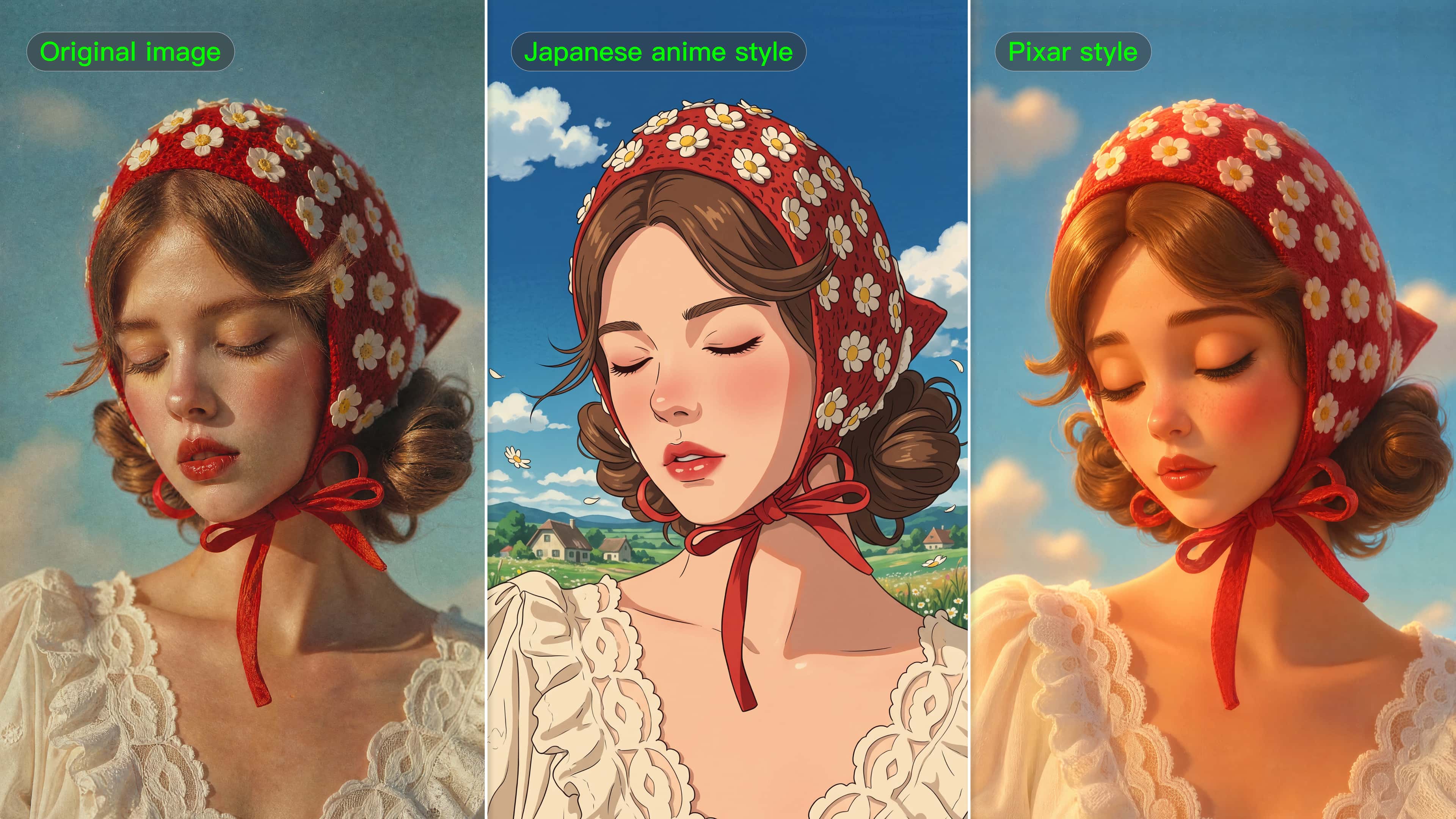




Start with words, a sketch, a photo, or the references that already capture part of your idea. IMAGE 3.0 can use up to 10 reference images, so you can bring a character from one image, an outfit from another, and a different setting or art style into the same creation. Use references for the details you want to keep, then use your prompt to decide what changes.

Create pencil drawings, watercolor paintings, anime art, comics, concept art, 3D-inspired images, and more. Try a completely different style, or fine-tune the one you already have. Kling AI also gives you control beyond the art style. Reframe the scene, shift the viewing angle, change the lighting or color palette, and keep refining the image until the whole piece comes together

Keep a character, setting, or visual style recognizable across multiple pieces of artwork with IMAGE 3.0 Omni. Generate new poses, scenes, and compositions while keeping the details that tie the series together. It works especially well for character concepts, comics, storyboards, and other ideas that need to develop across several images. Generate in native 2K or 4K when you want more detail in the finished artwork.

















I’m Maria Rubtsova, an AIGC digital artist passionate about creating stunning visuals in the worlds of fashion, aesthetics, and fantasy. I use KlingAi to bring imagination to life through video. My work is all about exploring beauty, emotion, and the limitless possibilities of digital art.

Kling AI has been instrumental in transforming my creative workflow, unlocking new dimensions of artistic expression that were once unimaginable. I use Kling AI extensively to develop high-concept visuals, animate surreal dreamscapes, and create AI-assisted films that blur the line between reality and fantasy. Kling AI’s deep learning capabilities have not only enhanced my creative efficiency but also inspired me to explore storytelling in ways I never thought possible.

Kling AI has transformed my workflow by collapsing timelines and democratizing production. It’s shifted my mindset from resource-dependent filmmaking to a boundless creative sandbox, where experimentation yields unexpected beauty.
Start with a sentence, a sketch, or a visual reference. Shape the idea until the style, composition, and details feel like yours.
Free tier available | Text to Art | Reference Images | Style Transfer