AI Photo Restoration
Restore scratches, faded areas, and damaged details while keeping important faces and subjects recognizable. Use prompts and references to guide the restoration, with 2K or 4K output available when you need higher resolution.
Restore scratches, faded areas, and damaged details while keeping important faces and subjects recognizable. Use prompts and references to guide the restoration, with 2K or 4K output available when you need higher resolution.
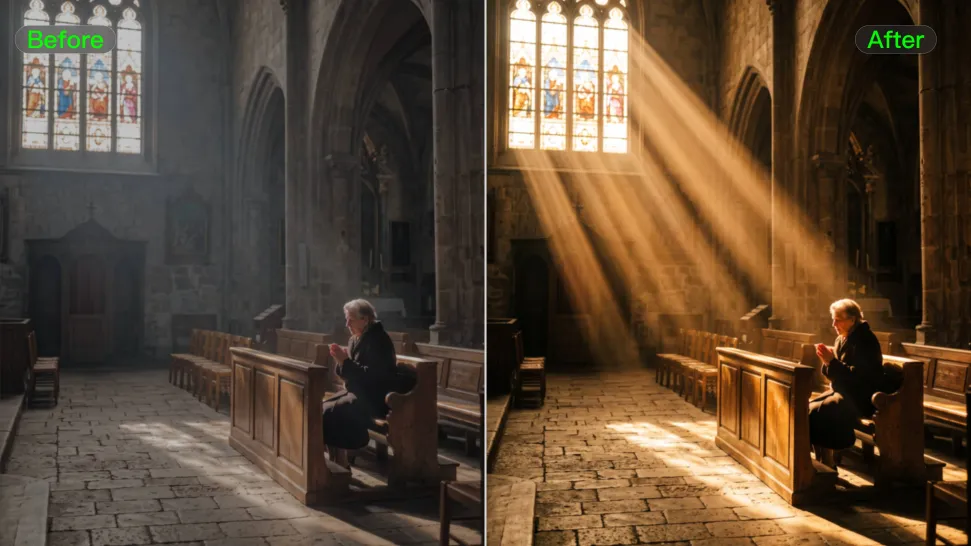




Kling AI helps restore old photos affected by scratches, dust, stains, creases, faded areas, and other visible signs of aging. Describe the restoration you want with natural language prompts and improve multiple types of damage in one workflow while keeping the original image structure consistent.

When restoring old portrait photos, keeping people recognizable is essential. Kling AI uses your uploaded photo as a visual reference to help preserve facial features, expressions, clothing details, and original composition, keeping the restored result closely connected to the original image.

Use IMAGE 3.0 Omni to generate restored photos with 2K or 4K high-resolution output. Higher-resolution images provide clearer details, smoother total transitions, and richer textures for family archives, photo books, digital collections, large displays, and high-quality printing.

















I use Kling AI daily to push the limits of AI filmmaking. It allows me to create highly cinematic content, blending AI and VFX to develop innovative projects. It has significantly impacted my creative process, enabling me to achieve complex animations that would otherwise require high production budgets.

Kling AI allows me to rapidly prototype ideas, refine storytelling elements, and produce visually compelling content efficiently. It has not only accelerated my creative processes, but also deepened my understanding of how AI can enrich visual storytelling.

I have successfully collaborated with world-renowned artists and well-known companies that are recognized globally
Use the photo you already have as the starting point. Repair visible damage, improve faded areas, guide familiar faces with references, and create a higher-resolution version when you need it.