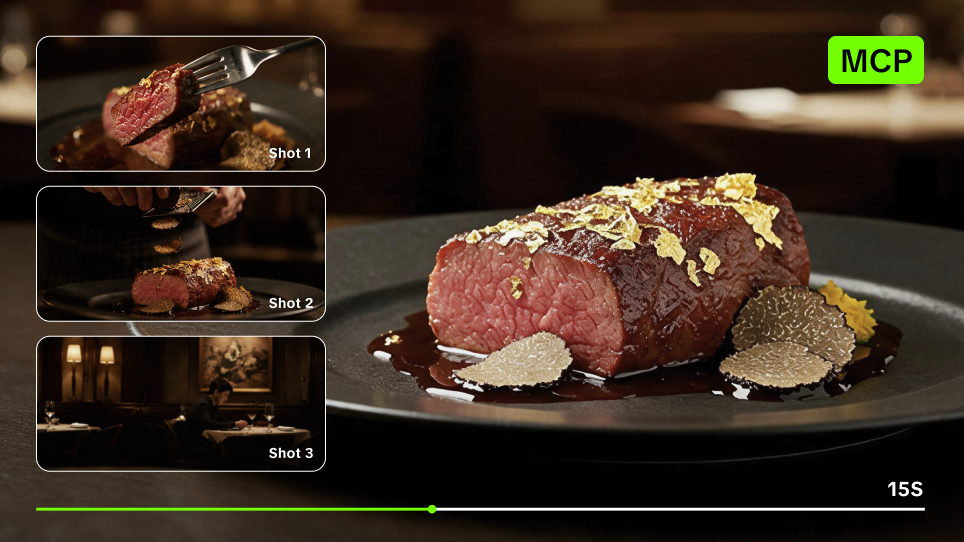
Claude Code MCP support lets you bring Kling AI generation into a project-based workflow. Organize your restaurant assets once, reuse approved creative rules, test a few shots, then scale what works across more dishes.
Claude Code MCP Support as a Practical Food Video Workflow
Claude Code keeps your project files and creative instructions organized, while Kling MCP connects it to supported Kling AI generation tools.
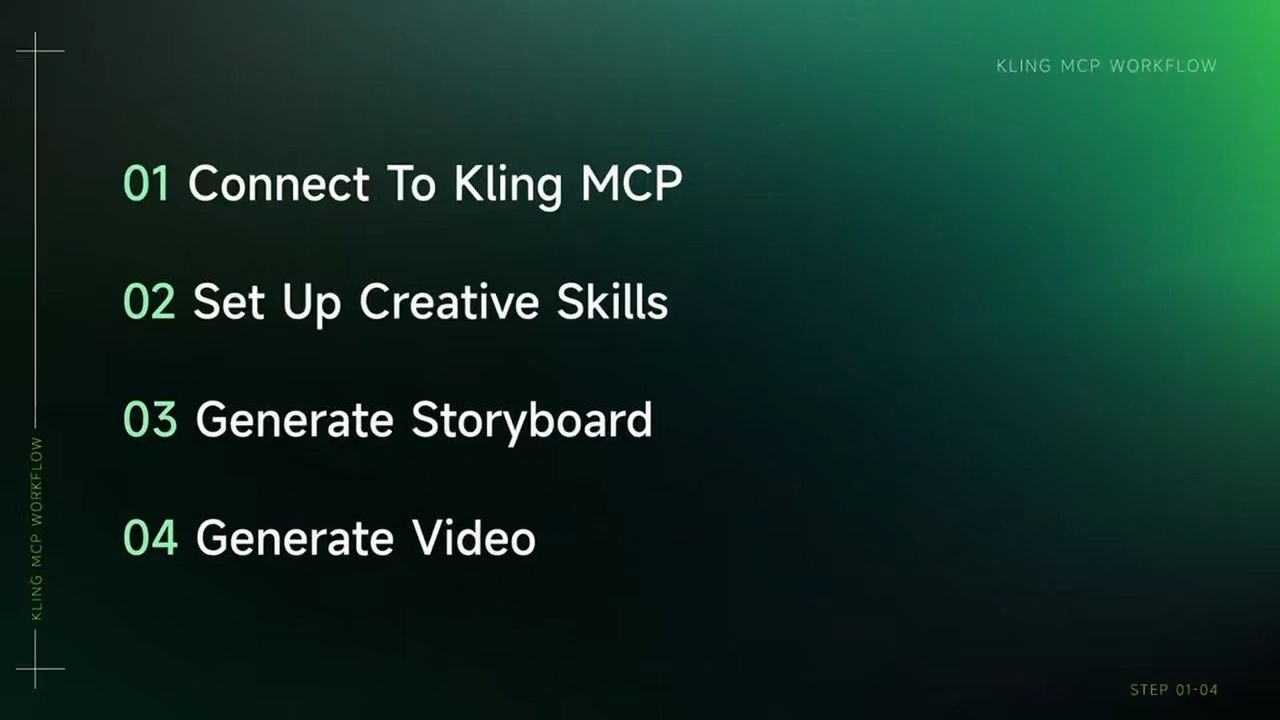
A practical food promo workflow looks like this:
- Organize the campaign assets. Keep references, dish materials, and campaign notes together.
- Build reusable creative rules. Define the visual direction once instead of rewriting it for every dish.
- Plan and approve the shots. Create a short storyboard before generating video.
- Test, then scale. Generate a small set first, correct shared problems, and reuse the approved setup across more menu items.
One approved direction can then guide promos for several dishes, a menu launch, a seasonal offer, or a broader restaurant campaign.
Batch Create Food Promo Videos with Claude Code + Kling MCP |
|---|
  |
Organize Your Food Promo Project
Create a campaign folder and launch Claude Code from that directory. Use clear filenames so Claude Code can distinguish each asset and its role. Keep the folder focused on the current campaign:
- Reference frames: Images that show the lighting, composition, food styling, and overall visual direction you want.
- Dish assets: Clear photos of the dish, ingredients, preparation, plating, and final presentation.
- Brand notes: Restaurant name, audience, campaign mood, offer, and any requirements for later editing.
- Output brief: Platform, aspect ratio, target length, and the number of variations you want.
If your inspiration comes from a reference video, use representative frames and add notes for anything the frames cannot show clearly, such as pacing, transitions, or camera movement.
Connect Kling MCP in Claude Code
Claude Code supports remote HTTP MCP servers. If you want Kling MCP available across your Claude Code projects, run:
claude mcp add --transport http klingai --scope user https://kling.ai/mcp
For a connection shared through the current project, use --scope project. If you omit the scope, Claude Code uses its default local scope, which keeps the connection private to you and associated with the current project. After adding the server, start Claude Code and run:
/mcp
Complete the Kling authentication flow and confirm that the server is connected. You can also follow the Kling MCP & CLI Guide for current Kling setup instructions. Before creating media, ask:
Confirm that Kling MCP is connected. Show me the Kling image and video tools currently available. Do not generate anything yet.
Available tools, models, inputs, and parameters can change, so build the workflow around what the current connection actually exposes.
Turn the References Into Reusable Creative Rules
Now ask Claude Code to study the reference frames and campaign notes. Focus on choices that can carry across multiple dishes:
- Lighting and color
- Background and surface
- Food texture and presentation
- Shot distance and camera angle
- Preparation and plating moments
- Overall pacing
Try:
Study the reference frames and campaign notes. Create reusable production rules for short restaurant promos, covering lighting, composition, food styling, shot types, camera direction, and pacing. Separate the rules worth keeping across the campaign from details that belong only to the reference. Do not generate media yet.
Avoid stopping at broad labels such as cinematic or appetizing. Turn them into visible direction instead: warm side light catching steam, tight texture close-ups, quick preparation shots, a slower hero reveal, or a clean overhead plate shot.
Once the direction is approved, save it as a project Skill:
.claude/skills/food-promo/SKILL.md
Ask Claude Code:
Turn the approved food promo rules into a project Skill. Include the shared visual direction, shot patterns, pacing guidance, food-accuracy checks, and review steps. Keep dish-specific ingredients, preparation methods, and presentation details as inputs rather than fixed rules.
The same Skill can now guide the next menu item without locking every dish into exactly the same content.
Build a Storyboard for One Dish
Choose one dish before scaling to the full menu. For this walkthrough, we use a 15-second social promo as the planning target. Fifteen seconds is the brief for this example, not a fixed requirement for every Kling workflow. Ask:
Use the approved food promo Skill and the supplied dish assets to plan a 15-second social video. Build a concise sequence around the real dish, preparation, texture, hero presentation, and ending. Show the shot order, purpose, and approximate timing. Do not add ingredients, cooking methods, or presentation details that are not supported by the source assets. Wait for approval before generation.
A simple structure might include:
- A fast opening that makes the dish recognizable
- One preparation or texture moment
- A stronger hero presentation
- A clean campaign ending
Let the available assets determine the exact timing rather than forcing every dish into the same formula.
Review the Storyboard Before Generation
Check the storyboard against the real restaurant materials before submitting any generation tasks. Make sure:
- The dish is recognizable and matches the source assets.
- Ingredients, preparation, and texture cues are accurate.
- The hero shot gives the finished dish enough attention.
- Camera direction and the ending fit the campaign.
Keep pricing, promotional copy, and other brand overlays for later editing unless they are part of the planned generation workflow. The goal is to approve the food, shot logic, and motion before spending generation credits.
Check the Kling Generation Plan
Next, ask Claude Code to inspect the Kling tools available through the current MCP connection. The exact generation plan can vary depending on the tool that is exposed. A storyboard might map to a supported multi-shot workflow or to several coordinated generation tasks. Ask Claude Code to show the plan before submitting anything:
Using the available Kling tools, map the approved storyboard to the appropriate generation workflow. Show which source asset, prompt, duration, aspect ratio, and other supported settings will be used for each task. Do not submit anything until I approve the plan.
This separates the creative storyboard from the technical generation setup and avoids assuming that every option in the Kling web app is available through the current MCP connection.
Generate a Small Test First
Once the generation plan is approved, start with a small test instead of producing the whole menu at once. For example:
Use Kling MCP to generate the approved test shots. Use the supplied dish assets as visual references and follow the approved shot directions. Do not introduce unsupported ingredients or preparation steps. Track the submitted tasks and retrieve the results as they complete.
Review:
- Food shape and presentation
- Ingredient accuracy
- Texture
- Camera movement
- Lighting
- Pacing
- The strength of the hero shot
If several results share the same problem, update the reusable rule instead of rewriting every prompt individually. For example:
Keep the hero shot longer across all food promos.
Or:
Use tighter framing for texture shots across the campaign.
One correction can then carry into the next set of generation tasks.
Turn One Successful Promo Into a Menu Batch
Once the test works, reuse the approved Skill and campaign rules across more dishes. Give every menu item its own source assets and product facts, while reusing the parts that belong to the restaurant campaign. Ask Claude Code to prepare a production list with:
- Dish
- Source assets
- Shot plan
- Hero detail
- Intended format
- Generation status
Then submit only the approved tasks through Kling MCP. This is where Claude Code MCP support becomes especially useful. Claude Code can keep the local assets, reusable Skill, storyboards, and generation plan organized while Kling AI handles the media generation. Start with a few dishes, review the set, then scale further once the campaign direction is working consistently.
Fix the Right Part of the Workflow
If a result fails, avoid rebuilding everything.
- Wrong source file: Refer to the exact filename and state its role.
- Invented food detail: Limit ingredients and preparation to the supplied assets and notes.
- Food looks generic: Replace words such as delicious with specific texture, lighting, motion, and framing.
- Several videos feel inconsistent: Update the shared Skill or campaign rule.
- Only one dish fails: Revise that storyboard or generation prompt without changing the rest of the batch.
- A generation is still running: Check the existing task before submitting a duplicate request.
A reusable workflow saves time because a shared problem can be fixed once and carried into the next set of tasks.
Scale Food Videos Without Starting Over
Claude Code MCP support becomes most useful when one promo turns into a larger menu campaign. Keep the restaurant assets in the project, reuse the approved Skill, and change only the dish-specific inputs and storyboard where needed. Claude Code organizes the files and workflow. Kling MCP connects it to supported Kling AI tools. Kling AI generates the media. You decide what gets approved and scaled.
Frequently Asked Questions
What Does Claude Code MCP Support Mean?
Claude Code supports connections to external MCP servers, including remote HTTP servers. When Kling MCP is connected, Claude Code can use the Kling tools exposed through that server as part of a broader project workflow. MCP provides the connection; Claude Code organizes and invokes the work, while Kling AI performs the media generation.
Can Claude Code Create Restaurant Promo Videos With Kling AI?
Yes, when Kling MCP is connected and the required Kling generation tools are available. Claude Code can work with local campaign files, prepare storyboards and prompts, invoke supported Kling tools, and keep multiple generation tasks organized. Kling AI performs the actual image or video generation.
Can Claude Code Analyze a Reference Food Video?
Do not assume Claude Code can directly understand the full motion and editing of a local video file in the same way it can analyze an image. For a reliable workflow, provide representative frames and written notes about pacing, camera movement, or transitions. If an appropriate local video-processing tool is installed, Claude Code can also help use it to extract frames for analysis.
Can I Save the Food Promo Workflow for Later?
Yes. Claude Code supports custom Agent Skills. You can save the approved workflow as a project Skill under .claude/skills/ and reuse it for other dishes while keeping menu-specific facts as separate inputs.
Why Build a Storyboard Before Generating?
The storyboard lets you check the shot order, food accuracy, timing, and creative direction before submitting generation tasks. It is especially useful for batch workflows because a problem in the shared storyboard or campaign rules can be corrected before it affects multiple videos.
Does a Food Promo Have to Be 15 Seconds?
No. Fifteen seconds is the target used in this walkthrough. Choose the final length based on the campaign, platform, available source material, and the controls supported by the Kling generation action you are using.
Do I Need Coding Skills to Use Kling MCP With Claude Code?
You do not need to write application code for this workflow, but you should be comfortable with basic Claude Code and terminal operations. After Kling MCP is configured and authorized, the creative work itself can be directed largely through natural-language instructions.