Kling 4.0 Release Overview
Kling 4.0 is a next-generation native multimodal AI model for video creation. It delivers more stable complex motion, stronger consistency across diverse references, and more coherent, precise, and controllable storytelling. It enables creators to efficiently transform creative concepts and multiple source assets into complete, controllable video outputs.
1.1 Key Upgrades at a Glance
Upgrade Highlights | Feature Description |
Audio-Visual Performance for True-to-Life Visuals | Stable Dynamic Motions and an immersive audio-visual experience, taking video generation to professional-grade production
|
Omni Reference for Greater Creative Control | More reference options and more consistent results, making it easy to recreate trending videos
|
Narrative Upgrade for Seamless Storytelling | Generation up to 30 seconds, with precise control over narrative beats—turning your spark of inspiration into a complete story
|
Diverse Content for Limitless Creativity | Greater creative freedom with support for multiple languages and text, giving ideas limitless possibilities
| Use Cases: Multilingual advertising, dialect-based short videos, international brand content, creative brand design, music videos, and other diverse styles and global creative applications. |
Kling 4.0 Flash for Faster, Easier Creation | Significantly faster generation at exceptional value Designed for high-frequency creation, 4.0 Flash Mode enables video creation with faster generation and greater cost efficiency, lowering the barrier to entry for creators. |
Video Extension for Longer Stories | Extend videos multiple times, up to 2 minutes, and keep your stories going Upload a video and extend it multiple times, up to 2 minutes, giving actions, emotional buildup, and multi-part storylines more room to unfold. (Coming soon) |
1.2 Core Capabilities and Specifications
Capability | Kling 4.0 |
Text-to-Video | ✓ |
Image-to-Video | ✓ |
First and Last Frames | ✓ |
Multiple Keyframes | ✓, Supports up to 10 keyframe inputs New |
Omni Reference | ✓ |
Generation Duration | 3-30s New |
Resolution | 720p / 1080p / 4K |
Dynamic Range | 10-bit HDR (1080p and 4K)New |
Aspect Ratios | 21:9New / 16:9 / 1:1 / 9:16 / Auto |
Audio Specifications | Stereo, 2-channel New |
Supported Languages | Chinese, English, Japanese, Korean, Spanish, Portuguese, German New、French New、Hindi New and other accents. |
Dialects and Accents | Chinese: Beijing accent, Taiwanese Mandarin, Northeastern Chinese accent, Sichuan dialect, Cantonese, and more. English: American, British, Indian, and other accents. |
Text Rendering | Supports Chinese, English, Japanese, Korean, Spanish, Portuguese, German, French, Hindi, and multilingual text, emojis, and logos New |
Input Text Length | Up to 8,000 tokens New |
Reference Image Input | Up to 10 images |
Reference Video Input | Up to 5 videos; Total video duration ≤ 30s |
Reference Audio Input | Voice reference supported |
Reference Element Input | Up to 7 elements, including up to 3 video elements |
Note | A maximum of 15 reference inputs in total, including images, videos, voice styles, and elements. |
Video Editing | Supports up to 5 video clips, including 1 primary video.
|
Unless otherwise specified, all parameters and capability descriptions in the following chapters of this manual apply to Kling 4.0.
Getting Started
2.1 Choose a Creation Mode
Kling 4.0 offers two primary entry points in the creation workspace: Omni Reference and Keyframes.
The two entry points differ as follows:
Comparison | Omni Reference | Keyframes |
Best For | When you have images or video assets to reference, or only a creative concept to start with | When key visual moments are predefined and need to be reproduced precisely in the final video |
What It Controls | The appearance, style, actions, and camera movements of the generated video | The distribution of key moments along the video timeline |
Supported Uploads | Images, videos, and voice profiles | Images only |
Omni Reference is the default entry point and offers the most comprehensive capabilities. Both Text-to-Video and Keyframe-to-Video generation are also available through this entry point.
The Keyframes entry point remains available as a separate option. It preserves the familiar Image-to-Video workflow (the first frame /the first and last frames) while meeting the need for pixel-level consistency in keyframe images.
The capabilities of the two entry points cannot be combined within a single generation task.
2.2 Write Effective Prompts
Principle: Use descriptive language and minimize abstract terms and negative instructions.
Describe visual details as explicitly as possible to reduce the need for the model to infer or guess. Negative prompts can increase the likelihood of errors.
Only two types of negative instructions are truly necessary: no subtitles and no background music. The model may add these by default, so explicitly exclude them when they are not needed.
Not Recommended ❌ | Recommended ✅ |
“Premium look” | Side backlighting outlines the object's edges, the background is blurred, and fine matte grain is visible on the surface. |
“Vintage feel” | Yellowed walls, worn furniture edges, and warm incandescent lighting. |
“A middle-class family's kitchen” | Wood-grain cabinets, a rice cooker and seasoning jars on the countertop, and sticky notes on the refrigerator door. |
“Don't show the element's face while they're on the phone.” | (Describe what you want to see directly) The element is shown in profile while talking on the phone. |
Features and Usage
3.1 Omni Reference
Input Limits and Parameters
Input Type | Quantity and Specification Limits |
Text | ≤ 8,000 tokens |
Images | Up to 10 images in total; ≤ 30 MB per image; aspect ratio: 2:5–5:2 |
Videos | Up to 5 videos; 3–30 seconds per video; ≤ 30 seconds total; ≤ 300 MB per video; aspect ratio: 2:5–5:2 |
Voice Profiles | Up to 3 per generation task; 5–30 seconds of audio to create a voice profile; ≤ 50 MB per file |
Elements | Up to 7 elements in total, including up to 3 video elements; source footage for creating a video element must be 3–8 seconds long |
Combined | Up to 15 reference assets in total across images, videos, voice profiles, and elements |
Parameter | Available Options |
Generation Mode | 720p / 1080p / 4K |
Duration | 3–30 seconds, adjustable in 1-second increments; default: 10 seconds |
Aspect Ratio | 21:9 / 16:9 / 1:1 / 9:16 / Auto; default: Auto |
⚠️ Reference videos, videos for editing, and video elements share the same video quota: up to 5 clips and a maximum combined duration of 30 seconds.
Omni Reference Usage Guide
Assets are automatically numbered in upload order, such as @Image1, @Image2, and @Video1.
Specify the intended role of each asset, for example, “@Image1: preserve the character's appearance” or “@Video1: reference the action pacing.”
If you provide only asset IDs without specifying their roles, the model will infer their intended use, making the results less predictable.
Example:
@Image1 defines the scene. Preserve its spatial layout, furnishings, and lighting.
@Image2 defines the female protagonist. Preserve her facial features, hairstyle, and clothing.
The female protagonist walks toward the window, stops, and looks back.
When multiple assets provide different types of information, specify the scope of each asset's role and explicitly exclude elements that should not be carried over.
Prompt Structure
[Asset Roles]
@Image1 defines ___; preserve its ___.
@Image2 defines ___; preserve its ___. Reference the ___ of @Video1.
[Overall Settings]
Scene and texture: ___; visual style: ___; camera tone: ___.
[Sequence of Events]
0–X s: ___ (visuals + action + emotion)
X–Y s: ___ (camera movement + additional details)
Y s–end: ___ (closing shot)
[Audio]
Dialogue/voiceover + ambient sounds + music + sound effects
Capabilities and Prompt Writing
① Generation from Simple Prompts
You can start creating with just a single creative idea. Describe the element and what you want to happen, and the model will automatically expand simple prompts by filling in the storyline, scene blocking, and camera movements. When the description is already sufficiently clear, the model follows it faithfully without adding its own interpretation.
This approach is ideal for exploring visual ideas and getting a first result to work with.
An old man ranting about AI.
② Multimodal Reference
Character appearance, action and posture, camera language, spatial relationships, and voice profiles can come from different assets and be combined within a single generation task. The key is to tell the model what each asset contributes and how they should come together in the final video.
Reference Type | Prompt Example |
Multi-Character Reference | Reference the facial features of the characters in @Image1, @Image2, and @Image3, keeping them strictly consistent. Reference the design of the blue motorcycle in @Image4 and keep it strictly consistent. Reference the design of the red sports car in @Image5 and keep it strictly consistent. Reference the filming equipment in @Image6 and keep it strictly consistent. |
Action Reference | Reference the fighting moves and attack timing in @Video1. Use @Image1 and @Image2 as the character appearance references. |
Camera Movement Reference | Reference the camera path and pacing of @Video1. Replace the element with the car in @Image1 and the background with @Image2. |
Composition Reference | Reference the composition of @Image1 and preserve it exactly. |
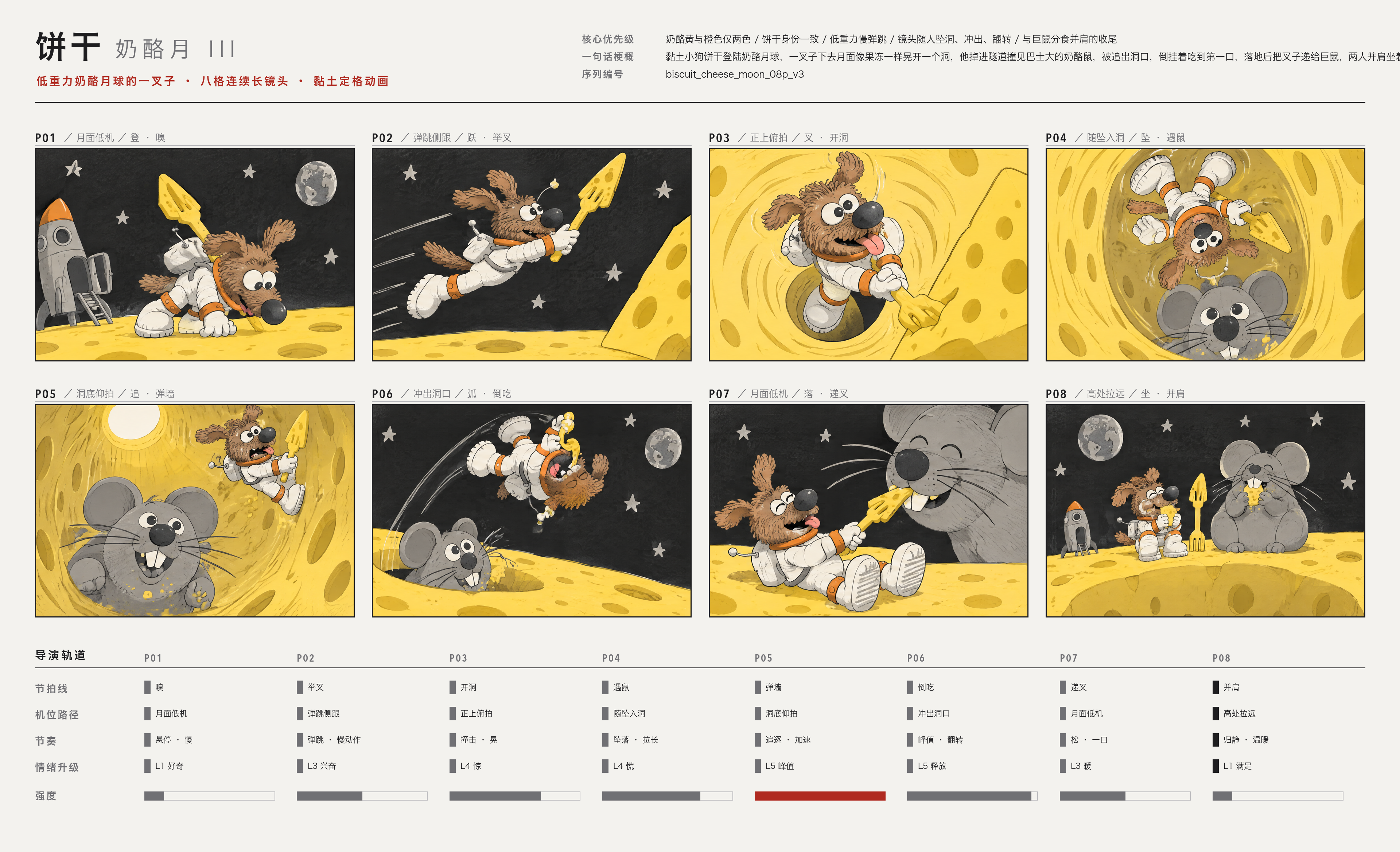
Storyboard Reference | Reference the character design in @Image1 and use the storyboard in @Image2 as the director-approved sequence of shots, framing, camera paths, screen direction, and emotional progression for this scene. Recreate the finished stop-motion-style frames described in each storyboard panel. Do not render the storyboard itself. Avoid pencil-sketch textures, grids, title bars, Chinese annotations, and director's notes. |
Multi-Character Reference
【Overall Style】 15 seconds, realistic live-action cinematic quality. A coastal city street at dusk connects to a staged banquet scene. Natural handheld cinematography with noticeable vertical movement from footsteps, subtle irregular shake, and framing corrections. Whip pans follow vehicle and character movements, producing brief motion blur before settling back on the target. Movement is intense during the car chase and running sequences, then gradually slows during the banquet sequence. Characters have slight perspiration, loose strands of hair, and natural clothing wrinkles. Road surfaces, clothing, and equipment show realistic signs of use. Natural colors create visual contrast between the red sports car, flames, and the warm tones of the banquet. 【Characters and Vehicles】 Male Actor: While driving and rolling on the ground, he wears a complete spy-action outfit: A fitted dark charcoal-gray tactical top with a closed neckline; Matching tactical trousers; Black leather ankle boots. The outer costume has tear-away seams designed for quick changes on set. The top opens along the center front and both sides, while the trousers open along the outer seams of both legs. A white shirt, black bow tie, and dark navy dress trousers are already worn underneath the outer costume. When the outer costume remains intact, he clearly appears in the dark tactical outfit. Two additional crew members help him put on the suit jacket later. The hems of the navy dress trousers cover the shafts of the black ankle boots. The actor's face, hairstyle, and physique must remain consistent throughout. Sports Car: The front features a continuous horizontal white light bar. The rear has three small circular taillights on each side. The center of the hood is uninterrupted, smooth red paint. The dark gray wheels have plain metal center caps. The center of the steering wheel has a solid black leather surface. The driver's side window is open. The car's overall shape and lighting design must remain consistent across all shots. Motorcycle Camera Operator: He controls the motorcycle using his legs and center of gravity, compensating for bumps with his upper body. The camera is aimed at the sports car's driver. During the reveal, his full standing posture, both feet, the motorcycle, and the camera must all be clearly visible. Director: He wears a worn-in, short dark brown jacket over a beige crew-neck T-shirt, paired with dark straight-leg trousers. He holds a digital stopwatch, actively turning his body and gaze to follow the filming action. A script supervisor, camera assistants, and lighting crew stand nearby. People and equipment in the foreground, beside him, and in the distance create layered depth. Wardrobe Crew: The first four, two on the left and two on the right, pull open and remove the outer tactical costume. The remaining two unfold and help him put on the dark navy suit jacket. Each person performs a clearly defined action. After removing a garment, the corresponding crew member holds it in their hands. Female Companion: Waiter: 【Shots and Actions】 00:00–00:03 | Five Rapid Cuts During the Car Chase Tire close-up: The rear tire grips the road as the red sports car accelerates. Foot close-up: The actor's black leather boot presses down on the accelerator. Eye close-up: The actor quickly assesses the traffic ahead, his face vibrating with the movement of the car. Hand close-up: Both hands turn the steering wheel decisively. Slightly wider side shot: The sports car squeezes past an adjacent vehicle, rapidly closing the gap before pulling away again. The first four shots are brief and punchy. Let the final shot run slightly longer to clearly establish the car weaving through traffic. 00:03–00:09 | Pull Out of the Car, Reveal the Camera Operator, Whip Pan to the Director Film the driver from near the passenger seat. The camera moves through the open driver's side window, fully exits the car, and continues pulling outward. Establish a wide exterior side view: The red sports car and dark blue motorcycle travel side by side. The camera operator is fully visible from head to toe, standing alone with the camera on his shoulder, aimed directly at the driver. The sports car steers around a vehicle ahead. The motorcycle leans into the turn in sync, then returns to parallel alignment. The camera naturally bobs with the speed and road bumps. As the vehicles pass the director's working area, the camera whips toward the roadside. A camera assistant's shoulder briefly sweeps through the foreground before the camera settles into an oblique medium close-up of the director. The director leans forward, his gaze tracking the sports car. A script supervisor takes notes beside him, while lighting crew and equipment in the distance create a deep, layered production-set background. He gestures forward and shouts: “Stay with it! Keep going!” The entire line must be delivered while the director is on screen. 00:09–00:12 | Sports Car Explosion Cut to a wider tracking shot alongside the sports car. A missile with a visible flaming trail enters from the rear left and clearly strikes the rear of the car. A flash erupts at the point of impact, followed immediately by an explosion at the rear of the vehicle. Flames, black smoke, and debris expand outward. The car body is thrown upward while continuing its momentum toward the right. The handheld camera jolts briefly from the impact. 00:12–00:14 | The Actor Rolls into Frame from the Left Cut to the ground near the adjacent film set. Wearing the complete dark tactical outfit, the actor rolls close to the ground into frame from the left, moving toward the center. Burning flames and rising smoke remain visible in the rear left. Orange light sweeps across his left shoulder, the side of his face, and the ground. He finishes in a heroic kneeling pose, with one knee on the ground and one hand braced against the ground. His entire body remains visible, and his clothes are covered in dust. The camera briefly dips with his landing, then readjusts to find the actor. 00:14–00:15 | Facial Close-Up Leading into the Run Cut to the actor's face. He exhales, with sweat and dust visible on his face and flickering firelight on his left side. He raises his eyes and locks his gaze on something ahead. His shoulders lift, and his body begins to launch into a run. The handheld camera makes small natural movements and quickly rises with him as he gets up, transitioning into the running sequence. | 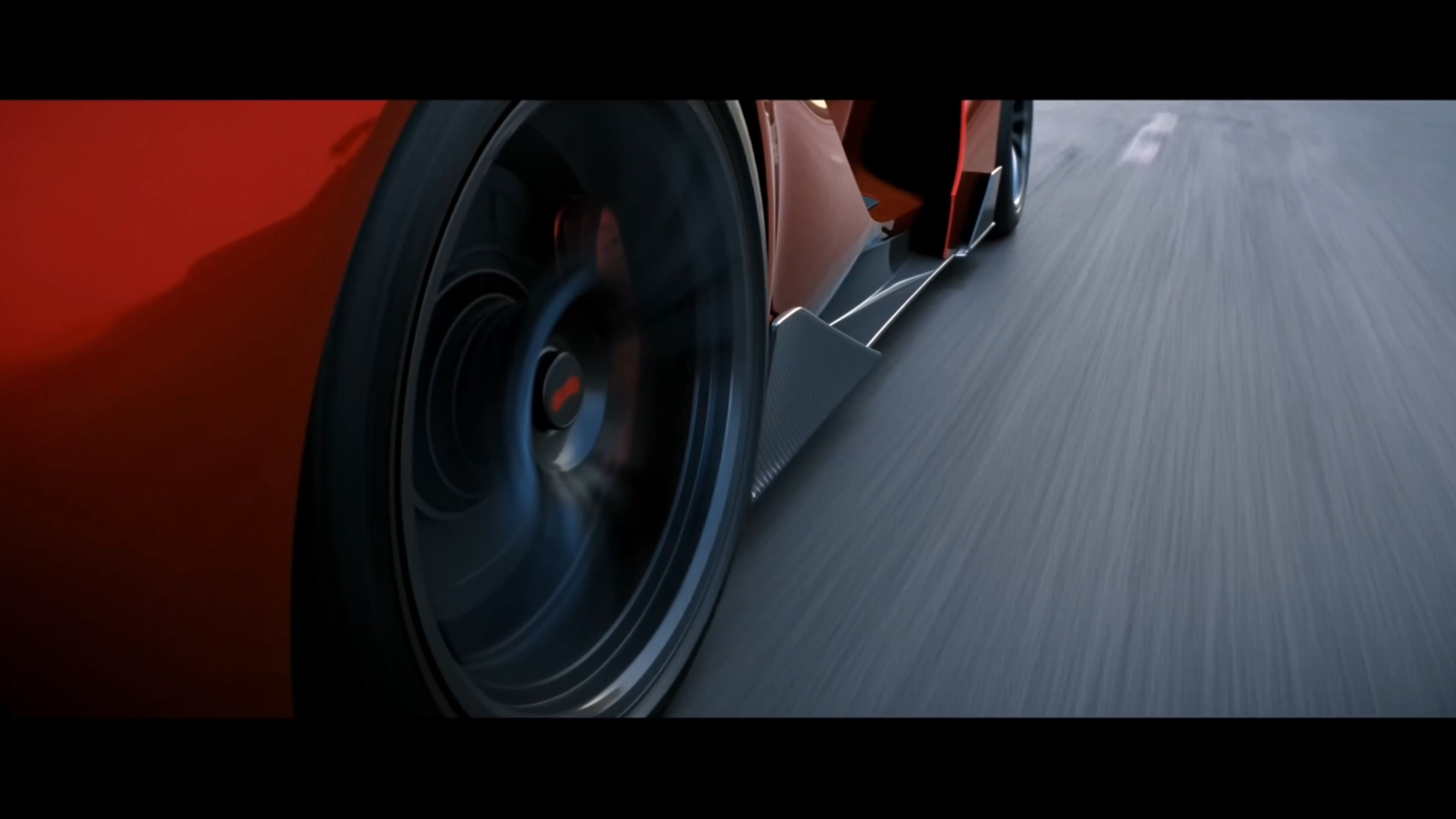  |
Action Reference
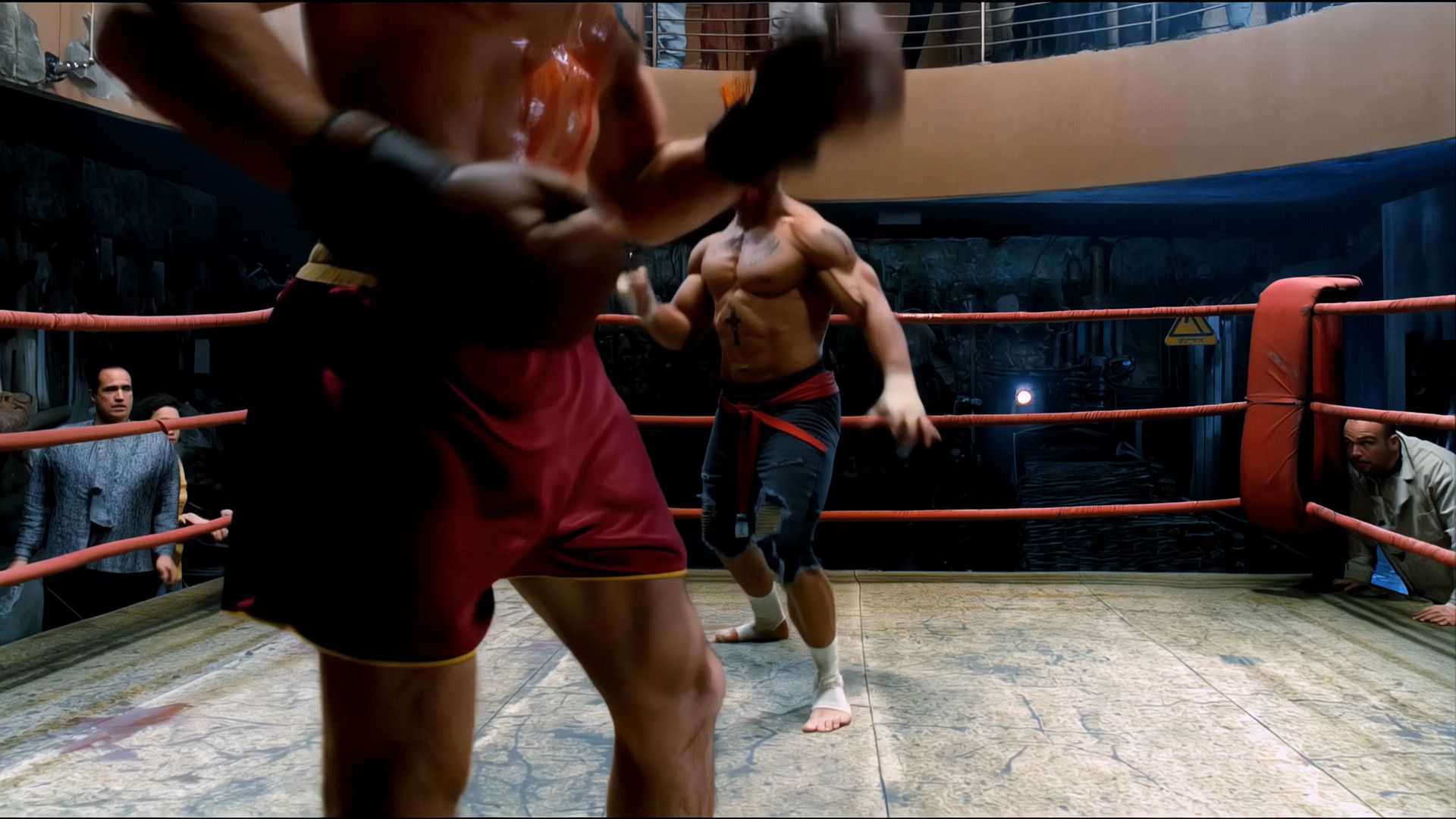
Use @Video 1 as the reference for the fight choreography and attack timing. Use @Image 1 and @Image 2 as the references for the character designs. | 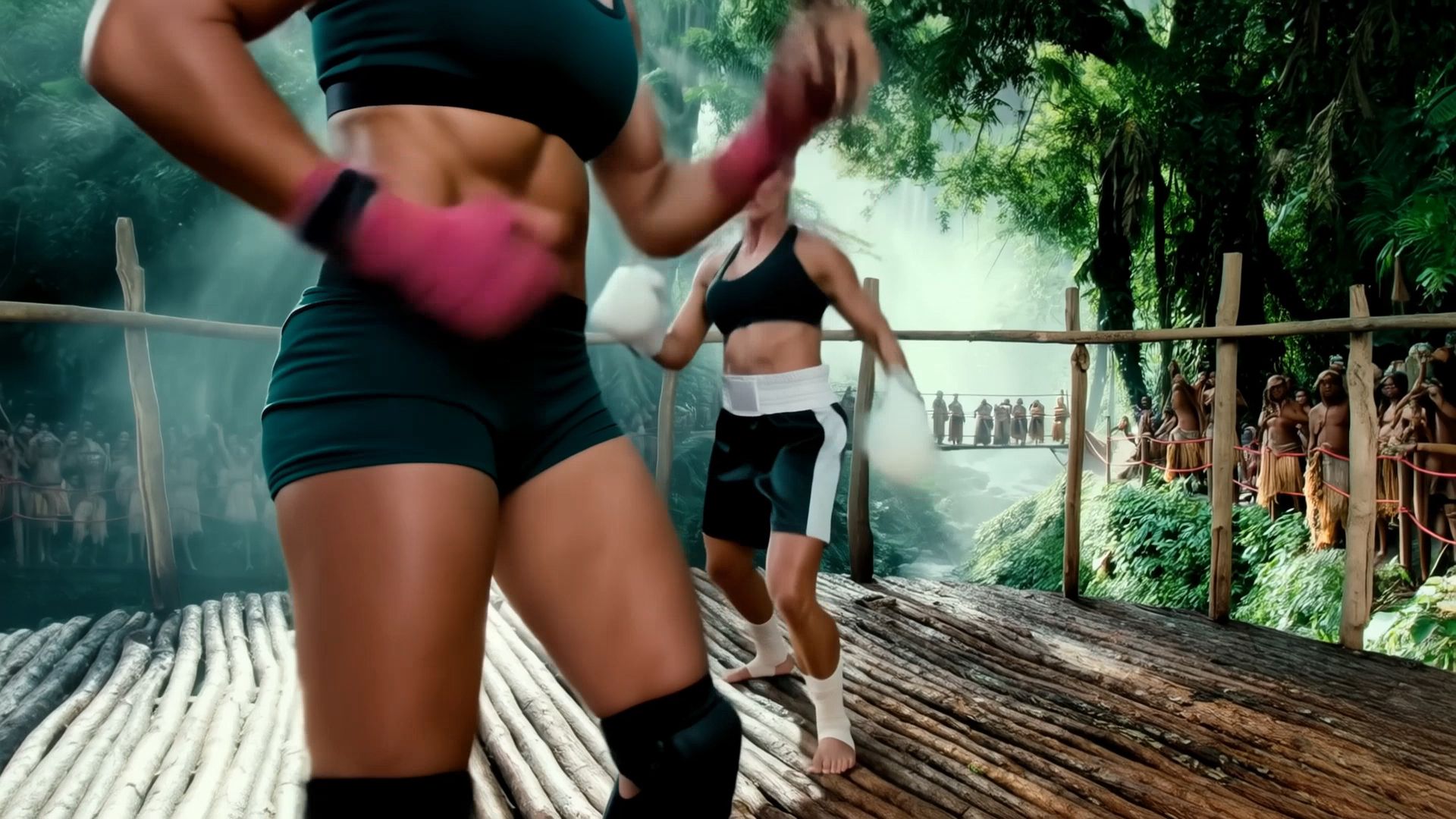 |
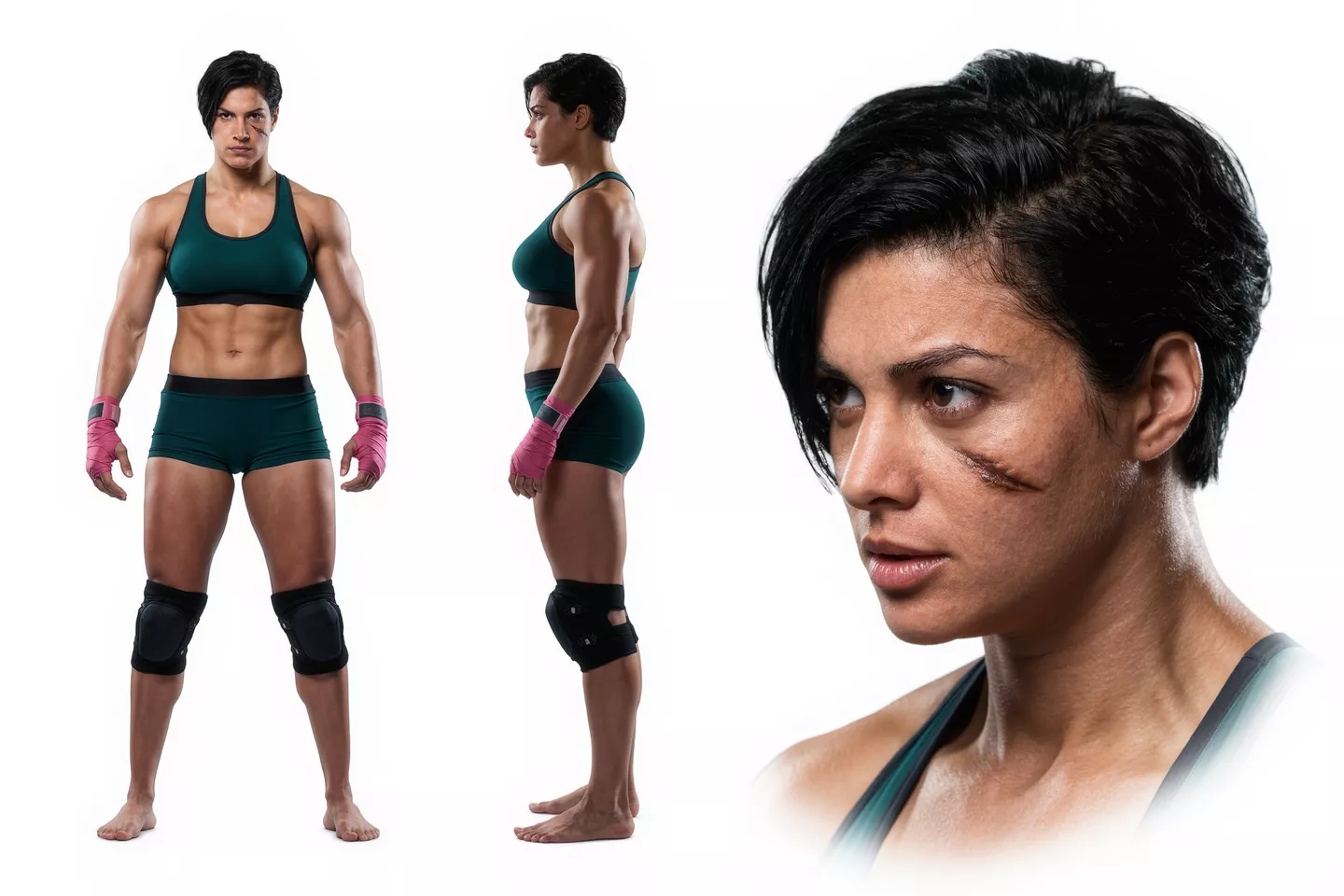
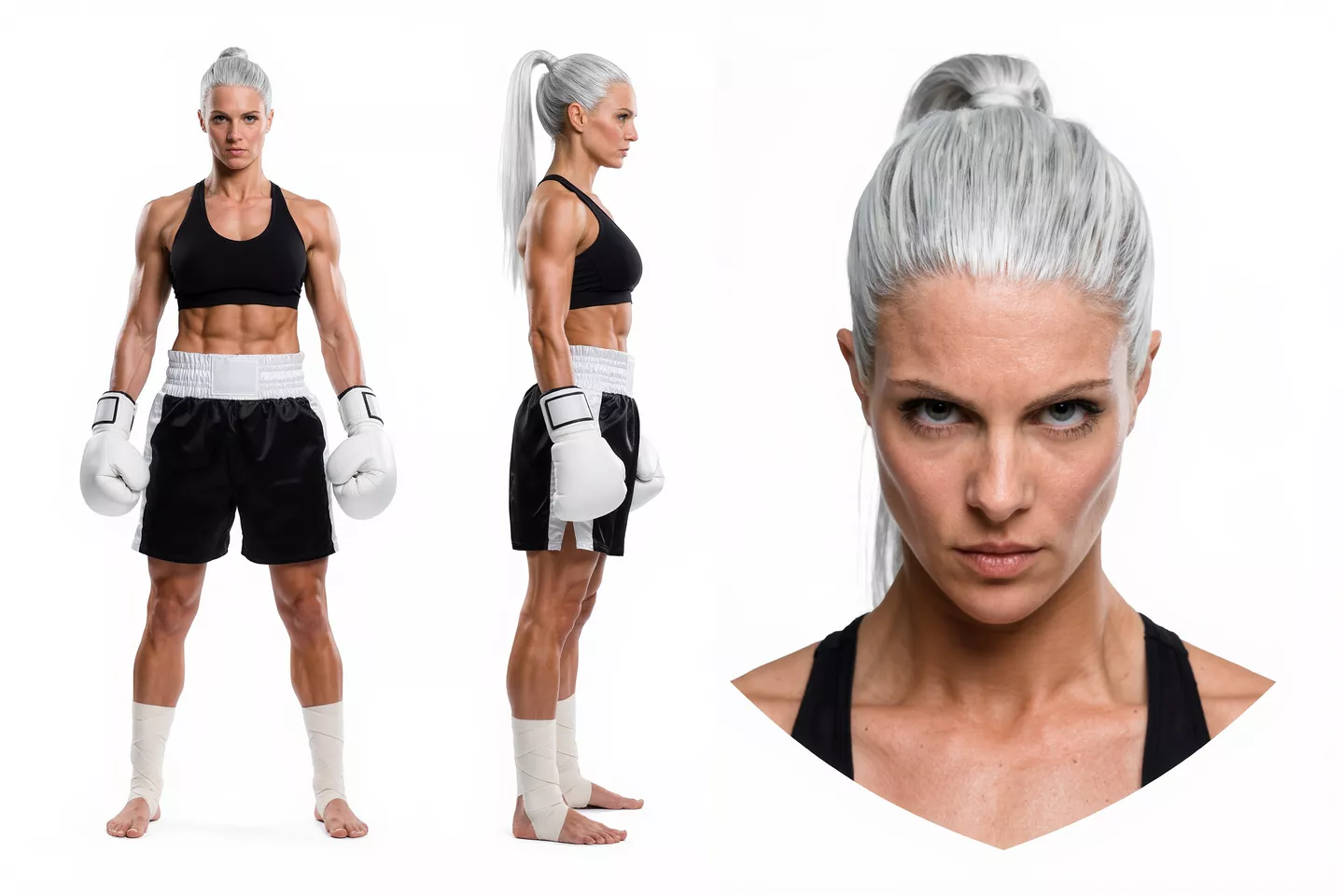
Camera Movement Reference
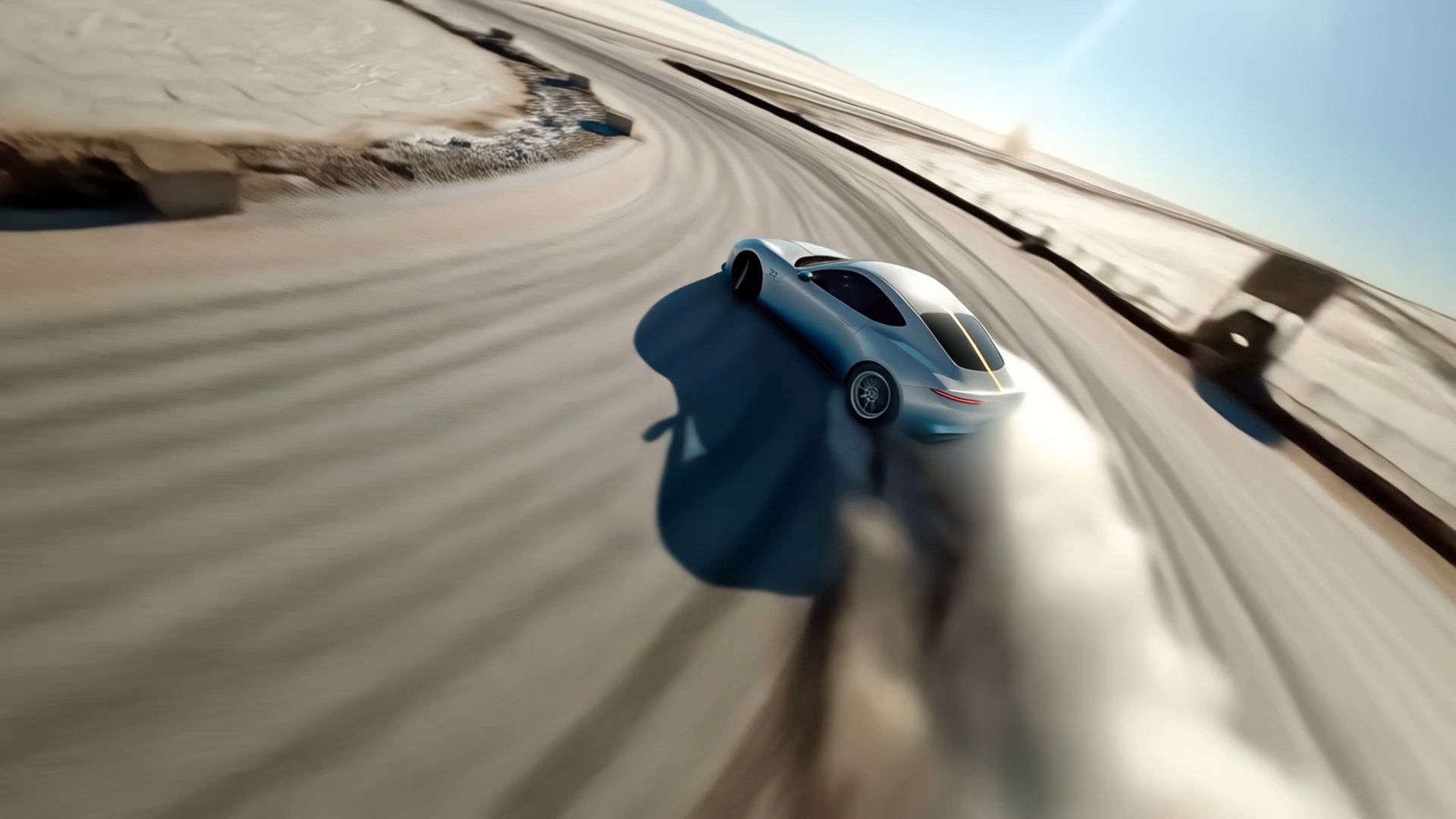
Use @Video 1 as the reference for camera movements and shot pacing. Replace the Element with the car from @Image 1 and the background with @Image 2. | 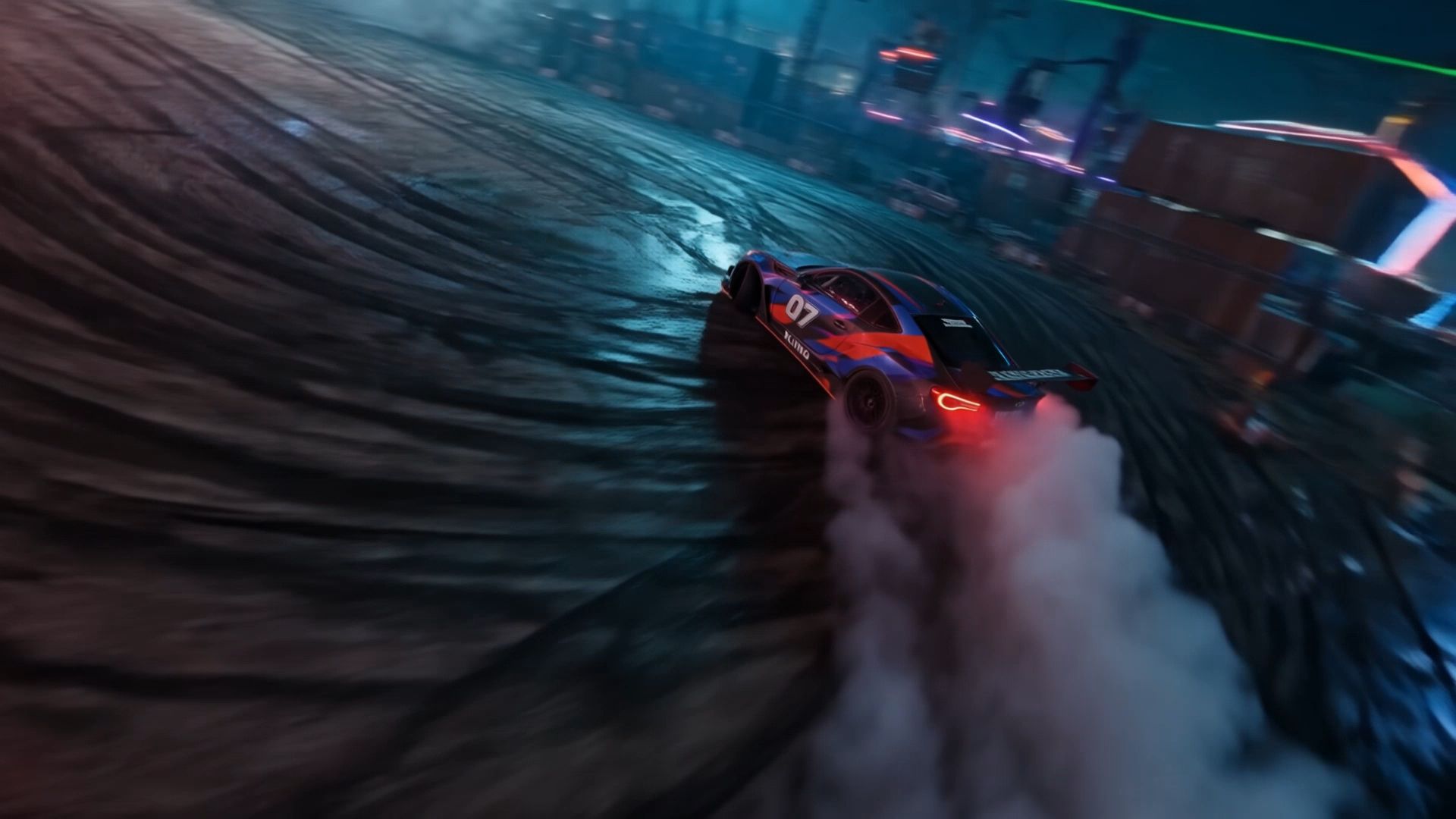 |
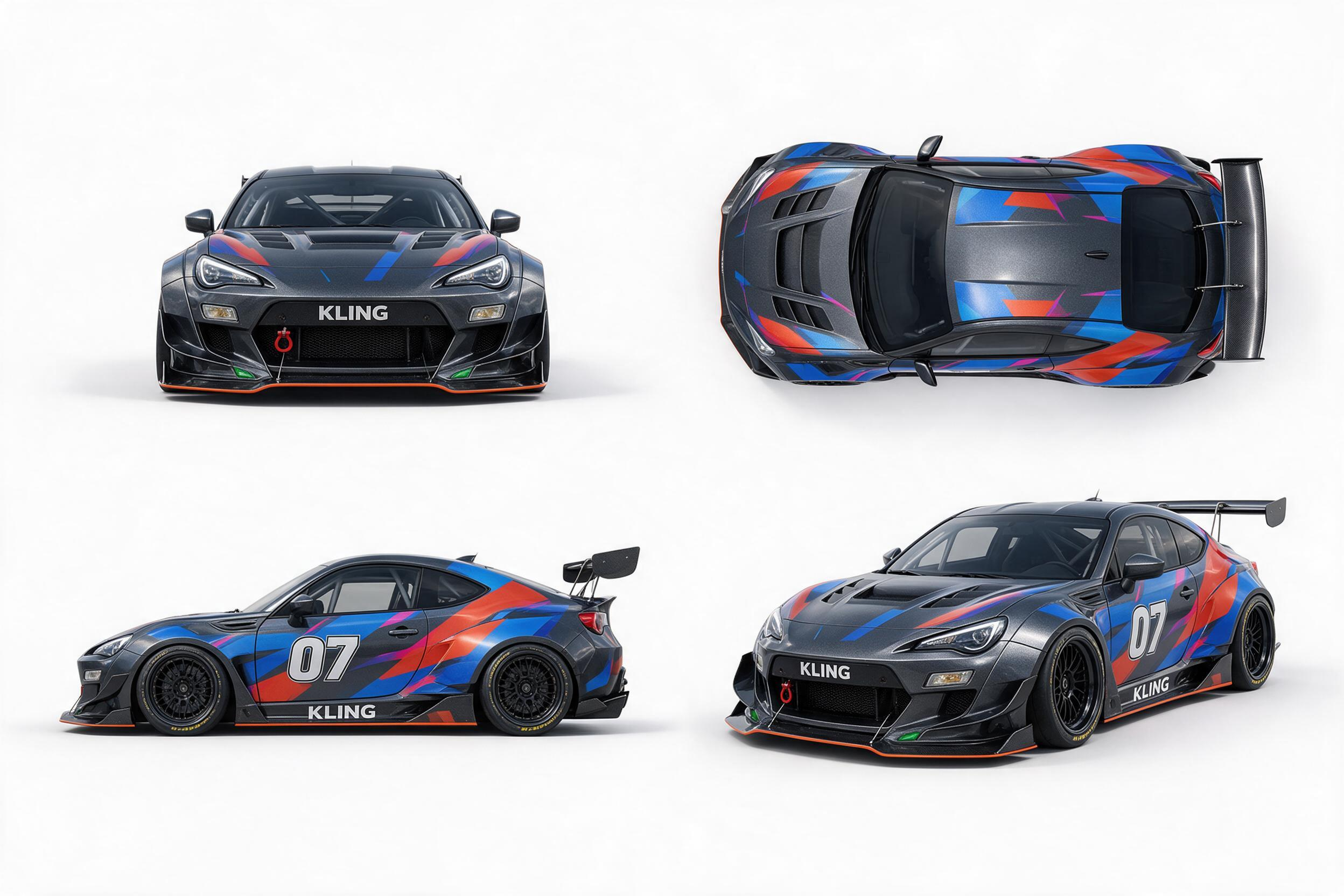
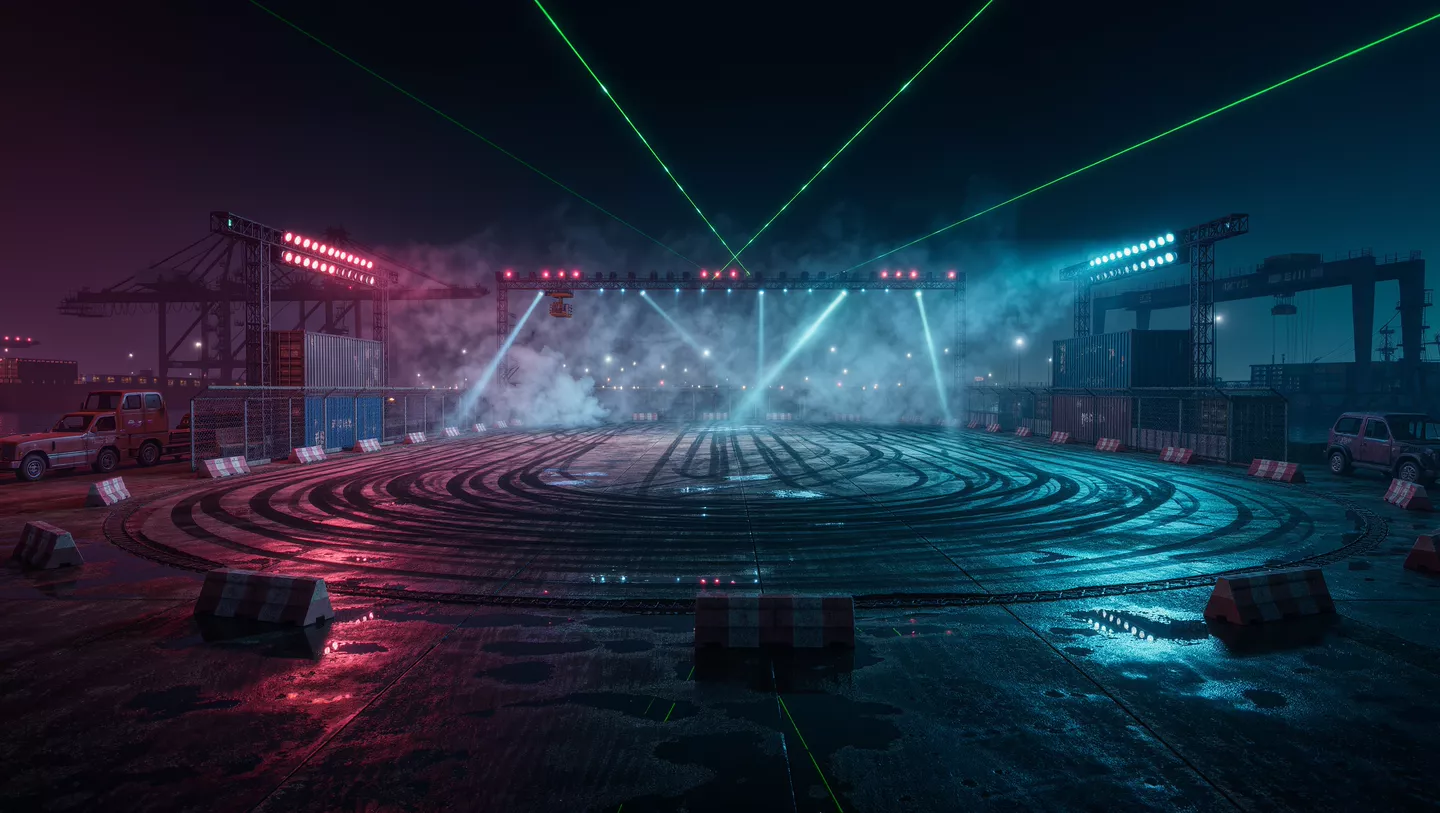
Composition Reference
Shot 1 (5s): Use Reference Image 1 for composition. A moonlit night with sparse stars. A colossal white lotus glowing with moonlight blooms in the sky, radiating tiny white sparkles and golden flecks of light. The lotus dominates most of the frame, appearing like an enormous luminous moon, yet remains visibly distant from the character. In the foreground, a breathtakingly beautiful woman in white traditional Chinese attire with a flowing golden gauze outer robe gazes toward the distant lotus with one hand gently raised. Her figure is much smaller than the lotus but closer to the camera, creating a pronounced sense of depth and spatial separation. Her long, waterfall-like black hair, two slender white hair ribbons, and flowing garments sway naturally in the breeze. Moonlight illuminates her silhouette, tracing her body with a delicate silver-white rim light, giving her an ethereal, celestial presence. The enormous lotus gently pulses with light as if breathing. Each petal subtly rises and falls, while delicate streams of water carrying tiny starlike glimmers trickle continuously from the petals. Golden particles drift slowly back and forth around the flower. The camera slowly pans to the right. The woman remains stationary in her position, while her hair, ribbons, and clothing move organically in the wind. Subtle parallax and perspective shifts reveal the lotus's changing appearance as the camera moves. Motion is fluid, natural, and physically believable, with cinematic depth and an enchanting celestial atmosphere. Shot 2 (5s): Use Reference Image 2 for the lotus design and the character's pose and composition. Under a starry, moonlit sky, an enormous ink-black lotus blooms on the surface of a flowing river. Its magnificent dark petals fill almost the entire frame, forming the dominant visual subject. The lotus emits a soft, otherworldly glow that illuminates the surrounding scene. Its hollow center is large enough to cradle a beautiful woman dressed in pale, muted celadon-blue traditional Chinese clothing. She reclines comfortably in the center of the lotus, legs crossed, both hands interlaced behind her head, as if peacefully dozing. Her pose is relaxed and carefree. The lotus's center has an almost translucent luminous quality, delicately edged in white and touched with subtle golden radiance. The woman occupies a relatively small portion of the frame. Use a strictly vertical top-down overhead shot. Tiny fireflies sparkle throughout the composition. The woman gently shifts and moves her hands in a relaxed, unhurried manner. A soft breeze causes her hair and flowing skirt to sway naturally, with subtle, lifelike movements. The massive black lotus slowly pulses between brighter and dimmer states, like a calm, steady breath. Golden fireflies drift gradually in the same direction. Water flows continuously beneath the flower, carrying the lotus slowly toward the left side of the frame. The camera gradually pulls back, revealing more of the flowing water and the surrounding field of fireflies while preserving the lotus as the central visual focus. All motion remains smooth, graceful, and dreamlike. Background Music: elegant, classical Chinese instrumental music evoking a celestial fairyland. A delicate guzheng and Chinese flute duet, with graceful melodies, spacious ambience, and a serene, otherworldly atmosphere. Preserve the beauty and refinement of traditional Chinese aesthetics. |  |
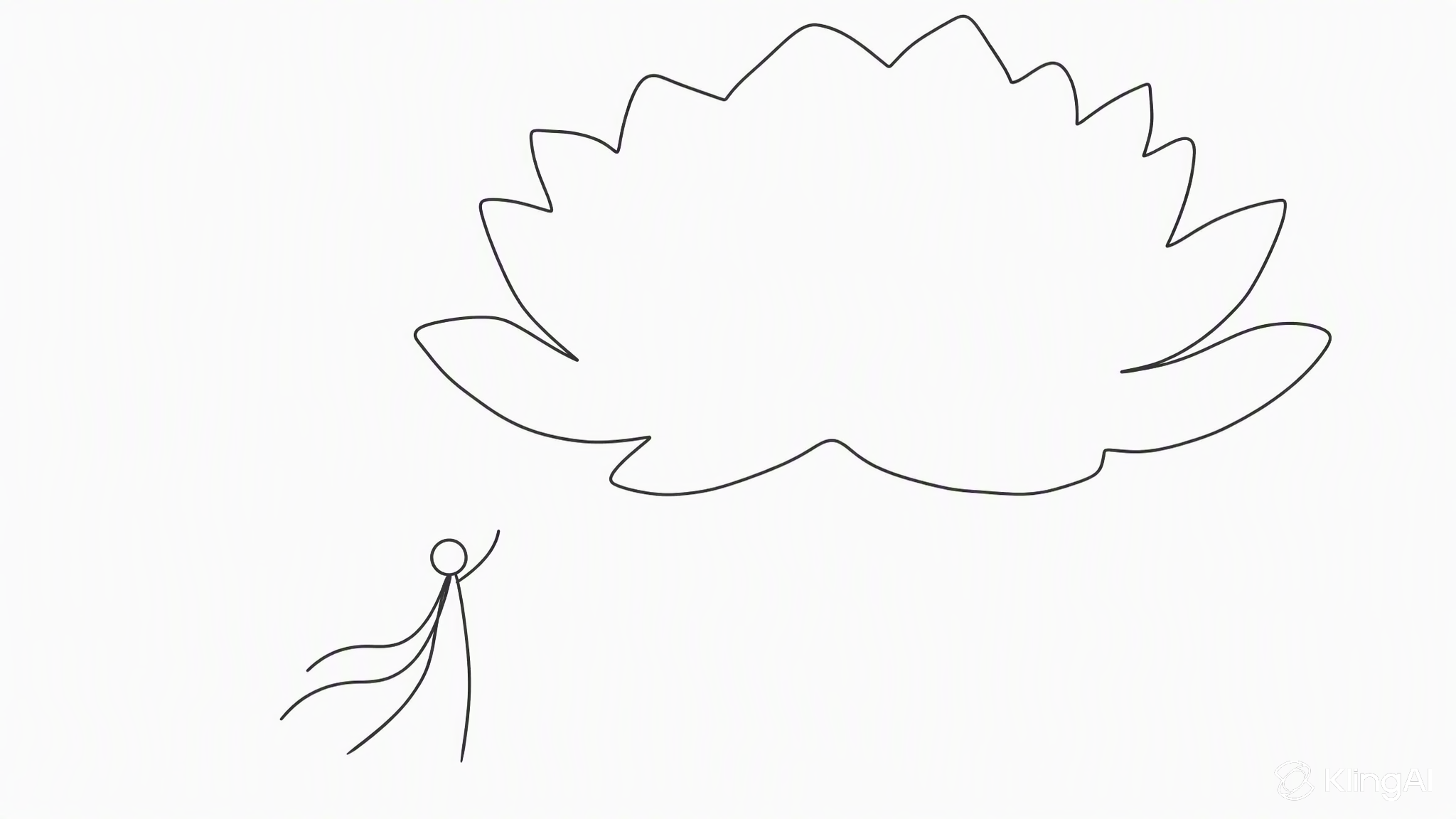
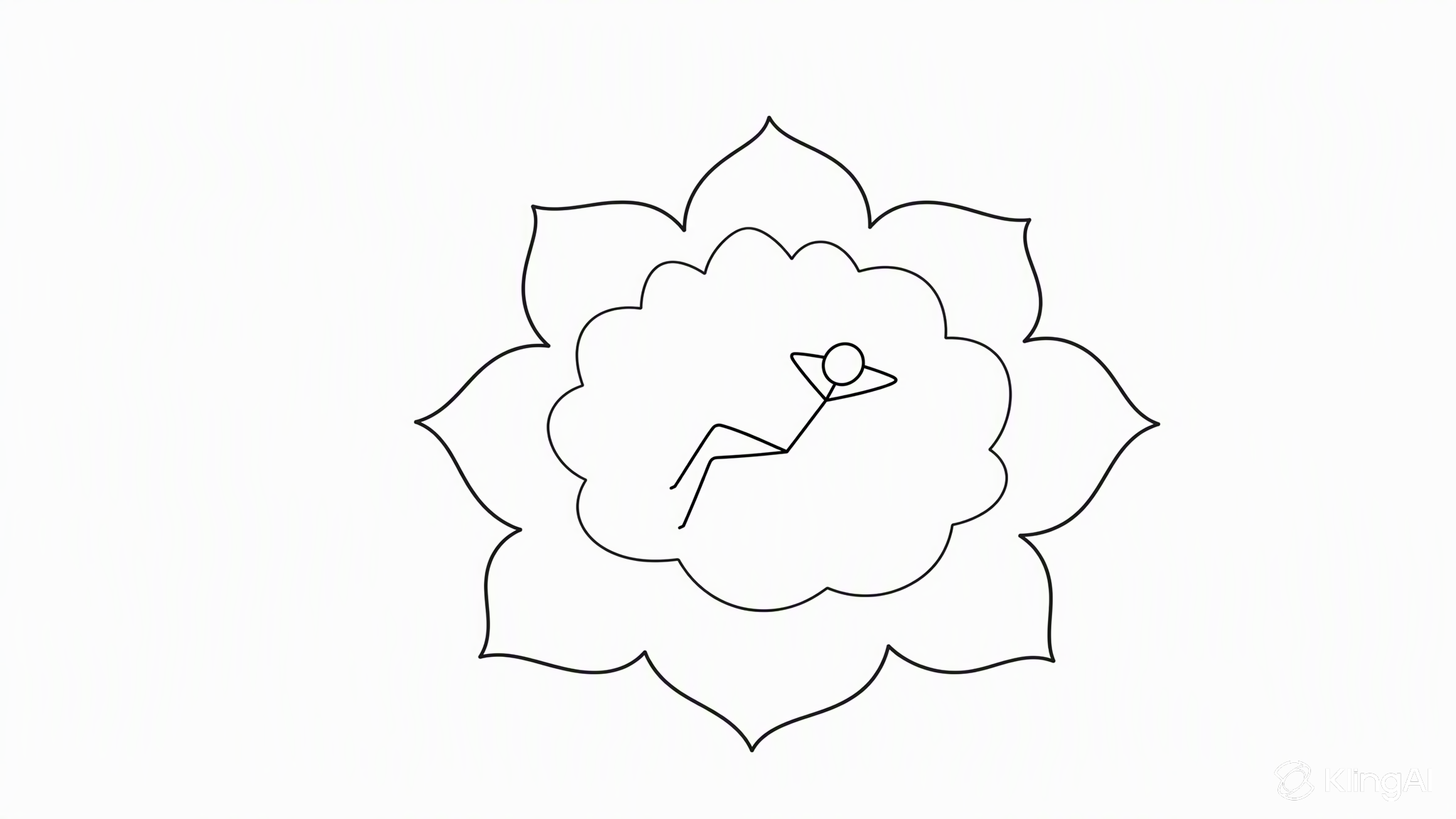
Storyboard Reference
Strictly follow the attached storyboard (Image 1) as the basis, adhering to the director-approved shot order, composition, camera movement paths, screen movement directions, and emotional progression. Present the final stop-motion animation frames described by the storyboard panels; do not film or recreate the storyboard itself. The footage must not contain pencil-sketch textures, storyboard grids, titles, Chinese labels, or director's notes. The attached character design sheet (Image 2) is the sole authoritative reference for BISCUIT (C1): a small, round, plump clay terrier with tousled brown fur, one floppy ear and one upright ear, a large black clay nose, wide-open, expectant eyes, and a short tail. He wears a tiny white clay spacesuit with orange collars and cuffs; his round glass helmet is open at the front, allowing his nose to stick out. He carries a small backpack with a curved antenna, wears oversized moon boots, and holds a clay fork larger than himself. The same dog, spacesuit, and fork must remain visually consistent in every frame. C2 is a friendly clay cheese mouse as large as a bus. Duration: 15 seconds, aspect ratio 16:9. The entire sequence must be one continuous master shot with no visible cuts. A single virtual camera first bobs alongside him as he jumps, then dives into the hole with him, tilts upward from the bottom of the tunnel, follows him as he bursts out of the hole, and finally rises to an extreme long shot. All changes in shot scale must be achieved through this continuous camera movement. Visual style: Handcrafted clay stop-motion animation in the style of Aardman Animations. Preserve clearly visible fingerprints, clay textures, and slightly uneven surfaces, with the characteristic stepped motion of 12 fps stop-motion animation. Use lighting that resembles a real miniature set and macro-photography-style shallow depth of field. The cheese moon wobbles like jelly. The sky is made of black felt, decorated with tin-foil stars and a clay Earth. The overall atmosphere is warm, cozy, and whimsical. Visual concept: Hunger and courage. A little dog, an enormous fork, a wobbling cheese moon, and a new friend. Environment: A yellow cheese moon riddled with holes, underground cheese tunnels, a small crooked clay rocket, and Earth in the sky. Audio: No music for the first 12 seconds. During the final three seconds, a cheerful tuba and ukulele duet plays. Sound effects include squeaky clay footsteps, springy “boing-whoing” sounds during slow, low-gravity jumps, deep jelly-like rumbles as the moon shakes, a rubbery “pop” as the hole opens, a rushing whoosh during tumbling, loud chewing from the giant mouse and a startled squeal, frantic paw-scratching sounds, a satisfying bite as Biscuit finally gets his cheese, contented chewing, and the sound of his tail thumping against the ground. Emotional progression: L1 Curiosity → L3 Surprise → L4 Panic → L5 Chase at its peak → L5 Ecstatic bliss at the first bite of cheese → L1 Warmth and contentment. Storyboard beats (continuous throughout, no cuts): 0–2 seconds (P01): The camera stays close to the cheese surface at a low angle. Biscuit steps out of the crooked little rocket and plants one paw on the cheese. He sniffs it, and his eyes grow wider with anticipation. He carries the fork over his shoulder, and Earth is visible in the sky. 2–4.5 seconds (P02): The camera bobs alongside him with each jump. He makes slow, exaggerated low-gravity leaps across the cheese landscape, his ears bouncing and flapping upward. He plunges his fork into a large wedge of cheese, and the entire surface immediately wobbles like jelly as a gigantic hole opens beneath his feet. 4.5–7 seconds (P03): The camera dives into the hole alongside him. Still gripping his fork, Biscuit tumbles slowly through a hole-riddled cheese tunnel, passing a gigantic clay cheese mouse as large as a bus that is busy nibbling on the tunnel wall. Biscuit's appearance startles the mouse. 7–9.5 seconds (P04): The camera reaches the bottom of the tunnel and tilts upward. The giant mouse turns around, its whiskers trembling, and chases Biscuit up the tunnel. Panicking, Biscuit ricochets between the tunnel walls, with curly ribbons of cheese trailing behind his fork. 9.5–12 seconds (P05): The camera follows them as they burst out of the hole. Biscuit launches upward in a slow, high arc, and the giant mouse's head emerges from the opening immediately behind him. Suspended upside down in midair, Biscuit scoops up a huge curl of cheese with his fork and puts it into his mouth, instantly experiencing overwhelming bliss. 12–15 seconds (P06): The camera rises and pulls back into an extreme long shot. Biscuit and the giant mouse sit side by side on the edge of the hole, happily sharing cheese. The rocket rests behind them, Earth slowly rises in the distance, and tin-foil stars dot the sky. Biscuit exhales contentedly, fogging up his helmet glass, while his tail wags happily. The tuba and ukulele duet begins. Hold on this final composition. | 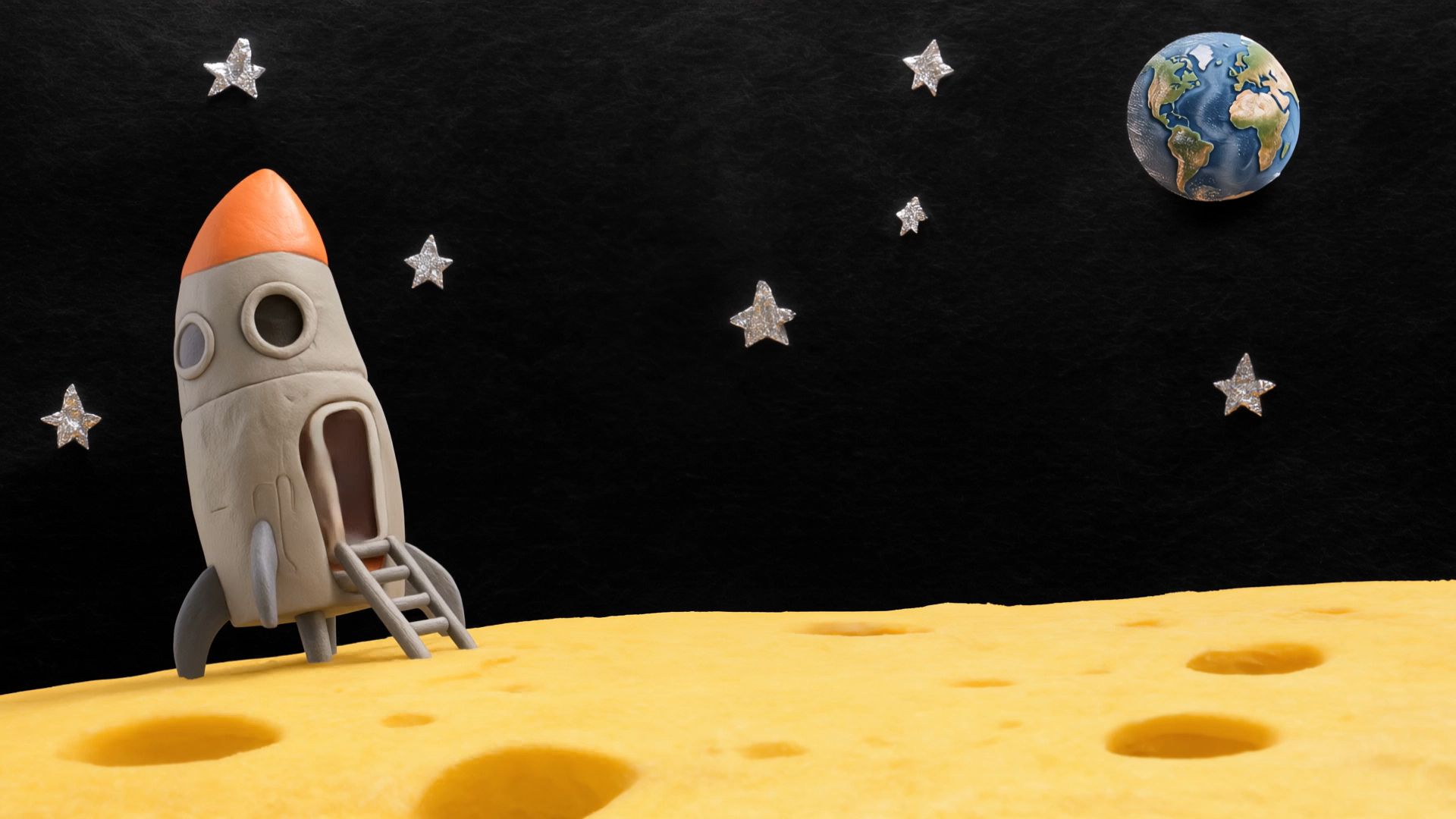 |
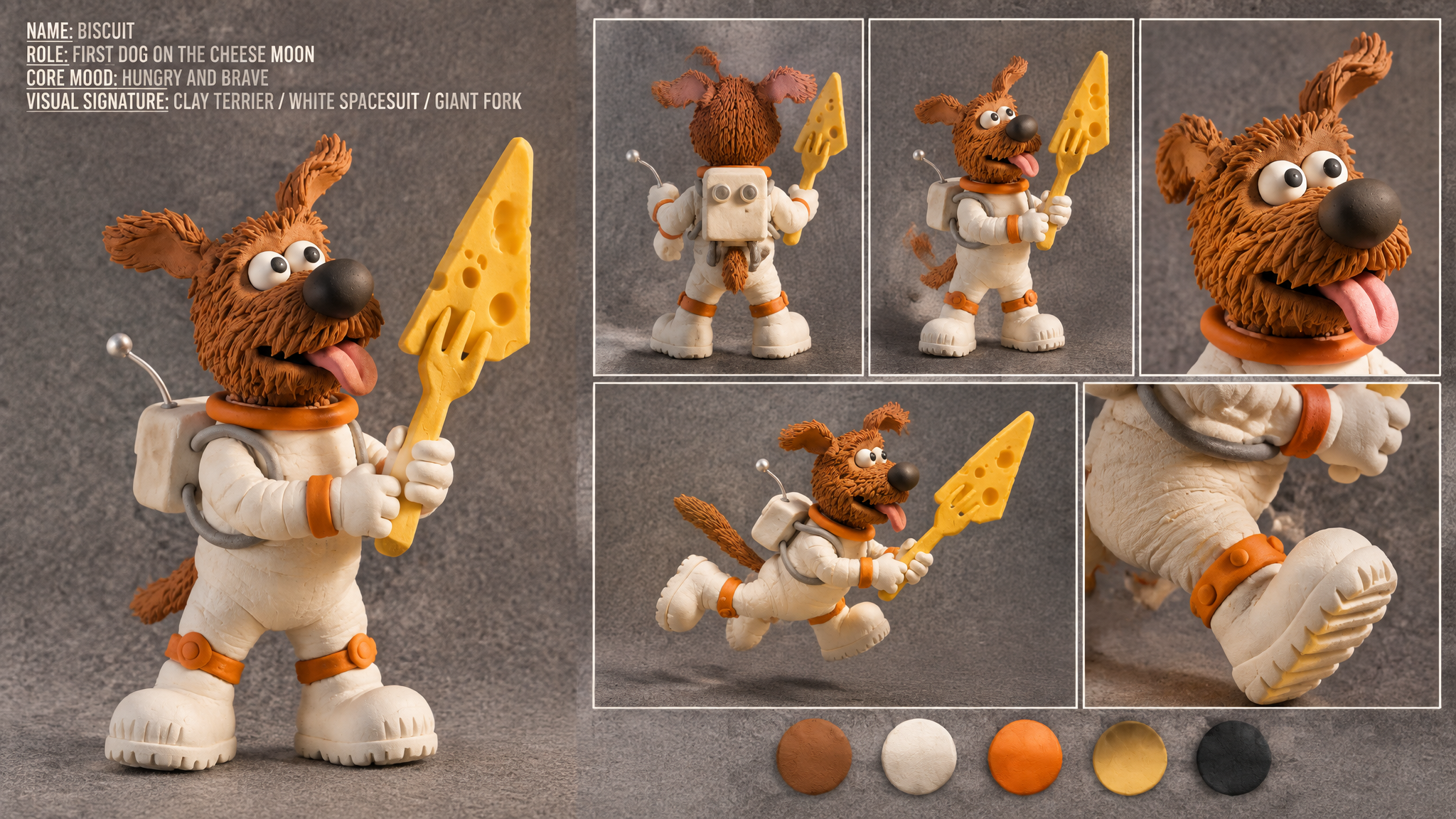
③ Resolution
Supports 720p, 1080p, and 4K output for large-screen playback, commercial campaigns, and further video editing.
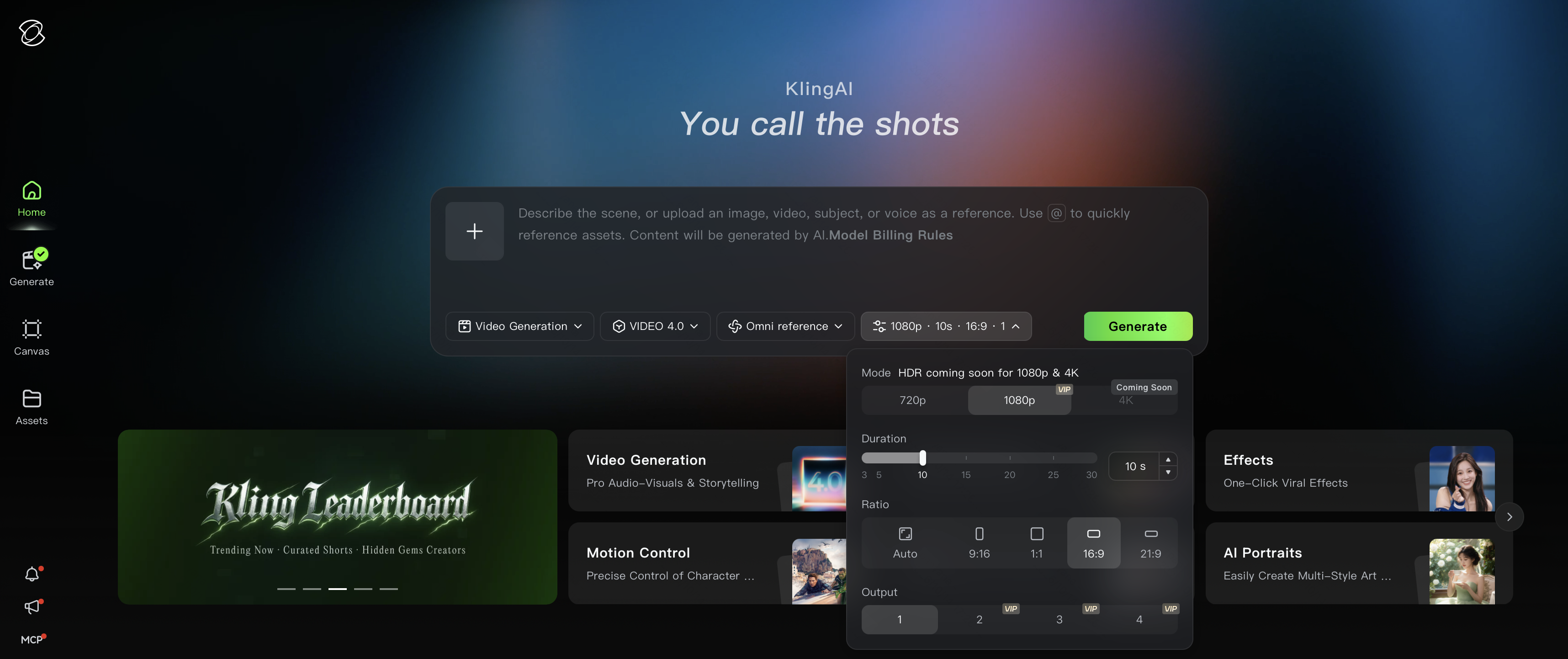
④ Long-Form Video Generation
Kling 4.0 supports single-generation videos ranging from 3 to 30 seconds. Multi-shot is enabled by default, allowing the model to automatically split shots and organize pacing based on the content.
Best for: Short films and finished ads with a complete storyline and multi-shot narrative.
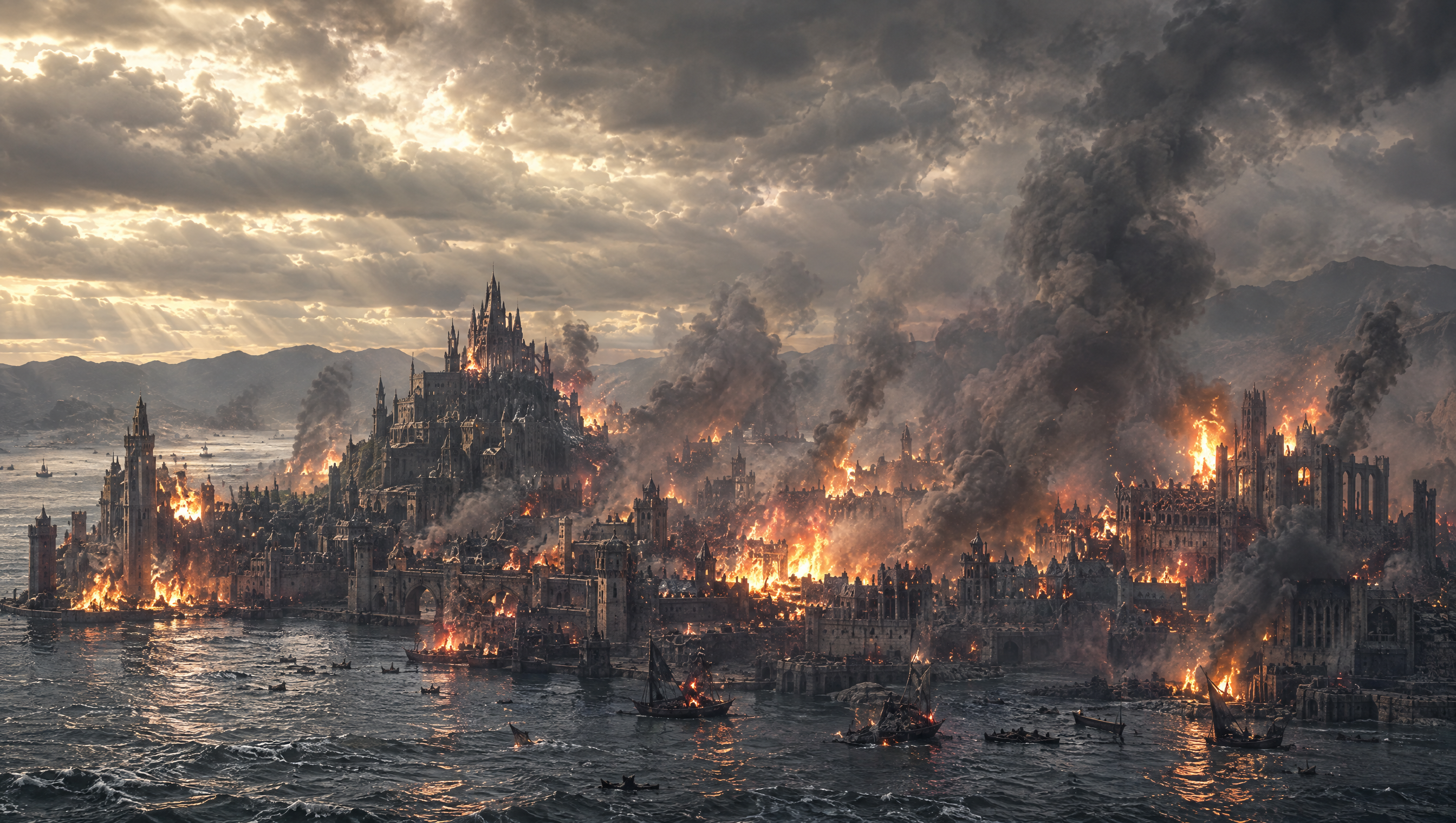
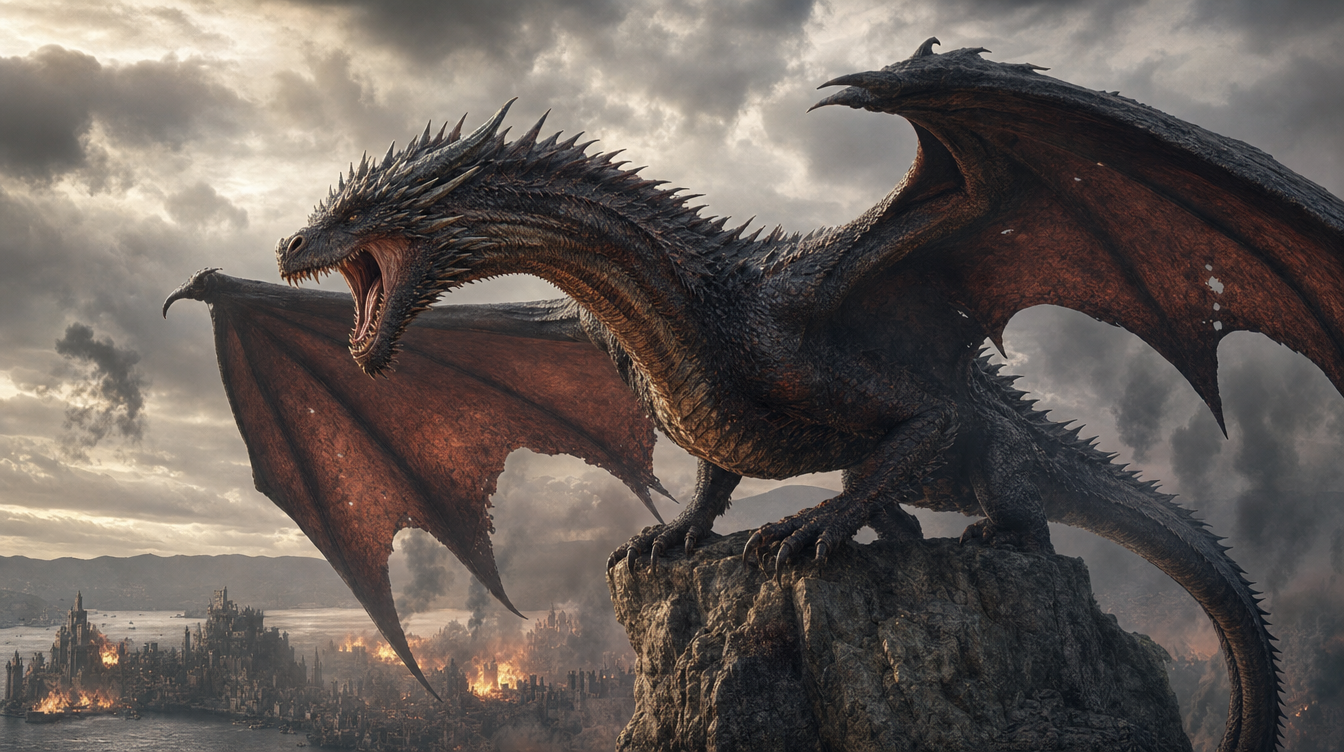
1. SCENE CONTEXT: EXACTLY 1 DRAGON — NO DUPLICATES.A 30-second, six-shot dark-fantasy action sequence. A colossal dragon roars, launches from a mountain pinnacle, accelerates toward a burning coastal city, dives between its towers and performs a devastating aerial fire attack. Epic scale, very fast pacing, real-time motion. 2. ACTIVE REFERENCES: controls the burning coastal city, Gothic architecture, harbour, mountain horizon, existing fires, smoke columns, storm clouds and lightning. Controls the dragon’s identity, black-grey scales, red-brown wing membranes, horns, dorsal spines, four legs, two wings, long tail and opening rocky pinnacle. 3. LOCATION MAP: The pinnacle overlooks the coastal city. The harbour lies screen-left, the central castle lies ahead, and the densest burning district lies centre-right. Direction of travel always runs from the mountain toward the city centre. Cameras remain behind, below or on the dragon’s left side without reversing the travel axis. 4. FIRST FRAME AND SPATIAL BLOCKING: The dragon is already crouched on the pinnacle, wings spread, hind legs compressed and head aimed toward the city. Its jaws open for one roar. Fires flicker below; connected smoke columns bend with the wind and the entire storm ceiling visibly moves. 5. FORMAT MODE: Six shots with hard cuts: SHOT 1 — 0.0–4.0s: roar and launch.SHOT 2 — 4.0–9.0s: high-speed pursuit toward the harbour.SHOT 3 — 9.0–13.5s: low flight across the water toward the city.SHOT 4 — 13.5–19.0s: first fire attack between towers.SHOT 5 — 19.0–25.0s: banking pursuit and sweeping fire attack.SHOT 6 — 25.0–30.0s: dragon climbs above the burning city. Cuts are motivated by wing wipes, smoke wipes and close architectural passes. No fades or dissolves. 6. OPTICS SHOT: 1: 24mm, 74° horizontal FOV, low-angle environmental wide.SHOT 2: 18mm, 90° FOV, rear pursuit perspective.SHOT 3: 24mm, 74° FOV, low water-level chase.SHOT 4: 28mm, 65° FOV, roof-height tracking.SHOT 5: 24mm, 74° FOV, close side-rear pursuit.SHOT 6: 18mm, 90° FOV, monumental aerial wide.Moderate-deep focus. Strong natural motion blur on wing tips, water, smoke, embers and nearby buildings. 7. CAMERA: All cameras have obvious physical handheld instability.SHOT 1 rapidly tilts upward as the dragon launches; wing pressure violently jolts the operator.SHOT 2 follows 12 metres behind the tail with intense wind buffeting and rapid vertical vibration.SHOT 3 races just above the water behind the dragon; waves and burning boats whip past the frame edges.SHOT 4 tracks through the street canyon at roof height.SHOT 5 follows the dragon through a hard bank, nearly losing framing as towers pass dangerously close.SHOT 6 pursues upward, then settles into a wide view of the devastated city.No smooth floating or mechanically perfect movement. 8. ACTION TIMING: 0.0–0.8s: The dragon releases one thunderous roar, neck extended and eyes fixed on the city.0.8–2.0s: Hind legs drive into the pinnacle; claws fracture the rock.2.0–4.0s: The dragon launches and performs two powerful wing strokes. Dust and stone explode backward.4.0–6.5s: Hard cut behind the dragon already accelerating at high speed.6.5–9.0s: It folds its legs beneath its body and dives toward the harbour. Smoke streams across its wings.9.0–11.5s: The dragon skims rapidly above rough water. Wing tips nearly touch the waves.11.5–13.5s: It passes burning ships and climbs over the sea wall. A tower wipes across the lens.13.5–15.0s: Hard cut inside the city. The dragon bursts through smoke between Gothic towers.15.0–19.0s: It releases one continuous orange-white fire jet, sweeping across the left row of rooftops while maintaining full speed.19.0–21.5s: The dragon snaps into a hard right bank around the central tower; the tail swings with delayed inertia.21.5–25.0s: Its connected fire stream sweeps across the avenue and strikes the right-side tower. Burning masonry and embers fall behind it.25.0–27.0s: The dragon stops breathing fire, beats its wings powerfully and climbs above the rooftops.27.0–30.0s: It ascends into the storm light and glides over the burning city. The camera widens to reveal spreading flames, smoke columns and the harbour below. 9. PHYSICS: The dragon has immense believable mass despite its speed. Wing strokes originate in the shoulders; membranes stretch under aerodynamic load. The torso, legs and tail react with delayed inertia. Wing wakes tear openings through smoke, disturb water and buffet nearby fires. Fire emerges only from the open mouth as a pressure-driven stream with a white-hot core, orange turbulent edges and visible heat distortion. Buildings ignite progressively at visible impact points. Debris follows gravity and the dragon’s wake. 10. LIGHTING: Cold storm daylight enters from upper-left. Existing fires provide orange underlight beneath the dragon. The fire stream becomes a moving motivated key light, casting travelling highlights over scales, towers and smoke. Sunbeams break through the clouds during the final climb. Preserve detail in the flame core and keep the dragon’s silhouette readable. 11. AUDIO: No dialogue. Synchronized dragon roar, claw scraping, rock fracture, leather-wing thunder, violent wind, wave impacts, burning ships, collapsing masonry, ember hiss and pressurised fire blasts. Epic original score: rapid war drums, low brass ostinato and urgent strings begin immediately. Wordless low choir enters at launch. Percussion accelerates during the chase. Full orchestra strikes with each fire attack, then expands into a dark triumphant finale during the ascent. Roar, wings and fire remain louder than the music. 12. CHARACTER ACTING: The dragon acts with focused predatory intent. Its eyes remain locked on its flight path and successive building targets. During acceleration, its head lowers and shoulders drive aggressively. Inside the city, the neck deliberately guides the fire stream while the tail controls each bank. In the final shot, its chest opens and posture changes from attacking aggression to airborne dominance. 13. STYLE: Grand apocalyptic dark-fantasy cinema, aggressive pursuit photography, monumental scale and battlefield energy. Charcoal and storm blue occupy 60% of the palette, smoke-brown stone 30%, and fire orange 10%. Weathered 35mm film texture with old-photograph softness, organic grain and no digital sharpening. 14. QUALITY: Consistent dragon identity and anatomy through every cut: one head, two wings, four legs and one tail. Stable city architecture, coherent wing cycles, attached mouth fire, volumetric smoke and physically connected destruction. Natural fast-motion blur without ghost copies, anatomy mutation or detached flames. 15. POSITIVE CONSTRAINTS: Exactly one dragon remains visible throughout the sequence. It launches before 2 seconds, reaches the harbour by 9 seconds, enters the city at 13.5 seconds and completes two fast fire-attack passes before climbing away. Every shot preserves the mountain-to-city direction. Strong camera shake communicates extreme speed while the dragon remains readable. City fires continuously emit smoke, clouds visibly travel across the sky, and new destruction appears only where the connected fire stream strikes. | 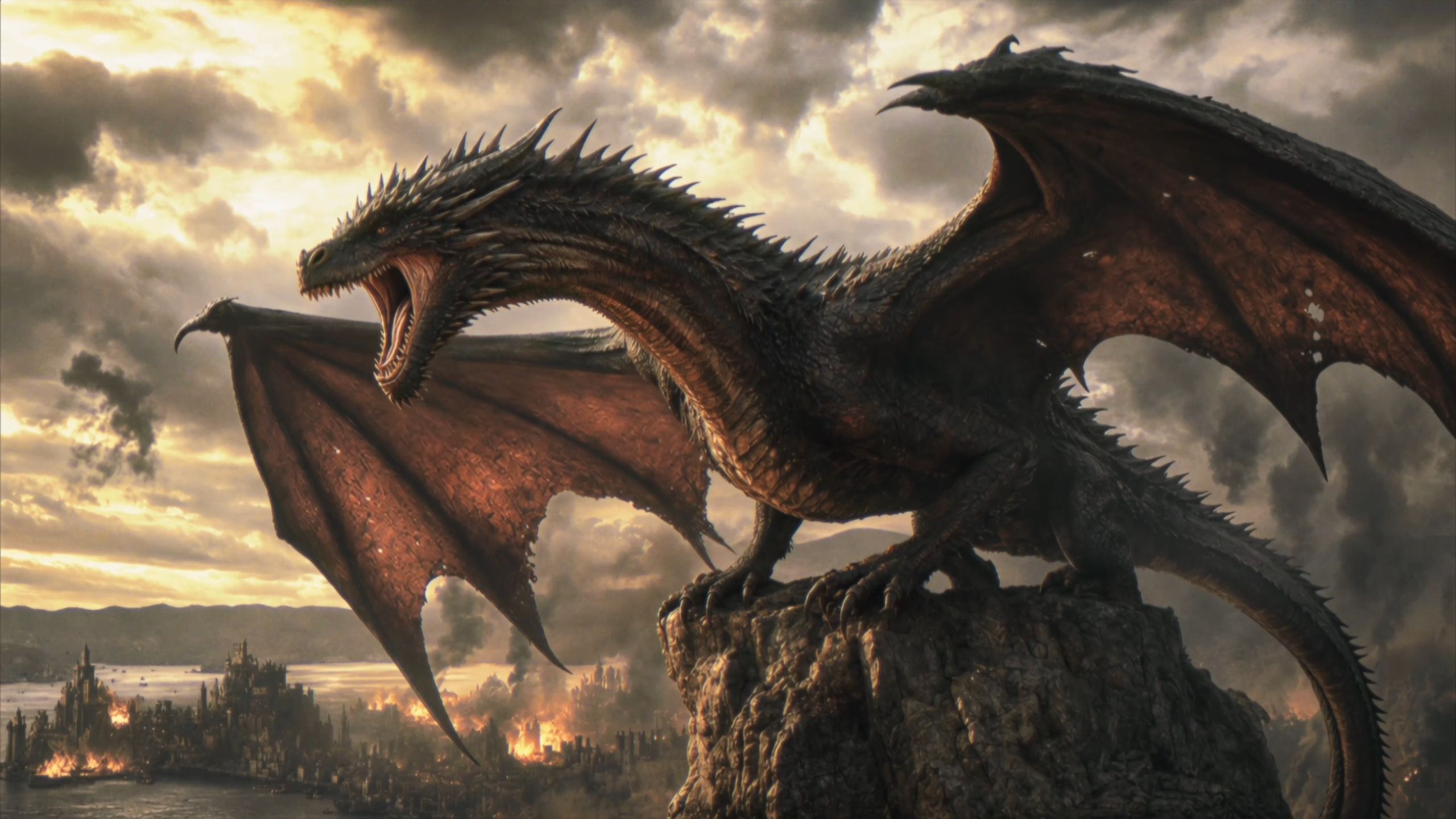 |
⑤ Video Editing
You can make targeted changes to character expressions and actions, camera angles and movements, overall style, or backgrounds in existing videos. Specify which visual elements must be preserved to minimize changes beyond the intended scope.
⚠️ When editing, explicitly include “Edit @Video1” in the prompt and clearly specify what to change and how. If other elements must remain unchanged, add “Keep everything else unchanged.” Simply writing “Reference @Video1” may be interpreted as reference-based generation instead of editing. Without specifying what to preserve, other visual elements may also change.
Purpose | Correct Prompt | Incorrect Prompt |
Modify the original video | Edit @Video1, change … to … | Write “Reference @Video1” instead of “Edit @Video1.” |
Editing Type | Prompt Example |
Add an Element | Edit @Video1. When the box is opened again at the end, add @Element1 lying inside asleep. |
Replace Characters and Scenes | Edit @Video1. Replace the environment and characters throughout with those in @Image1. |
Replace Multiple Characters | Edit @Video1. Replace the three people who walk out of the convenience store one after another with the following: the first person with @Image1 + “describe the new element's appearance”; the second person with @Image2 + “describe the new element's appearance”; the third person with @Image3 + “describe the new element's appearance.” |
Remove an Element | Remove the person in the foreground from @Video1. Keep everything else unchanged. |
Change the Style | Edit @Video1. Replace the corgi in the video with a 3D pixel-art corgi while preserving its actions. |
Add an Element
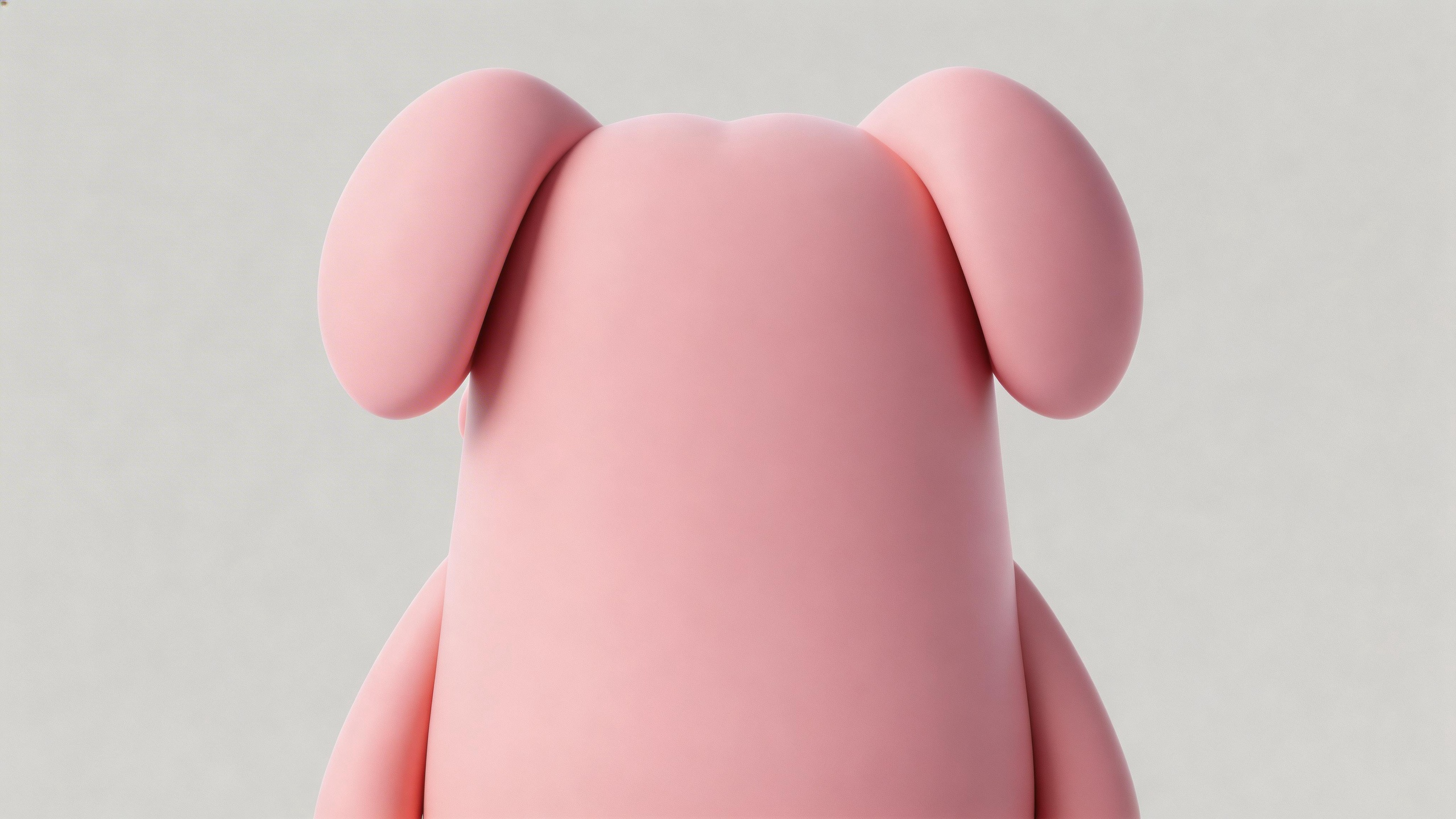
Video 1: 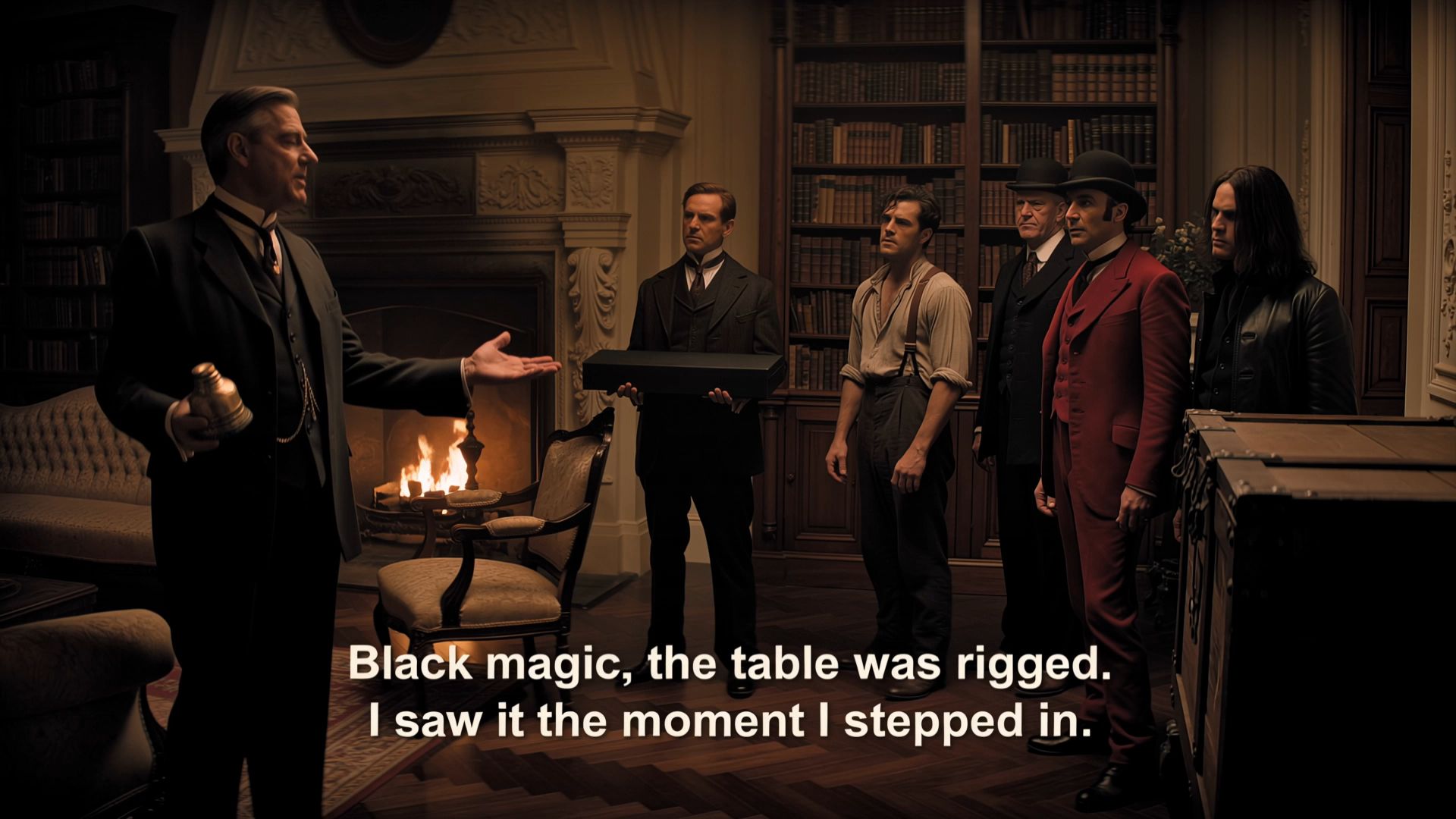 Element 1: Edit @Video1. When the box is opened again at the end of the video, @Element1 is lying inside, asleep. Replace the final line, “Ah, it's all old stuff,” with “Why is there a pig here?” |  |
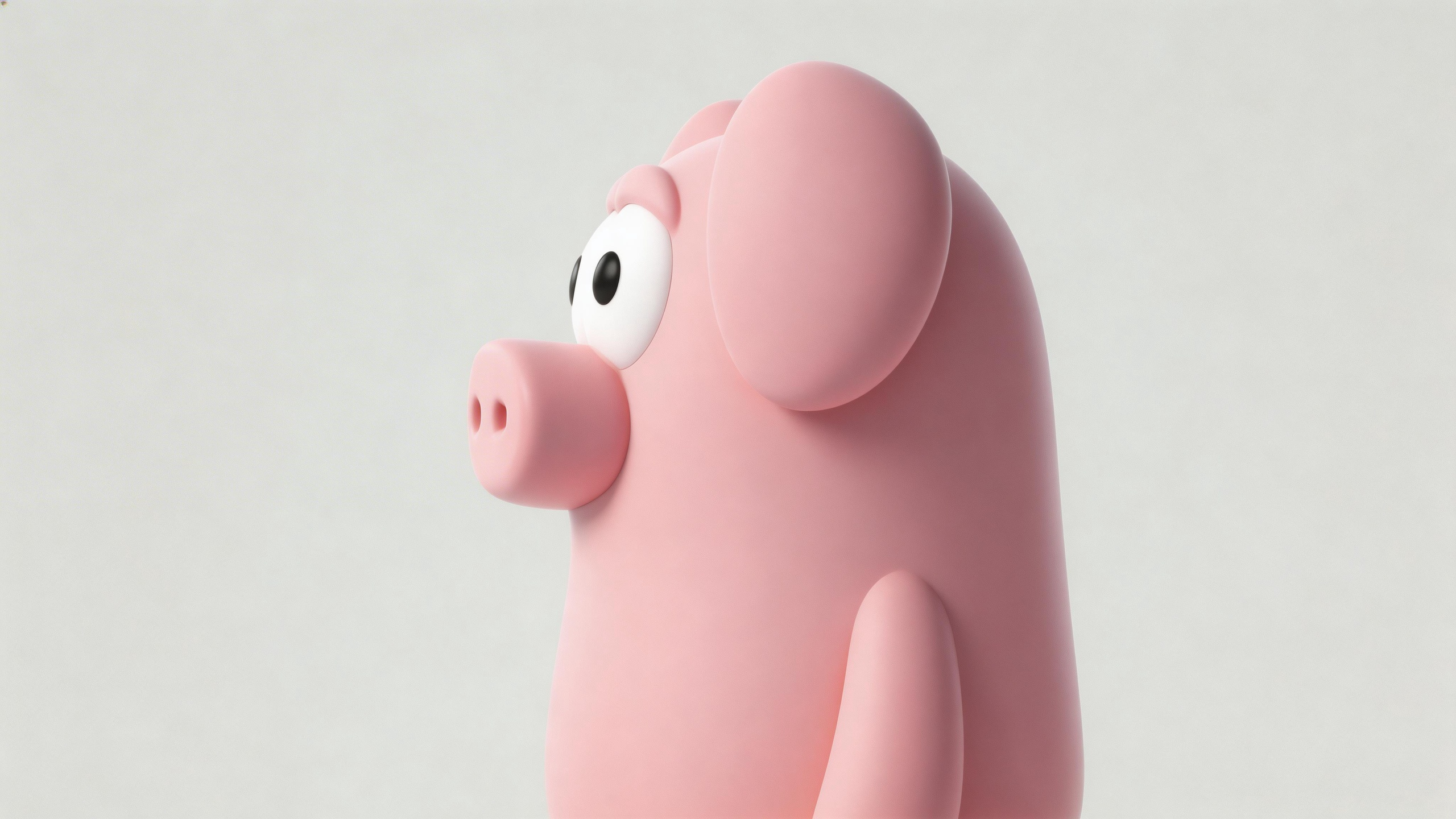
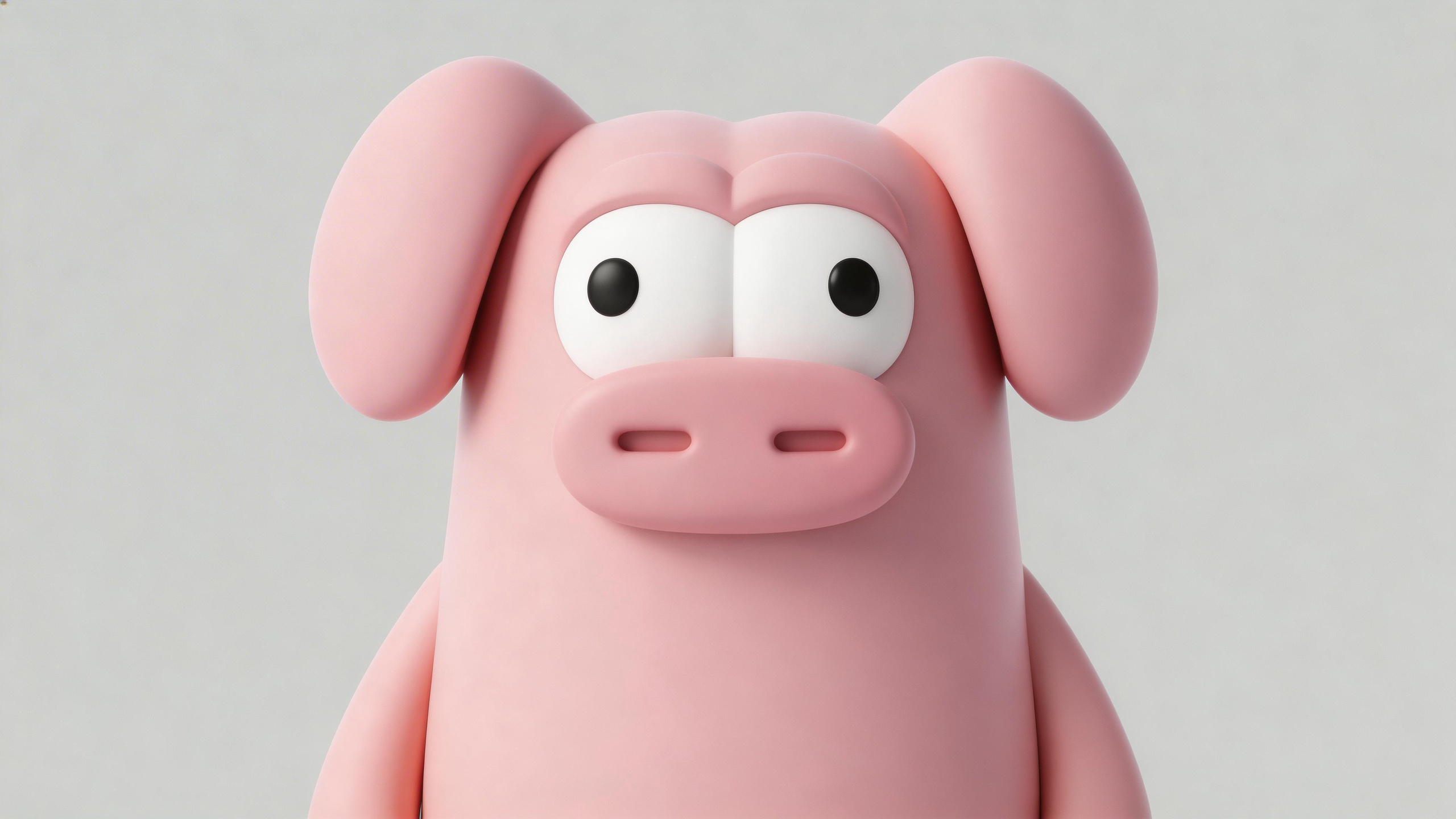
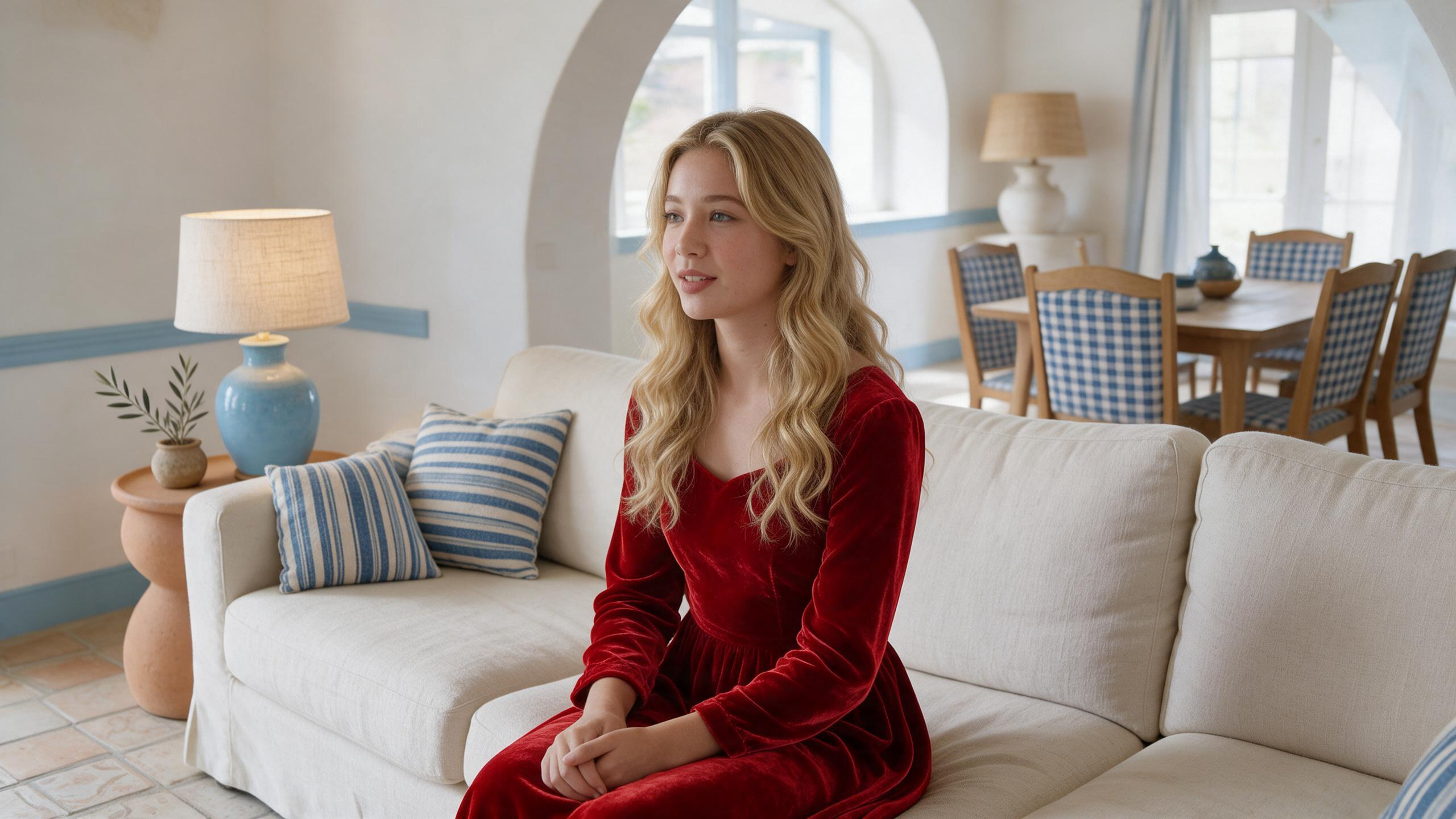
Replace Characters and Scenes
Video 1:  Image 1: Edit @Video1. Replace the environment and characters throughout the video with the content from @Image1. | 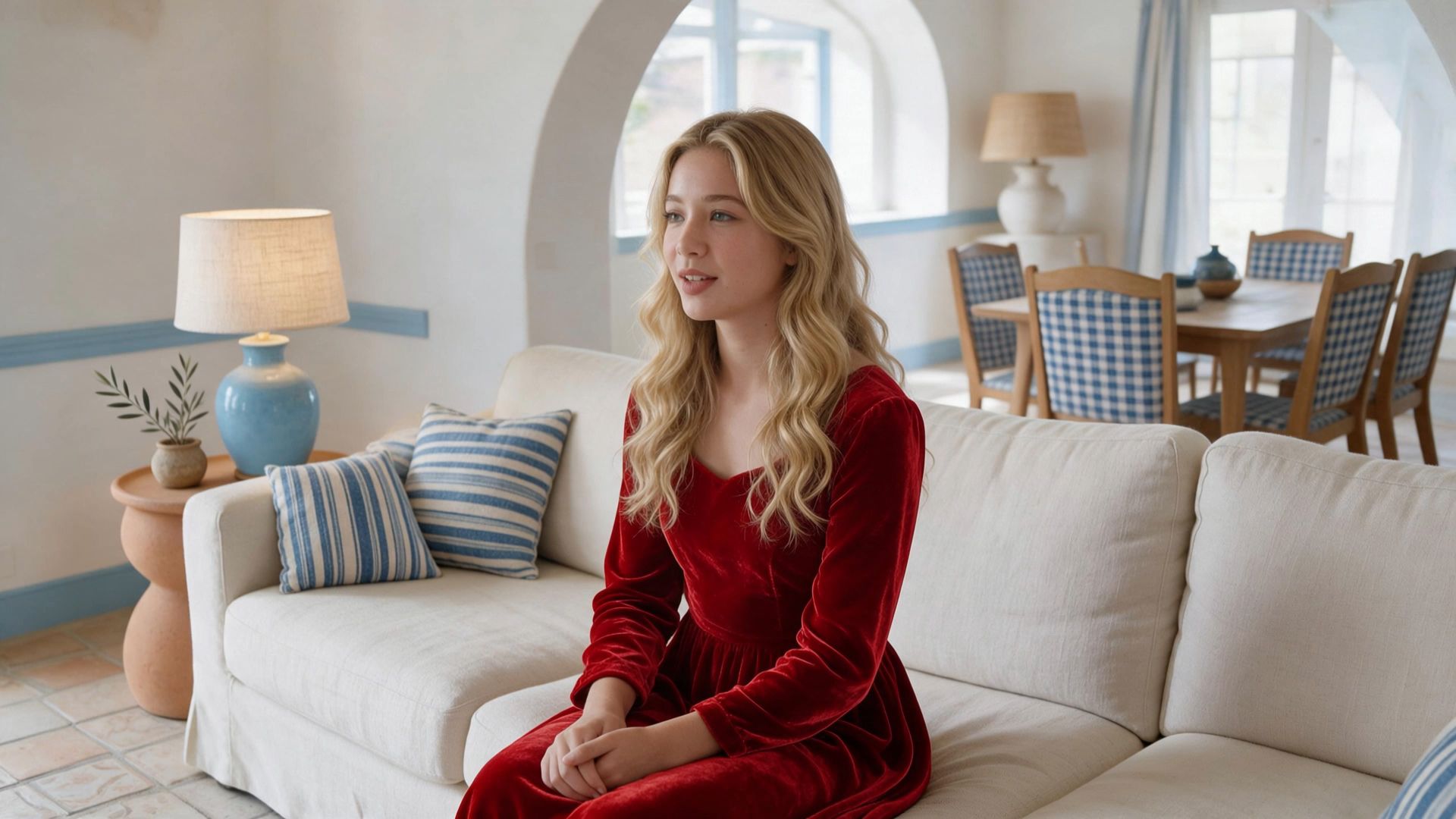 |
Replace Multiple Characters
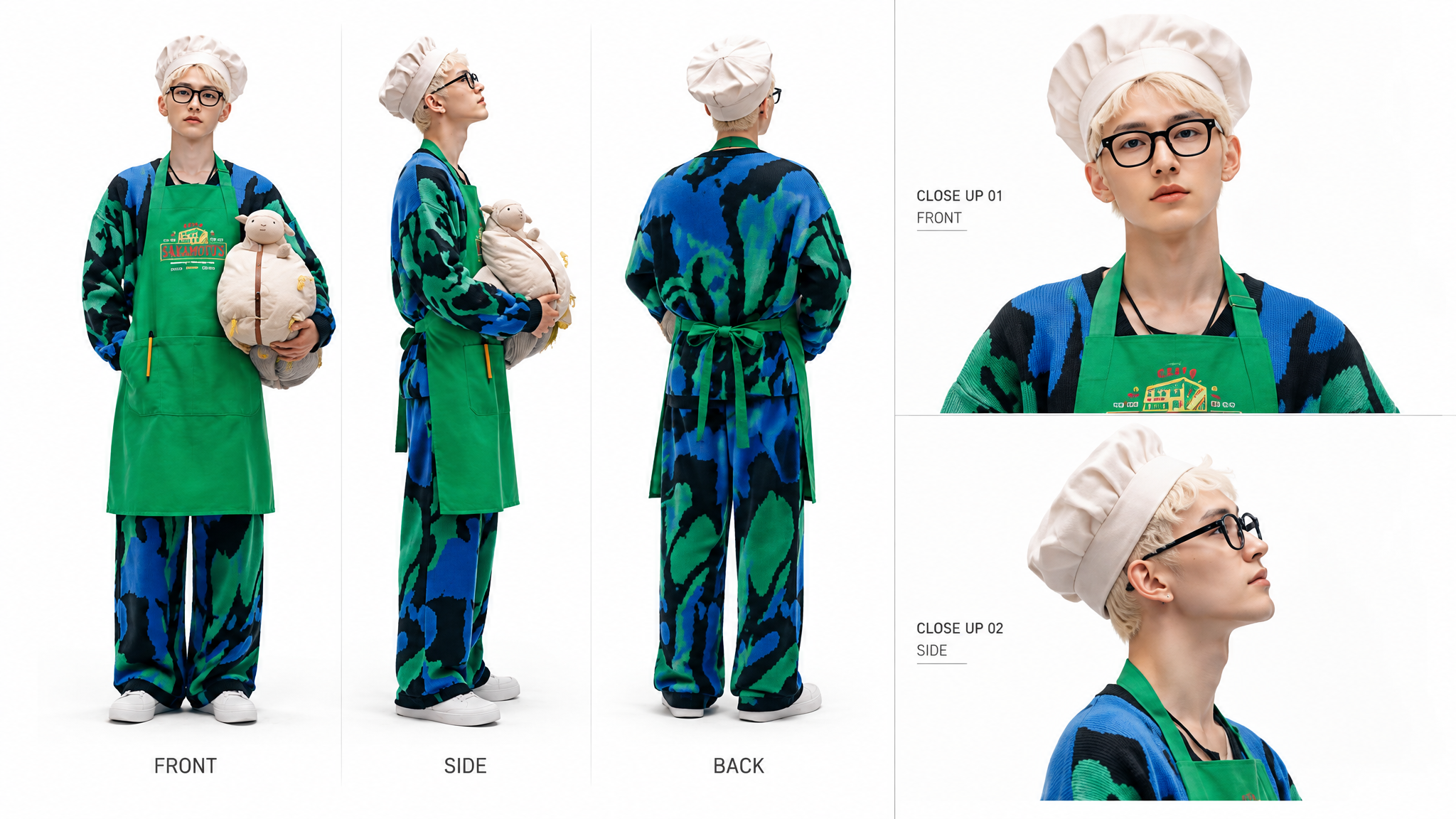
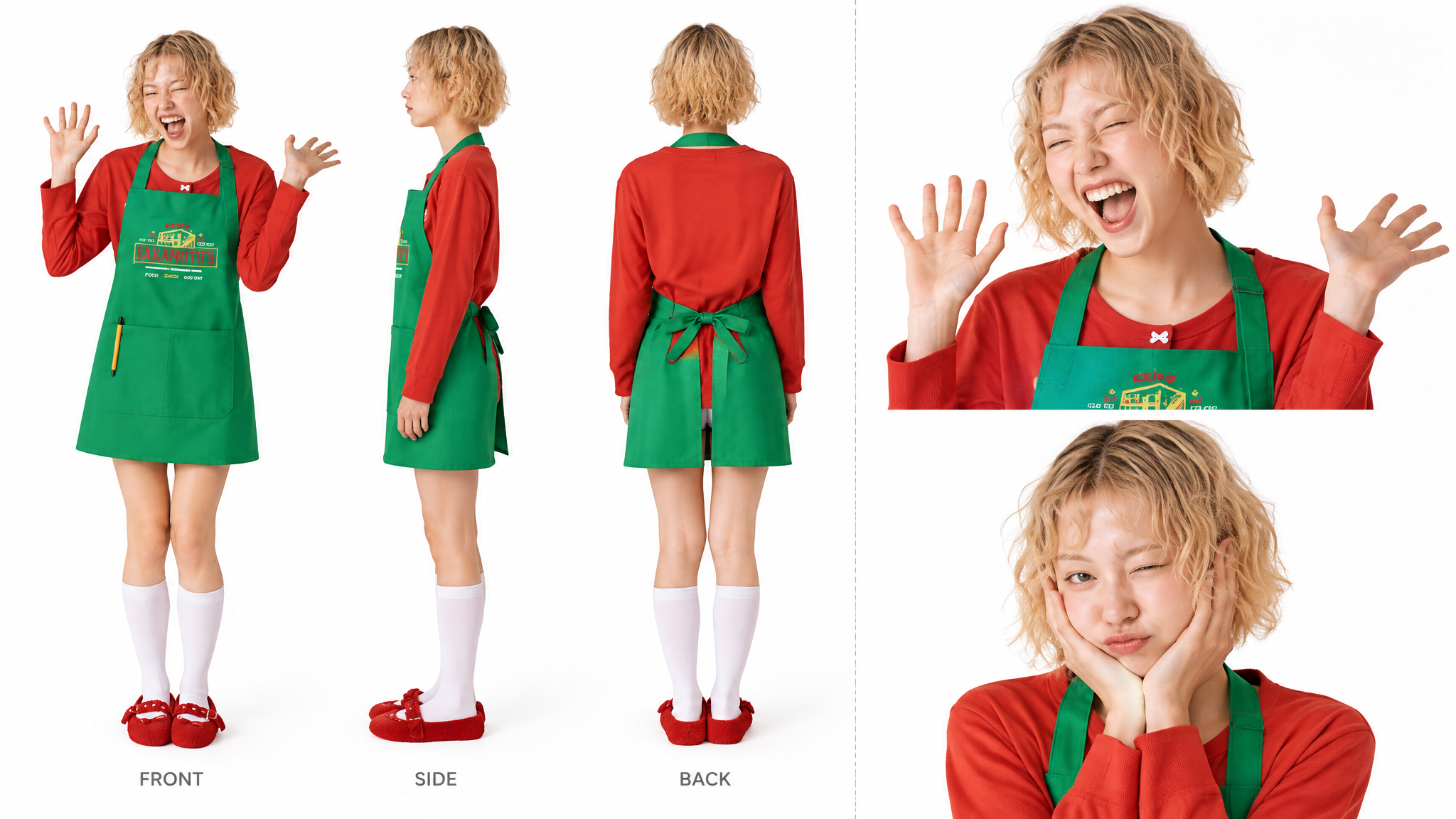
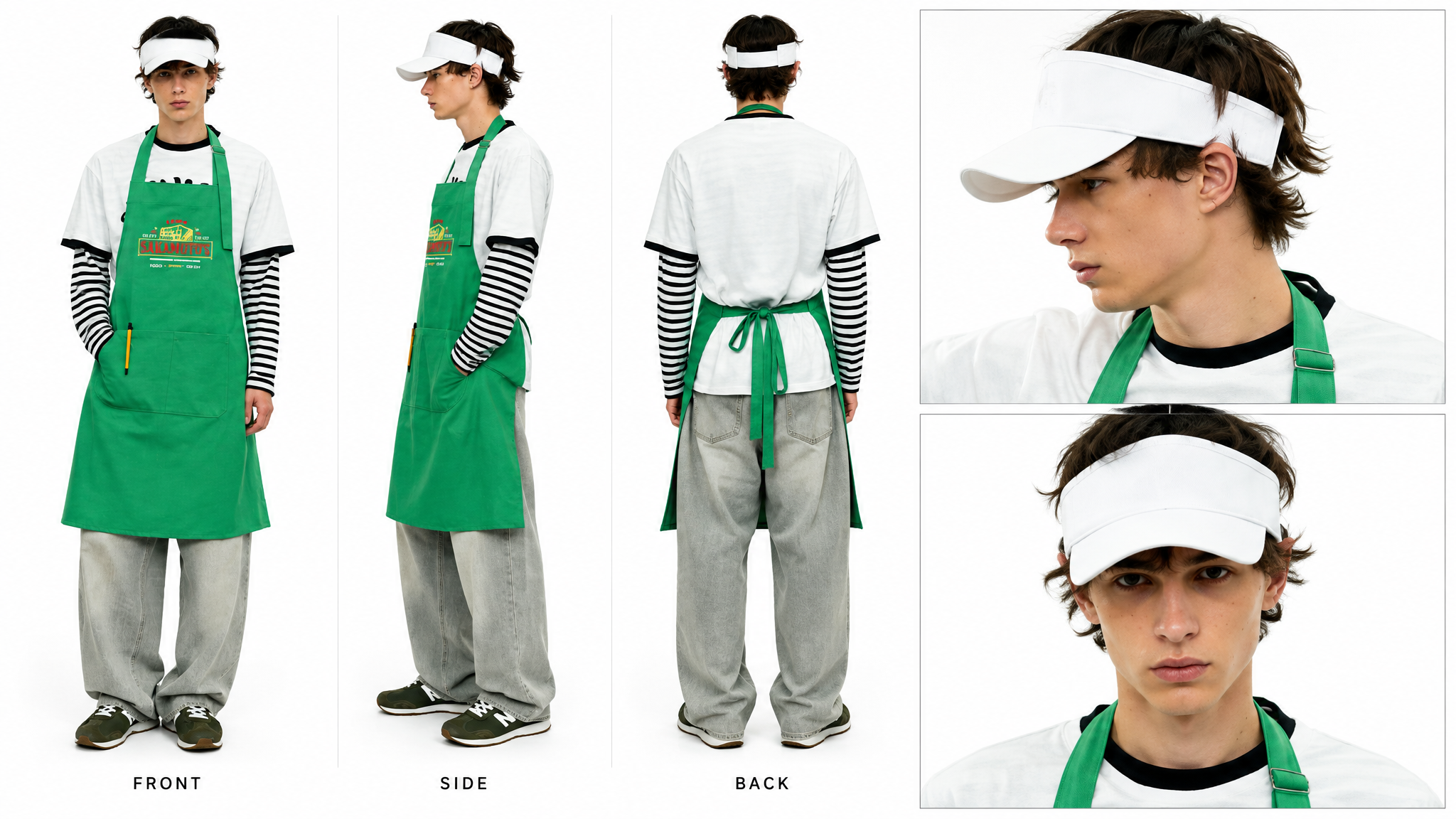
Video 1: 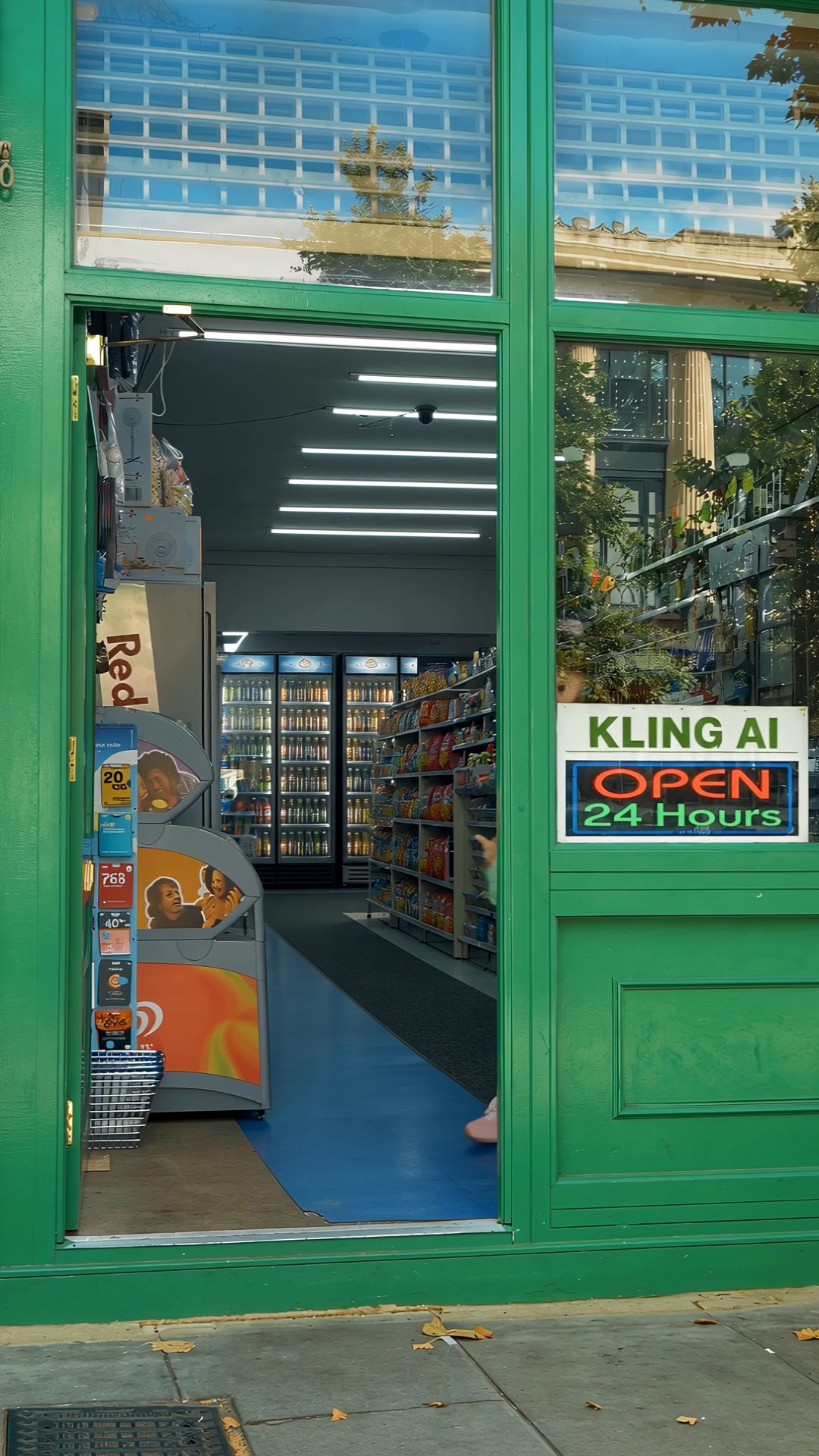 Image 1,2,3: Edit @Video1. Replace the three people who walk out of the convenience store one after another with the following characters: First character: use the identity, face, dark curly hair, white sun hat, white short-sleeved shirt with a black-and-white striped inner top, green apron, loose light gray jeans, and dark sneakers of the man in @Image1. Second character: use the identity, short light blonde hair, red sweatshirt, green apron, white knee-high socks, and red shoes of the woman in @Image2. Third character: use the identity, short light blonde hair, white chef hat, black-framed glasses, blue-green-and-black patterned knit outfit, green apron, white shoes, and the same off-white plush sheep held in his arms as the man in @Image3. The order in which the three characters appear, their movements from inside the store to the doorway, their pauses to pose, and their approach toward the camera and exit through the foreground should follow the actions and camera timing of @Video1: the first character slightly lifts the brim of his sun hat before approaching the camera; the second character naturally adjusts her apron and gives a slight wave at the doorway before approaching the camera; the third character holds the plush sheep, adjusts his glasses, then approaches the camera and slightly raises the plush sheep as he gets closer. Fix a clear, stable, readable sign with the exact uppercase text `KLING AI OPEN 24 hours` in the middle of the convenience store's right-side glass window. The text must remain correctly spelled, undistorted, and free of flickering throughout the video. Keep the sign fixed to the inside of the glass window without obstructing any characters. Keep everything else unchanged: preserve the green convenience store doorframe, doorway composition, interior shelves, fluorescent lights, glass reflections, daylight, camera position, walking direction, duration, pacing, and aspect ratio of @Video1. Do not add any characters, change the store structure or camera movement, or introduce subtitles, logos, watermarks, or extra text. | 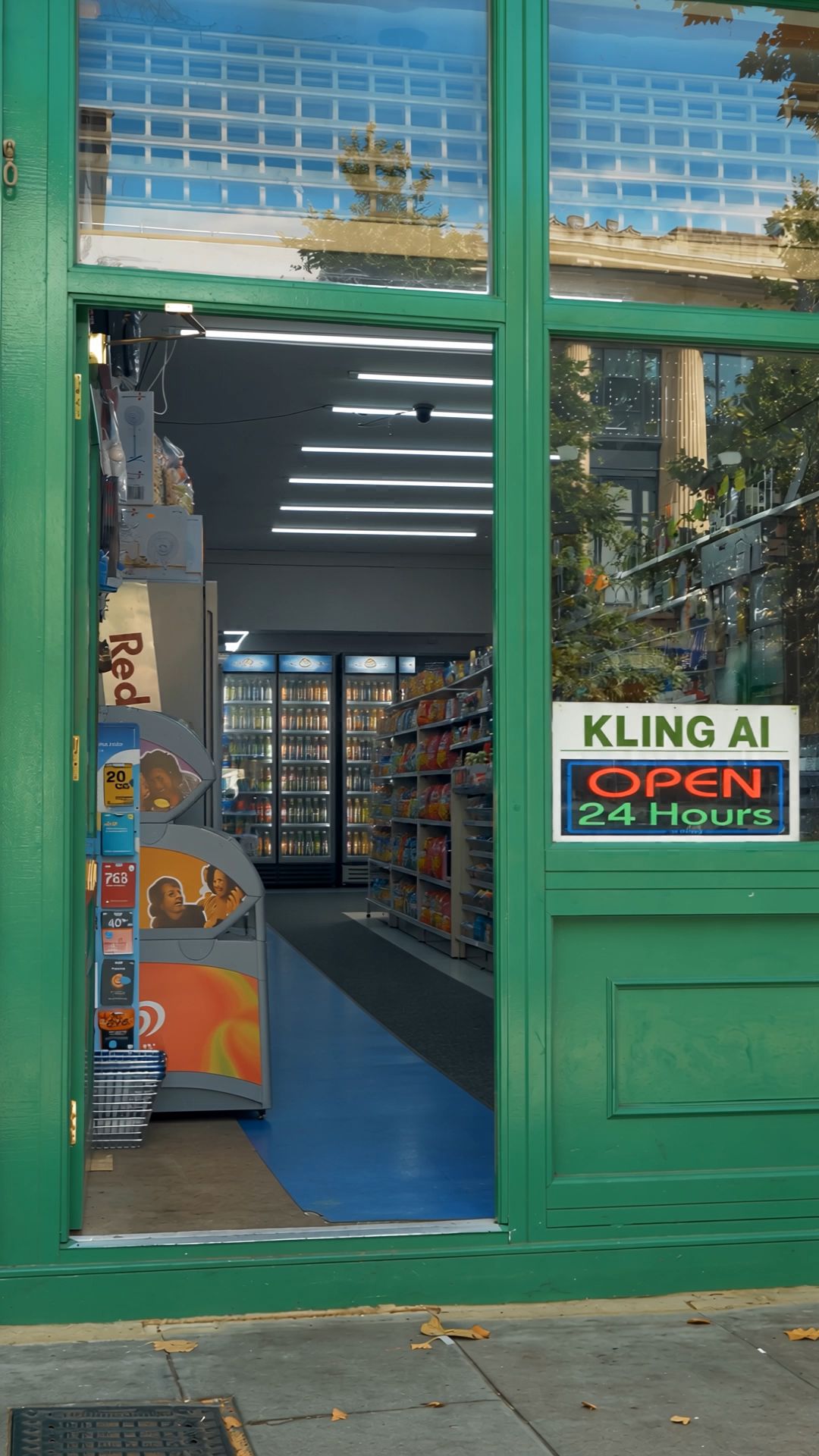 |
Remove an Element
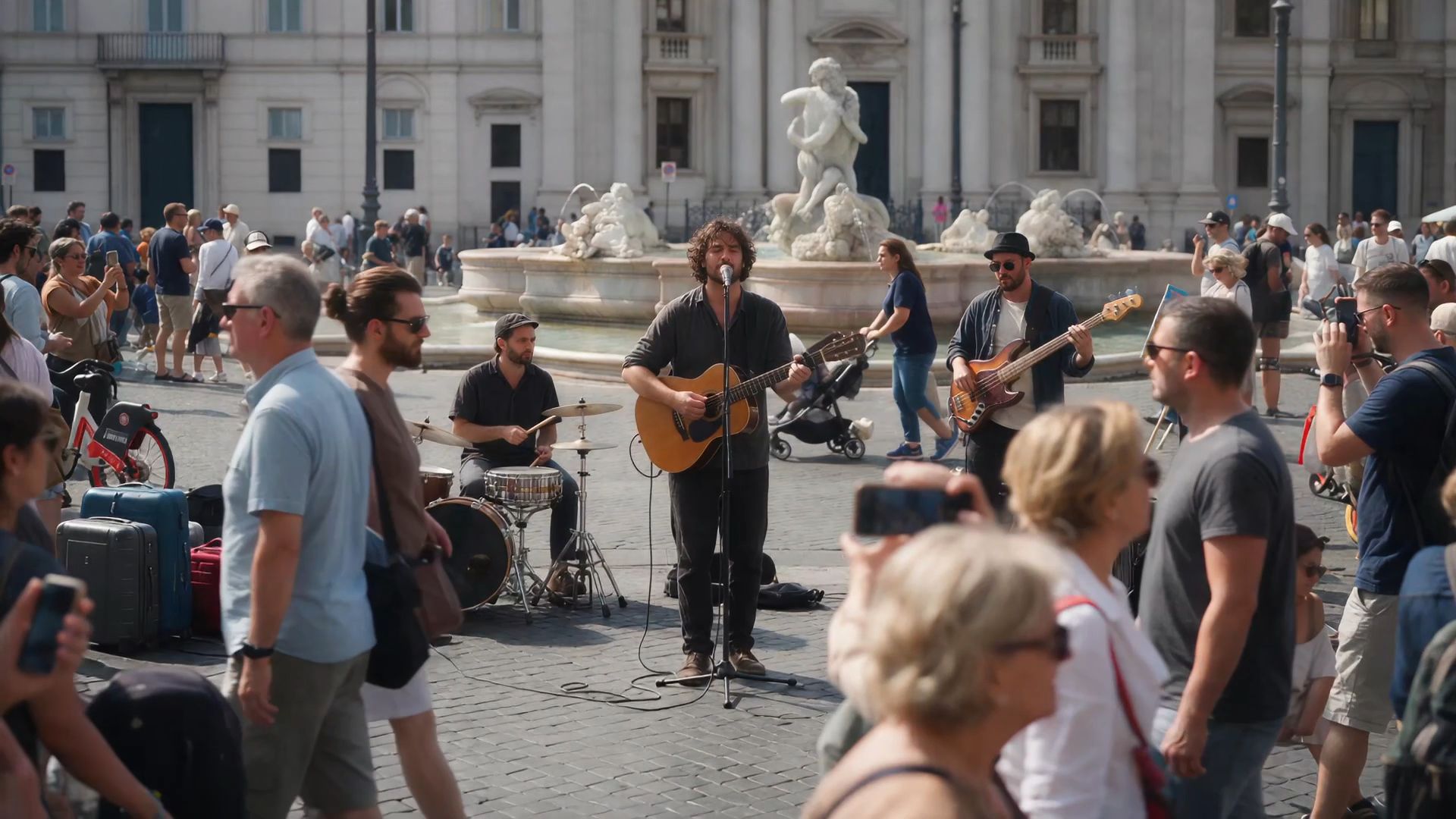 Edit @Video 1 to remove the foreground person. Keep everything else unchanged, including the background, other subjects, camera movement, lighting, composition, and video duration. Seamlessly reconstruct the areas previously obscured by the person, ensuring natural, consistent details with no visible artifacts. | 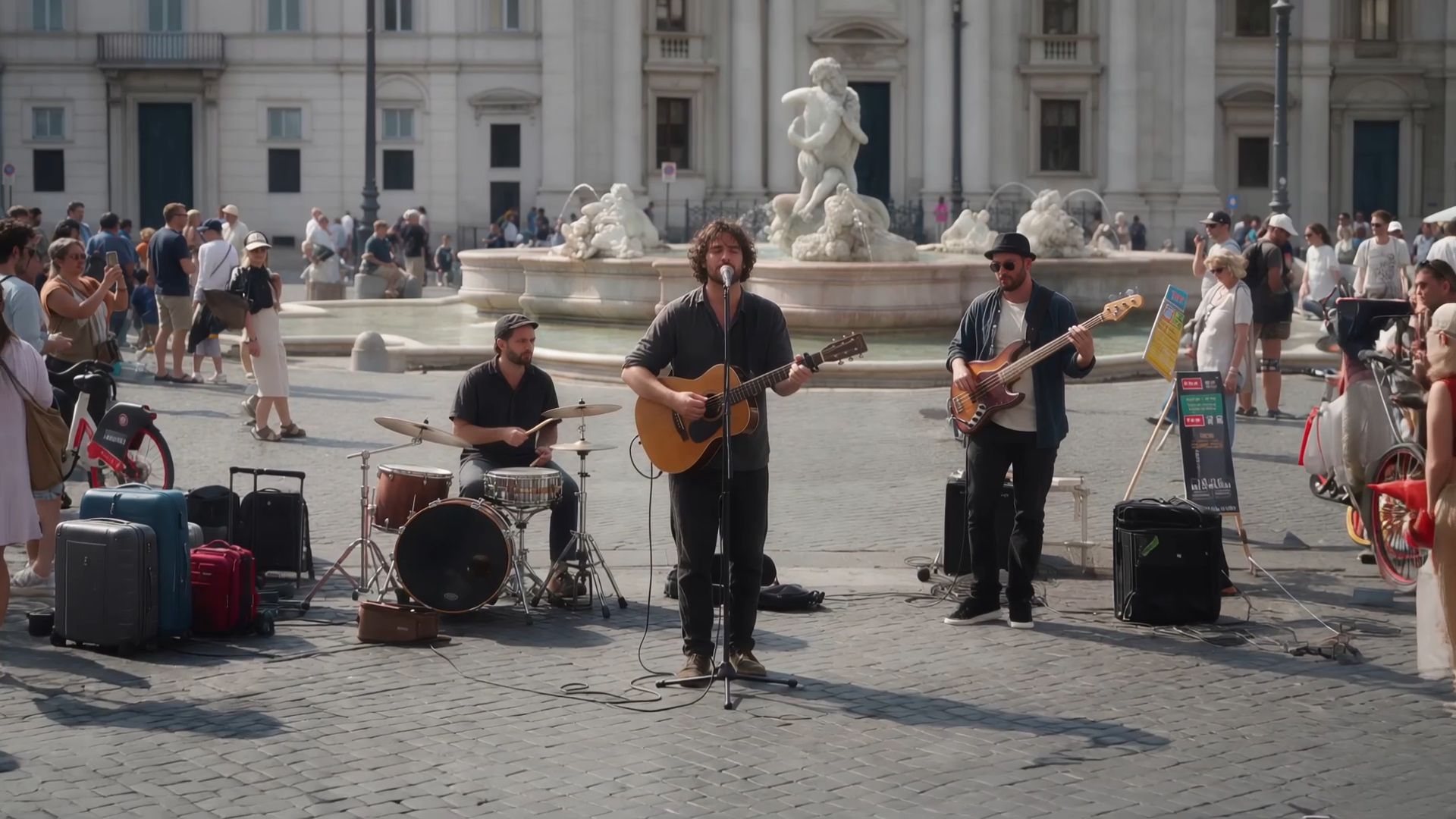 |
Change the Style
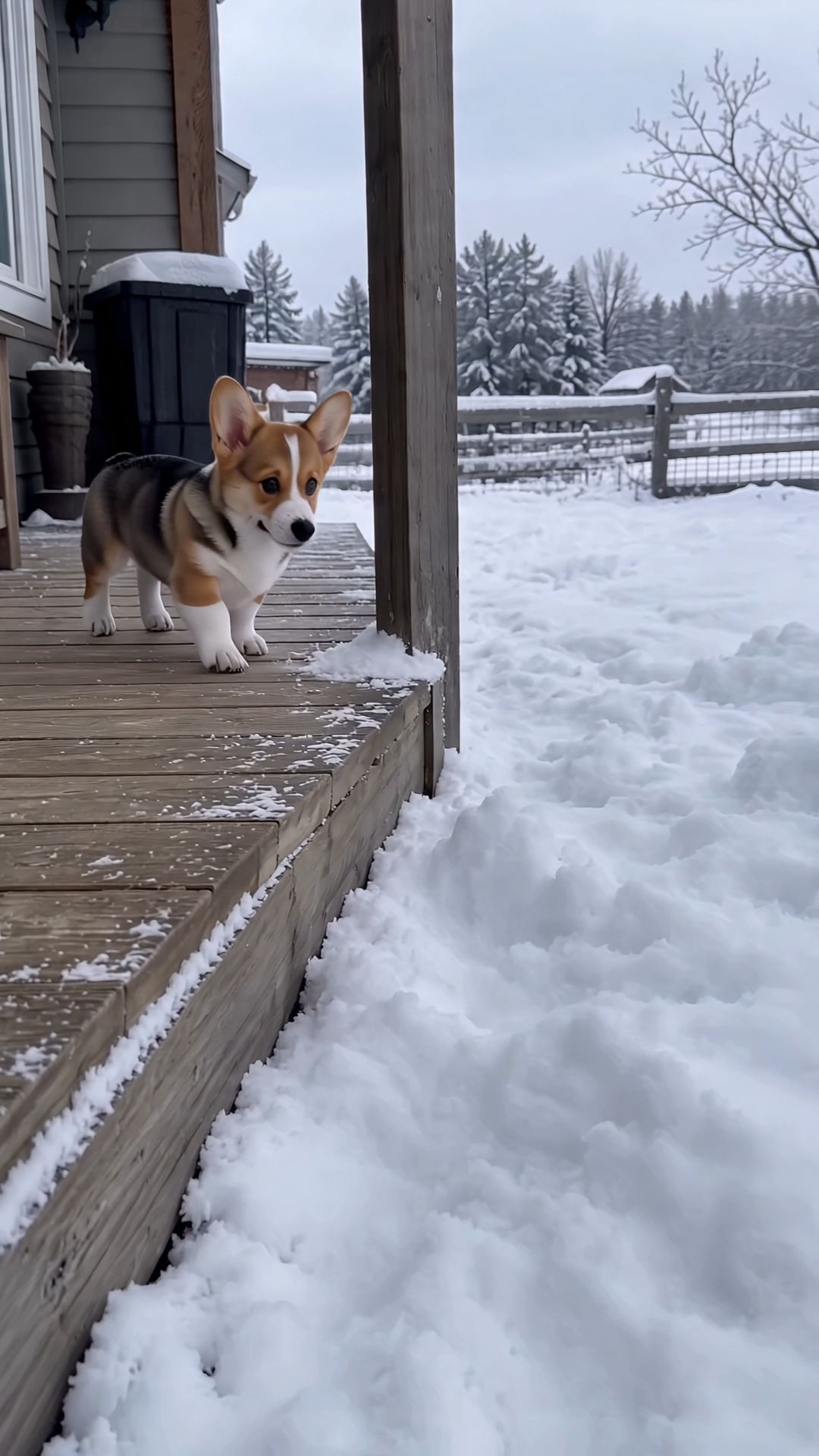 Edit @Video 1 by replacing the tricolor Corgi puppy hopping in the snow with a 3D blocky pixel-art Corgi. The entire body must be constructed from cubes: a rectangular torso, a cubic head, two upright square triangular ears, four short cuboid legs, and a small block-shaped tail. All edges must have sharp, hard right angles, with no rounded curves. The surface uses low-resolution 16×16 pixel textures, preserving the original Corgi's tricolor distribution: a tan body, a black saddle-shaped patch across the back, a white facial blaze, a white collar, a white chest, and white paws. The eyes are two black square pixels, the nose is a single black cube, and the tongue is a small pink pixel block. Lit surfaces are bright and side surfaces are dark, with flat-shaded, block-based lighting. There must be no fur texture or soft tonal transitions. Keep the Corgi exactly the same size as the original, without scaling it up or down. The blocky Corgi must follow the original Corgi's position, actions, and movement trajectory frame by frame: standing beside the porch, jumping into deep snow and disappearing, leaving a hole in the snow, peeking out with its blocky head, repeatedly leaping forward into the snow, and finally sitting in the snow pit. During jumps, its body and legs should move as rigid blocks, like a creature animation in a video game, without bending. The depth to which it sinks into the snow, the snow kicked up by its paws, the snow settling on its body, and its shadow cast onto the snow must all follow the blocky body accurately. Whenever it reappears after being covered by snow, it must remain the exact same blocky Corgi with consistent textures. Important: Only the Corgi should be transformed into a blocky style. The wooden porch, snowy ground, wooden fence, trees, and gray-white sky must remain completely realistic, as in the original live-action footage. Do not apply any blocky or pixelated effects to the environment. Only one animal should appear in the footage, and no realistic, fur-covered Corgi may appear in any frame. Keep the audio exactly identical to the original video. Do not add any new sounds. Preserve the handheld camera perspective and all camera movements. Everything else must remain unchanged. | 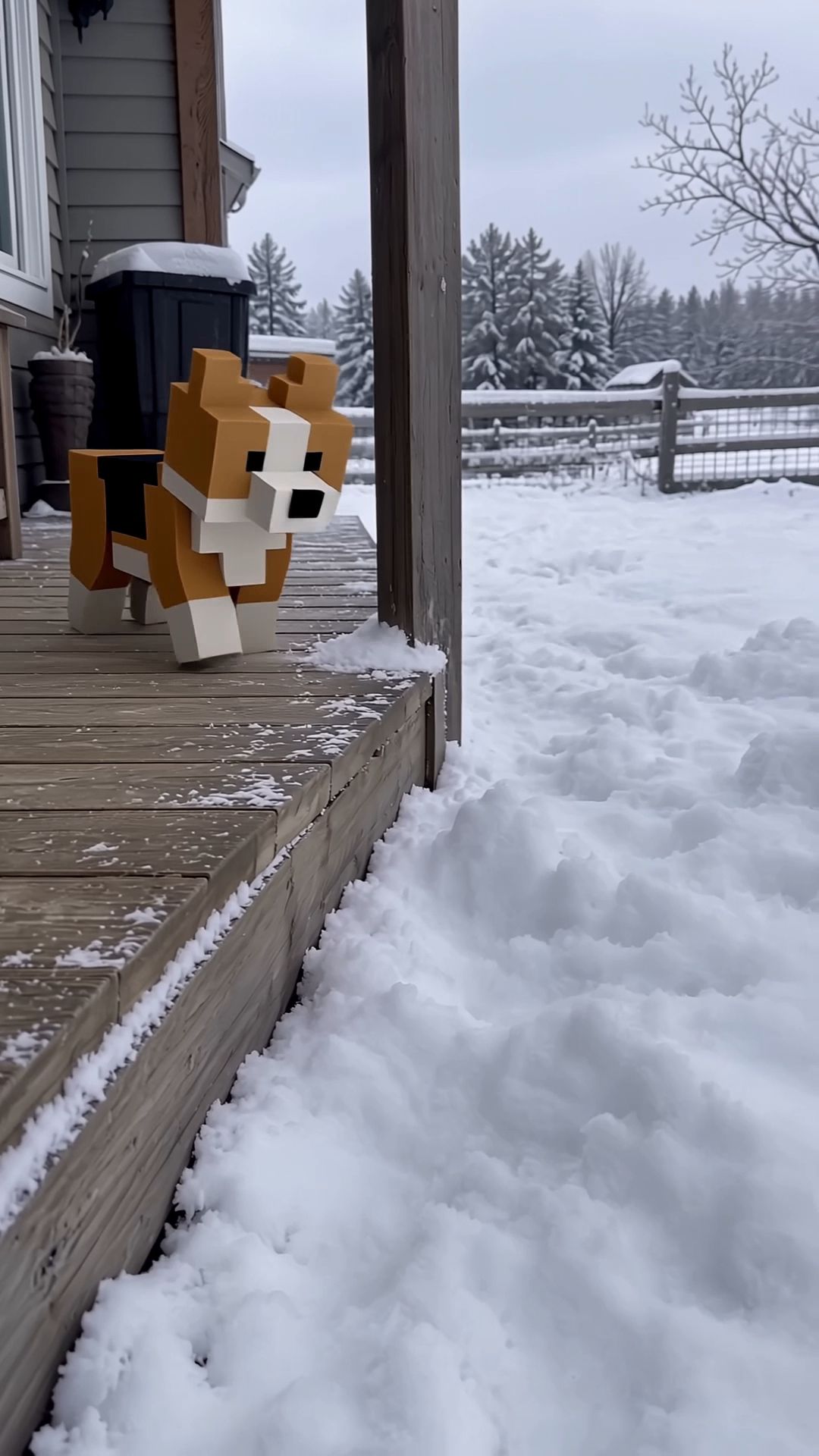 |
⑥ Creative Recreation
Have a reference video you like? Borrow its narrative pacing, shot composition, or presentation style, then replace the characters, products, and scenes with your own. Clearly specify what to borrow and what to replace in your prompt.
Optimized for viral social media videos and performance ads.
Replace the element in @Video1 with @Image1. Keep everything else unchanged.
The closer the reference clip and target content are in pacing and shot structure, the easier it is to achieve the desired results.
Video 1: 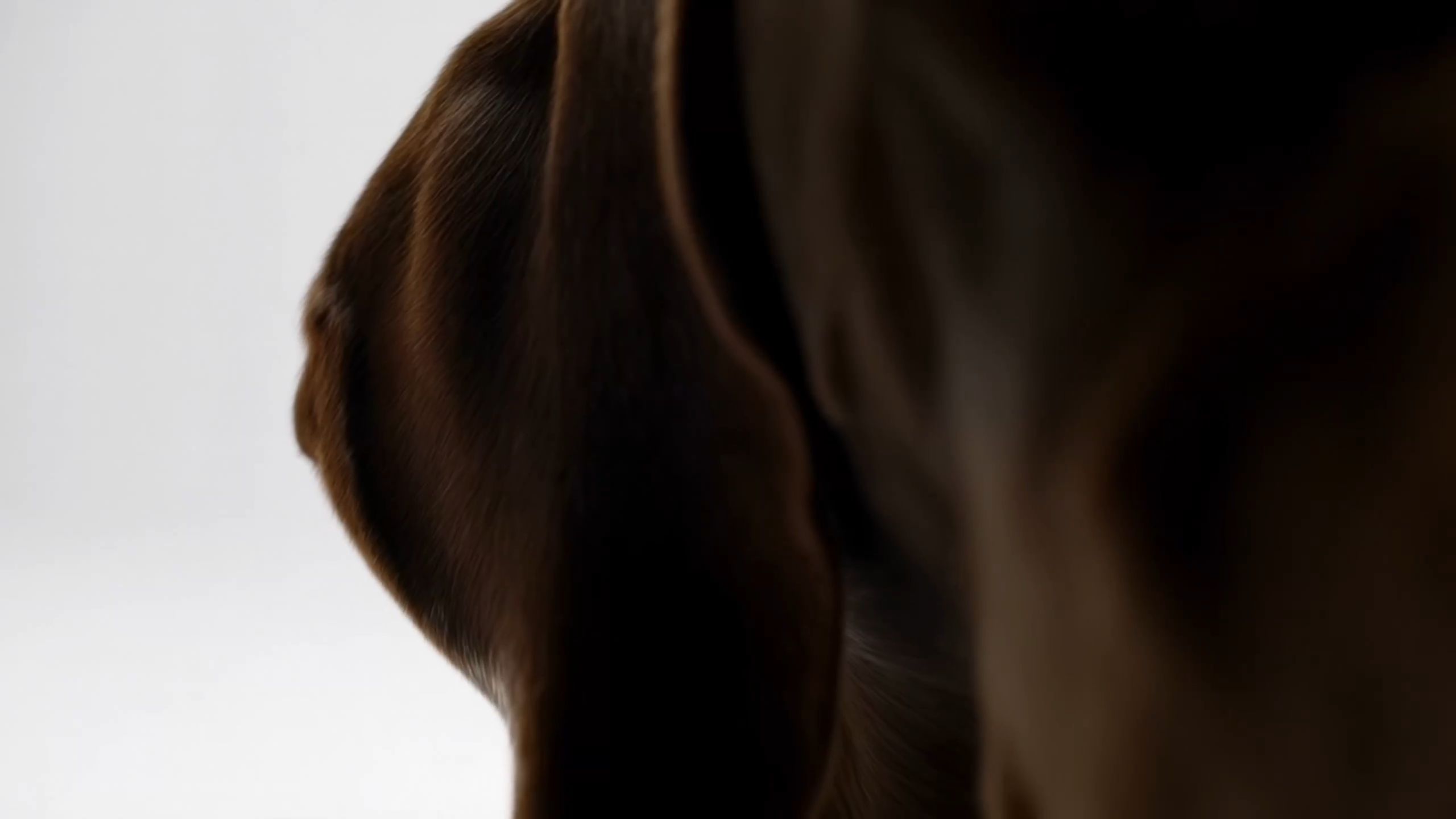 Image 1:
Replace the Element in @Video 1 with the Element from @Image 1. Keep everything else unchanged, including the background composition, camera movements, lighting, shadows, audio, and video duration. Ensure the replacement Element integrates naturally into the original footage, matching the original Element's position, scale, movements, and trajectory. | 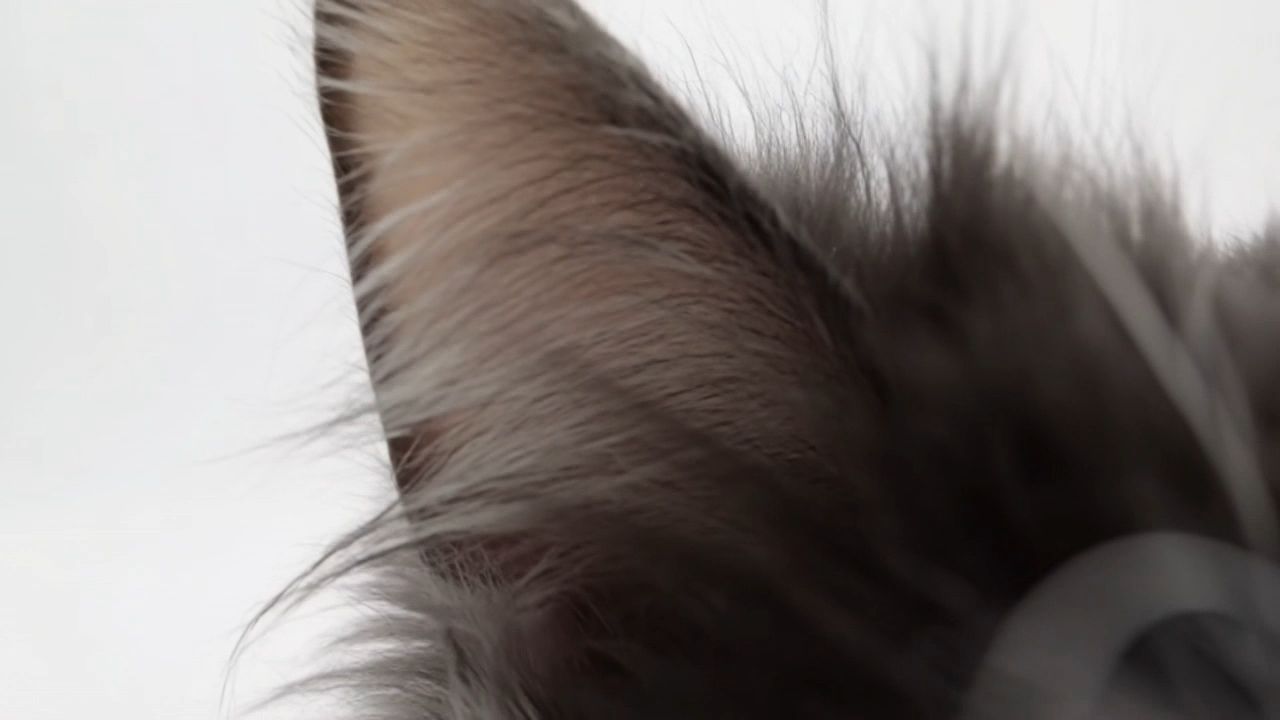 |
⑦ Audio and Languages
Audio output supports two-channel stereo.
Category | Supported Languages and Accents |
Languages | Chinese, English, Japanese, Korean, Spanish, Portuguese, German, French, Hindi |
Chinese Dialects | Sichuanese, Cantonese |
Chinese Accents | Beijing, Northeastern Chinese, Taiwanese Mandarin |
English Accents | American, British, Indian |
To generate speech in a specific language, write the dialogue in that language inside quotation marks. For example:
A Spanish female tourist looks at the interpreter in the middle and raises the map in her hand. She speaks in natural, clear, slightly slow Spanish: “¿Dónde está la estación de metro más cercana?”
For a more specific voice, describe the speaker's age, vocal tone, speaking speed, and emotion. For example:
The promotional character has the voice of a 15-year-old adult woman. She speaks in English with sincerity and emotional engagement: “I honestly love this Kling jacket—the cropped fit feels so confident, and it goes with everything.” Start with warm appreciation, emphasizing “love” and “confident.”
SCENE CONTEXT EXACT 3 UNIQUE HUMAN CHARACTERS ACROSS THE VIDEO: Three people are in a bright, clean, fictional city tourist information center. Maintain consistent color tones throughout. The tourist stands on the left, the interpreter stands in the middle, and the tourism staff member stands on the right. A city map and route diagram are placed on the information desk. Background text and map labels must be blurred and unreadable. No real brands, organization names, logos, or watermarks may appear. ACTION TIMING: 3–7 seconds: Cut to the interpreter and the tourism staff member. The tourism staff member looks at the map (do not use a close-up of the map) and answers in natural, clear Chinese: “沿这条路直走,步行大约五分钟就能到。” After the staff member finishes speaking, pause for approximately 0.5 seconds. The interpreter confirms understanding and turns toward the tourist. 7–11 seconds: The interpreter translates the staff member's answer into natural, clear, slightly slow Spanish: “La estación de metro está a unos cinco minutos a pie. Siga recto por esta calle.” While speaking, the interpreter points to the route on the map, and the tourist studies it attentively. 11–15 seconds: Return to a medium shot of all three people. After understanding the directions, the Spanish tourist smiles, nods, and says in Spanish: “Muchas gracias.” All three maintain a natural service interaction as the scene ends. AUDIO: CAMERA: Begin with a medium shot of all three people to establish their relationships. When the tourist speaks, cut to a two-shot of the tourist and interpreter. When the interpreter relays the question, cut to the interpreter and staff member. During the staff member's response, include a close-up of the map route. When the interpreter translates into Spanish, return to a two-shot of the interpreter and tourist. End with a medium shot of all three people. Maintain consistent character positions, eyelines, and clothing throughout. Do not abruptly replace characters or change their spatial relationships. STYLE: Realistic, natural, professional travel-service documentary style. Bright, clean lighting, natural facial expressions, and restrained movements. The scene should resemble an authentic interaction at an airport or city tourist information center. |  |

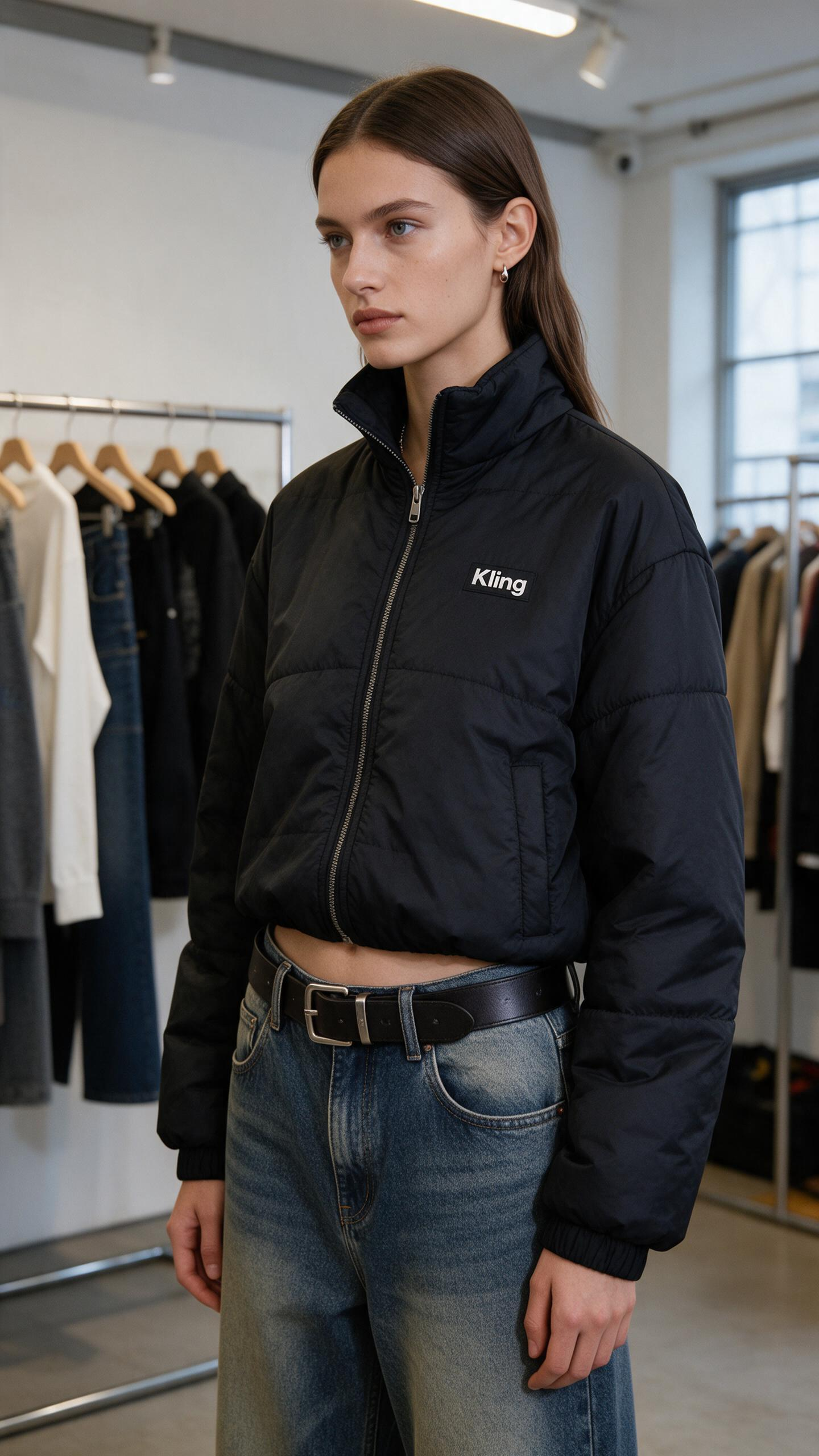
1. SCENE CONTEXT EXACT 1 HUMAN CHARACTER — NO DUPLICATES. A woman enthusiastically presents the black Kling cropped puffer jacket she is wearing inside a minimalist fashion showroom. She maintains warm, confident eye contact with the camera while demonstrating the collar, chest logo, quilted construction, cropped silhouette, and pockets. One continuous 15-second vertical fashion shot.2. ACTIVE REFERENCES@image1 controls the woman’s exact identity, straight brown hair, blue eyes, small earrings, black Kling cropped puffer jacket, high collar, silver zipper, white chest logo, quilted panels, elastic cuffs, side pockets, loose blue jeans, black belt, showroom racks, window, and vertical composition. Preserve every detail exactly. 3. LOCATION MAP: The woman remains centered between two clothing racks. The left rack stays behind frame-left, the second rack remains in the rear-right, and the large window stays on frame-right. The camera remains directly in front of her and moves only slightly toward her left side. 4. FIRST FRAME AND SPATIAL BLOCKING: Match the reference composition. She stands in a relaxed three-quarter position with both arms resting naturally beside her body. The complete jacket, waistline, belt, and upper jeans remain visible. Her head turns toward the camera and her eyes lock naturally onto the lens. 5. FORMAT MODE: One uninterrupted 15-second vertical 9:16 shot. No cuts, fades, dissolves, speed ramps, wardrobe transformations, location changes, or duplicated poses. 6. OPTICS: 50mm equivalent lens with a 40° horizontal field of view. Medium fashion framing keeps her eyes, facial expression, collar, logo, zipper, sleeves, hem, pockets, and waistline readable. Moderate depth of field softly separates her from the clothing racks. 7. CAMERA: A human operator stands approximately two and a half meters away at chest height and performs one slow handheld clockwise arc of less than one meter. Breathing drift, small footsteps, slight roll, and delayed reframing remain visible. The camera never becomes mechanically stabilized or crops out the jacket hem. 8. ACTION TIMING 0.0–2.0s: She finds the lens, takes a light anticipatory breath, and forms a genuine welcoming smile.2.0–5.5s: While beginning her sentence, she touches the structured collar and follows the zipper downward with her fingertips, keeping her eyes on the lens.5.5–8.5s: Her voice becomes more animated as her hand pauses beside the white Kling logo and her free hand opens in a small expressive gesture.8.5–11.5s: She turns into a three-quarter side profile, slips both hands into the pockets, and looks back toward the lens with a confident smile.11.5–15.0s: She faces forward again, relaxes her shoulders, and finishes the presentation with bright eyes and a warm, satisfied expression. 9. PHYSICS The padded jacket compresses naturally beneath her fingertips and recovers after release. Quilted panels retain consistent volume. Sleeves bend and crease at the elbows, while the cropped hem shifts during her turn and settles under gravity. Hair and earrings respond with small delayed movement. 10. LIGHTING: Soft daylight from the large window on frame-right is the single motivated key source. It creates restrained highlights across her eyes, hair, black fabric, silver zipper, and cheekbones while preserving detail in the quilted panels. Ceiling track lights remain subtle background practicals. 11. AUDIO: Layered showroom ambience: quiet room tone, distant ventilation, soft jacket rustle, zipper contact, jeans movement, and restrained footsteps. In a sincere, emotionally engaged English voice, she says: “I honestly love this Kling jacket—the cropped fit feels so confident, and it goes with everything.” Begin with warm appreciation, emphasize “love” and “confident,” then finish with an audible smile. Her lips, breath, expression, and garment gestures synchronize exactly with the sentence. SFX only, no music, no score, no song, no soundtrack. 12. CHARACTER ACTING: She speaks as someone genuinely excited by how the jacket makes her feel. Her eyes stay connected to the lens with living highlights and irregular natural blinks. Her eyebrows lift slightly on “love,” her cheeks rise on “confident,” and her final smile reaches both eyes. She never looks down at the garment while speaking; her hands locate each feature naturally through touch. INNER, UNSPOKEN: “This feels completely like me.” 13. STYLE: Minimal contemporary fashion content captured by an imperfect human companion. Clearly handheld intimacy, old-photograph softness, organic film grain, restrained contrast, natural fabric texture, gentle window halation, and no digital sharpening. Color balance: 60% black and charcoal, 25% cool white showroom tones, 15% faded blue denim and natural skin. 14. QUALITY The woman’s identity, eye color, hairstyle, earrings, jacket geometry, quilted panels, collar, zipper, cuffs, pockets, jeans, and belt remain consistent. The white Kling wordmark remains correctly spelled, stable, and attached to the same chest position. Eyes, lips, hands, fingers, sleeves, and fabric folds remain anatomically coherent. 15. POSITIVE CONSTRAINTS: Exactly one woman wears exactly one black Kling jacket throughout the shot. She maintains direct lens connection while speaking and looks back toward the lens during the side pose. She speaks exactly one emotional English passage and performs one continuous garment presentation. The jacket remains fully zipped and its logo stays visible during front-facing moments. Add no second person, clothing change, subtitle, price, promotional overlay, mirror reflection, music, or runway movement. A flat, emotionless delivery, wandering eyeline, malformed wordmark, changing jacket length, extra limb, or fabric passing through her body equals a failed shot. | 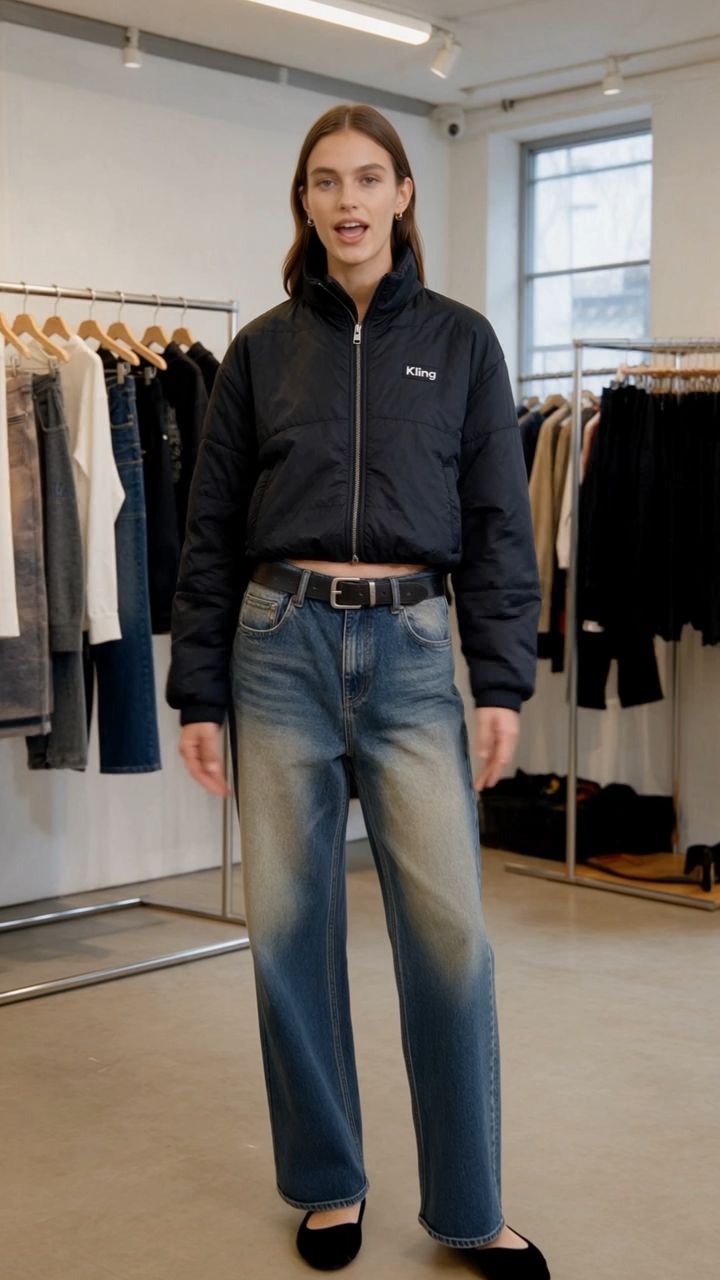 |
⑧ Text Generation
Text rendered in video supports Chinese, English, Japanese, Korean, Spanish, Portuguese, German, French, Hindi, and other languages, as well as emoji and logo generation.
Text remains clear and stable during camera movements, character movements, and scene transitions.
You can also include subtitles directly in the prompt. For best results, specify the font size, alignment, display duration, and whether the subtitles should be synchronized with the dialogue.
Subtitles Burn in English subtitles, bottom-center within the title-safe area, positioned 10% above the bottom edge of the frame. Use no more than one or two lines. Rounded cream-colored felt subtitle panels with bold, dark chocolate-brown text, high contrast, and stable positioning. Each subtitle appears and disappears in sync with the corresponding voiceover: 0.78–1.38 sec: “ONE.” 1.98–3.84 sec: “ONE MEANS JUST ONE.” 4.16–4.66 sec: “TWO.” 4.86–6.82 sec: “TWO MEANS ONE AND ONE TOGETHER.” 7.26–7.78 sec: “THREE.” 8.04–10.16 sec: “THREE MEANS TWO AND ONE MORE.” 10.32–10.80 sec: “FOUR.” 11.06–13.08 sec: “FOUR MEANS THREE AND ONE MORE.” 13.32–14.24 sec: “ONE, TWO, THREE, FOUR.” 14.40–15.00 sec: “GREAT JOB!”
Ideal for brand advertising, product packaging, on-screen interfaces, and other visuals that require accurate text rendering.
[Sample Video Placeholder]
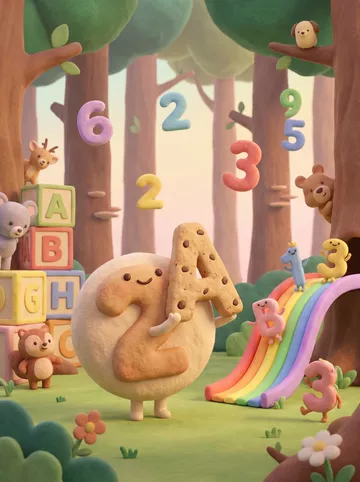
SCENE CONTEXT: EXACTLY 3 UNIQUE CHARACTERS ACROSS THE VIDEO — NO DUPLICATES.EXT. Enchanted counting forest classroom, warm morning. One soft cream cloud teacher teaches the numbers 1, 2, 3 and 4 in four separate shots. Two tiny yellow chick pupils appear only in the number-two shot.3 characters across the video, 5 hard-cut shots, 15s, real time.ACTIVE REFERENCES@Video1: content, narration and timing reference only — preserve the educational progression, additive explanations and final recap. Never inherit its white studio environment or visual style.@Image1: visual-world reference only — handmade clay-and-felt materials, rounded toy-like forms, pastel forest trunks, mossy ground, rainbow colours, warm diffused backlight and shallow storybook depth. Never inherit its existing characters, numerals or composition. LOCATION MAP: All five shots occur on the same circular moss stage inside one enchanted forest classroom.One broad warm-brown tree trunk anchors frame-left; a second tree trunk anchors frame-right. A curved pastel rainbow root crosses the background. The central teaching pedestal remains in the same position in every shot. Camera always stays on the front side of the teaching axis, between 3.0 and 3.3 m from the pedestal. The sun always comes from upper frame-right. Background geometry, material scale and colour palette remain identical after every cut. FIRST FRAME AND SPATIAL BLOCKING: Shot 1: the cloud teacher floats centre-left, facing a large red felt numeral 1 on the central pedestal. One red apple is concealed inside the moss below it. Shot 2: The cloud teacher floats centre-left, facing a large amber felt numeral 2. Two yellow chicks begin concealed behind the pedestal. Shot 3: the cloud teacher floats centre-left, facing a large green felt numeral 3. Three blue felt stars begin nested inside the moss. Shot 4: the cloud teacher floats centre-left, facing a large blue felt numeral 4. Four purple clay blocks begin below the pedestal. Shot 5: the cloud teacher floats alone at centre, facing the viewer beneath the rainbow root. Every shot begins mid-gesture with the teacher already pointing toward the active numeral. No empty establishing beat. FORMAT MODE: Horizontal 16:9, total 15s, real time, 5 shots connected by clean hard cuts.Shot 1 — 0.00–4.00s: number 1 and one apple.Shot 2 — 4.00–7.08s: number 2 and two chicks.Shot 3 — 7.08–10.21s: number 3 and three stars.Shot 4 — 10.21–13.08s: number 4 and four blocks.Shot 5 — 13.08–15.00s: spoken recap and celebration. Each number receives its own separate shot. Numerals 1, 2, 3 and 4 never share the same teaching frame.No fades, dissolves or split screens. OPTICS: 35mm equivalent, 54° horizontal FOV, locked across all five shots. Identical natural perspective, camera height, background scale and depth-of-field character after every cut. Focal plane remains on the cloud teacher, active numeral and active quantity. Foreground flowers softly obscure the lower corners. Distant trees dissolve into the same creamy storybook blur. CAMERA: Every shot is operated handheld at approximately 105 cm height from the front side of the teaching axis. World register: gentle SETTLE. Shot 1: slow 10 cm push toward numeral 1. Shot 2: slow 10 cm push toward numeral 2. Shot 3: slow 10 cm push toward numeral 3.Shot 4: slow 10 cm push toward numeral 4. Shot 5: slow 8 cm push toward the celebrating teacher.Visible handheld character throughout: breath sway, micro-roll, late tiny corrections and gentle but obvious handmade shake. Numerals and subtitles remain readable. Camera height, axis and movement speed match across all cuts.Not a gimbal, slider, tripod lock-off, drone or digitally stabilised camera. ACTION TIMING 0.00–0.78s: Shot 1 begins. The cloud teacher already points toward the red numeral 1. 0.78–1.98s: numeral 1 rises and completes one soft bounce. 1.98–4.00s: one red apple rises from the moss and settles beneath numeral 1. 4.00–4.86s: hard cut to Shot 2. The amber numeral 2 rises and completes one soft bounce. 4.86–7.08s: one yellow chick hops out from the left, then a second chick joins from the right; they touch shoulders and settle together. 7.08–8.04s: hard cut to Shot 3. The green numeral 3 rises and completes one soft bounce. 8.04–10.21s: two blue felt stars rise together, followed by one additional star; the three stars settle into a clear triangular arrangement. 10.21–11.06s: hard cut to Shot 4. The blue numeral 4 rises and completes one soft bounce. 11.06–13.08s: three purple blocks assemble first; one additional block clicks into the fourth position. 13.08–14.40s: hard cut to Shot 5. Four tiny coloured fireflies pulse sequentially red, amber, green and blue while the teacher points from left to right. 14.40–15.00s: the teacher opens both arms; a small clay sun unfolds above the rainbow and releases a brief sparkle burst. PHYSICS: The cloud teacher has the buoyancy of a lightweight stuffed felt puppet, with soft vertical drift and delayed arm movement. Each numeral has padded felt weight: it compresses, rebounds once and settles. The apple lands with soft clay weight. The chicks’ feet squash slightly into the moss. Stars descend with gentle air resistance. Blocks connect with firm edge-to-edge contact. Every quantity remains stable and readable until its shot ends. Hard cuts reset the teaching pedestal cleanly while preserving the same forest, teacher identity, material scale and lighting. LIGHTING: One identical motivated source in every shot: warm morning sunlight filtering through the trees from upper frame-right.The teacher’s lower-left side remains slightly darker in all five shots. Soft rim light separates the felt fibres from the forest. Protect the cream cloud, pastel numerals and rainbow highlights from clipping. The direction, colour temperature, haze density and exposure remain unchanged across every cut. AUDIO VOICEOVER: The cloud teacher speaks in English with the same warm, clear, medium-high preschool-teacher voice in every shot. Pronunciation is slow, encouraging and rhythmically precise.0.78s: “One.”1.98s: “One means just one.”4.16s: “Two.”4.86s: “Two means one and one together.”7.26s: “Three.”8.04s: “Three means two and one more.”10.32s: “Four.”11.06s: “Four means three and one more.”13.32s: “One, two, three, four.”14.40s: “Great job!” MUSIC: one continuous original children’s instrumental across all cuts, using soft marimba, toy piano, light ukulele, felt-drum taps and gentle handclaps. The same melody, tempo and instrumentation continue seamlessly through every shot. It rises slightly with each new number and ends with a short celebratory flourish.SFX: one soft felt pop for each numeral bounce; one clay plop for the apple; two tiny moss footsteps for the chicks; three sparkle chimes for the stars; four wooden clicks for the blocks; four soft firefly pings during the recap; one bright celebration chime at the end. AMBIENCE: continuous close grass rustle, mid-distance leaves and faint woodland birds. The ambience never resets at the cuts.MIX: narration remains clear and centred. Music ducks beneath every spoken line. Sound effects synchronise exactly with the quantities. Music and ambience remain continuous across every hard cut. SUBTITLES: Burned-in English subtitles, bottom-centre inside the title-safe area, positioned 10% above the lower edge.One or two lines maximum. Rounded cream felt subtitle panel with dark chocolate-brown bold lettering, high contrast and stable placement. Subtitles appear and disappear exactly with the matching narration:0.78–1.38s: “ONE.”1.98–3.84s: “ONE MEANS JUST ONE.”4.16–4.66s: “TWO.”4.86–6.82s: “TWO MEANS ONE AND ONE TOGETHER.”7.26–7.78s: “THREE.”8.04–10.16s: “THREE MEANS TWO AND ONE MORE.”10.32–10.80s: “FOUR.”11.06–13.08s: “FOUR MEANS THREE AND ONE MORE.”13.32–14.24s: “ONE, TWO, THREE, FOUR.”14.40–15.00s: “GREAT JOB!” CHARACTER ACTING: Cloud teacher: identical body proportions, cream felt texture, tiny arms, dot eyes, rosy cheeks and a small smiling mouth in every shot. Uses slow preschool-teaching gestures. The gaze always lands on the active numeral or quantity. The expression gradually changes from patient concentration in Shot 1 to a broad celebratory smile in Shot 5.Shot 1: points with one hand and watches the single apple settle.Shot 2: brings both hands together as the two chicks join.Shot 3: traces a small triangle after the third star appears.Shot 4: raises four soft fingertips after the final block connects.Shot 5: points across four firefly pulses, then opens both arms toward the viewer.Two chick pupils: appear only in Shot 2. The first chick leaves a visible space beside itself; the second fills that space. Both look up at the teacher and blink once after joining. STYLE: One perfectly consistent handmade clay-and-felt stop-motion storybook world across every shot.Rounded silhouettes, tactile fingerprints, plush fibres, softly imperfect surfaces, oversized friendly trees, moss carpet, tiny flowers and pastel rainbow details.Identical teacher model, forest geometry, prop scale, material softness, lens character and lighting direction after every cut.Soft vintage optical character, old-photograph texture, subtle film grain, slight halation and natural motion blur.Colour 60:30:10 = moss green and warm wood / cream and pastel numeral colours / coral-red and sunny-yellow accents. Vintage photo softness, no sharpening. QUALITY: The cloud teacher, active numeral, active quantity and subtitles remain readable in every shot. Numeral shapes are conventional, upright and unambiguous. Subtitle spelling, punctuation and timing match the specified script exactly. Subtitle size, typeface, panel shape and screen position remain identical across all cuts. Soft old-photo resolution, never digitally sharpened.Natural motion blur without ghosting, duplicated limbs, malformed numerals, incorrect quantities or plastic CGI surfaces. POSITIVE CONSTRAINTS: Numbers 1, 2, 3 and 4 each receive one separate teaching shot. Only one large numeral appears in each teaching shot. Shot 1 contains exactly one apple. Shot 2 contains exactly two yellow chicks. Shot 3 contains exactly three blue stars. Shot 4 contains exactly four purple blocks. Shot 5 contains only the cloud teacher, four sequential firefly pulses and the final clay sun. The same cloud teacher identity, forest style, light direction, optics, colour palette, music and subtitle design continue across every cut. Speech count: exactly 10 lines. Every subtitle matches its spoken line word for word. A shared 1–4 teaching frame, split screen, incorrect quantity, extra character, style change, lighting change, malformed subtitle or mismatched narration = failed shot. | 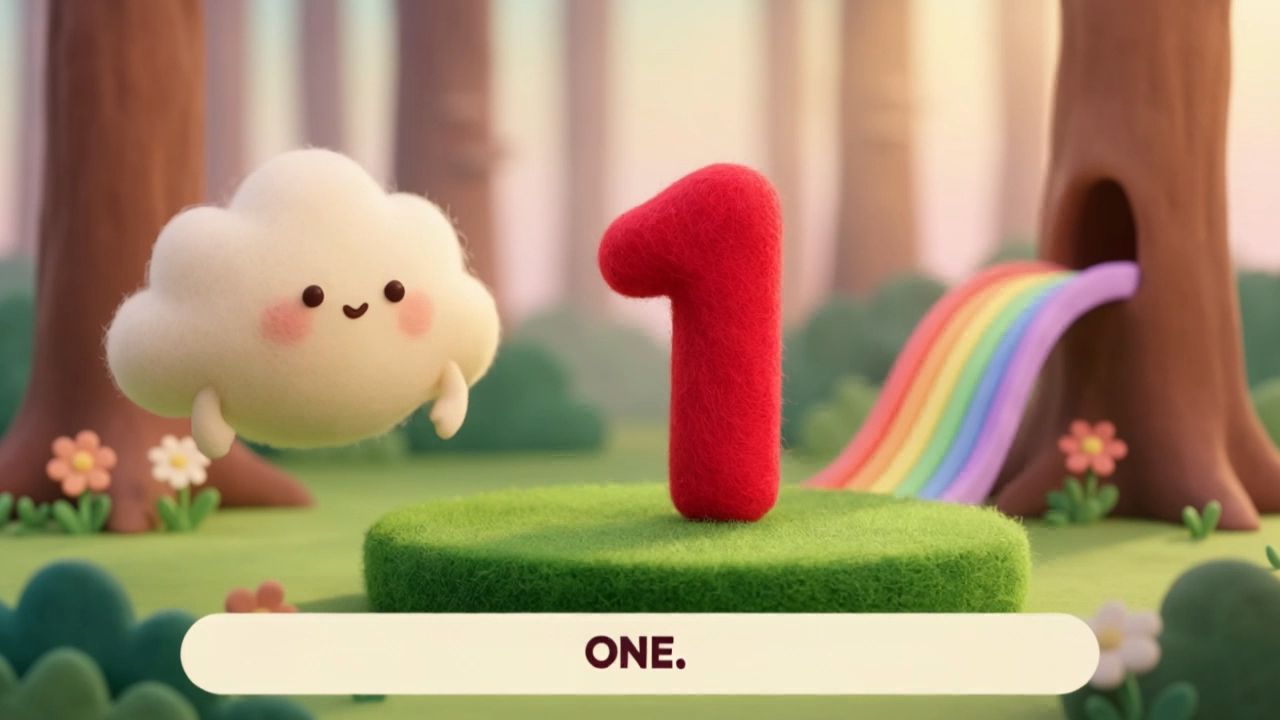 |
⑨ Stylized Generation
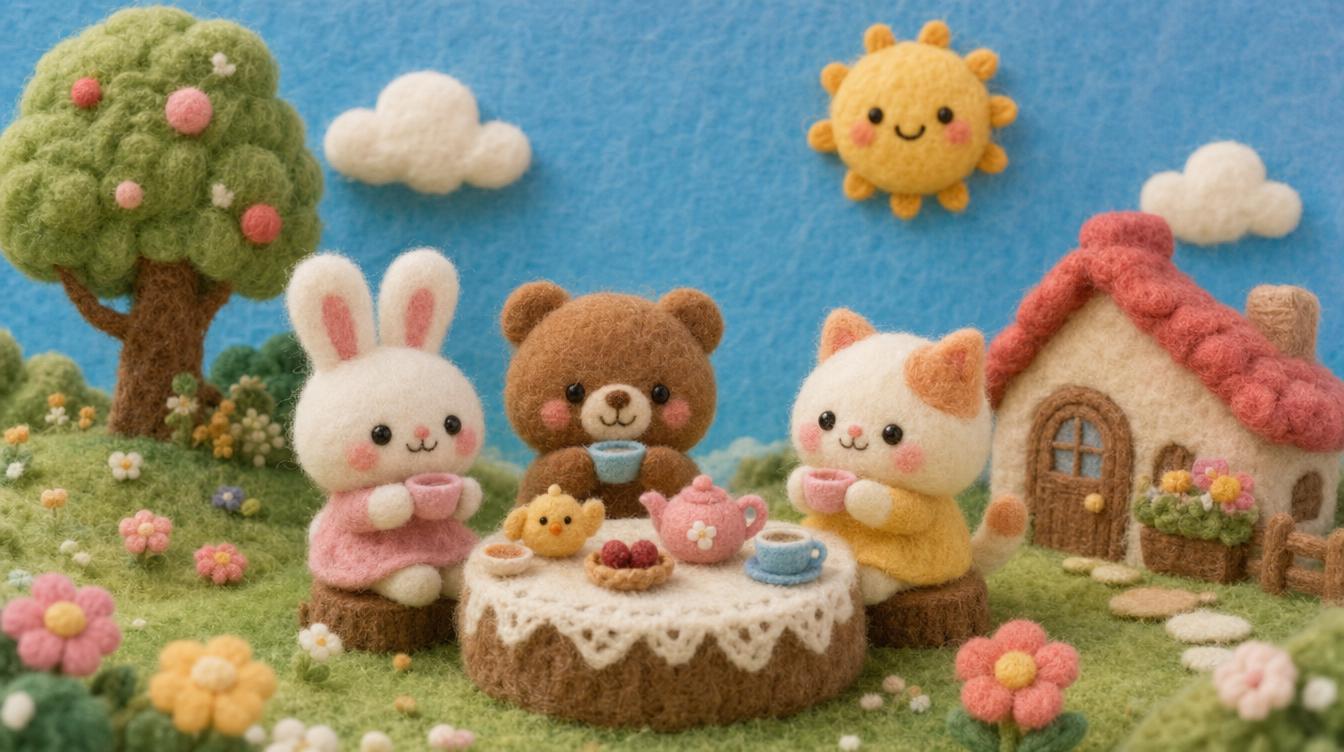
Supports a wide range of visual styles, including cinematic, retro DV, animation, felt, fantasy, and cyberpunk. Style control extends to materials, lighting, and the overall atmosphere of the scene.
When specifying an animation style, explicitly exclude photorealism to avoid inconsistent results that mix the two styles.
When specifying a style, combining positive descriptions with explicit exclusions produces more consistent results:
Edit @Video1. Replace the video’s style with the felt style of @Image1. Preserve the original composition, shots, and actions. Change only the style; do not alter the characters’ clothing designs, motorcycle design, scene elements, or event sequence.
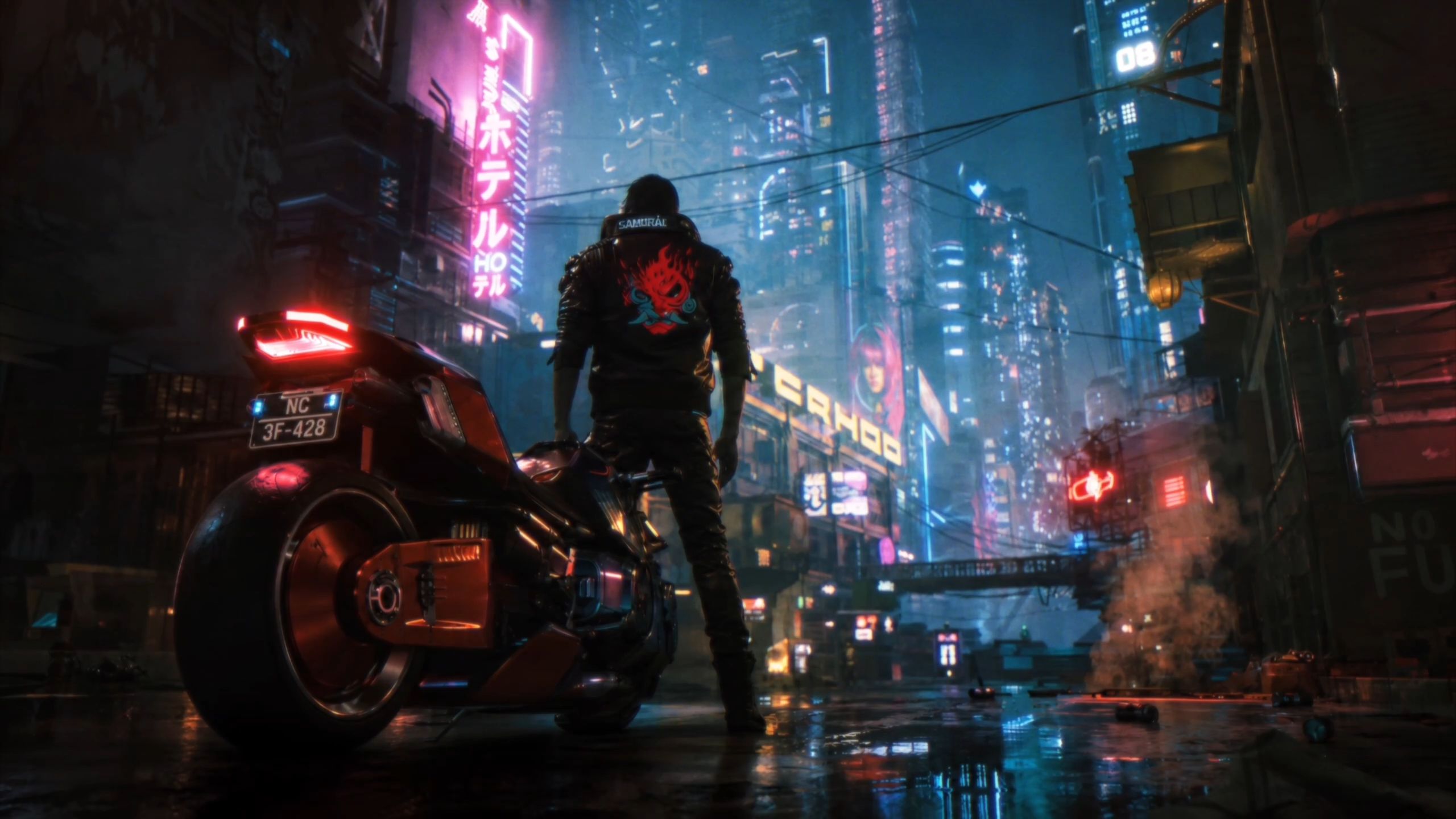
Edit @Video 1 by transforming the entire video into the felt style shown in @Image 1. Preserve the original video's composition, camera shots, camera movements, character actions, timing, and sequence exactly. Change only the visual style to match the felt aesthetic of @Image 1. All characters, objects, and environments should have consistent felt textures and a handcrafted felt appearance. Do not alter the original scene content, character identities, or movements. Everything else must remain unchanged. | 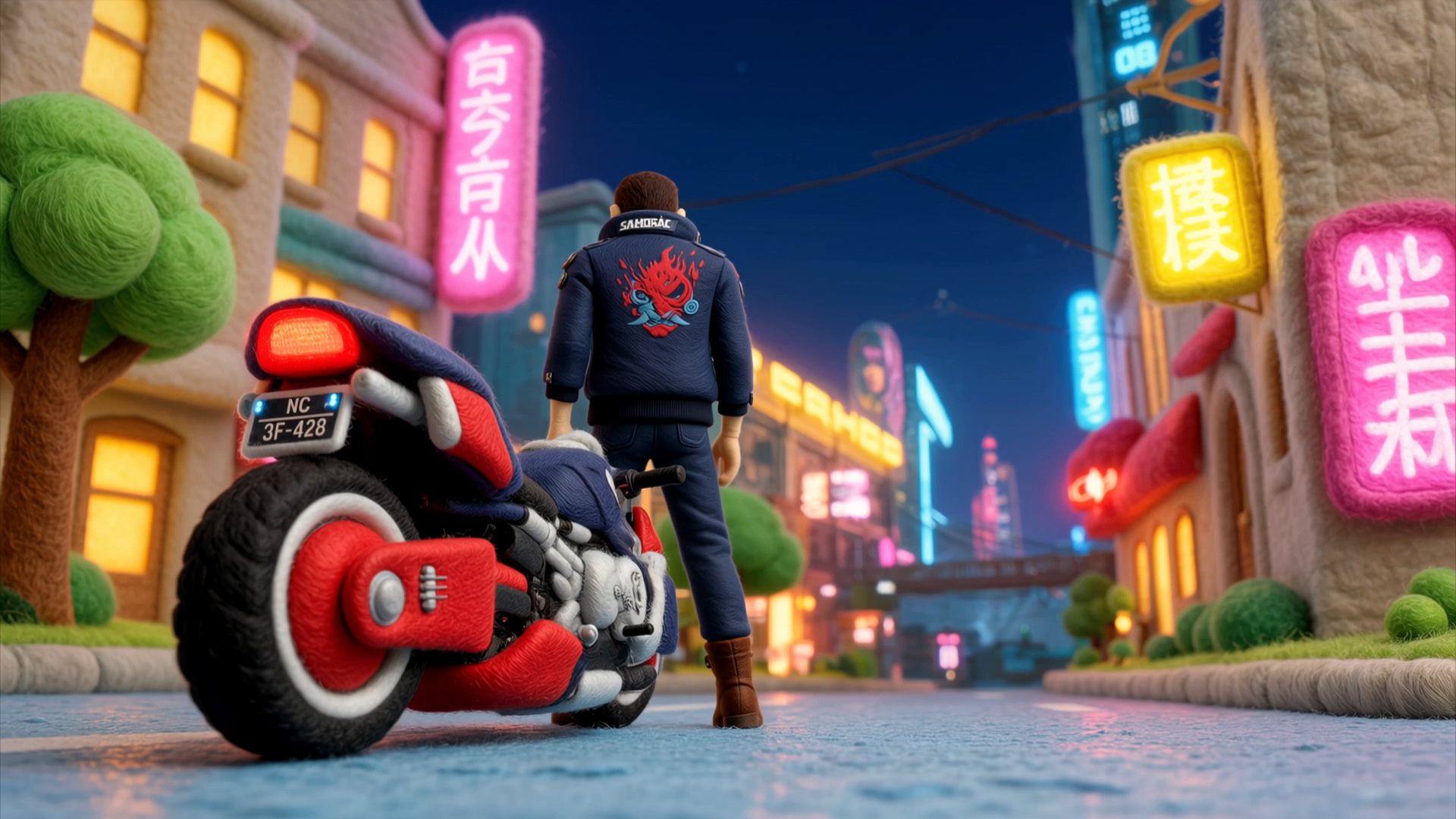 |
3.2 Keyframes
Already know how your video should start, where the turning point should be, and what the final frame should look like? Set these moments as keyframes, then describe the actions and transitions between them.
The Keyframes entry lets you precisely control points along the timeline. Without keyframes, the model determines the order and timing of visual changes. With keyframes, you define the visuals at specific timestamps.
Input Limits and Parameters
Input Type | Quantity and Specification Limits |
Text | ≤ 8,000 tokens |
Images | Up to 10 images in total; ≤ 30 MB each; aspect ratio 2:5–5:2 |
Parameter | Available Options |
Generation Mode | 720p / 1080p / 4K |
Duration | 3–30 sec, in 1-sec increments; default: 10 sec |
Aspect Ratio | Without uploaded images: 21:9 / 16:9 / 1:1 / 9:16. After uploading images, the aspect ratio follows the first keyframe. |
⚠️ The Keyframes entry does not support uploading reference assets.
Keyframe Usage Guide
Kling 4.0 supports first frames, last frames, start-and-last frames, and middle frames at any position in the timeline.
Control | Description |
Character Actions | Raise a hand at 3 seconds, turn around at 7 seconds |
Character Entry and Exit | Character B enters through the door at 6 seconds, rather than appearing only at the end |
Scene Changes | The sky darkens at 5 seconds; it starts raining at 10 seconds |
Composition Changes | Transition from an extreme wide shot to a close-up at a specified timestamp |
State Progression | Define the transition from State A to State B and the intermediate stages along the way |
Usage and Prompt Writing
① first frame
Format: Use @Image1 as the first frame, then describe what happens next.
Use @Image1 as the first frame. [Describe what happens next.]
Image1:
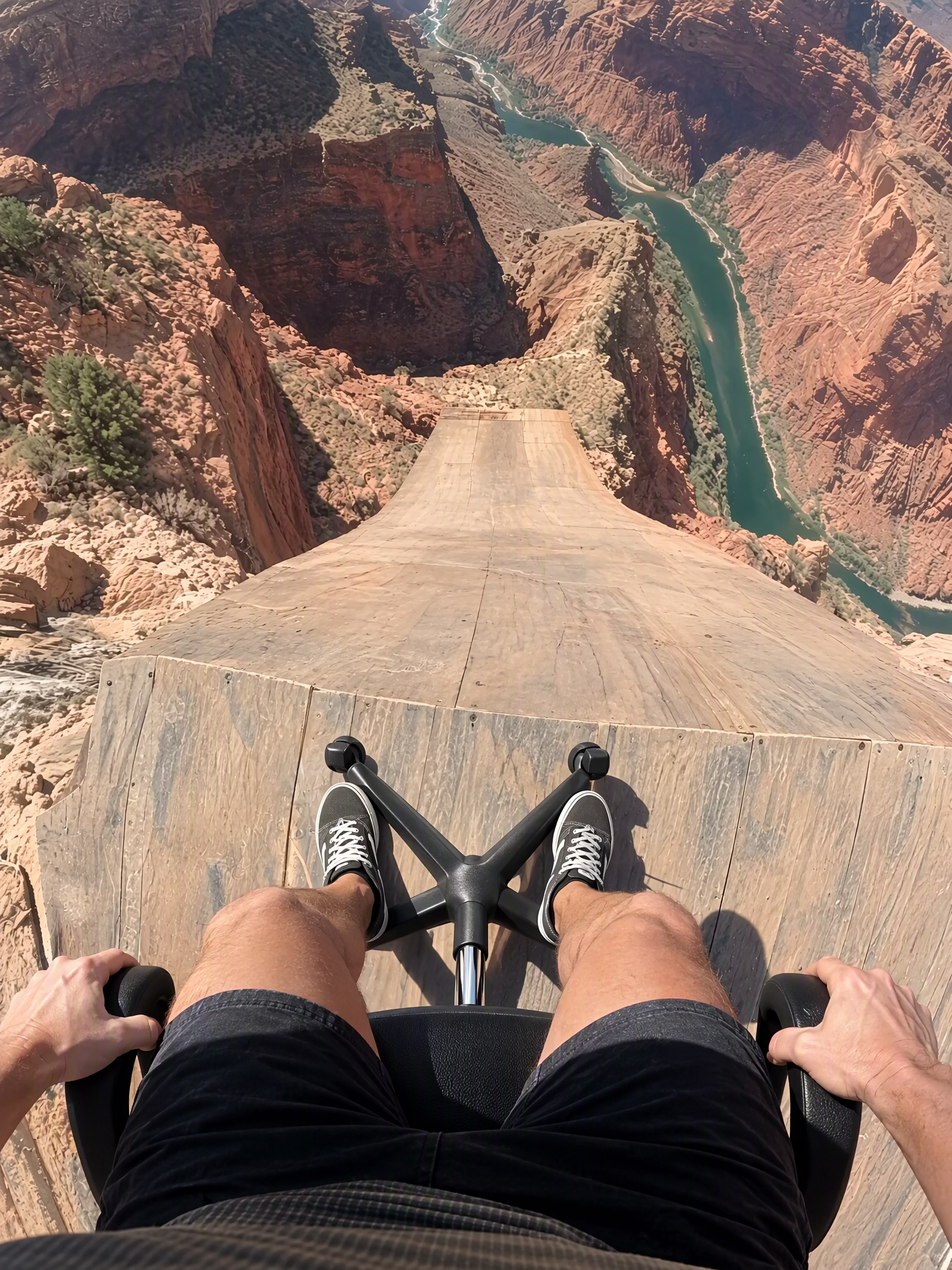
Video1: 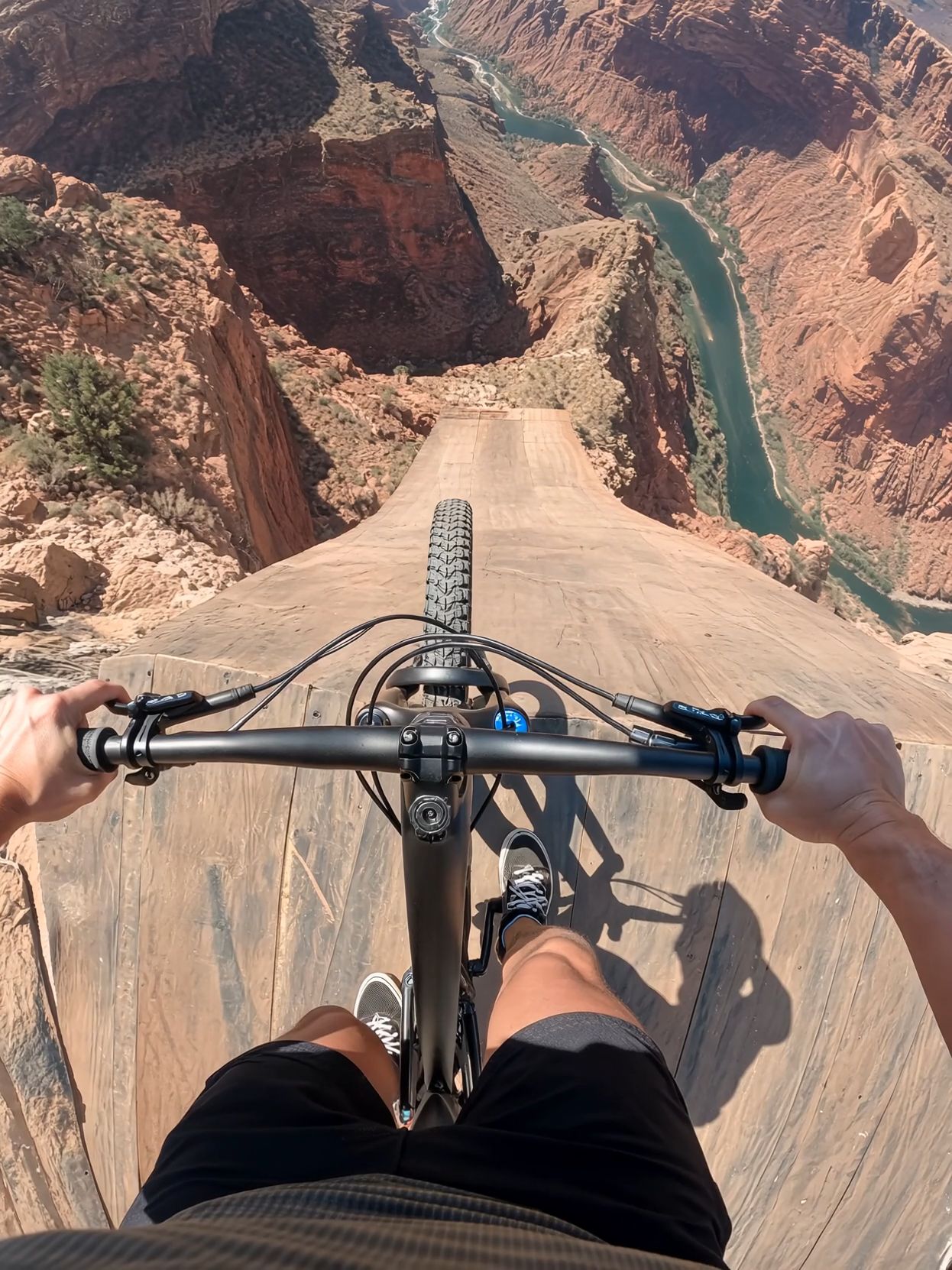 @Image1 is the first frame. @Video1 is the reference for camera, motion, timing and cuts. Recreate @Video1 shot-for-shot and cut-for-cut, but starting from @Image1: the rider is SITTING in a black office swivel chair instead of standing on a bike. Same chest-mounted GoPro fisheye POV, same ramp, canyon, river, orange parachute with white ring, airboat and cheering crew; same three jump-cuts and audio as video. Wherever the video shows the bike — under the rider on the ramp, shoved away at the cliff, tumbling below in free-fall, and the tiny silhouette during the parachute opening — show the office chair (mesh backrest, padded seat, chrome column, five-spoke base, casters). Before the launch, the rider stays seated exactly as in @Image1: thighs and knees at the bottom of frame, sneakers on the star base, hands on the armrests. No bicycle, handlebar, tyres or pedals anywhere. | 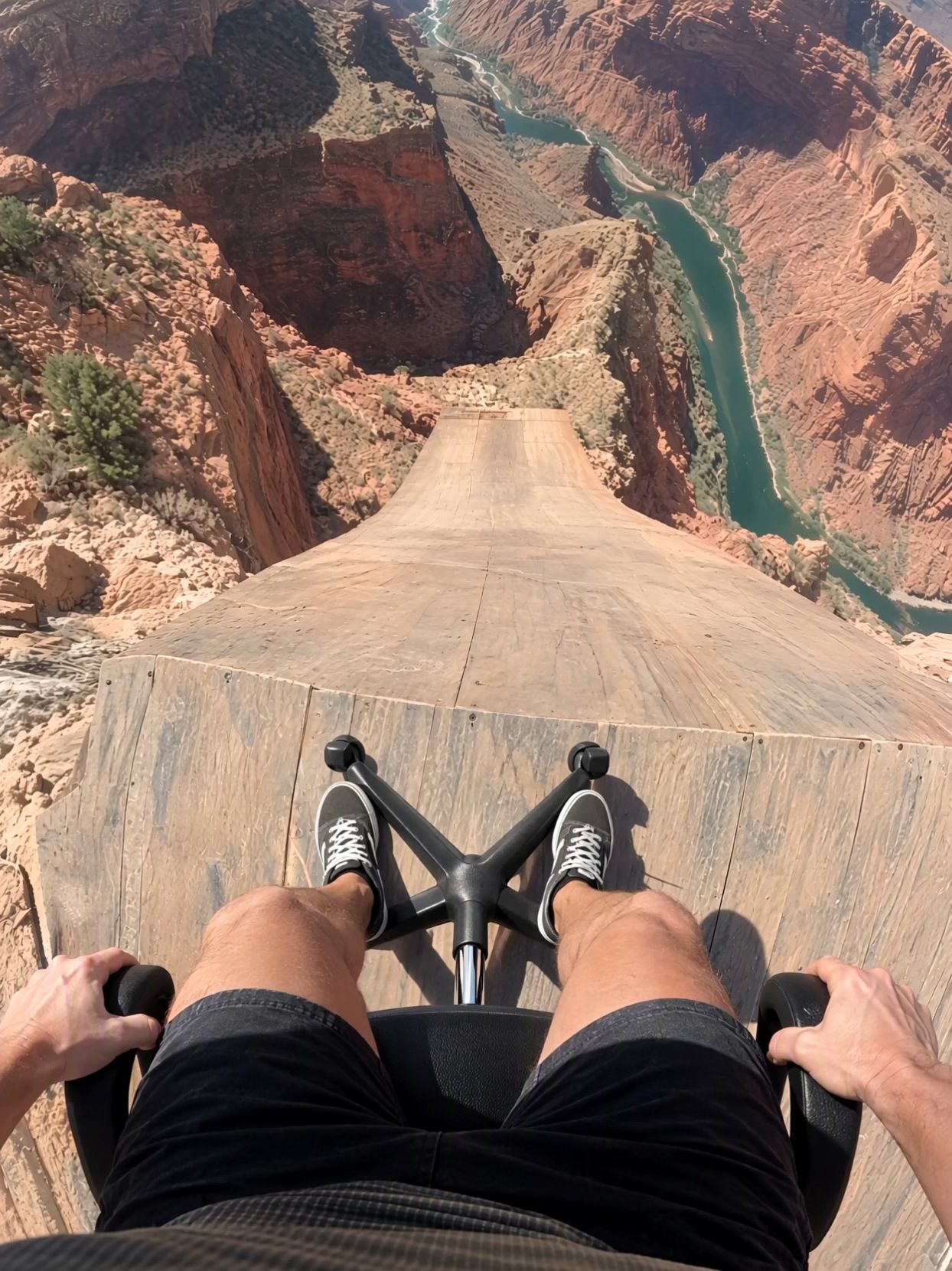 |
② First and Last Frames
Format: Use @Image1 as the first frame and @Image2 as the last frame, then describe the [process] in between.
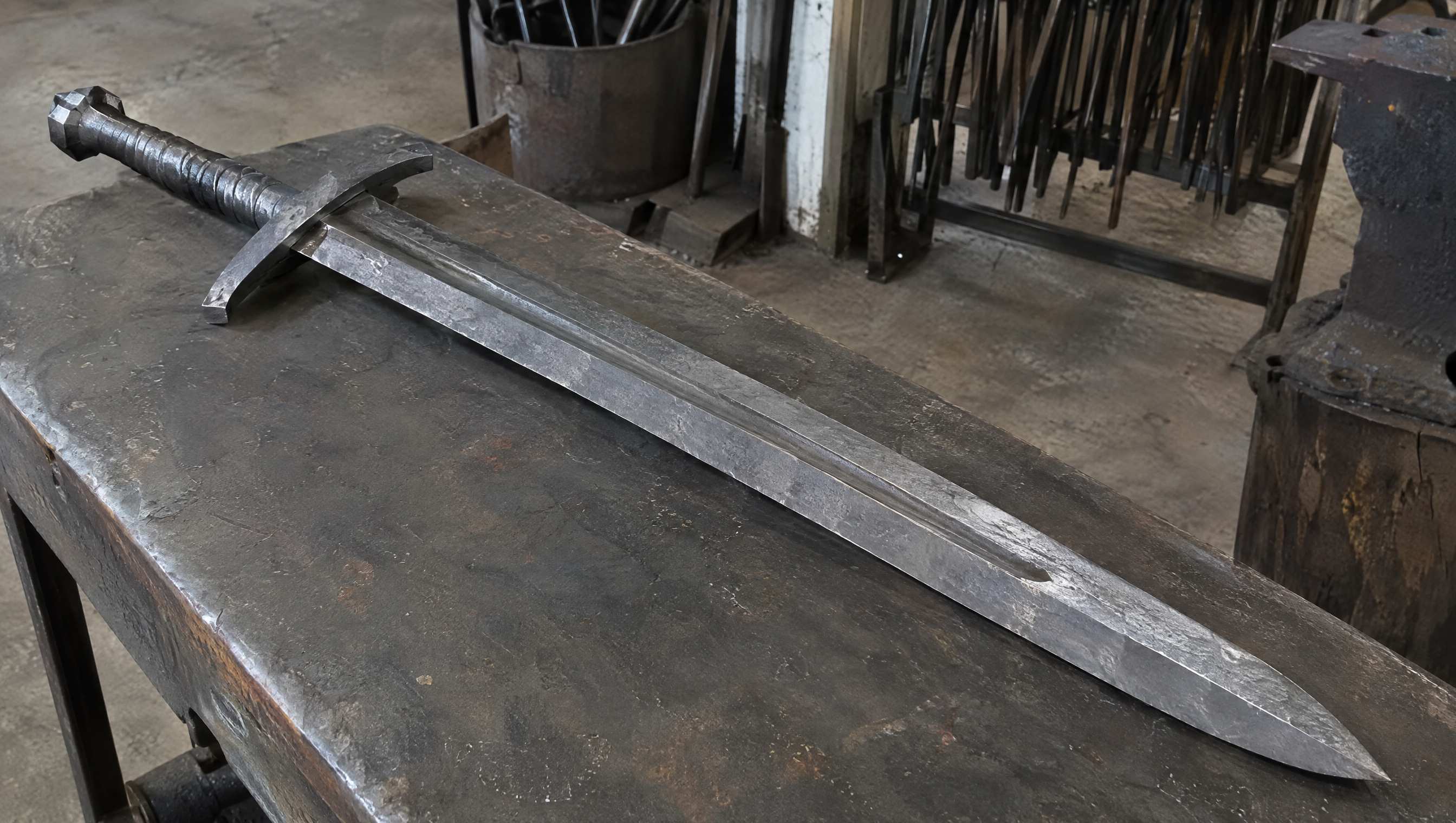
Use @Image1 as the first frame (a piece of raw iron) and @Image2 as the last frame (a finished knife). Generate a 15-second video showing the process of forging a large iron sword, in a realistic documentary style.
Use @Image1 as the first frame and @Image2 as the last frame. The entire video should be one continuous lateral tracking shot from the side, with no cuts, angle changes, or scene changes.
Best for: Showing transformation processes, craftsmanship, and before-and-after comparisons.
First Frame:
Last Frame:
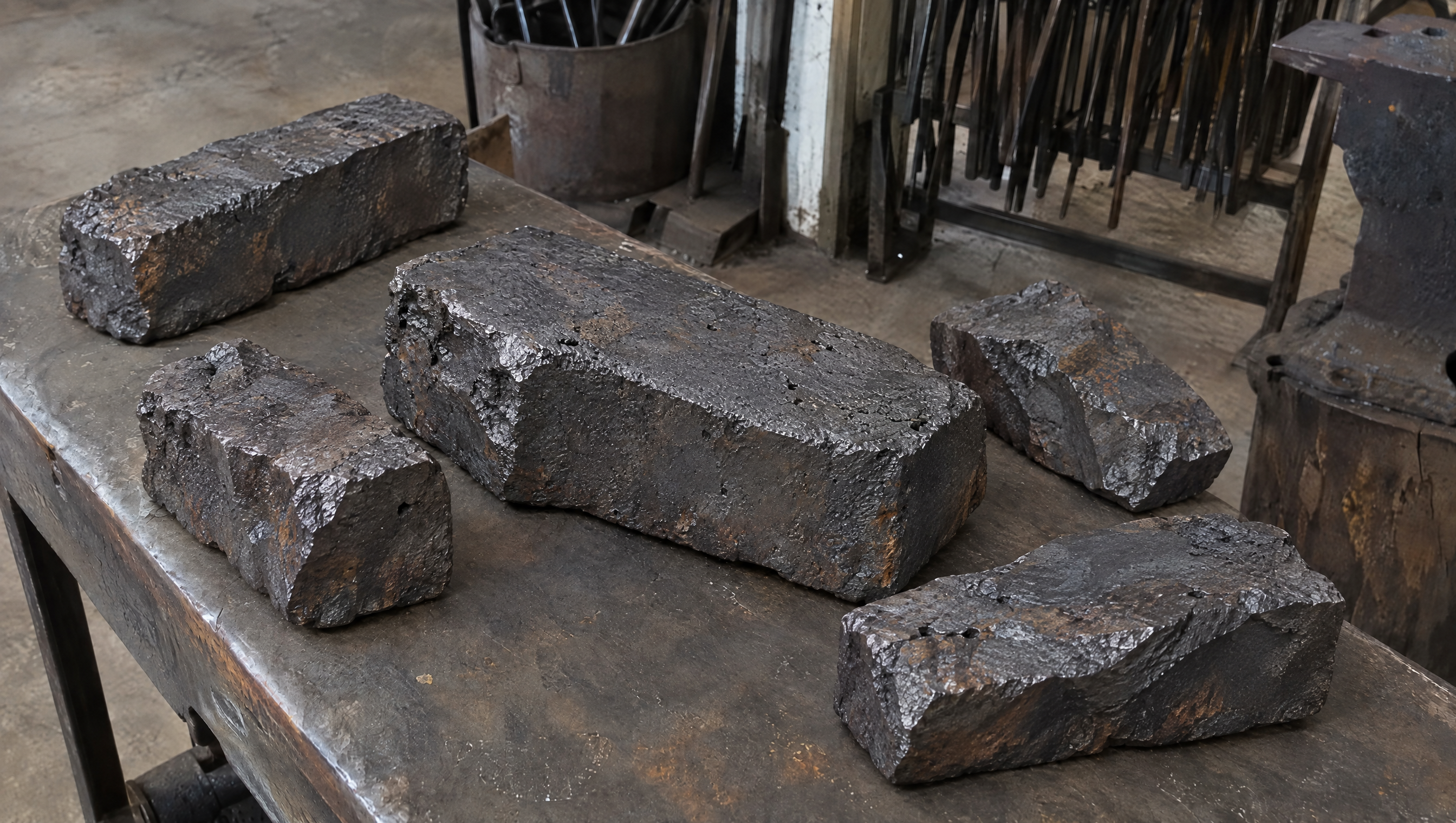
SCENE CONTEXT EXACT 1 CHARACTER — NO DUPLICATES. Interior, a worn blacksmith workshop, daytime. The same blacksmith removes the raw material, works it into a greatsword, and returns the completed sword to the original table.15 seconds, six shots. Manufacturing time is compressed through editorial cuts; individual actions retain natural weight and speed. ACTIVE REFERENCES: @Image1: exact first-frame anchor. Preserve all five iron blocks, their arrangement, the tabletop, background tools, perspective, and lighting. This image is the starting state of an active pickup shot.@Image2: exact final-frame anchor and finished-sword design. Preserve the blade silhouette, central fuller, angular curved crossguard, spiral metal grip, faceted pommel, diagonal placement, perspective, and background. This composition is reached through a visible physical placement. LOCATION MAP: The worktable fills the foreground. The tool bucket stands behind its left-center edge, the rod rack occupies the rear right, and the anvil stands at the right. The blacksmith works from the left side of the table in both endpoint shots. The camera stays on the original viewer-facing side of the table. During blade-working inserts, the tang points screen-left and the tip points screen-right. The final sword position runs from the upper-left pommel to the lower-right tip. FIRST FRAME AND SPATIAL BLOCKING: At 0.0 seconds, the frame exactly matches the raw-material reference, with five iron blocks and no hands visible. The same blacksmith immediately reaches in from the left edge. Both gloved hands approach the largest central block from opposite ends, preparing a supported two-handed lift. The blacksmith wears soot-gray sleeves, brown leather gloves, and a narrow dark strap around the right cuff. These details remain identical throughout every shot. FORMAT MODE: 15 seconds total, six shots.Hard cuts at 3.0, 5.0, 8.0, 10.0, and 11.0 seconds. Cuts compress the omitted manufacturing work and bench clearing. The opening pickup and closing placement each play as continuous physical actions.No fades, dissolves, or object-morph transitions. OPTICS: Shots 1 and 6: reference-matched elevated three-quarter framing, approximately 63° diagonal field of view and approximately 1.8 meters from the tabletop center. Exact endpoint framing takes priority over estimated optical measurements. Shots 2–5: 40° diagonal field of view, approximately 0.8 meters from the working contact point. Focus follows the hands and metal contact; the workshop background remains softly readable. Each shot holds one fixed field of view. CAMERA: A real camera operator holds the camera from the viewer-facing side of the workspace. All shots use handheld SETTLE: visible breathing sway, slight roll, and small delayed corrections. The opening camera holds its position while the iron block leaves the frame. The closing camera holds the empty tabletop composition while the sword enters, then settles into the exact final reference. The blacksmith is the only visible worker; the camera operator remains outside the image. ACTION TIMING: 0.0–3.0s — TAKE THE IRON. Start on the exact first reference; during 0.0–0.6s, the blacksmith’s matching gloved hands enter from screen-left and grip opposite ends of the largest central block. During 0.6–1.5s, the wrists brace and both hands lift the block clear of the tabletop, exposing the patch of table beneath it. During 1.5–3.0s, the blacksmith carries the supported block out through screen-left; the other four blocks remain resting on the table through the cut.3.0–5.0s — HEAT THE STOCK. Hard cut forward in time to one thick billet already glowing orange among forge coals. The same gray sleeves, brown gloves, and right-cuff strap appear at screen-left as the blacksmith holds long tongs around the billet. A short controlled pull draws the billet toward the forge mouth, with heat shimmer rising above its scaled surface.5.0–8.0s — FORGE THE BLADE. Hard cut forward to an elongated orange-hot blade blank supported on the anvil, tang left and emerging tip right. The same blacksmith braces the tang with left-hand tongs and delivers three deliberate right-hand hammer strikes along the blade flat. Each strike produces local compression, wrist recoil, and a brief scatter of dark scale.8.0–10.0s — FINISH THE METAL. Hard cut forward to a cooled blade with its fuller already formed, held by the same gloved hands against an abrasive wheel. The blacksmith makes one controlled finishing pass along the bevel. A narrow stream of sparks falls from the actual contact point as a brighter strip of metal appears.10.0–11.0s — COMPLETE THE HILT. Hard cut forward to the nearly finished sword supported on a separate assembly bench, its crossguard and spiral metal grip already fitted. The same blacksmith’s left hand braces the grip while the right hand gives the faceted pommel its final tightening turn. The completed sword now has the exact construction and finish required for the final image.11.0–15.0s — PLACE THE FINISHED SWORD.Hard cut to the original worktable, now completely clear; show its empty surface for 0.4 seconds before the same gloved hands carry the completed sword in from screen-left, one hand around the grip and the other supporting the blade flat near its balance point. From 11.4–13.8s, the blacksmith lowers the entire rigid sword diagonally, hilt toward upper-left and tip toward lower-right, easing it onto the tabletop and sliding the supporting hand free as its weight transfers to the table. From 13.8–15.0s, both hands release and withdraw through screen-left; the sword remains motionless in the exact final-reference position as the camera settles onto the final frame. PHYSICS: The raw block retains its shape and mass throughout the pickup. Both hands support it continuously; the forearms tense and the lift accelerates slowly under its weight. The anvil supports the hot blade during forging. Large changes of shape occur across editorial time jumps. The completed sword remains rigid during carrying and placement. The blade-supporting hand has visible clearance to slide free as the sword settles; the hand never passes through the blade or tabletop. Metal contact produces a short scrape and a low, heavy clink, followed by stillness. The same blacksmith clears the remaining raw stock during omitted time before the final shot. LIGHTING: The original table shots use soft daylight from upper camera-left, matching both references. Retain dark detail in the iron and protect the silver blade highlights. The forge insert uses orange coal glow from below-left as its dominant source. Return to the original neutral daylight before the sword enters the final tabletop shot. AUDIO: Quiet workshop air and distant furnace draft form the ambient bed. Opening: leather creaks, a brief iron scrape, and a restrained exertion breath as the heavy block rises.Middle: forge crackle, tong contact, three synchronized hammer impacts, abrasive scraping, and a short fitting sound.Ending: sleeve movement, glove friction against metal, a weighted sword-to-table clink, then quiet workshop ambience. The blacksmith speaks no dialogue.SFX only, no music, no score, no song, no soundtrack. CHARACTER ACTING: One consistent blacksmith performs every visible action. Soot-gray sleeves, brown leather gloves, and the dark right-cuff strap remain unchanged. Hands work deliberately: brace before lifting, maintain firm tool contact, and reduce speed before lowering the finished sword. The physical rhythm shifts from effort during the raw-block pickup to careful control during the final placement. The face and torso remain outside the crop. STYLE: Grounded workshop documentary with tactile iron, worn tools, and convincing manual labor.Soft old-photograph texture, restrained grain, and natural motion blur; no digital sharpening. Charcoal metal and muted brown surfaces dominate, with silver highlights and localized forge orange. The first and last frames preserve the supplied images’ appearance. QUALITY: Maintain consistent hands, gloves, sleeve details, metal geometry, and contact shadows. The lifted block reveals the tabletop underneath it. The closing shot visibly establishes the empty tabletop before the sword enters. Keep the full final sword readable, including its tip, guard, grip, and pommel. Avoid duplicate limbs, flickering geometry, and intersecting solid surfaces. POSITIVE CONSTRAINTS: The first frame contains exactly five iron blocks. The largest central block physically leaves the table in the same blacksmith’s two hands. The final shot begins with an empty table. The completed sword enters while visibly supported by that same blacksmith, contacts the tabletop, and remains after both hands withdraw. The last frame matches the finished-sword reference exactly. The opening pickup and final placement each remain continuous, with visible hand-object contact. Exactly one finished sword is present.No text overlays, subtitles, or music. | 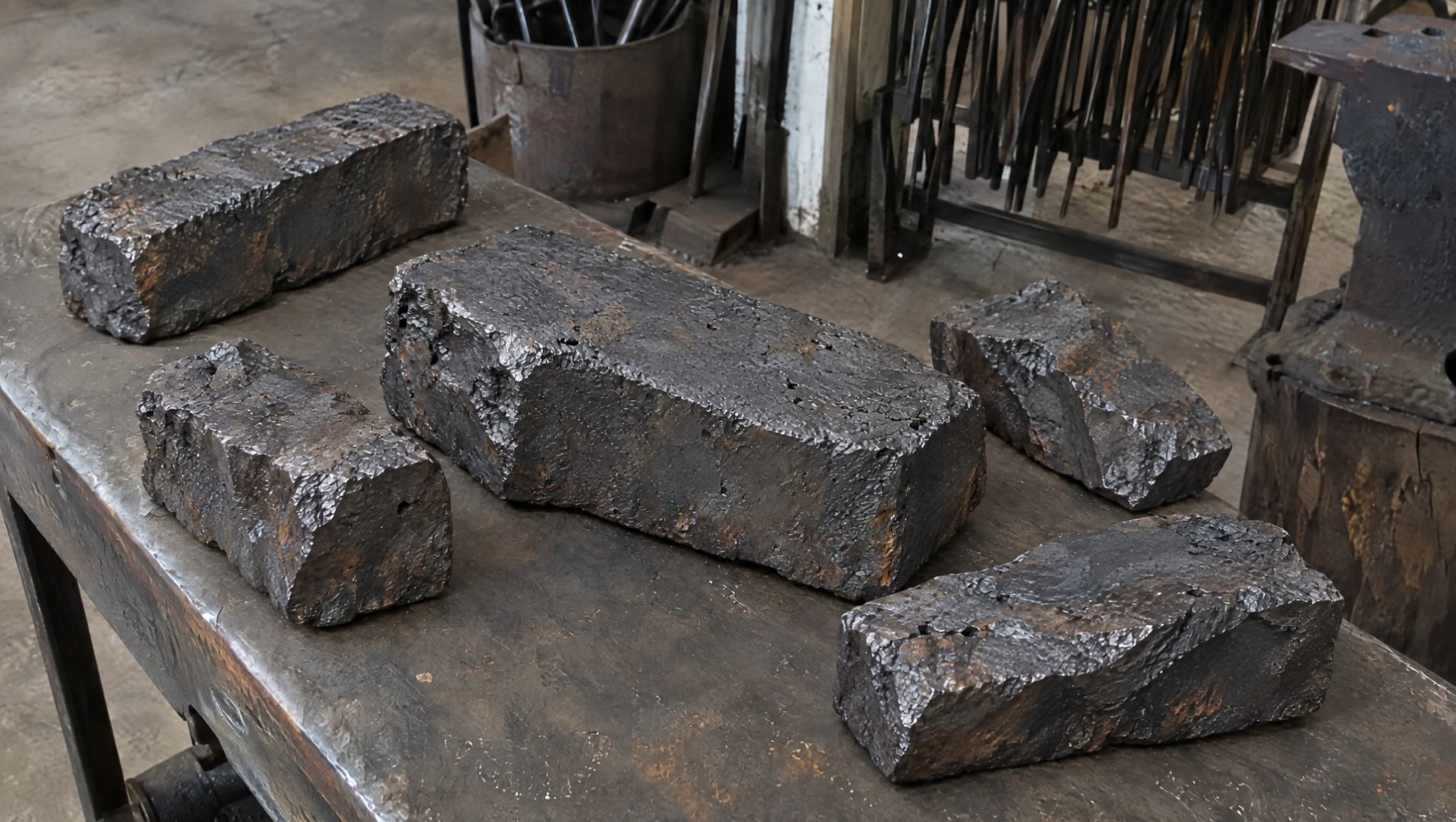 |
First Frame:
Generate a 30-second, horizontal 16:9 realistic cinematic street escape video. The entire video must be one continuous lateral side-tracking long take, filmed in a single shot with no cuts, no angle changes, and no scene changes. The scene takes place on a busy Manhattan-style street. Use a cool-toned, low-saturation film look, shallow depth of field, and realistic handheld shoulder-rig or gimbal camera movement. The street features outdoor restaurant seating, yellow taxis, parked vehicles, newspaper stands, fire hydrants, construction scaffolding, storefront windows, white steam rising from subway ventilation grates, pedestrians, and dense crowds in the distance. Foreground objects continuously sweep rapidly across the frame, creating natural occlusions and a convincing sense of street depth. The camera remains parallel to the street, moving laterally to the left while following a young woman running. She carries a large, overstuffed travel bag that is visibly heavy. As she runs, the bag swings with a delayed motion and thuds heavily against the side of her leg, causing her body to tilt slightly off balance. She looks tense and exhausted, breathing rapidly and occasionally glancing back over her shoulder, but no pursuers should appear anywhere in the frame. 0–5s: Establishing shot of a calm street. The camera initially frames an outdoor restaurant seating area. A passerby is lifting a cup of coffee, with round metal tables, wicker chairs, awnings, and pedestrians nearby. Realistic street ambience dominates the audio: traffic, voices, footsteps, and distant horns. The camera moves slowly to the left, keeping the scene calm. A blurred figure of the female protagonist gradually appears at the far right edge of the frame, rushing in at high speed. 5–12s: The woman rushes into frame, and the camera catches up with her. She bursts in from the right, and the camera rapidly accelerates laterally to the left as if her movement is pulling it along, catching up with her. The focus shifts from the street scenery to her face, with slight overshooting and refocusing allowed during the transition. She runs at full speed, mouth open as she gasps for air, brows tightly furrowed, jaw clenched. She looks back over her shoulder twice, with the second glance more pronounced, revealing fear and exhaustion. She carries the heavy, oversized travel bag, which swings with a delay in response to each arm movement and thuds heavily against her leg, throwing her body slightly off balance. She brushes past outdoor seating and runs over subway ventilation grates, stirring up white steam. Pedestrians and street objects in the foreground sweep rapidly across the frame. 12–15s: Occlusion and losing sight of her. A yellow taxi or a group of pedestrians quickly passes between the camera and the woman, completely obscuring the frame for approximately half a second to one second. When the obstruction clears, the woman is no longer at the center of the frame. The camera continues moving laterally but noticeably slows down and briefly loses focus, as if the camera operator is searching for her. The camera sweeps past a lamppost, pedestrians from behind, a newspaper stand, parked vehicles, and reflections in storefront windows. 15–21s: Finding the woman again. The camera continues searching along the sidewalk. Focus briefly shifts back and forth between foreground pedestrians, storefront reflections, and street objects before reacquiring the woman's back and profile farther away. She is still running to the left, but she is more exhausted than before. The camera accelerates again to catch up with her, pulling focus from the foreground pedestrians back to her body and face. Her pace begins to slow, her breathing becomes heavier, her strides shorten, and the travel bag feels increasingly burdensome. She briefly switches the bag to her other hand, then immediately switches it back, gripping the handle tightly as the weight pulls her body increasingly off balance. 21–30s: Running into the crowd and gradually disappearing. The camera reacquires a full-body side view of the woman. She runs past construction scaffolding, while green safety netting and metal poles sweep rapidly across the foreground one by one. Her running reflection briefly appears in storefront glass. Sweat is visible on her face, and her expression shifts from panic to exhausted determination. Finally, she rushes into the dense crowd at the entrance to a pedestrian street, using her shoulder to push past people blocking her way. Her figure is repeatedly obscured by foreground pedestrians, leaving only intermittent glimpses of her profile, jacket, and heavy travel bag. The camera continues moving slowly to the left, struggling to keep her in frame but gradually falling behind. The final shot remains on the flowing crowd, with only her back and a corner of the travel bag visible before they disappear between people. Audio: No dialogue, no voice-over, and no background music. The soundscape should consist primarily of realistic street ambience: traffic, voices, footsteps, and distant horns. When the camera catches up with the woman, her rapid breathing, footsteps, and the sound of the travel bag thudding against her leg should dominate the center of the soundscape. During occlusion, the whoosh of a passing taxi or the footsteps of the crowd should overpower everything else. When the camera loses sight of her, her breathing should become more distant. After she is found again, her breathing should grow louder and closer. Toward the end, the footsteps and voices of the crowd should gradually swallow her sounds. Visual style: Realistic cinematic street-chase atmosphere, cool-toned, low-saturation film color grading, detailed shadows, soft highlights, and fine film grain. Shallow depth of field, with foreground and background naturally blurring during movement. Focus should exhibit slight overshooting, refocusing, and brief moments of defocus, resembling manual focus adjustments by a real camera operator. Camera movement should have the authentic feel of a handheld shoulder rig or gimbal, with subtle vertical bobbing, lateral sway, and the inertia of acceleration and deceleration, but no violent shaking. Negative Constraints: No cuts, no jump cuts, no white flashes, no dissolves, no slow motion, no speed changes, no subtitles, no watermarks, no UI, and no background music. No pursuers, no three men in suits, and no additional clearly identifiable antagonist characters. No mechanical, rail-mounted camera movement. No sliding character motion; the running must convey realistic footfalls and physical weight. Do not make the travel bag appear weightless. Do not make the woman run gracefully or calmly. No body intersections or clipping, no merging of people in the crowd, and no sudden changes of street, character, clothing, or camera angle. | 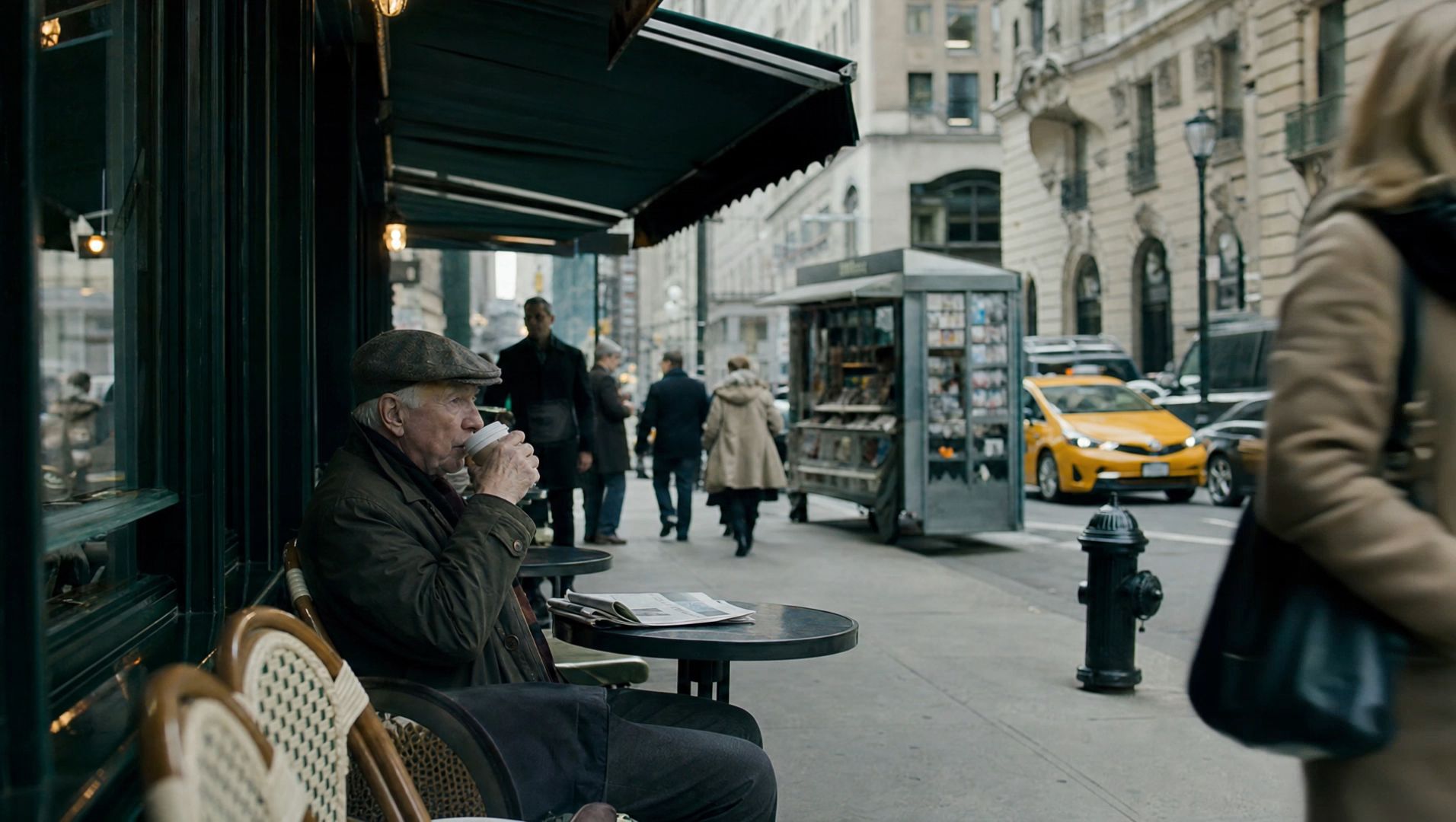 |
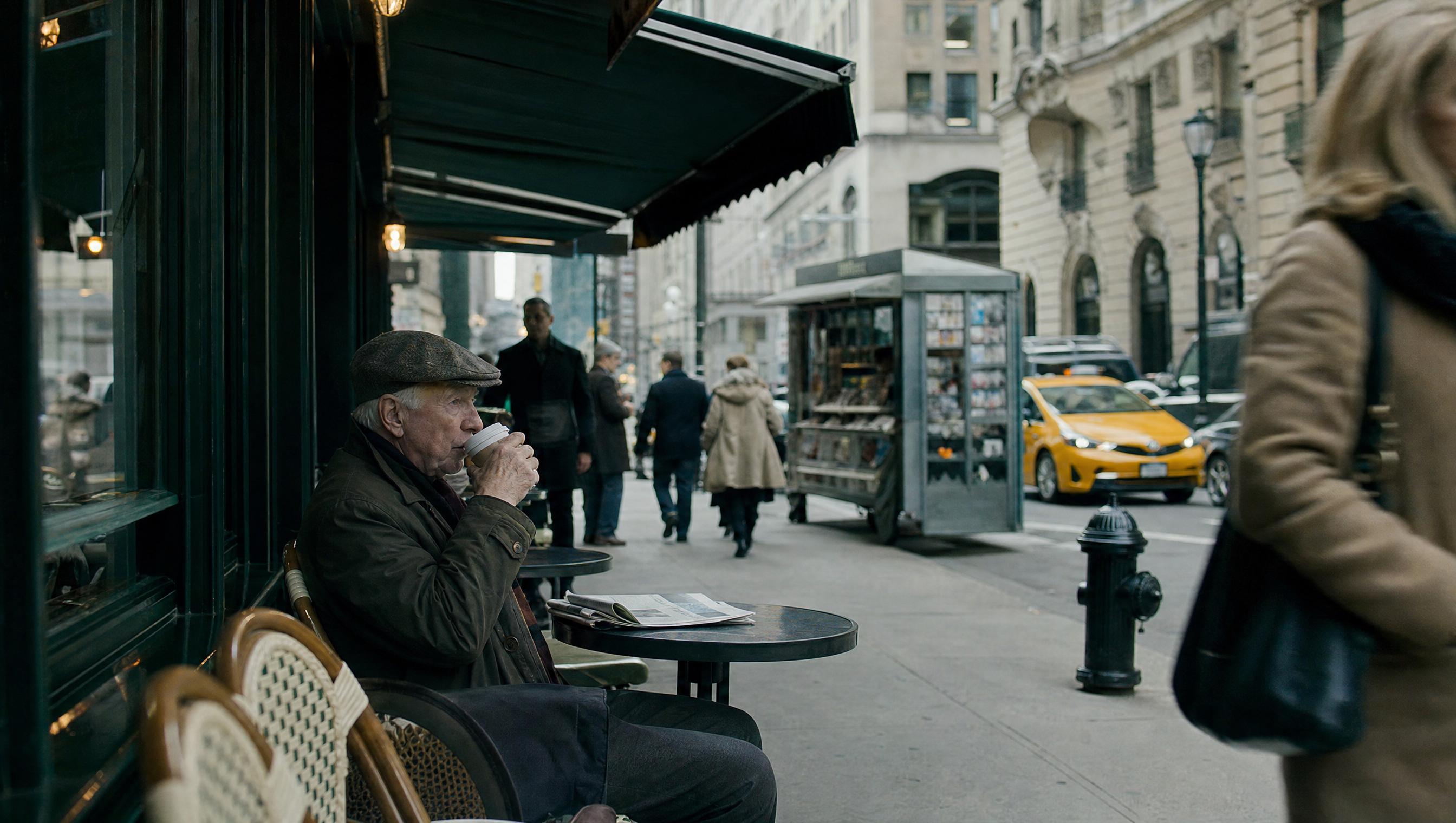
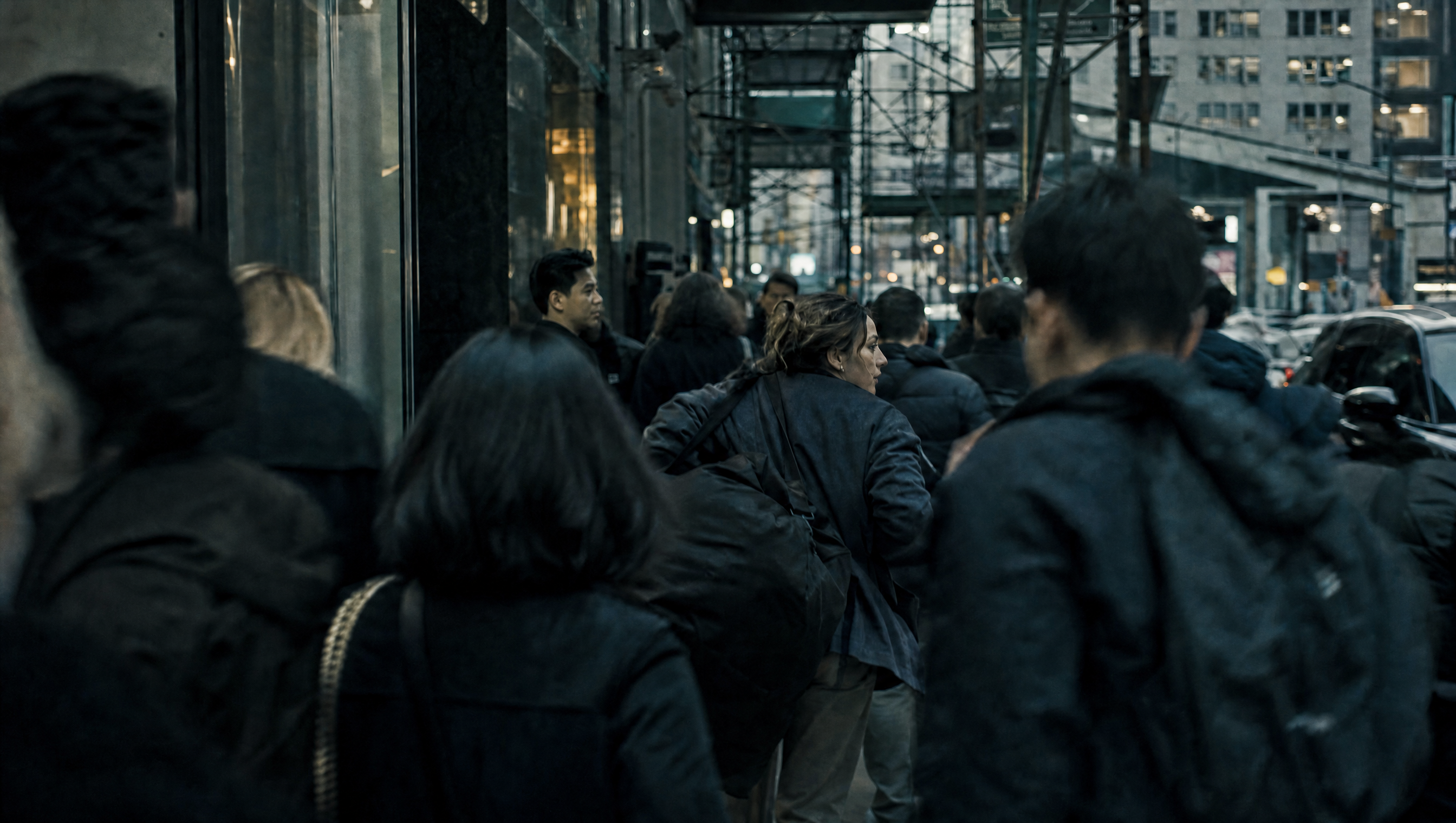
③ Last Frame
Format: Use @Image1 as the last frame, then describe what happens before it.
Use @Image1 as the last frame. [Describe what happens before it.]
SCENE CONTEXT — EXACTLY ONE HISTORICAL SCENE, NO ADDITIONAL CHARACTERS. Use @Image1 as the exact final-frame reference for character costumes, positioning, lighting, composition, and painterly color palette. Create a 15-second cinematic short film depicting a 17th-century civic militia gathering to march out from a dimly lit archway. The first half must look entirely like live-action footage, with a high degree of photorealism. Only toward the end should the scene gradually transform into the original painting within the same continuous shot. Characters must not emerge from the painting, and no oil-paint textures may appear at the beginning. LOCATION AND ATMOSPHERE: A dark urban archway opens onto stone pavement where a civic militia gathers to march. Urban dust hangs in the air, and a warm shaft of sunlight enters from the side. Use dramatic Rembrandt-style chiaroscuro while keeping the space shrouded in nighttime darkness. Do not create a moonlit-night appearance. CAMERA AND OPTICS: Use cinematic photorealism, finely rendered textures, realistic lens depth of field, subtle handheld breathing, and smooth tracking and pullback movements. The camera begins low to the ground, tracks naturally through the marching crowd, then gradually pulls back and rises slightly. The entire sequence remains one continuous shot, maintaining spatial continuity between the live-action scene, the transforming painting, and the surrounding dark environment. FORMAT MODE: 15 seconds total, one continuous shot. No hard cuts, white flashes, page-turn effects, or transitions that interrupt spatial continuity. The transformation from live action to painting occurs gradually within the same shot, progressing from the edges toward the center. ACTION TIMING: 0.0–3.0s — THE MILITIA MARCHES. Track low to the ground as boots march across stone pavement. Drumsticks strike, and a red sleeve sweeps past the camera. The camera naturally tilts upward, following a musket as it passes beneath a flag. All movements feel realistic and weighty, with natural walking speed and no slow motion. The scene remains entirely photorealistic, with no visible oil-paint textures. 3.0–8.0s — MOVE THROUGH THE CROWD. The camera moves steadily through the crowd, finding the captain dressed in black with a red sash. He turns to check the formation and extends his hand forward to give a command. Beside him, a lieutenant dressed in pale gold steps forward. In the background, guards raise their pikes and adjust their formation. A blonde little girl briefly looks back at the group. Expressions and movements remain natural and restrained, as if spontaneously captured by a camera in a historical film. Maintain fully realistic skin, fabric, metal, and architectural details. 8.0–12.0s — REVEAL THE COMPOSITION. The camera continuously pulls back and rises slightly. As the group continues moving, the characters gradually settle into their precise positions in the original painting. The captain's outstretched hand, the lieutenant's pose, the red-clad guard in the doorway, the Afghan girl, the weapons, and the drummer on the right all come into view simultaneously. At this moment, the drumbeat abruptly stops, and everyone freezes for half a second. Preserve realistic live-action appearance as the composition becomes fully readable. 12.0–15.0s — TRANSFORM INTO THE PAINTING. Continue the same slow pullback without cutting. The realistic skin, fabric, metal, and architectural details gradually transform from the edges toward the center into rich oil paint and visible brushstrokes. The surrounding scene progressively resolves into the original painting, The Night Watch, fully revealing @Image1. Preserve the exact positions, character costumes, proportions, lighting, color palette, and composition of the original painting. By the end, the transformation is complete, and the image remains motionless. FINAL FRAME AND COMPOSITION: The final painting must retain its complete original aspect ratio and be displayed centered in the frame, with seamless spatial continuity between the painting and the surrounding dark environment. Do not crop the original painting, alter its composition, or introduce any additional characters. Hold the completed image motionless until the end. LIGHTING AND COLOR: Begin with nighttime darkness, dramatic Rembrandt-style chiaroscuro, warm side lighting, and dust suspended in the air. Do not introduce moonlight. During the live-action portion, maintain realistic cinematic lighting and natural material textures. As the painting transformation progresses, preserve the original painting's distinctive lighting, rich oil-paint colors, and visible brushwork. PHYSICS AND MOTION: Boots maintain convincing contact with the stone pavement. Weapons, clothing, and equipment move with realistic weight and inertia. The captain's gestures, the lieutenant's forward movement, the guards' formation adjustments, and the girl's brief backward glance remain physically natural. The transition into the painting changes the visual rendering of the existing scene rather than causing characters to emerge from or move out of the painting. AUDIO: Environmental audio consists of boots on stone, rustling fabric, subtle metallic clinks, and live drums. Add low strings and gradually intensifying orchestral music, building to a climax as the camera pulls back. At the moment the scene freezes, the drums stop, leaving only a brief musical resonance. The sound design must support the cinematic progression from a living historical scene to a motionless painted composition. STYLE: Cinematic historical realism transitioning into the original oil painting. The opening and middle sections must look entirely like live-action footage, with realistic skin, fabric, metal, architectural surfaces, lens depth of field, and natural motion. Rich oil-paint textures and visible brushstrokes appear only toward the end, gradually replacing the photorealistic rendering. POSITIVE CONSTRAINTS: Maintain consistent character identities, costumes, positions, weapons, and spatial relationships throughout the continuous shot. Preserve the exact final composition of @Image1. The first half remains fully photorealistic. The transformation progresses from the edges toward the center and completes by 15.0 seconds. No characters emerge from the painting. No additional characters, cropped painting, hard cuts, white flashes, page-turn effects, or premature oil-paint textures. The final frame matches the original painting's full aspect ratio and composition, centered within the surrounding dark environment. |  |
④ Middle Frames
Add a description to each keyframe, specifying what appears at that point and how the camera reaches that position.
X–Y sec | Keyframe 1: [Describe what happens] Y–Z sec | Keyframe 2: [Describe what happens] A–B sec | Keyframe 3: [Describe what happens] And so on
Ideal for projects with an existing storyboard that require each key visual to be precisely mapped to the timeline.
SCENE CONTEXT EXACT 1 CHARACTER — NO DUPLICATES. 0.0–2.1s | Keyframe 1: Looking Up from the Floor. Strictly match Image Node_23. Wide, static composition: The girl sits on mint-green tiled flooring, leaning against a cabinet and the corner of a wall, with her legs naturally extended apart and both hands resting lightly between her knees. Soft light filters through the plaid curtains and falls across the tiles. She initially keeps her gaze lowered, then slowly lifts her head toward the window light, lips slightly parted, as if hearing a melody from far away. The curtains sway only slightly, while the lace hem of her skirt and the tips of her hair show the faintest hint of movement with her breathing. The camera slowly pushes in by approximately 3% without changing the composition. 2.1–4.3s | Keyframe 2: Close-Up of the Recorder, Sound-Matched Cut. At the peak of the girl's head-lifting motion, a clear, brief recorder note enters 0.1 seconds early. Hard cut to the medium close-up from Image Node_29 (2). The girl closes her eyes and gently plays a white recorder, completing one full but brief exhalation. Only two or three fingers make subtle adjustments over the holes. Her cheeks puff out slightly, then relax. Do not distort the recorder, exaggerate her puffed cheeks, or add extra fingers. Keep the camera steady and the plaid curtains softly out of focus in the background. 4.3–6.5s | Keyframe 3: Hands and Gaze, Action-Matched Cut. The instant the recorder note ends, hard cut to Image Node_18. The girl stands by the window in front of mint-green wall paneling, with both hands held beside the right side of her face, as if gathering the melody into her palms. She keeps her gaze lowered for approximately 0.4 seconds, then gently raises her eyes to look directly into the camera. Her fingers make one extremely subtle closing motion, and her beaded bracelet catches a glint of window light. The camera pushes in extremely slowly from a medium shot, keeping her centered and the interior clean and uncluttered. 6.5–8.5s | Keyframe 4: Detail of Dangling Legs, Skirt-Matched Cut. As her hands slowly move away from the sides of her face, use the moment they drop out of the bottom edge of the frame as the cut point. Hard cut to Image Node_21. Low-angle close-up: The girl sits on the edge of a tall mint-green cabinet. Only her mint-green lace skirt, white stockings, pale green Mary Jane shoes, and one hand lightly touching the cabinet edge are visible. Her legs remain together and dangle freely. Her toes gently swing forward once, pause, then naturally return to a vertical resting position. The lace hem sways slightly with the movement. Do not exaggerate the swinging motion, let her legs touch the floor, or change the positions of the cabinet and bathtub. 8.5–10.8s | Keyframe 5: Still Gaze on the Bed, Shoe-Tip-Matched Cut. As both shoes swing back downward, hard cut to Image Node_22. The girl lies on her stomach on a mint-green bed, resting her face in both hands with her feet raised behind her. The composition is gentle, with ample negative space. She looks at the camera first, then softly shifts her gaze toward the window light on the left before returning it to the camera. Her feet perform only one small, synchronized crossing motion at the shoe tips, then relax. The bedsheet develops only the faintest soft folds. Do not turn her into a side-lying pose or change the positions of the pillows, bedsheet, table lamp, plants, or framed pictures. 10.8–13.5s | Keyframe 6: Paper in the Foreground, Final Gaze. Use a corner of the pale bedsheet passing across the frame as an occlusion transition, then hard cut to Image Node_20. The girl sits on a white chair, with her transparent glasses strictly matching the keyframe. A sheet of white paper slowly drifts across the frame from the lower left and upper edge, briefly obscuring part of her forehead and shoulder, but must never cover her entire face for more than 0.3 seconds. She gazes quietly at the camera through the moving sheet of paper. After blinking once, she tilts her head slightly to the right by approximately 3 degrees and holds the position. The paper drifts out of frame. Keep the camera steady, and do not create a storm-like flurry of paper. 13.5–15.0s | Gentle Fade to Black. Maintain the final composition of Keyframe 6. After the paper leaves the frame, the girl remains still, maintaining a calm, direct gaze. The daylight by the window gradually dims like a soft light being slowly turned down. The mint-green walls, curtains, girl, and chair all fade evenly into shadow. Do not abruptly switch off the lights, change the color temperature, or add any text. |  |
FAQ
Entry Points and Versions
Q: How do I choose between the two entry points?
Choose Omni Reference when you need to reference specific assets or want to start with a creative idea without having specific visuals in mind. Choose Keyframes when you need to lock in visuals at specific moments. The two entry points cannot be combined in a single generation task.
Q: How do I choose between Kling 4.0 and Kling 4.0 Flash?
Kling 4.0 Flash is ideal for rapid creative iteration and short-form video creation. It supports videos up to 20 seconds at a maximum resolution of 720p, but does not currently support start-and-last frames or multiple keyframes. Choose Kling 4.0 for longer videos, higher resolutions, or precise visual control using start-and-last frames and multiple keyframes. Refer to the product page for the latest supported capabilities.
Capabilities
Q: What is the total asset upload limit?
In Omni Reference mode, you can upload up to 15 assets in total across images, videos, voice profiles, and elements. The limits are 10 images, 5 videos, 7 elements, and 3 voice profiles. When working with many assets, prioritize those that have the greatest impact on the visuals and pacing.
Q: Can I add video elements after uploading 5 reference videos?
No. Reference videos, videos for editing, and video elements share the same video quota, with a maximum of 5 clips and a combined duration of no more than 30 seconds.
Q: What is the prompt length limit?
8,000 tokens.
Q: Can I upload background music or sound effects?
No. Audio input currently supports voice profile references only, allowing you to specify a speaker's voice. Background music and sound effects are generated by the model based on the visuals. Describe your audio requirements in the audio section of the prompt.
Q: Do I need to manually enable sound effects and storyboarding?
No. Audio-visual synchronization and Smart Storyboard are enabled by default and have no separate toggles.
Q: How can I improve results that don't match my expectations?
Check two things first: whether each asset's role is clearly specified, and whether the prompt contains abstract terms such as “premium look” or “cinematic feel.” Replacing abstract terms with concrete visual descriptions—such as lighting, materials, and composition—can often improve results.
Q: Are longer prompts always better?
No. Start with one sentence that clearly describes the element, scene, action, and emotion. Then add only the details that meaningfully affect the result, such as camera work, timing, audio, and preservation requirements. This is more effective than piling on adjectives.
Additional Tips
- When using multiple assets, verify that each @ reference points to the correct asset and clearly defines its role in the characters, actions, camera work, or audio.
- For video recreation, choose reference clips with pacing, composition, and camera movements similar to your target content.
- Choose Keyframes to lock in specific visuals. Choose Omni Reference to combine multiple references or explore creative ideas.