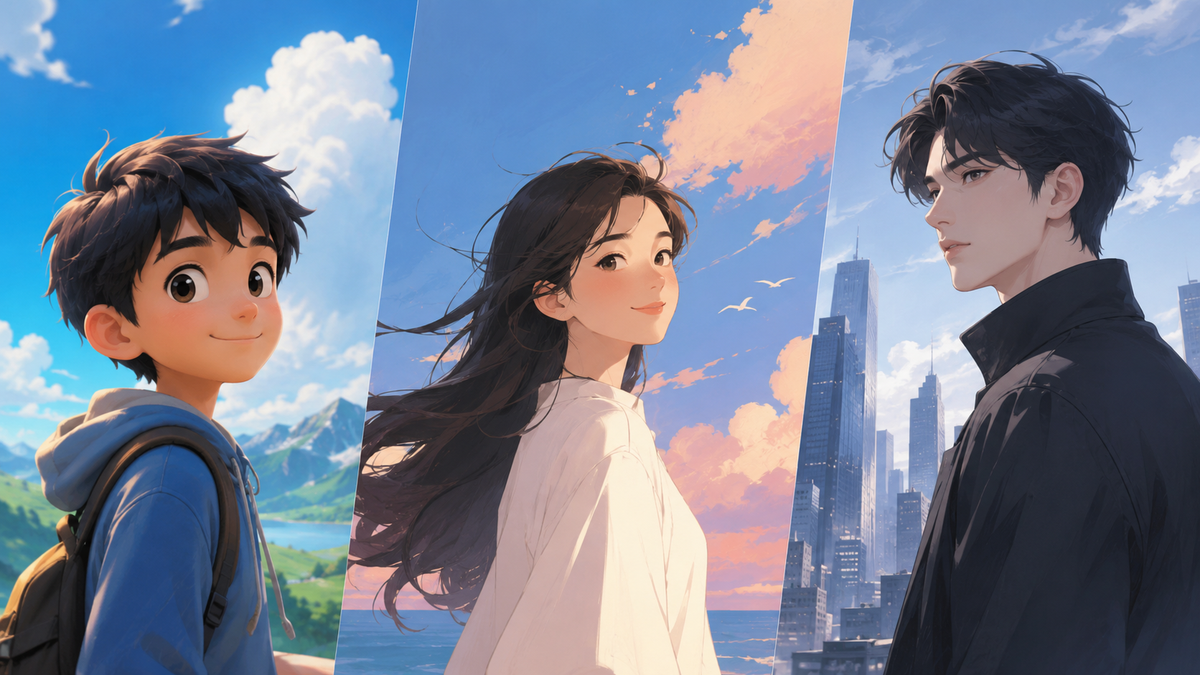
From animated movies and comics to video games, brand mascots, and digital illustrations, cartoon art is everywhere. Behind every memorable cartoon character is a unique style shaped by colors, shapes, and visual choices. Kling IMAGE 3.0 Omni makes it easier to experiment with different cartoon styles for AI, explore new looks for characters, and create scenes and stories based on your ideas.
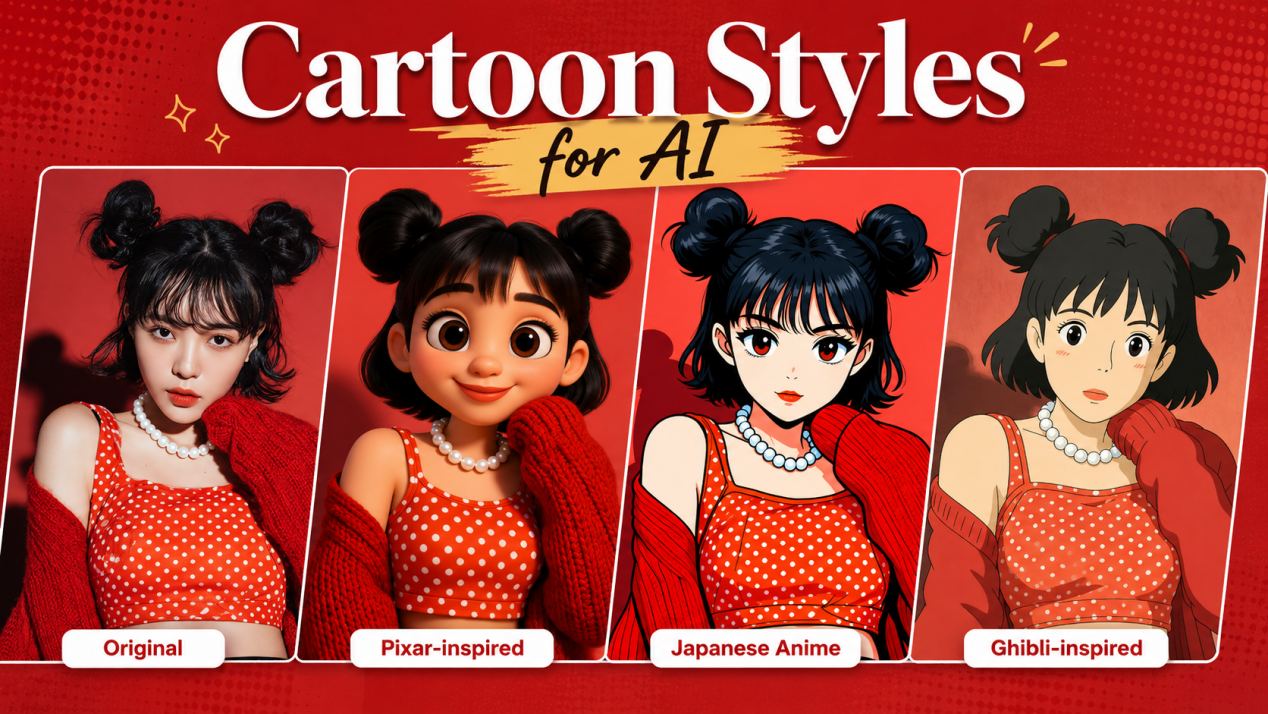
What Are Cartoon Styles for AI?
Cartoon styles for AI describe how AI image generators can transform characters, scenes, and illustrations into different cartoon looks. They influence details such as line quality, colors, shapes, proportions, textures, and lighting, helping you decide how a character or scene should appear.
With AI cartoon styles, you can keep the same character while trying out new artistic looks. A portrait can take on a 3D animated look, an anime-inspired illustration, a comic-style design, or a hand-drawn feel. The character stays familiar, while changes in color, shape, and details give it a new personality and mood.
What Elements Shape AI Cartoon Styles?
A cartoon look is built from small choices that shape how a character feels on screen. By adjusting the way a subject is drawn, colored, or placed in a scene, you can achieve a new appearance without changing the core idea.
Element | How It Changes the Look |
Linework | Strong outlines give characters a bold, graphic feel, while softer lines create a lighter illustrated appearance. |
Shapes and Proportions | Rounded features and playful proportions make characters feel more expressive, while balanced shapes create a more natural look. |
Color Palette | Bright colors add energy, while softer tones bring a calmer or nostalgic feeling. |
Shading and Lighting | Flat shading creates a classic animation feel, while shadows and highlights make the subject appear more three-dimensional. |
Texture and Details | Brush marks, paper textures, and smooth surfaces can give artwork a more handmade, polished, or stylized appearance. |
Background Design | Detailed environments add context and atmosphere, while simple backgrounds keep attention on the main subject. |
How AI Cartoon Styles Differ from Traditional Cartoon Art
Traditional cartoon artwork usually requires artists to draw each character, scene, and variation separately. With AI art generators, you can work from a text prompt or reference image and test several cartoon looks without redrawing the subject from scratch.
Aspect | Traditional Cartoon Art | AI Cartoon Styles |
Starting Point | Artists build characters and scenes through manual drawing | You can start with an idea, a written description, or a reference image |
Trying New Looks | Each variation often requires a new drawing process | One idea can be adapted into multiple cartoon approaches |
Keeping Characters Consistent | Artists maintain details through manual adjustments | Reference images help preserve key character features |
30+ Cartoon Styles for AI With Examples
The same character can feel completely different depending on the cartoon style you choose. From hand-drawn illustrations to 3D animated looks, different cartoon styles for AI bring their own approach to shapes, colors, and details. We’ve grouped 30+ popular styles into 8 categories, with comparisons and visual examples to show what makes each one unique.
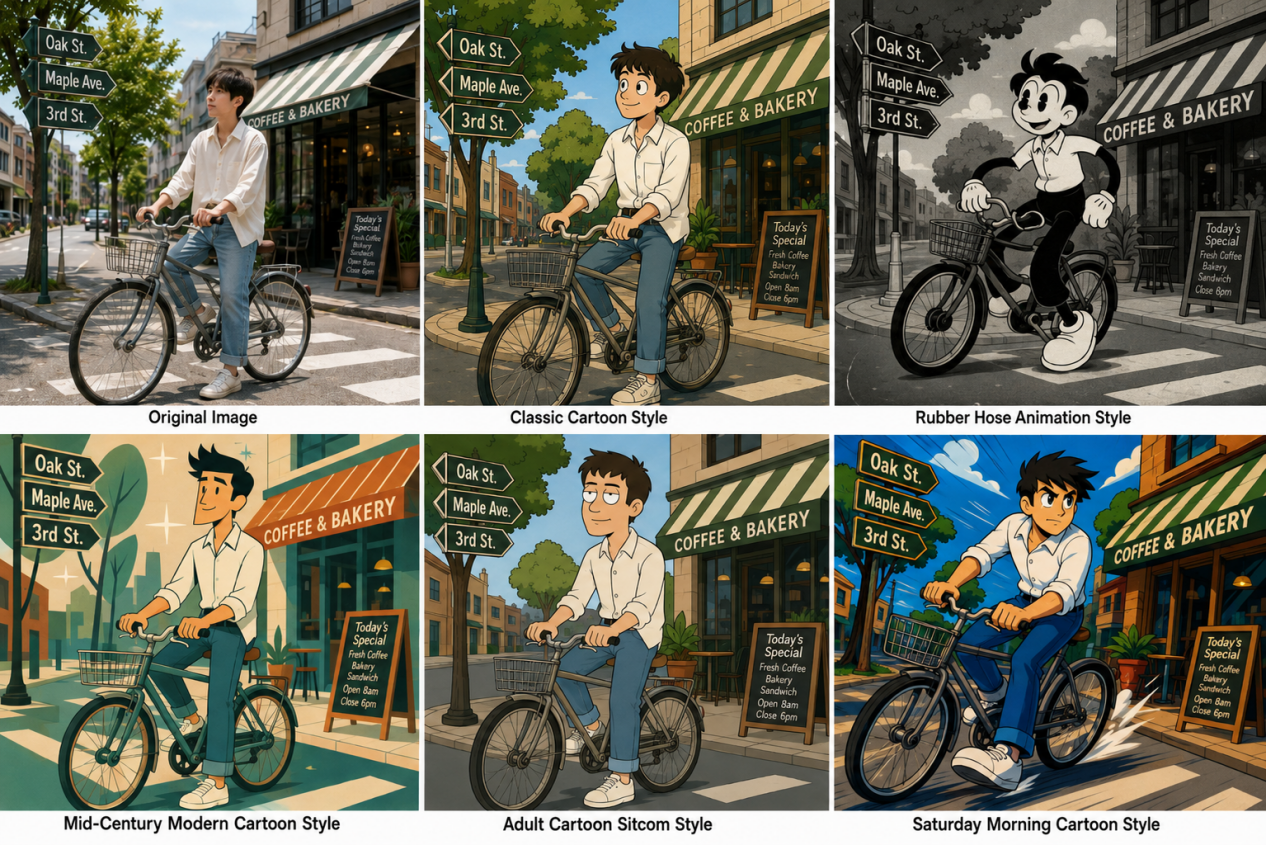
Traditional 2D Animation Styles
Traditional 2D animation is generally based on hand-drawn artwork, using a sequence of drawings, key poses, and careful timing to create movement. With AI image generation, you can use text prompts or reference images to recreate hand-drawn linework, cel-style coloring, and the look of 2D animation from different eras.
Cartoon Style | Key Characteristics | Best For |
Classic Cartoon Style | Rounded forms, clear outlines, slightly exaggerated expressions | Character concepts, animation concepts, editorial illustrations |
Rubber Hose Animation Style | Flexible limbs, simple faces, springy movement | Retro posters, mascots, nostalgic artwork |
Mid-Century Modern Cartoon Style | Geometric shapes, simplified figures, flat colors, angular lines | Retro illustrations, editorial graphics, stylized character scenes |
Adult Cartoon Sitcom Style | Simplified character design, flat colors, everyday settings | Comedy content, social media, recurring character concepts |
Saturday Morning Cartoon Style | Strong silhouettes, bold colors, action-focused compositions | Team characters, adventure scenes, retro TV-inspired artwork |
2. Anime and Manga Styles
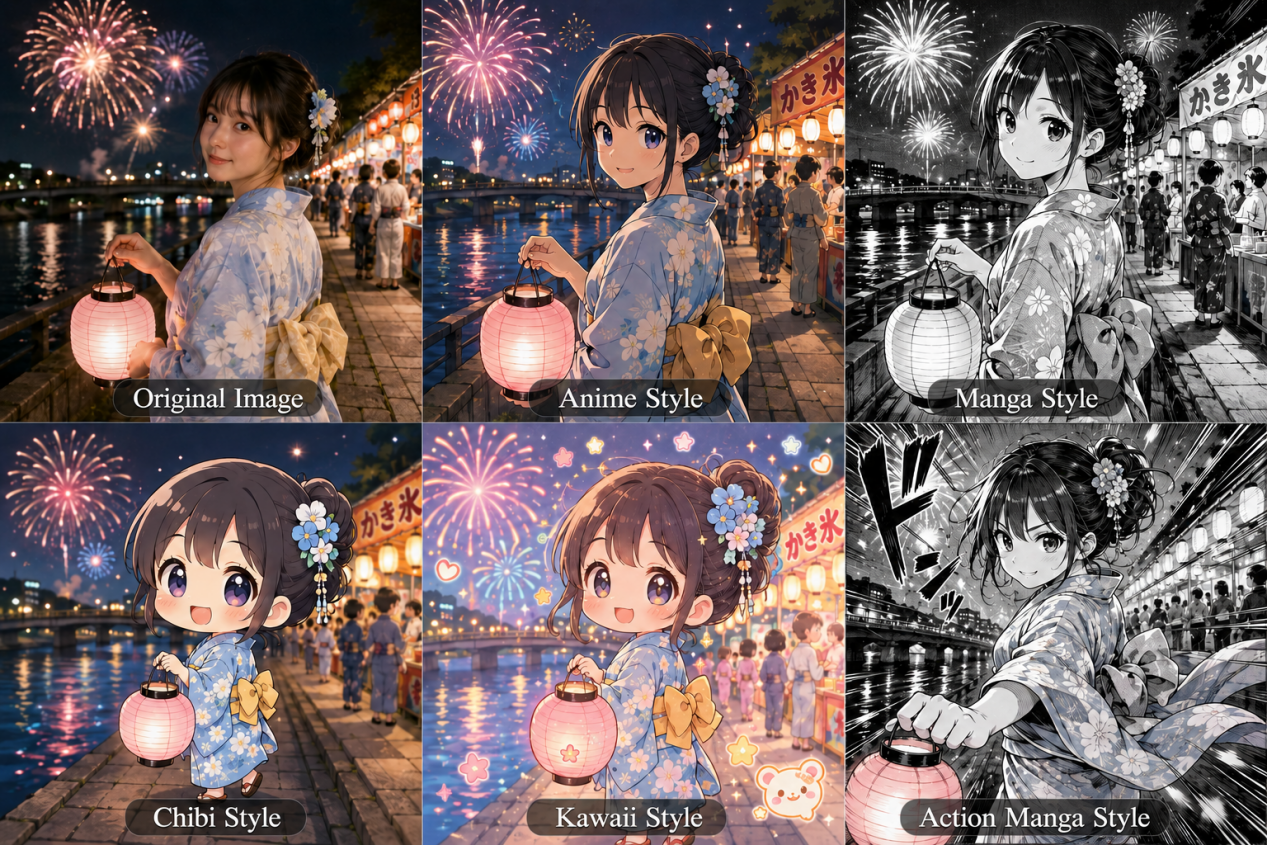
Anime and manga cover a wide range of looks, with linework, proportions, color, and pacing changing across eras and artists. Depending on the prompt or reference image, the same subject might appear as full-color anime, black-and-white manga, chibi, a ’90s animation look, or something softer and hand-drawn.
Cartoon Style | Key Characteristics | Best For |
Anime Style | Clean linework, stylized features, simple shading, balanced color | Portraits, story scenes, animation concepts |
Manga Style | Black-and-white lines, screen tones, panel layouts, strong contrast | Comic pages, serialized stories, action scenes |
Chibi Style | Oversized heads, small bodies, pared-back details, exaggerated reactions | Stickers, avatars, mascots |
Kawaii Style | Rounded forms, simple faces, cheerful motifs, cute details | Merchandise, social graphics, mascots |
Action Manga Style | Foreshortened poses, speed lines, motion cues, dramatic angles | Fight scenes, sports themes, fast-paced panels |
3. 3D and Stop-Motion-Inspired Styles
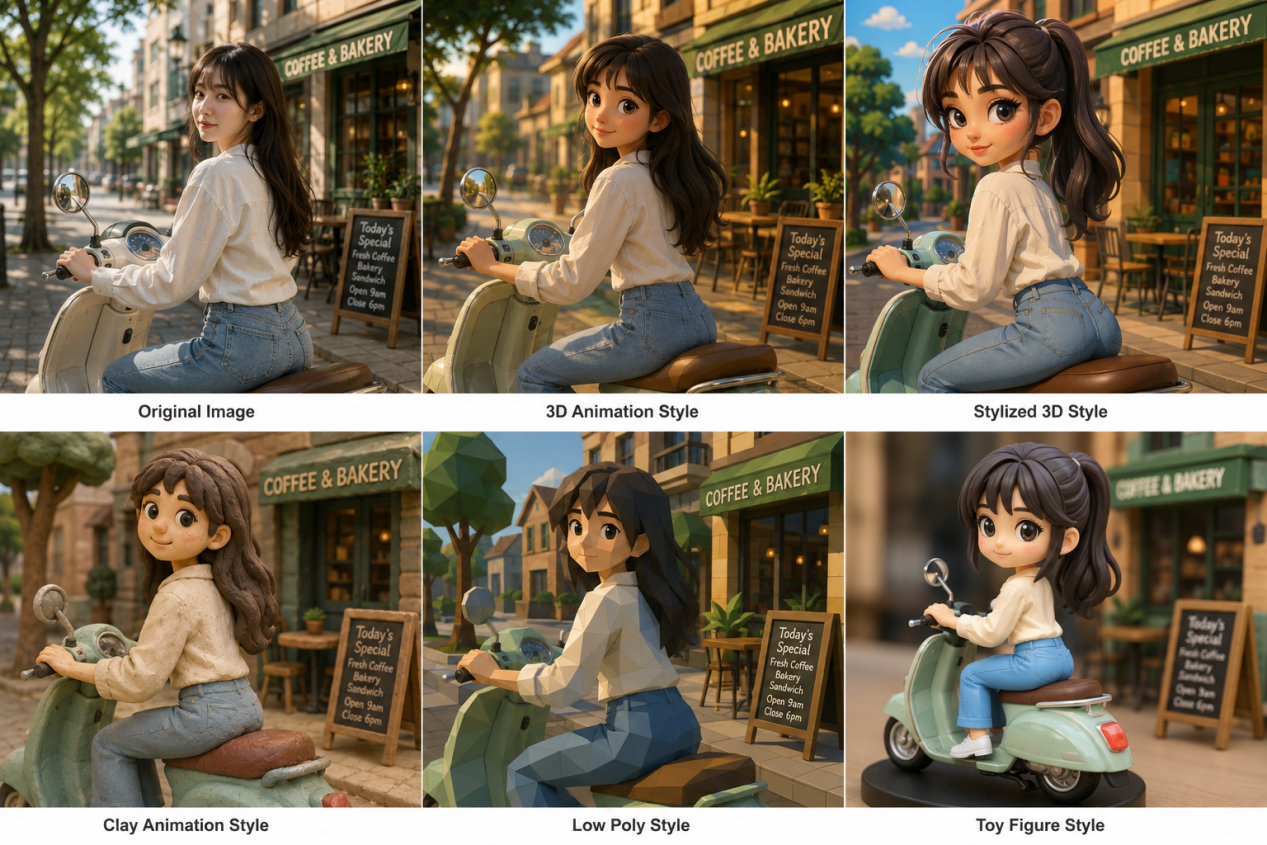
3D animation can give a scene more depth, volume, and a stronger sense of space. For AI-generated cartoons, the finish might be polished and cinematic, molded from clay, built from low-poly shapes, or made to resemble a collectible toy.
Cartoon Style | Key Characteristics | Best For |
3D Animation Style | Modeled forms, dimensional depth, smooth surfaces, and volumetric lighting | Animation concepts, avatars, story-driven artwork |
Stylized 3D Style | Sculpted features and exaggerated proportions, without aiming for realism | Game art, portraits, worldbuilding |
Clay Animation Style | Molded shapes, visible handmade texture, gentle studio light | Mascots, playful scenes, product ideas |
Low Poly Style | Angular geometry with intentionally sparse detail | Games, landscapes, graphic artwork |
Toy Figure Style | Plastic-like finishes and compact collectible proportions | Figurine concepts, product shots, profile art |
4. Comic and Graphic Art Styles
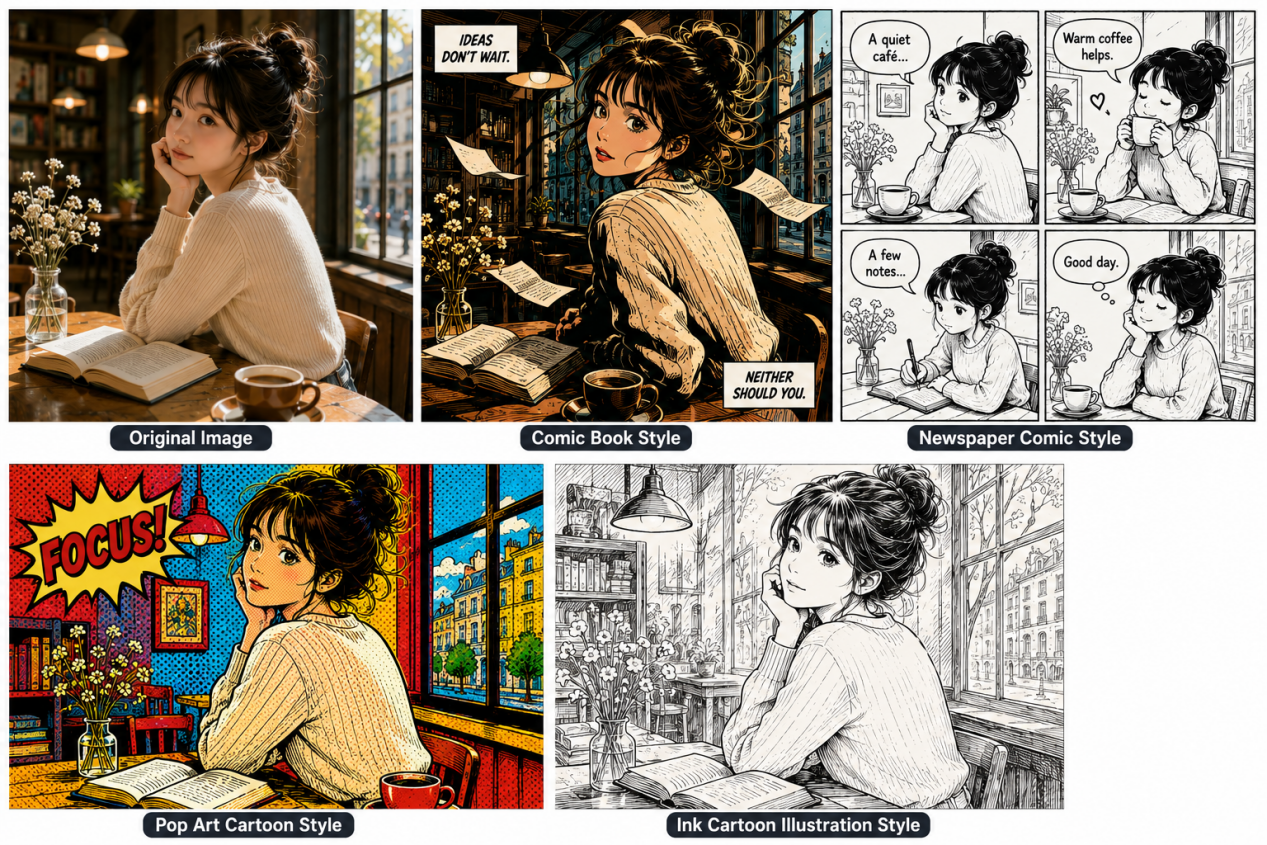
Comic and graphic art relies heavily on how a page is drawn and arranged. Panels break up the action, ink gives forms more weight, and color can pull attention to a face, gesture, or key moment. The result can range from a dense action panel to a spare newspaper strip or a bright pop-art print.
Cartoon Style | Key Characteristics | Best For |
Comic Book Style | Heavy ink, strong contrast, dramatic poses and framing | Posters, fight scenes, illustrated stories |
Newspaper Comic Style | Simple drawings and compact panels, usually built around everyday moments or humor | Comic strips, editorial work, short narratives |
Pop Art Cartoon Style | Bright blocks of color, halftone dots, repeated forms | Posters, campaign art, statement portraits |
Ink Cartoon Illustration Style | Pen strokes and cross-hatching give the image a rougher, more tactile finish | Graphic novels, editorial pieces, character studies |
5. Digital and Vector-Style Cartoon
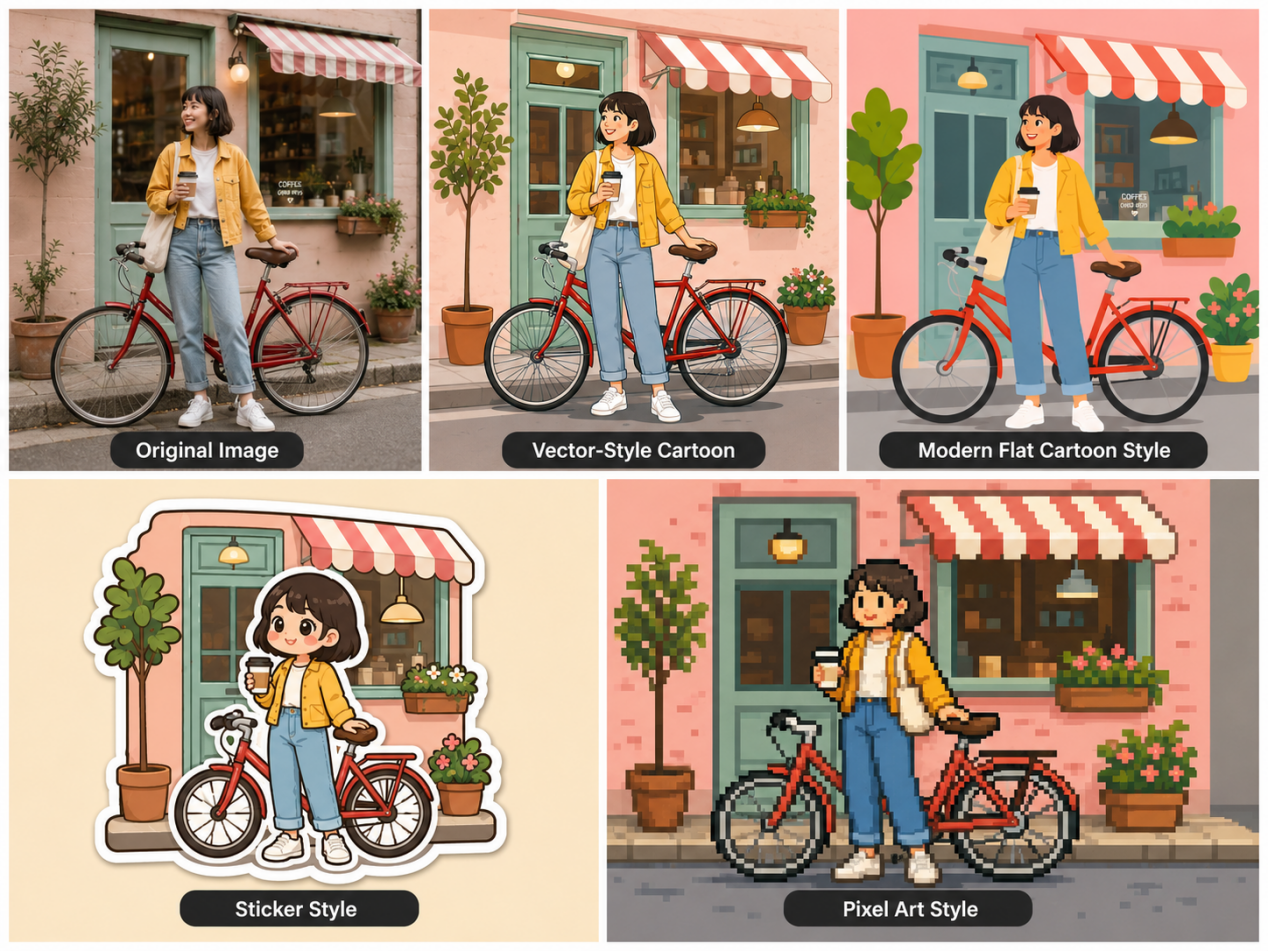
Digital cartoons can look sleek, flat, chunky, or deliberately rough around the edges. Vector pieces usually rely on smooth curves and sharp outlines. Flat drawings and stickers cut back on shading, while pixel art keeps the blocky grid visible and often works with a smaller color range.
Cartoon Style | Key Characteristics | Best For |
Vector-Style Cartoon | Smooth curves, sharp edges, flat fills | Logos, stickers, merchandise |
Modern Flat Cartoon Style | Bold color blocks, little shading, pared-back figures | Brand visuals, social posts, editorial pieces |
Sticker Style | Thick outlines, compact forms, very little fine detail | Messaging stickers, emojis, small-format artwork |
Pixel Art Style | Visible pixels, blocky forms, restrained palettes | Game assets, icons, retro-inspired pieces |
6. Handcrafted Illustration Styles
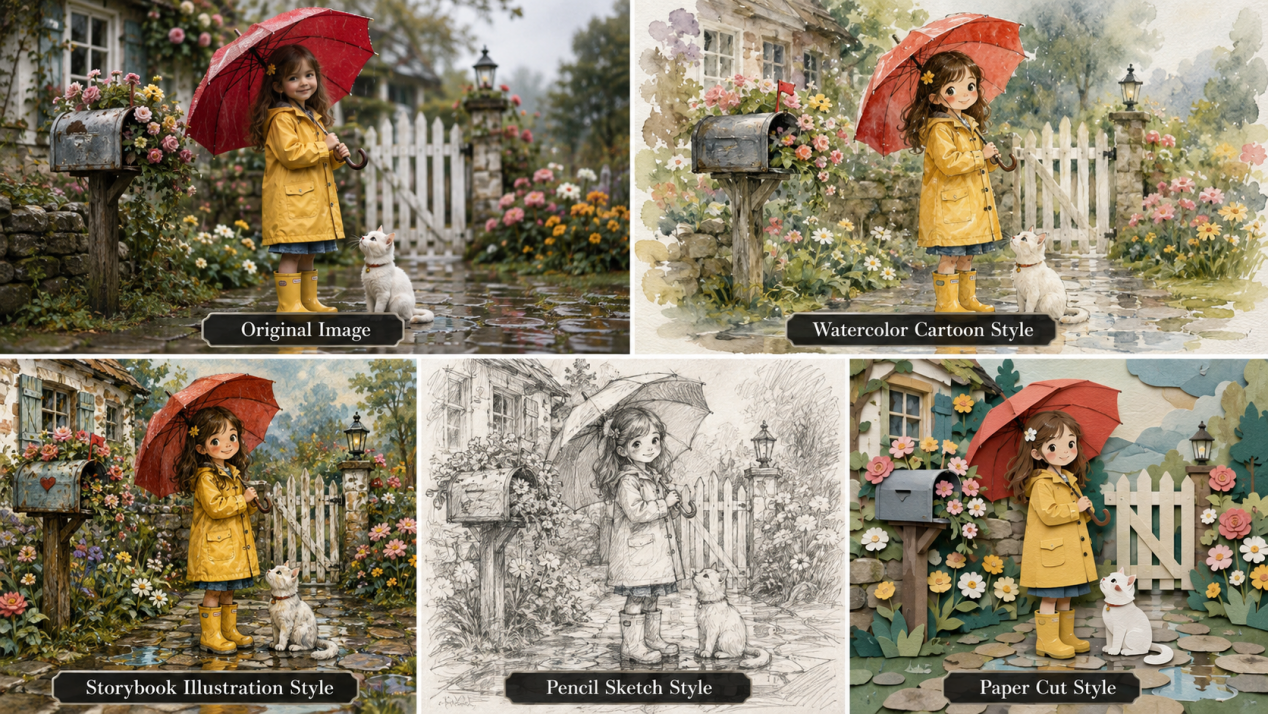
Handcrafted illustration keeps the marks of the medium in view. Watercolor can bleed into the paper, pencil leaves uneven strokes, and cut paper shows its layers and edges. In AI-generated images, these details can give the result more of a painted, sketched, or handmade quality.
Cartoon Style | Key Characteristics | Best For |
Watercolor Cartoon Style | Soft washes, feathered edges, paper grain, loose brushwork | Portraits, invitations, gentle story scenes |
Storybook Illustration Style | Whimsical linework, simplified shapes, painterly textures, expressive backgrounds | Children’s books, fantasy scenes, illustrated stories |
Pencil Sketch Style | Graphite strokes, rough shading, visible sketch marks | Character studies, early drafts, concept work |
Paper Cut Style | Layered shapes, exposed edges, shallow depth | Posters, educational art, decorative scenes |
7. Retro and Nostalgic Styles
Retro cartoons often pick up details from earlier decades, whether that means faded print, old-school fashion, mid-century machinery, or the cel-colored look of ’90s animation.
Cartoon Style | Key Characteristics | Best For |
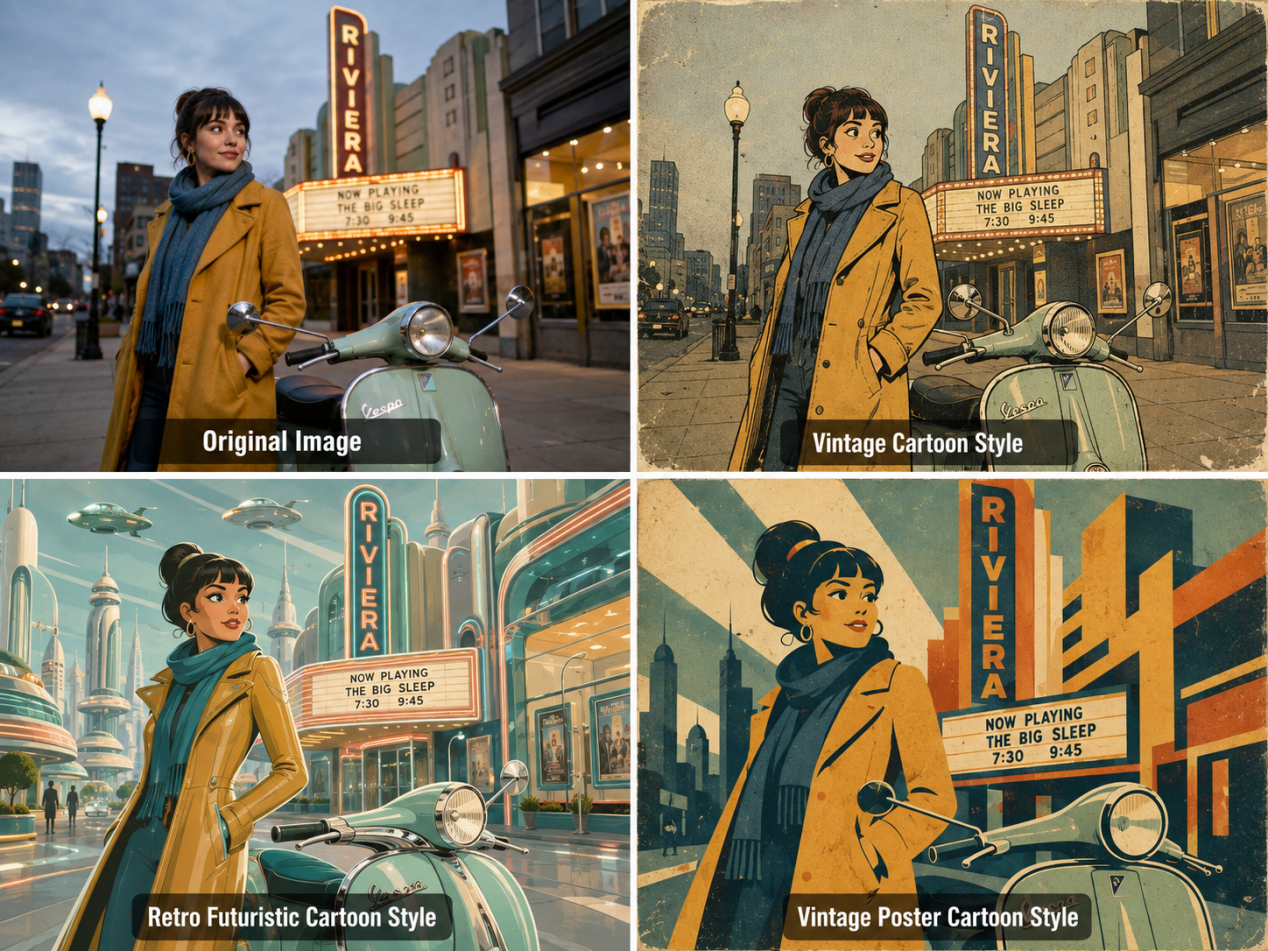
Vintage Cartoon Style | Faded tones, aged print marks, period drawing cues | Themed pieces, branding, nostalgic scenes |
Retro Futuristic Cartoon Style | Streamlined machines, geometric forms, mid-century ideas of tomorrow | Sci-fi scenes, imagined cities, cover art |
Vintage Poster Cartoon Style | Tight palettes, oversized shapes, worn print texture | Advertising, event graphics, promotional pieces |
8. Experimental and Mixed-Media Styles
AI-generated cartoons can mix digital rendering with collage, rough textures, and unexpected materials, making the image feel more layered and handmade.
Cartoon Style | Key Characteristics | Best For |
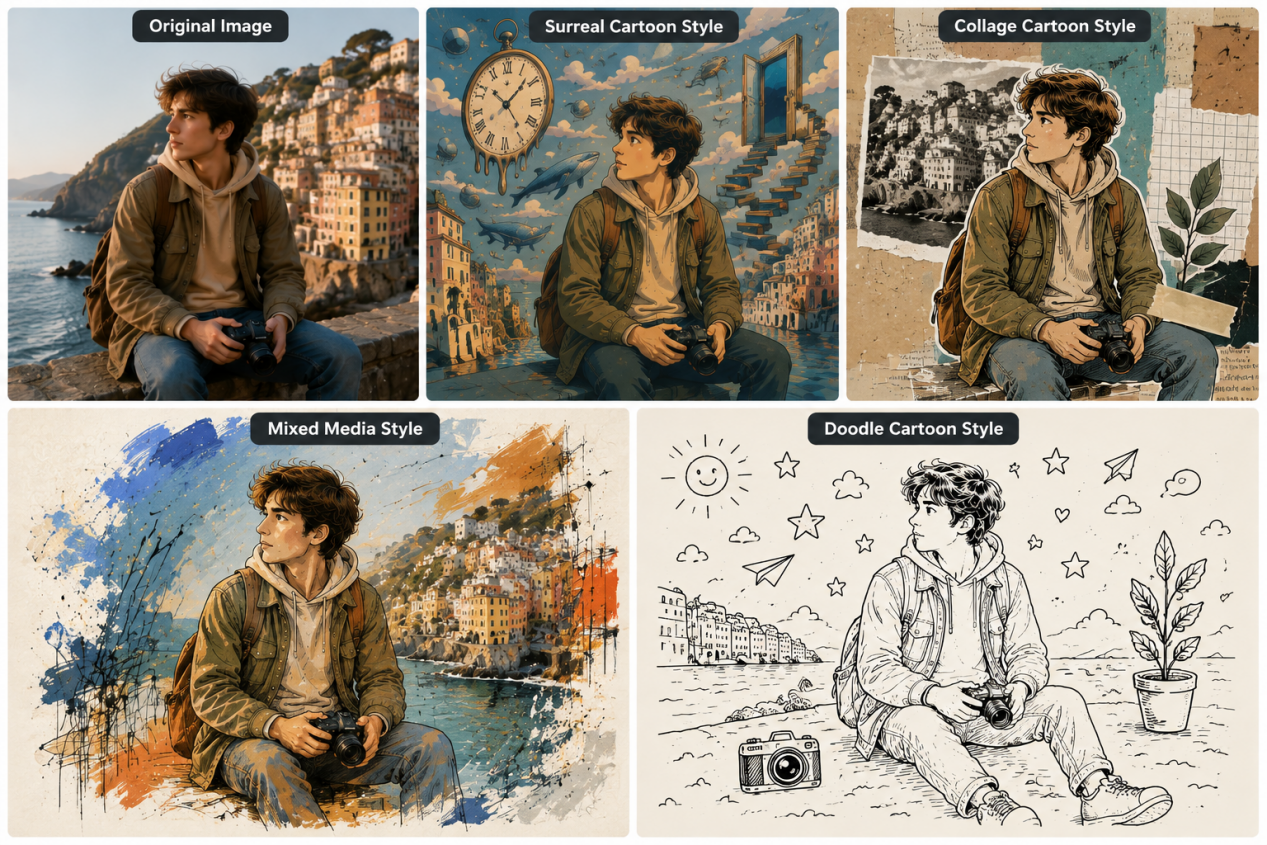
Surreal Cartoon Style | Warped scale, odd objects, dreamlike spaces | Concept pieces, campaigns, unusual scenes |
Collage Cartoon Style | Layered cutouts, overlapping images, mixed textures | Editorial work, posters, album graphics |
Mixed Media Style | Drawing, paint, photography, and digital marks in one piece | Campaign art, editorial projects, experimental work |
Doodle Cartoon Style | Loose hand-drawn lines, simple shapes, playful marks, spontaneous details | Social graphics, casual illustrations, stickers, playful branding |
Why Use Kling IMAGE 3.0 Omni for AI Cartoon Styles?
Kling IMAGE 3.0 Omni gives you more control when exploring different cartoon styles for AI. Start from a text prompt or reference image, then guide details such as composition, character appearance, lighting, and visual style to shape the result around your idea.
For projects that need more than one image, Image Series Mode can generate multiple related visuals while helping maintain recognizable subject details, style tone, and atmosphere across the series. This makes it useful for character concepts, storyboards, social content, and other projects where visual continuity matters. You can also generate images in native 2K or 4K resolution when your cartoon artwork needs finer details or higher-resolution output.
How to Create Cartoon Styles with Kling AI Prompts and References
Once you know the cartoon direction you want to explore, the next step is choosing the right way to create it. Below, we’ll look at three practical approaches with Kling IMAGE 3.0 Omni: transforming a reference image, creating a cartoon from a text prompt, and generating a consistent series of related images.
1. Turn a Reference Image Into a Cartoon
If you already have a photo or illustration you like, image to image AI lets you use it as the starting point. Simply describe the cartoon treatment you want and build from there.
To keep the person recognizable, mention the details that should stay the same, such as the hairstyle, clothing, facial features, or overall silhouette.
| Reference Image | Prompt | Output |
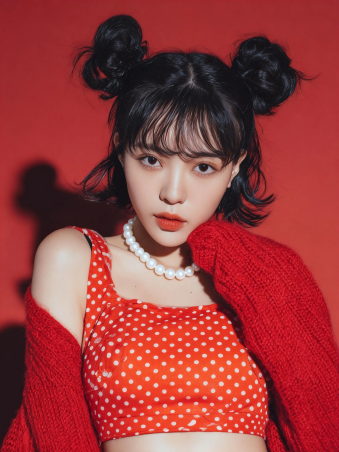 | Convert the image to [Pixar] style | 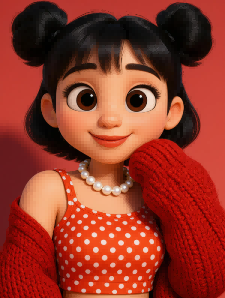 |
| Convert the image to [Q-style 3D] style | 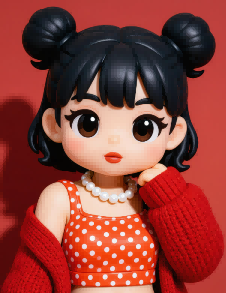 | |
| Convert the image to a [Ghibli-inspired] style. Keep the character’s hairstyle and outfit, but replace the city background with a peaceful countryside scene featuring green fields, trees, and a winding path. Use soft hand-drawn details throughout. | 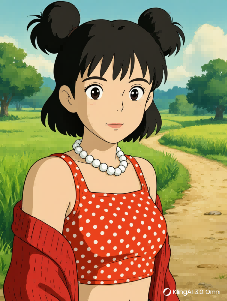 |
2. Create from Text
No reference image? You can start with a written idea using text to image generation. Describe the subject, cartoon direction, defining traits, and setting so Kling IMAGE 3.0 Omni has a clearer sense of what you want.
A simple structure to follow: Subject + Cartoon Direction + Defining Traits + Setting
| Prompt | Output |
| A young astronaut in a blue spacesuit, chibi style, with a large head and small body, standing beside a small rover on a brightly colored alien planet. | 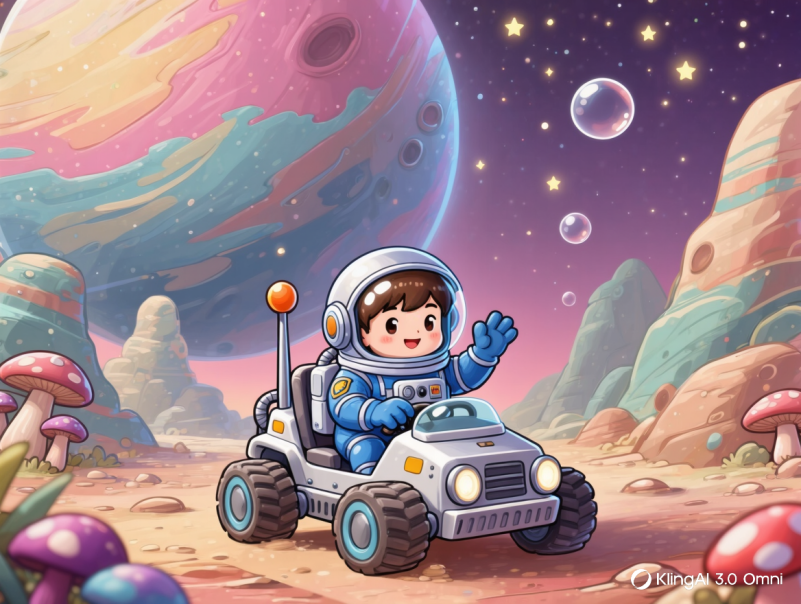 |
3. Create Consistent Cartoon Image Series
When working on a series of cartoon images, small details can start to drift from one frame to the next. Kling IMAGE 3.0 Omni’s new Image Series Mode lets you generate multiple related images while helping keep recognizable subject features and the overall visual direction aligned across the set. This makes it easier to create character variations, storyboards, social content, and other connected visuals without rebuilding the same creative setup for every image.
| Reference Image | 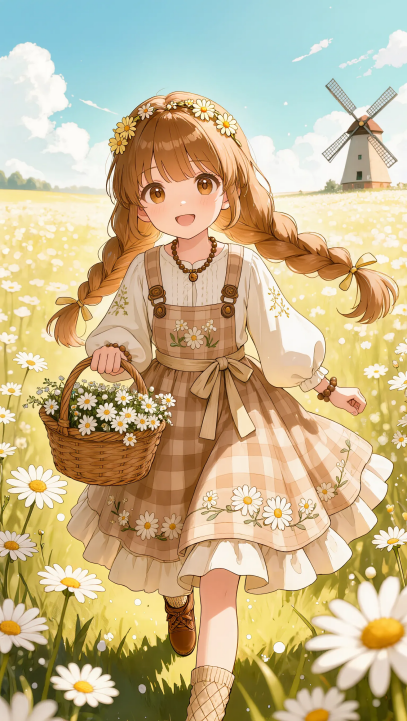 | ||||
| Prompt | "Ordinary days shine through mindfulness." 5-panel storyboard. | ||||
| Output | 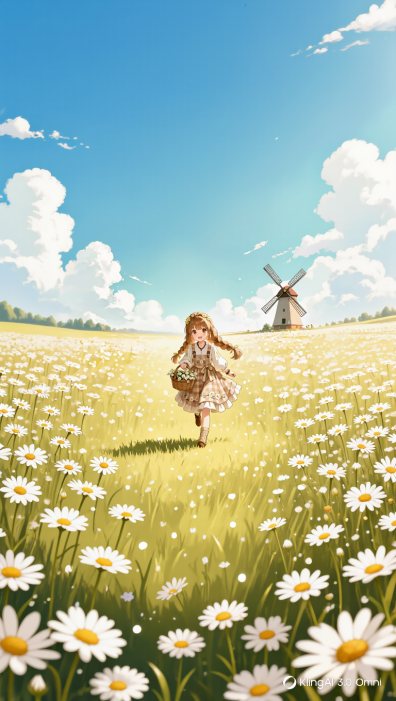 | 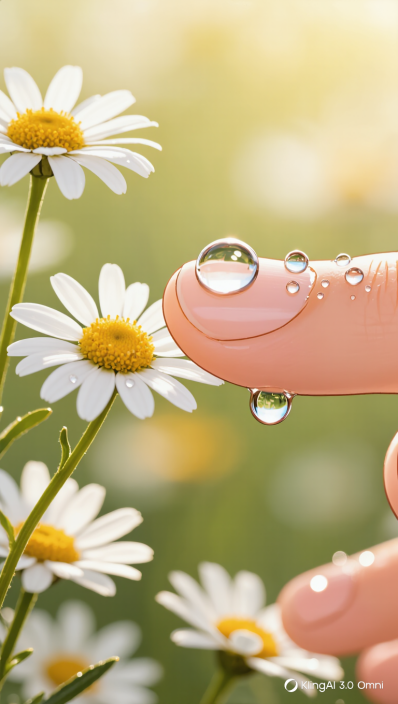 | 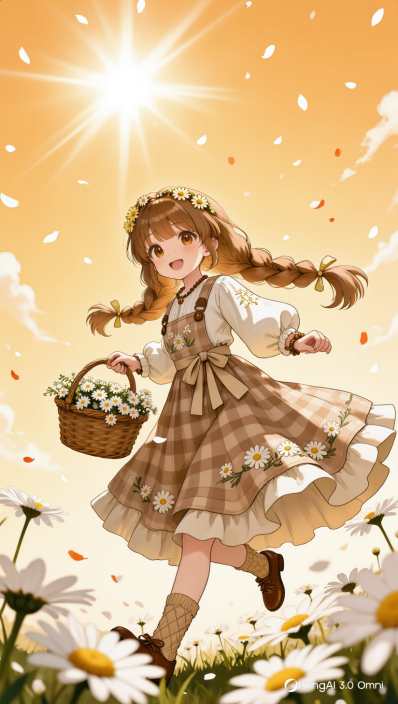 | 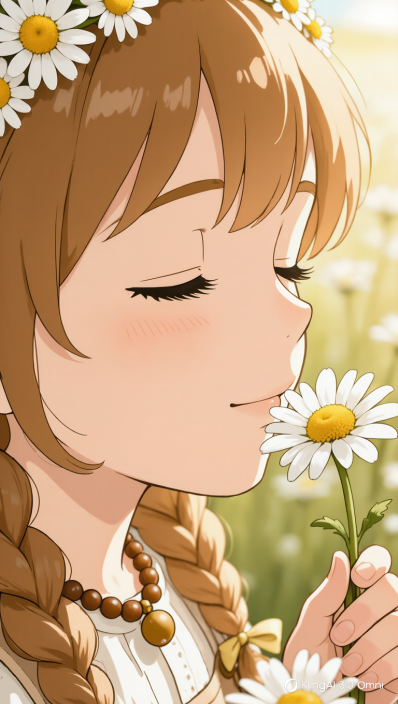 |  |
FAQs
What are different cartoon styles for AI?
There are plenty of different cartoon styles for AI, including classic 2D, anime, manga, 3D, watercolor, pixel art, chibi, low poly, collage, and retro-inspired looks. Some lean on bold outlines and flat color, while others use softer brushwork, visible texture, or more dimensional rendering. The right choice depends on whether you want something playful, graphic, handmade, nostalgic, or more polished.
What Are the Main Types of Cartoon Styles for AI?
There isn’t one fixed way to classify cartoon art. A practical approach is to group it by how the image is drawn or rendered, such as 2D animation, illustrated or handcrafted work, digital graphics, 3D treatments, retro aesthetics, and mixed media. From there, more specific directions like chibi, low poly, watercolor, or collage are easier to compare.
How do I choose a cartoon style for my photo?
Pick based on where the photo will be used and the feeling you want. 3D or vector art fits profile pictures and polished graphics, while chibi, sticker, and retro treatments suit lighter social posts. Comic, pop art, and mixed media make more sense when you want stronger contrast or a bolder finish. Comparing a few versions of the same photo is usually the fastest way to see which one feels right.
What is the difference between cartoon styles and AI art styles?
Cartoon styles mainly describe illustrated, animated, or comic-like results. AI art styles cover a wider field, from cartoons and photorealism to oil painting, impressionism, surrealism, and more. In practice, “cartoon style” usually refers to how a character or scene is drawn, while “AI art” can describe many other ways an image is rendered. Cartoon imagery is simply one area within that broader range.
Final Thoughts
Cartoon styles for AI can change how the same character, scene, or idea comes across, from classic 2D and anime to 3D, watercolor, retro, and mixed-media looks. Once you find a direction you like, Kling IMAGE 3.0 Omni lets you work from text or reference images, refine the details that matter, and carry that look into new scenes or a connected image series. You can also use the AI image generator to keep building on the idea and see how far the same character or concept can go.