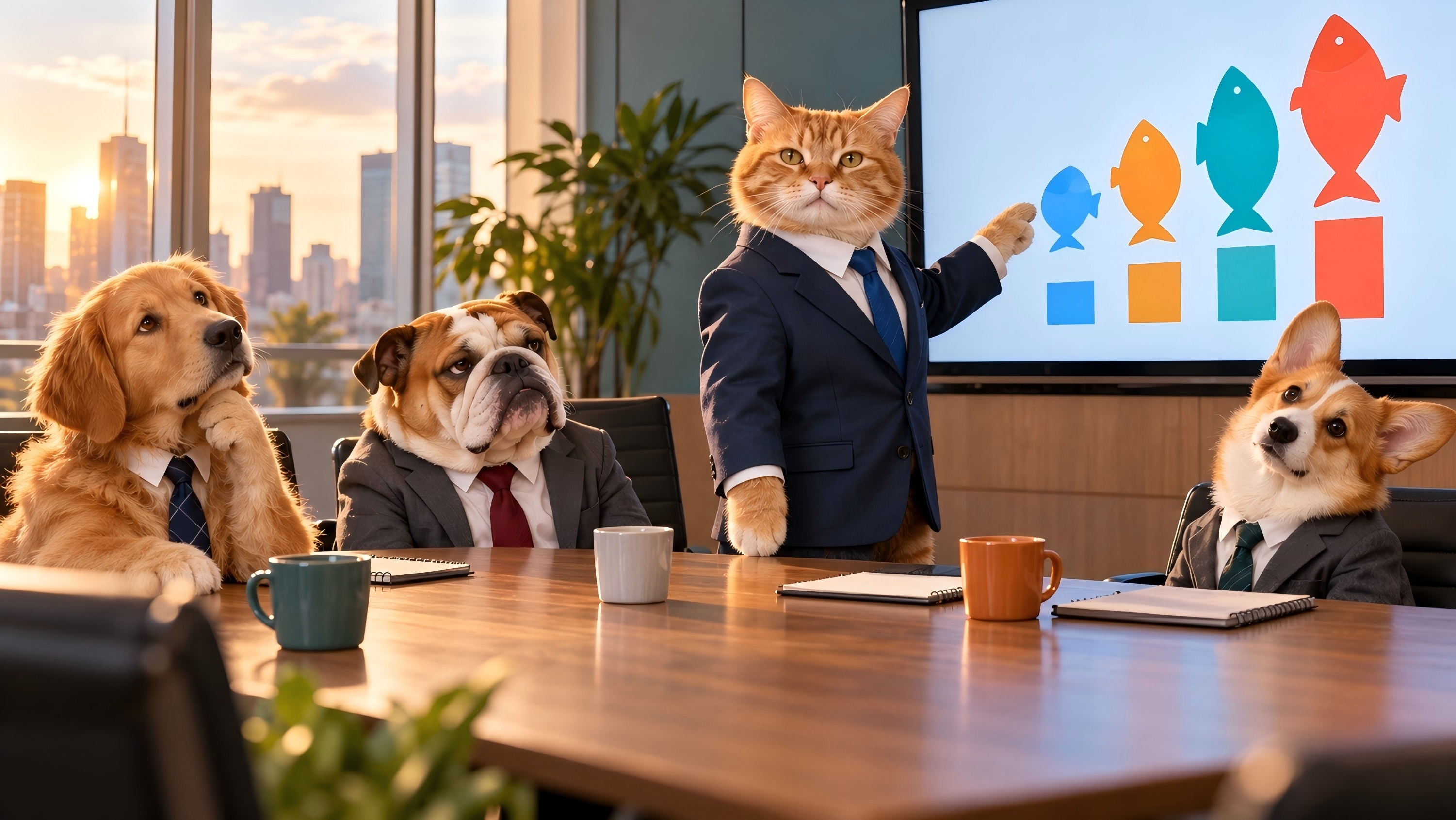
Funny AI images can turn everyday scenes into something absurd, like a knight getting stuck at an office printer or a croissant arguing with a cup of coffee. The best ones land almost immediately, but a crowded background or confusing expression can ruin the joke. This guide brings together 12 ideas, six prompts you can customize, and a simple process for making your own funny images with Kling IMAGE 3.0 Omni.
12 Funny AI Image Ideas to Try
Funny AI-generated images can take many creative forms, from everyday humor to absurd situations. The table below highlights 12 funny AI image ideas to inspire your next creation:
Idea | Example Direction |
Animals at Work | Cat presenting quarterly results |
Food With Personalities | Angry croissant arguing with coffee |
Historical Characters in Modern Life | Medieval knight stuck at an office printer |
Serious Portrait, Ridiculous Detail | CEO wearing a spaghetti tie |
Pets as Celebrities | Dog posing on a red carpet |
Tiny People, Giant Objects | Office workers climbing a huge keyboard |
Everyday Tasks Gone Wrong | Robot struggling to fold laundry |
Absurd Sports | Penguins playing basketball |
Fantasy in Normal Places | Wizard waiting at a bus stop |
Awkward Family Photo | Aliens posing for a 1990s studio portrait |
Product Parody | Potato presented like a luxury gadget |
Surreal Meme Scene | Business meeting inside a giant refrigerator |
Swap the character, setting, or absurd element to create fresh, funny AI pics from the same idea. The knight could jam a vending machine instead, and the wizard could wait at a drive-through.
How to Make Funny AI Images with Kling IMAGE 3.0 Omni
The ideas and prompts above are a starting point, but the image still needs to sell the joke. When working with an AI image generator, details like expressions and camera angles make a difference. Kling IMAGE 3.0 Omni lets you create absurd scenes from text or remix personal photos, using up to 10 reference images to guide recognizable faces, pets, objects, and styles. Its stronger detail consistency helps familiar subjects remain recognizable, while precise control over composition, perspective, and lighting keeps the visual punchline clear. Native 2K or 4K output supports detailed results, and Image Series can help develop related jokes with a consistent look. Follow these three steps to create and refine your image.
Step 1: Upload a Reference Photo or Start From Text
Open Image Generation in Kling AI and pick Kling IMAGE 3.0 Omni. Add a clear picture of the person, pet, or item you want to include, which helps the model capture key traits like a face or fur pattern. You can also leave the reference slot blank and simply use text if your joke uses a made-up character.
Step 2: Create a Detailed Funny Prompt
Write the prompt around the moment the joke happens. For the cat’s sales presentation, describe its raised paw, the fish chart, and the bored audience. If you are using a photo, state what must stay the same, such as the cat’s face and markings. A specific reaction is more useful here than simply asking for a ‘funny’ picture.
Step 3: Adjust Settings, Generate, and Improve
Choose your desired output resolution and aspect ratio, then click Generate. Review the image to see if the punchline works on its own, the expressions hit the right note, and the key features match your source photo. If the scene feels overcrowded or a reaction looks too subtle, adjust just one part of the prompt for a fresh take. Review the generated results before downloading your favorite image.
Reference Image | Output |
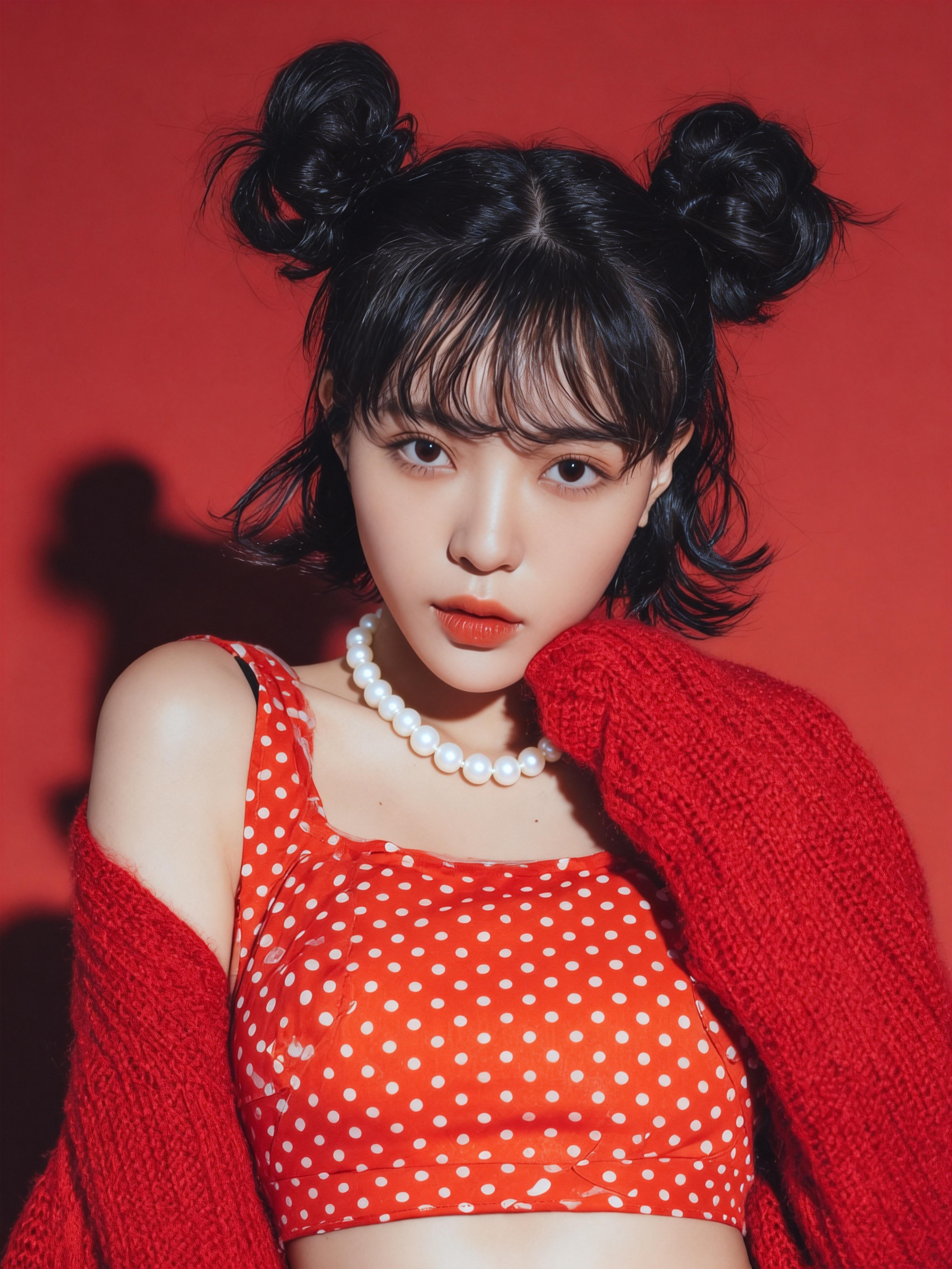 | .png?x-oss-process=image/resize,w_1872) |
| Prompt: Convert the image to [Fisheye Kiss] style. | |
Best Funny AI Prompts to Copy and Customize
Each of these funny AI prompts stays short, so swapping the subject or setting leaves the joke intact:
Funny Animal Prompt
A serious human job gives any animal instant contrast, especially with a worried expression.
| Prompt: A golden retriever in reading glasses filing taxes at a cluttered kitchen table, stressed expression, warm documentary photo. |
Funny Portrait Prompt
Formal portrait lighting puts one absurd detail on full display.
| Prompt: Formal oil portrait of a stern 18th-century admiral, a live parrot nesting in his powdered wig, museum lighting. |
Funny Workplace Prompt
A familiar office scene needs only one character who does not belong.
| Prompt: Office kitchen, an astronaut in a full spacesuit microwaving fish, coworkers glaring from the doorway, flat fluorescent light. |
Funny Food Prompt
Food with a face, or food in a dramatic crisis, reads instantly. Give the food a clear expression and one exaggerated role so the joke is easy to recognize.
| Prompt: A boiled egg in a tiny hard hat directing traffic between rolling grapes on a kitchen counter, intense expression, macro photography. |
Funny Meme-Style Prompt
A meme image works best when the setup reads before anyone sees the caption.
| Prompt: A raccoon in a business suit staring at a frozen loading bar on a laptop, exhausted expression, plain background, empty space at the top. |
Funny Photo Remix Prompt
An uploaded photo provides a reference for the subject’s appearance while the prompt describes the new scene.
| Prompt: Preserve the cat’s fur color, markings, and facial features from Image 1. Place it at a podium giving a quarterly sales report, with a raised paw pointing to fish charts on a screen, stage lighting. |
Funny Photo Remix Ideas for Personal Moments
Some AI funny pictures only need to work for three people in a group chat. A friend’s coffee habit or a pet’s permanently unimpressed face can be enough to build a picture around. Use image-to-image AI to take that familiar detail into a new setting, while keeping the part your audience will recognize. If the joke needs a small adjustment, an AI image editor can help refine an expression or prop without changing the entire scene.
Pets with Very Serious Jobs
An unimpressed cat can look like it has survived one meeting too many, and an alert dog could make a convincing security guard. Kling IMAGE 3.0 Omni's enhanced detail consistency helps carry a pet's recognizable features into a new role. Its more realistic textures and lighting can make even an absurd workplace scene look like a candid photo, giving the familiar expression a funnier context.
Reference Image | Output | Prompt |
.png?x-oss-process=image/resize,w_1872) | .png?x-oss-process=image/resize,w_1872) | POV selfie. Chill, tired, slightly annoyed face. Sipping black iced coffee from a clear to-go cup, ice visible, straw in mouth. Wearing a lanyard badge with its own face photo. Desk setup with keyboard. Office background, coworkers walking around. Real-life candid photo vibes. Natural light. No text. |
Birthday Tributes and Inside Jokes
Think of the friend who takes five minutes to explain a coffee order. A portrait of them as a royal coffee taster practically writes itself. For a gardener, try a throne surrounded by prize vegetables. Put the image on a birthday card or send it to the group chat; people who know the habit will supply the backstory.
Nostalgic Portraits with a Twist
Try giving a familiar face the full yearbook treatment: oversized glasses, a stiff pose, and a dated studio backdrop. Keep the expression solemn. A grin may make the portrait look like someone deliberately posing for a joke, while a straight face lets the styling do the work. For a different retro mood, try the Change Color of Image tool to recolor the backdrop.
How to Use Funny AI Images in Memes and Social Posts
Turn AI funny images into captioned memes, reaction pictures, or social posts. Each format emphasizes a different part of the joke: the setup, the expression, or the overall scene.
Meme Images
An AI meme generator can help turn an everyday frustration into a visual setup. Keep the scene simple and leave space at the top or bottom if a caption is planned. Add the caption after generation when you need precise wording and placement.
Emoji and Reaction Images
An emoji generator can provide a starting point for custom reaction images built around surprise, disbelief, or exhaustion. One exaggerated expression and a plain background help the face remain readable at thumbnail size. Related reactions can share the same character and visual style. For a more playful look, an AI cartoon generator can turn the same face or pet into an expressive cartoon.
Social Media Posts
Preview the image at roughly the size someone will see on their phone. If a key prop becomes too small to notice, crop closer or simplify the scene. Use a vertical 9:16 version for Stories, or try 1:1 or 4:5 for a feed post. Check the crop itself, too: a funny expression will not rescue the joke if the object causing it has been cut off.
Common Funny AI Image Mistakes
Funny AI images often fall flat because of a few recurring mistakes. The table below breaks down these common problems and shows how to fix each one:
Problem | Better Approach |
Too Many Jokes in One Image | Keep one main visual gag |
Image Looks Random Instead of Funny | Use a familiar setup plus one absurd twist |
Expression Feels Weak | Describe the emotion clearly |
Subject Changes Too Much | Use a clearer photo with visible identifying features |
Image is Cluttered | Simplify setting and secondary objects |
Joke Depends on Unreadable Text | Make the visual itself carry the humor |
The End
The best funny AI images turn one familiar subject into an unexpected situation. Start with an idea that your audience can recognize, give the characters clear expressions, and keep distracting details out of the scene. Whether you create an original image or remix a personal photo, the visual joke should remain easy to understand when shared.
FAQs
How do I write a funny AI image prompt?
Write down who is in the picture and what is wrong with the situation. Then add the expression and style that make it readable. For example: ‘A pigeon in a tiny tuxedo judging a cooking contest, TV studio, stern expression, glossy reality-show style.’ The stern face matters: it makes the pigeon seem to take the job seriously. Keep extra jokes out of the first attempt.
Can I Make Funny AI Images for Free with Kling AI?
Yes. Kling AI offers free credits to new users after registration, and existing users can receive additional credits through monthly logins. You can use those credits for eligible image generation tasks, but availability and credit costs depend on the selected model and settings. Before using IMAGE 3.0 Omni to make funny AI images, check the model access and required credits displayed in your workspace.
Can I turn my own photo into a funny AI image?
Yes. A personal photo can provide a visual reference for a funny scene through image-to-image generation. A sharp, well-lit source image helps communicate identifying features, while your prompt describes the new role or setting. Review the result for unintended changes, and ask permission before sharing a remix of someone else’s photo.
What Makes an AI-Generated Image Funny?
Usually, the viewer recognizes the situation but does not expect the subject in it. A knight at a printer is familiar office frustration with the wrong person in the queue. His expression can make that mismatch funnier. If you also add aliens, dancing food, and exploding furniture, viewers may struggle to work out which part they are meant to notice.
Can I Use Funny AI Images for Memes and Social Media?
Funny AI images work well for memes, reaction images, and social posts when the joke reads without a long caption. Meme images need space for text, reaction faces read best when large and simple, and story posts suit a 9:16 crop. Platform rules on labeling AI content are worth checking before posting.