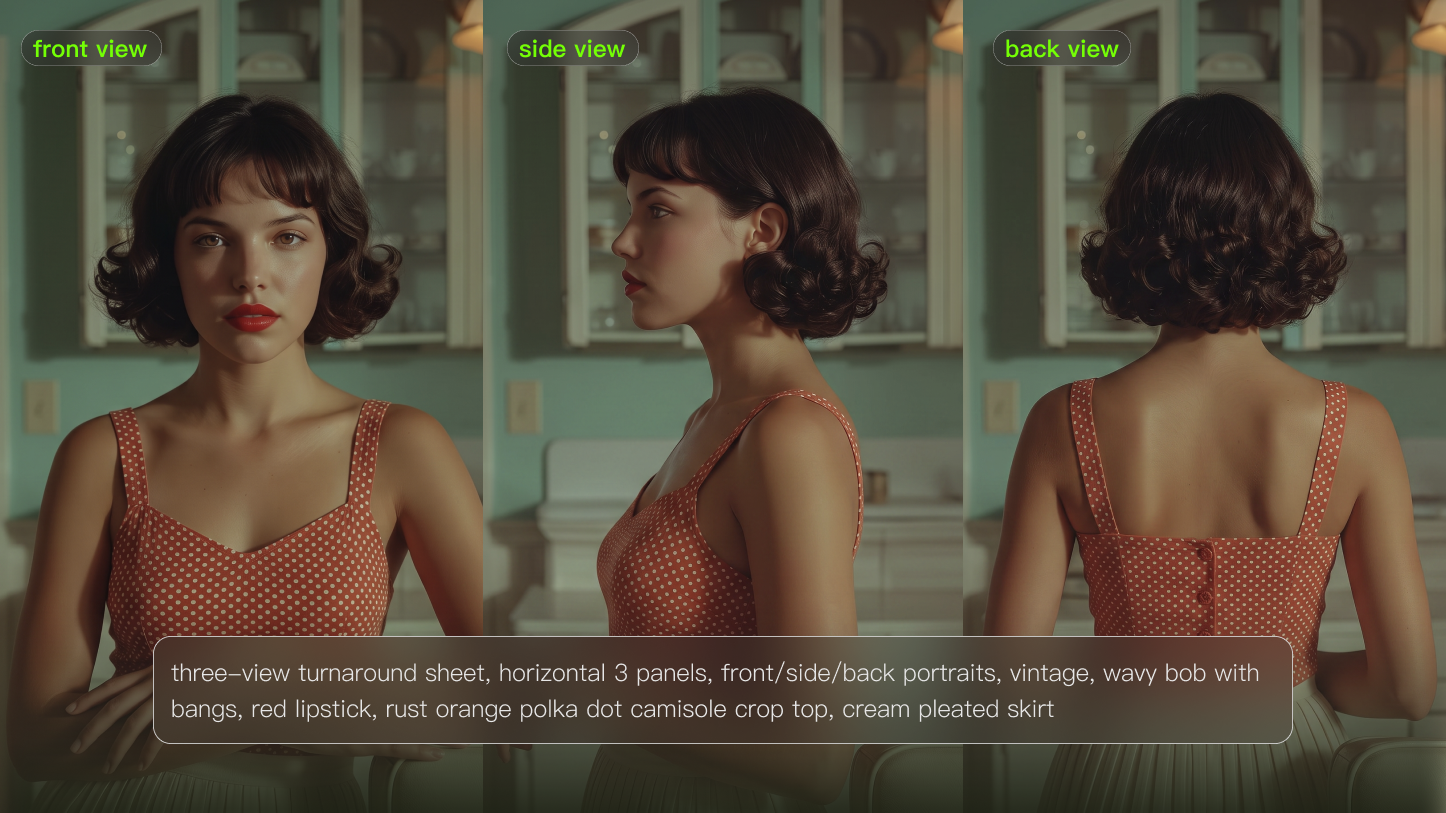
Creating a virtual model is easy. Creating one that still looks like the same person after ten images, three outfits, and a short video is much harder.
The process starts before you generate the first portrait. You need to decide who the model is, where the character will appear, and which visual details must remain recognizable. Once those decisions are clear, you can build a reference set, test controlled variations, and gradually move from still images to video.
This guide explains how to make an AI model for fashion, marketing, social media, product content, and other visual projects without losing the character’s identity along the way.
How to Make an AI Model Step by Step
A reliable virtual model is usually built in stages. Start with the character brief, create a small set of reference images, test the identity across different scenes, and only then introduce more complex outfits or motion.
1. Decide What the Model Is For
Before working on facial details, define the model’s role.
A virtual fashion model may need to work across seasonal outfits and editorial settings. A software presenter needs approachable expressions, clean backgrounds, and space for interface overlays. A product model may need accurate hand positions and consistent interactions with the same item.
Write down:
- Where the model will appear
- Who the content is intended for
- What types of clothing or products will be shown
- Whether the visual style should feel realistic, editorial, cinematic, or illustrated
- Which scenes or claims would not be appropriate for the character
These decisions affect the references you need later. A close-up beauty character and a full-body fitness demonstrator should not be built from the same reference set.
2. Create an Identity Sheet
An identity sheet records the details that make the model recognizable.
It does not need to describe every possible feature. Focus on the characteristics that should remain stable when the setting, clothing, or pose changes.
Include details such as:
- Face shape and key facial features
- Hair color, length, texture, and usual styling
- Approximate age range
- Body proportions and posture
- Skin tone
- Eye color
- Signature accessories
- Core wardrobe colors and silhouettes
- Preferred lighting and camera distance
Separate these details into two groups: fixed traits and flexible traits.
Fixed traits may include the face, hair color, eye color, body proportions, and a signature accessory. Flexible traits may include outfits, locations, poses, makeup, or seasonal styling.
This distinction gives you room to experiment without redesigning the person every time.
3. Build a Useful Reference Set
One dramatic portrait is rarely enough to define a reusable virtual model.
Start with simple images that clearly show the character. A practical reference set may include:
- A front-facing portrait
- A three-quarter facial view
- A side profile
- A neutral full-body image
- One or two approved outfits
- A seated or walking pose
- A product-in-hand image, when relevant
Neutral references are especially useful because the face and body are easier to evaluate without extreme lighting, unusual lenses, or complex poses.
The references should also agree with one another. If one image shows short hair, another shows long hair, and a third uses completely different facial proportions, the generator has no clear identity to follow.
More references are not automatically better. A smaller, coherent set is usually more useful than a large collection of conflicting images.
4. Test the Model With Still Images
Before creating video, generate a small group of still images that cover the model’s most common use cases.
For example, you might create:
- A profile image
- A simple lifestyle scene
- A full-body fashion image
- A product interaction
- A second outfit in similar lighting
Place the results next to one another and look at them as a set. Small changes that seem acceptable in isolation often become obvious when the images are viewed together.
Check whether the following features remain stable:
- Overall face shape
- Eye and eyebrow placement
- Hairline and hair texture
- Height and body proportions
- Skin tone
- Signature accessories
- Wardrobe direction
At this stage, change one main variable at a time. Keep the outfit and background stable while testing a new pose, for example. Once the pose works, keep the pose and test another outfit.
This makes it much easier to identify what caused an unwanted change.
| Reference Image | Element | Output | |
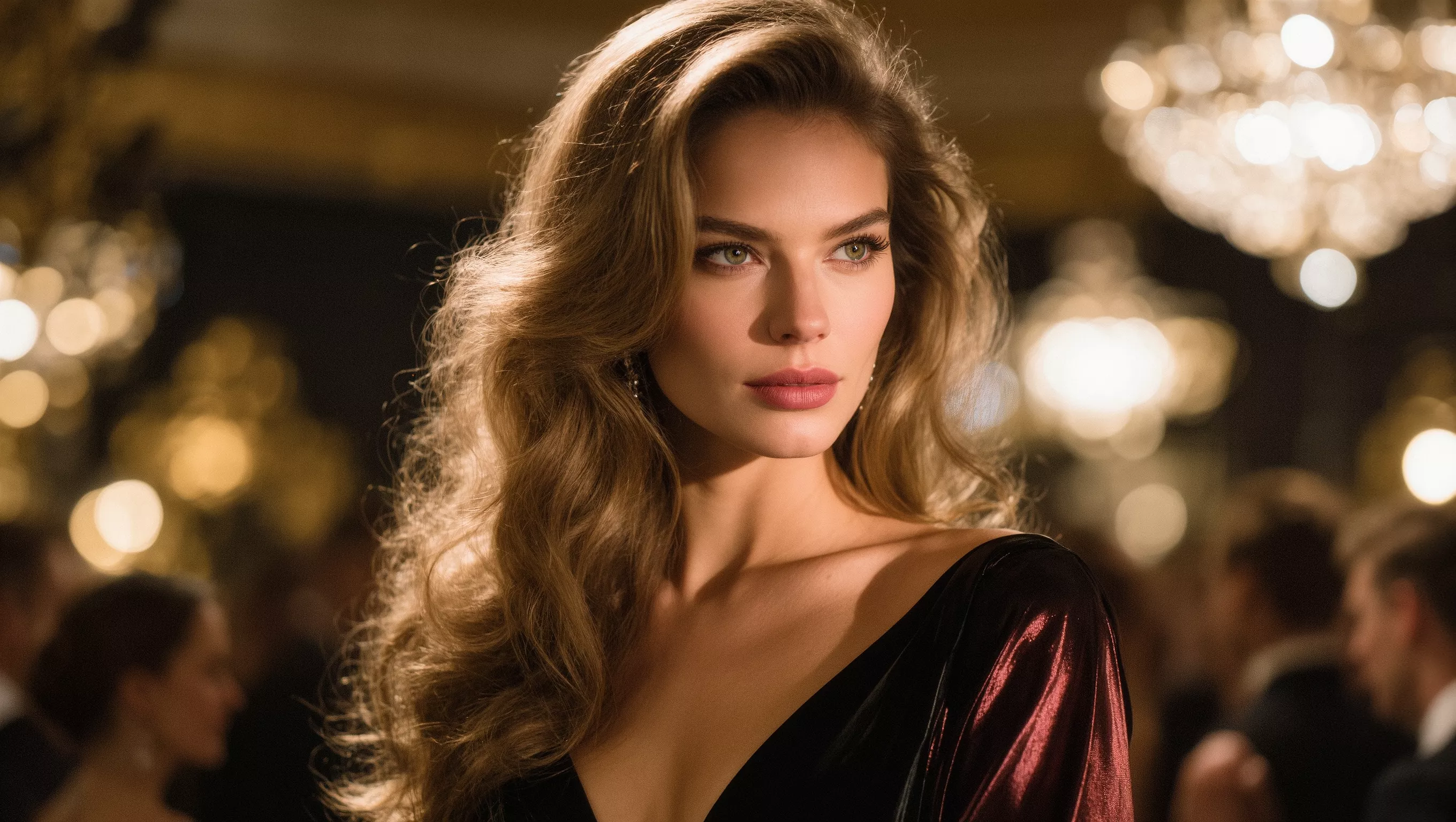 | 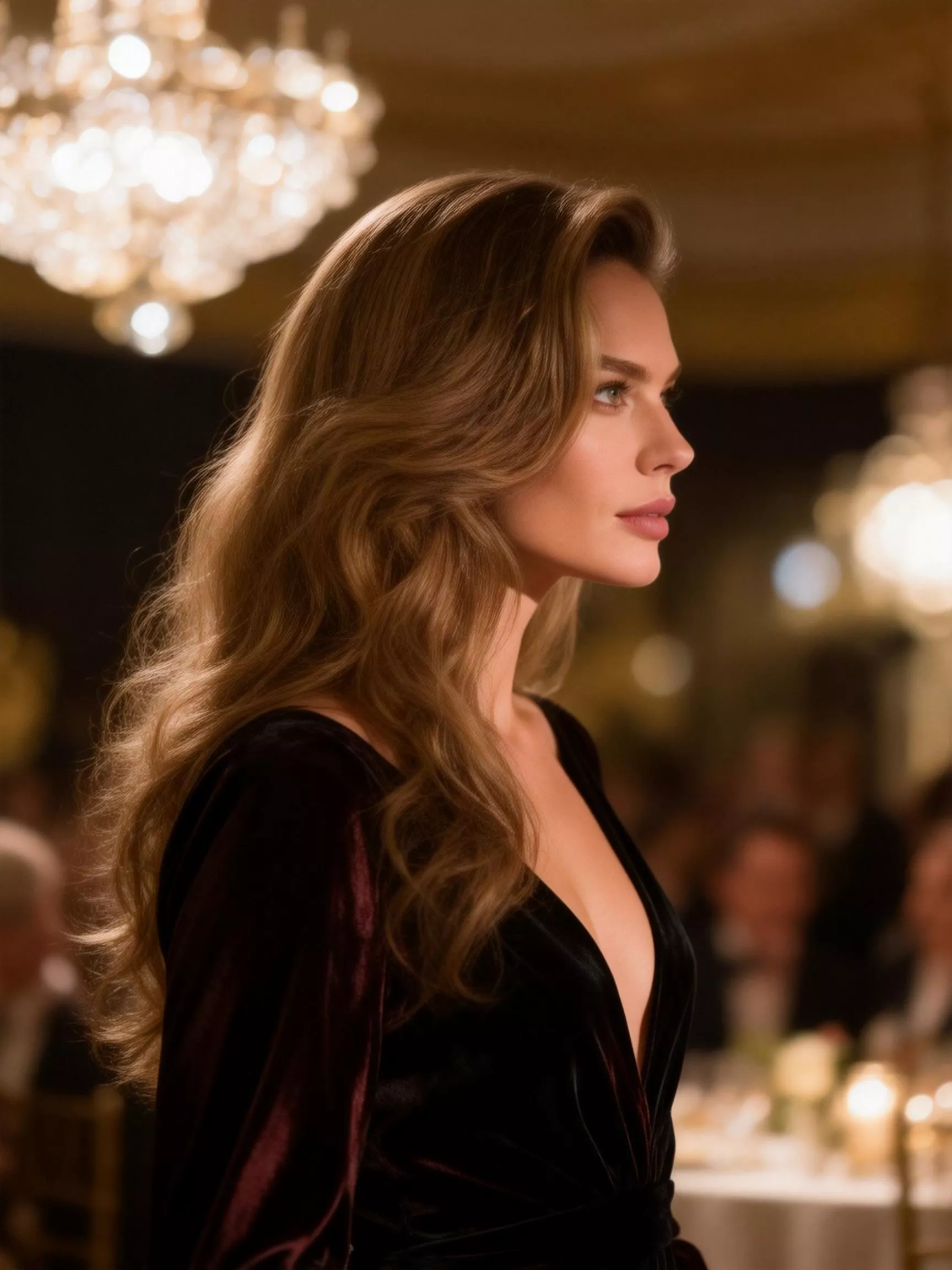 | 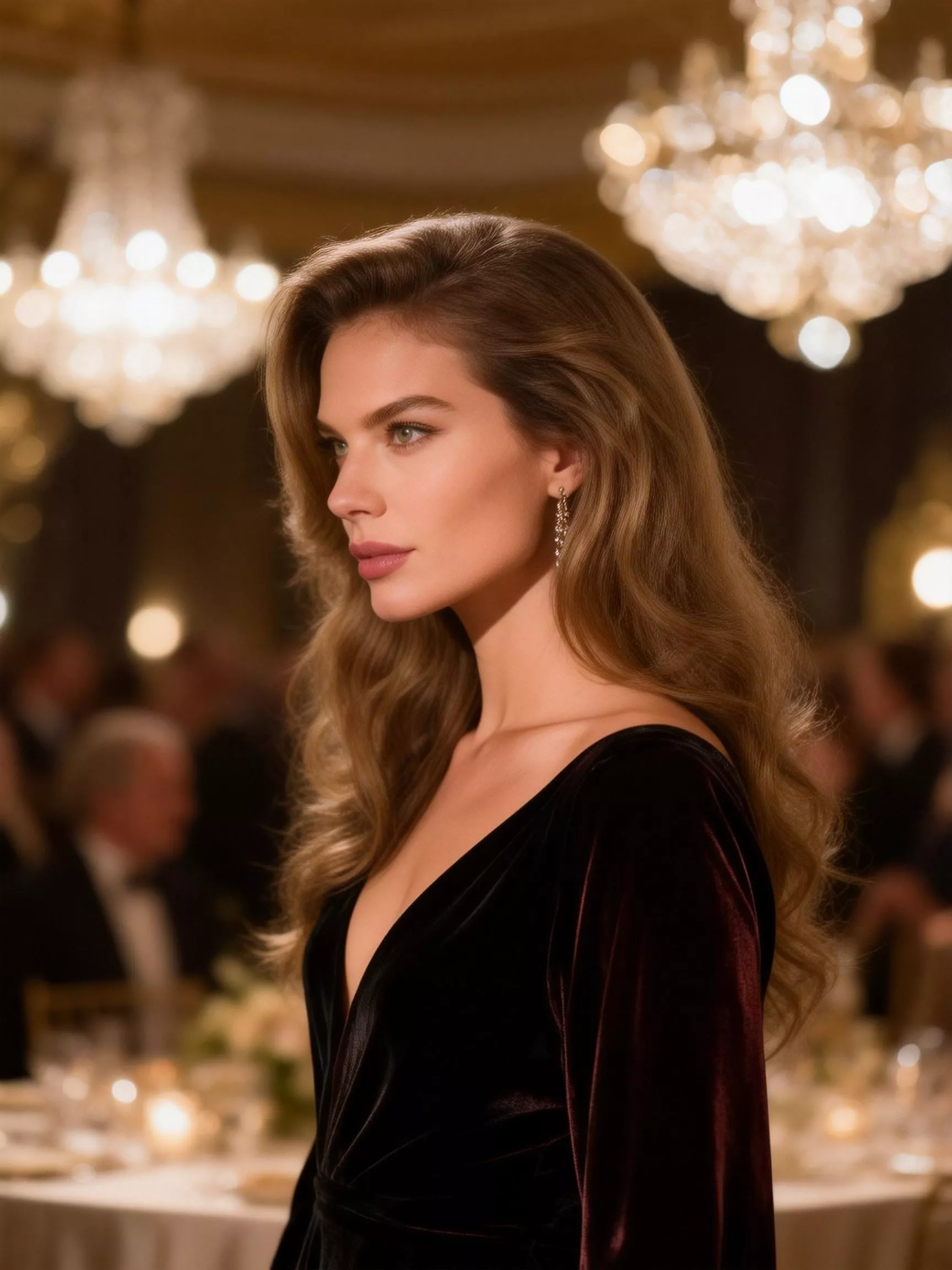 | 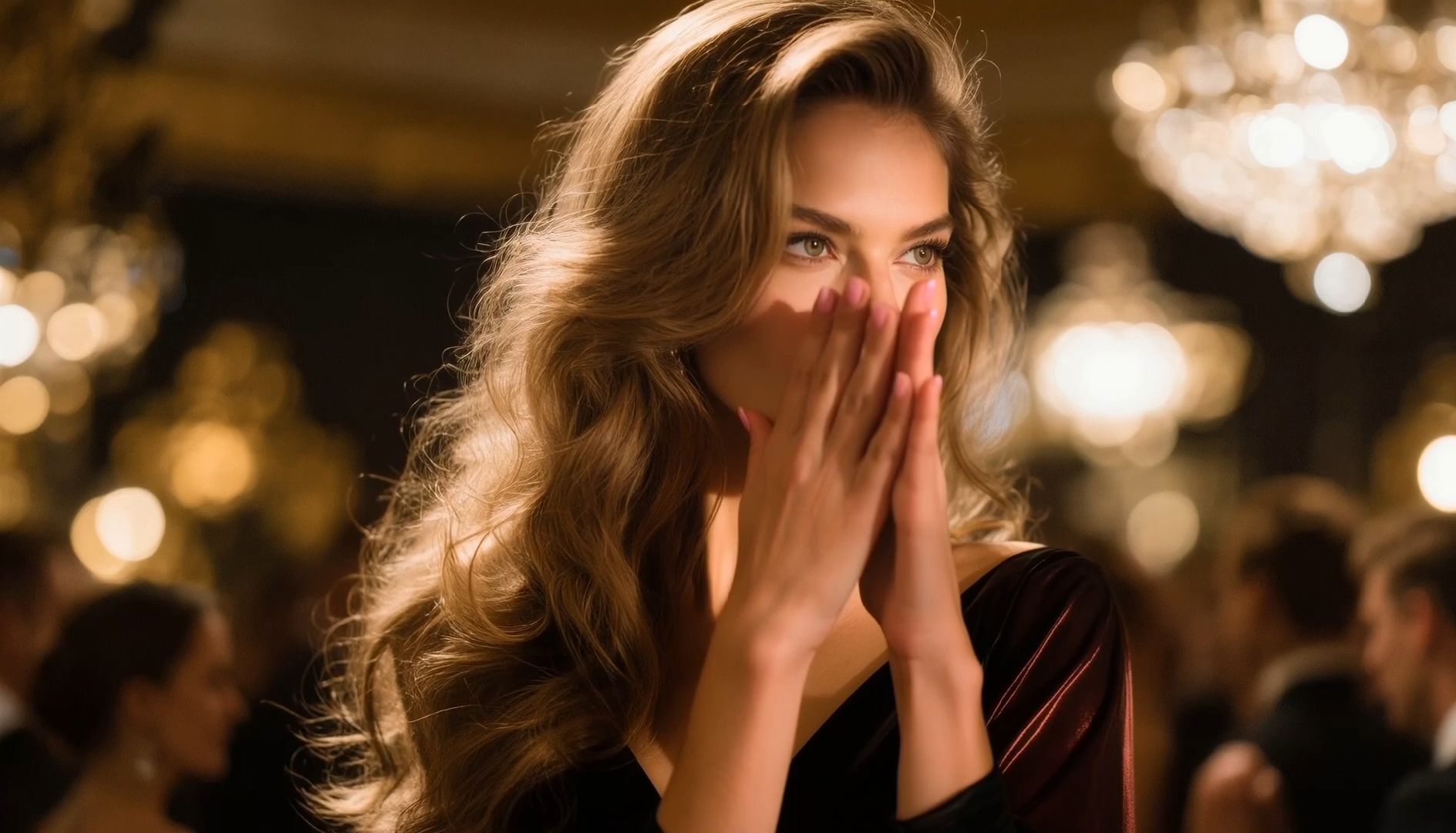  |
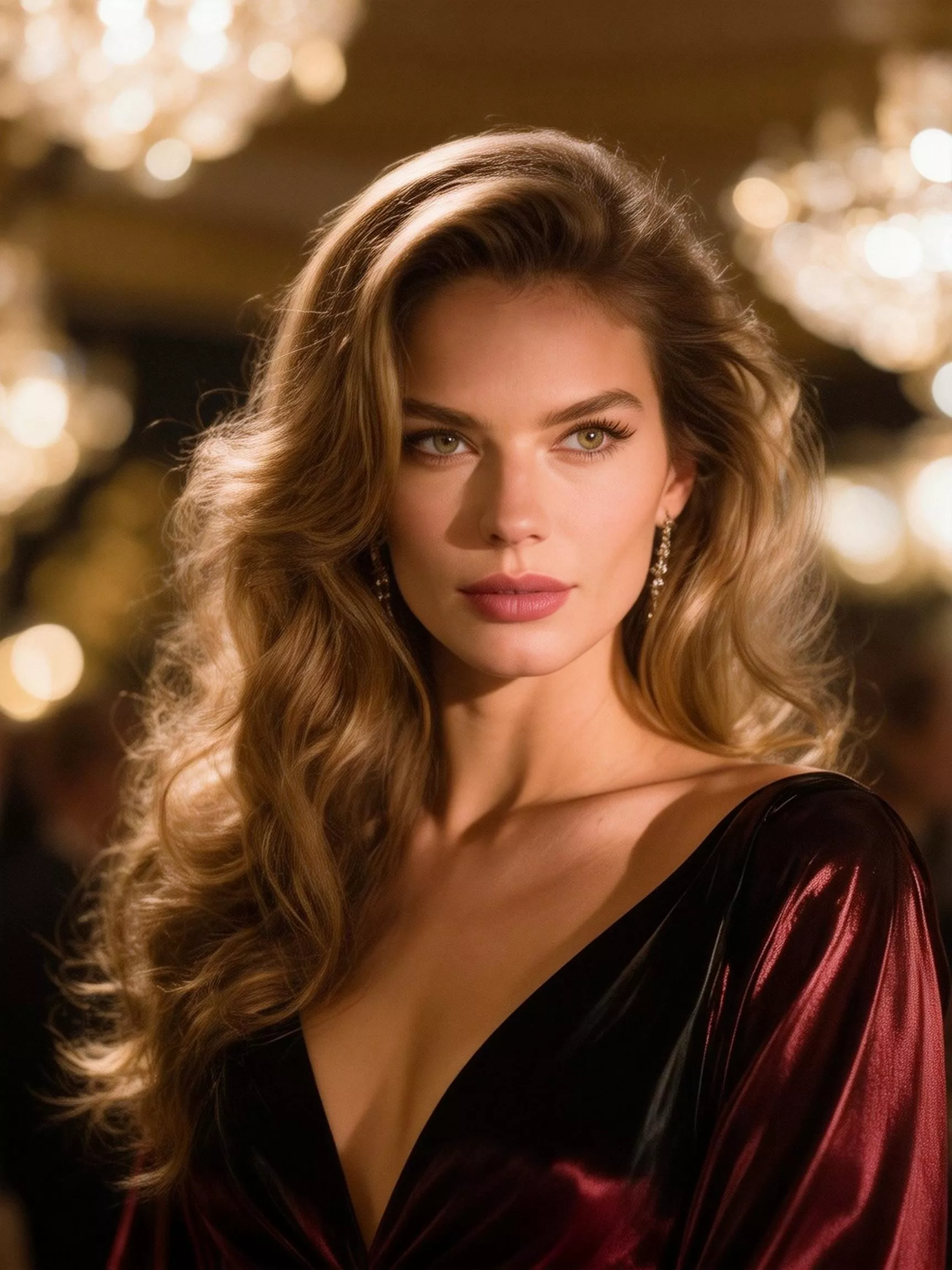 | 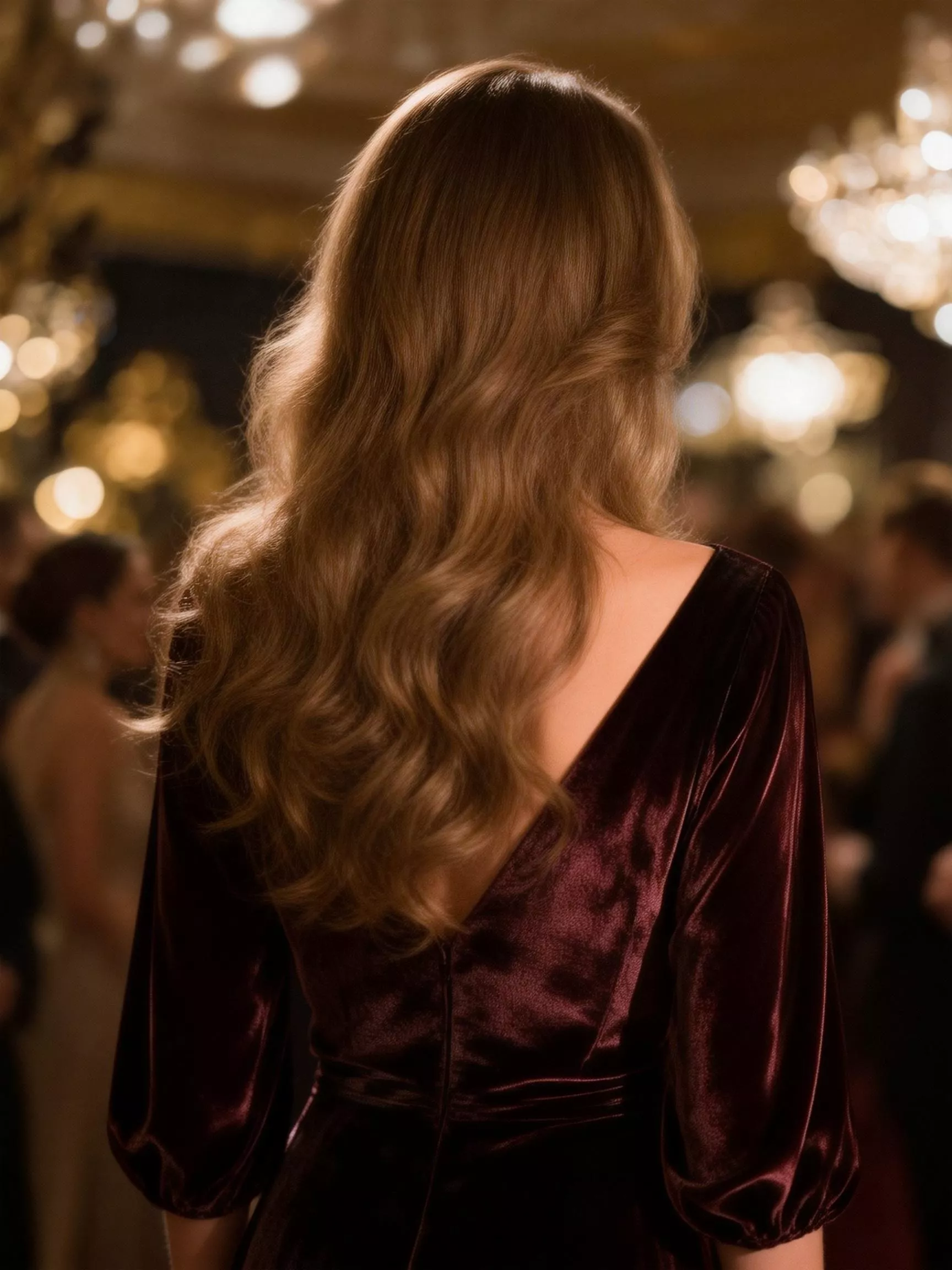 | ||
Use Kling AI to Build and Refine the Reference Set
Kling IMAGE 3.0 can be used to develop new images from an established visual direction.
Its High Feature Retention capability can extract visual information from up to 10 reference images. Different references may guide the subject, clothing, product, composition, lighting, or visual style.
You do not need to use the maximum number of references in every generation. Add only the images that have a clear purpose. When several references give contradictory instructions, the final identity may become less predictable.
For example, a generation might use:
- One image for the model’s face
- One full-body image for proportions
- One image for the outfit
- One product reference
- One lighting or composition reference
Kling IMAGE 3.0 also supports precise image modifications. When most of an image already works, you can adjust a specific detail rather than rebuilding the entire scene. This may include changing an accessory, refining the clothing, removing an object, or modifying the background while keeping the main composition in place.
Use these edited and approved images to expand the reference set gradually. Do not add every acceptable result to the library. Keep only the images that strengthen the character’s identity.
How to Spot Identity Drift
Identity drift happens when the character gradually changes across different outputs.
It may appear as a different jawline, changing eye shape, unstable hair, inconsistent body proportions, or a wardrobe style that no longer fits the original character.
Some common warning signs include:
The Face Looks Different
This can happen when the reference images use very different angles, expressions, lenses, or lighting conditions.
Return to a clear portrait reference and simplify the scene. Once the face is stable again, reintroduce the new camera angle or expression.
The Body Proportions Keep Changing
Large pose changes, cropped references, wide-angle compositions, and partially hidden limbs can make proportions less predictable.
Use a clear full-body reference and avoid changing the pose, outfit, and camera angle at the same time.
The Hair Is Inconsistent
Hair is often treated as styling rather than identity, even though viewers use it to recognize the character.
Specify the length, color, texture, parting, and usual hairstyle. When testing a different hairstyle, decide whether it is a temporary variation or a permanent change to the model.
The Wardrobe Feels Random
A consistent character does not need to wear the same outfit in every image, but the clothing should follow a recognizable direction.
Define a practical wardrobe range, including preferred colors, silhouettes, materials, and accessories. A restrained palette also makes it easier to create a coherent lookbook.
Products or Accessories Change Shape
When the model is used in commercial content, check the product as carefully as the character.
Look at packaging, proportions, labels, colors, and how the model holds or wears the item. A visually consistent person is not enough if the featured product becomes inaccurate.
Build an Approved Lookbook
Once the character works across several still images, organize the strongest results into an approved lookbook.
The lookbook can include:
- Neutral facial references
- Full-body views
- Approved wardrobe options
- Product interaction examples
- Lighting references
- Typical environments
- Acceptable poses and expressions
- Examples that should not be repeated
This collection becomes the review standard for future content.
When someone generates a new image, they should be able to compare it with the lookbook and answer a simple question: does this still look like the same person?
The lookbook should also reflect the model’s intended role. A luxury fashion character, a software presenter, and a fitness demonstrator will require different poses, expressions, framing, and content boundaries.
Move From Images to Video
Video introduces more opportunities for the face, body, clothing, and background to change over time. For that reason, animation should begin with an image that has already been approved.
Kling VIDEO 3.0 supports Image-to-Video generation and element binding to help preserve important characters or objects. In start-frame or start-and-end-frame workflows, users can bind reference elements that appear in the supplied frames to enhance consistency.
Keep the first motion test simple. Suitable starting points include:
- A small head turn
- A natural blink or smile
- A slow walk
- A restrained camera movement
- A simple product interaction
Complex choreography can come later. The first goal is to see whether the character remains recognizable throughout the clip.
Review individual frames instead of watching only at normal speed. A video may look acceptable in motion while still containing brief facial changes, distorted hands, unstable accessories, or inaccurate products.
When a problem appears, reduce the number of moving parts. Shorten the action, simplify the camera movement, or return to a stronger source image.
Common Uses for Virtual Models
A consistent virtual model can support several types of visual content.
Fashion and Lookbooks
The model can present different garments, seasonal collections, accessories, or styling directions while maintaining a recognizable appearance.
Product and Lifestyle Content
Brands can place the character in controlled lifestyle scenes, demonstrate how a product is held or worn, and create visual variations for different campaigns.
Software and Educational Content
A virtual presenter can introduce product features, appear alongside interface recordings, or guide viewers through a structured explanation.
Social Media Characters
A recurring virtual character can appear across short videos, visual stories, themed posts, and campaign content without requiring a new design for every asset.
Rights, Disclosure, and Responsible Use
Before using a virtual model commercially, review the rights connected to the reference images, products, logos, voices, and character design.
Avoid creating a character that closely copies an identifiable person without authorization. Also avoid presenting the virtual model as a real customer, expert, or celebrity who personally used or endorsed a product.
Disclosure requirements vary by country, platform, and campaign type. Brands should review the rules that apply to their specific use case, particularly when the content could be mistaken for a real testimonial or personal experience.
In the United States, for example, the FTC prohibits fake reviews and testimonials that misrepresent the experience of a person or are attributed to someone who does not exist.
FAQs
What Is an AI Model?
An AI model means a virtual person or character created for images, videos, advertising, lookbooks, or social content. It does not refer to the machine-learning system behind the generation tool.
The aim is to build a repeatable visual identity that remains recognizable across different outfits, poses, scenes, and formats.
How Do You Keep an AI Model Consistent?
Start with a clear identity sheet and a small set of compatible reference images. Define which features should remain fixed, review generated images together, and change one major variable at a time.
An approved lookbook also gives everyone working on the character the same visual standard.
What Images Should You Create Before Video?
Begin with clear portraits, facial angles, a neutral full-body image, approved outfits, and any important product interactions.
These images reveal whether the identity is stable before movement introduces additional variation.
Can AI Models Be Used in Ads?
Virtual models can appear in advertising, but brands still need to verify usage rights, product accuracy, disclosure requirements, and local advertising rules.
They should not be used to create misleading endorsements, fake customer experiences, or unauthorized copies of real people.
What Images Should Come Before Video?
Create neutral portraits, full-body poses, product holds, outfit variations, and simple background scenes before animation. These assets become the identity base. If the image set is inconsistent, video will magnify the problem. Strong stills make it easier to judge whether motion preserves the same virtual model. Neutral reference views create a stronger base than dramatic fashion poses alone.
What Is the Biggest AI Model Mistake?
The biggest mistake is chasing new looks before locking the identity. If hair, facial features, body proportions, and style keep changing, the audience sees different characters. Build a small approved library first, then expand scenes and motion. The model should feel recognizable even when the outfit changes. Expansion should stop whenever a new asset weakens recognition of the identity.