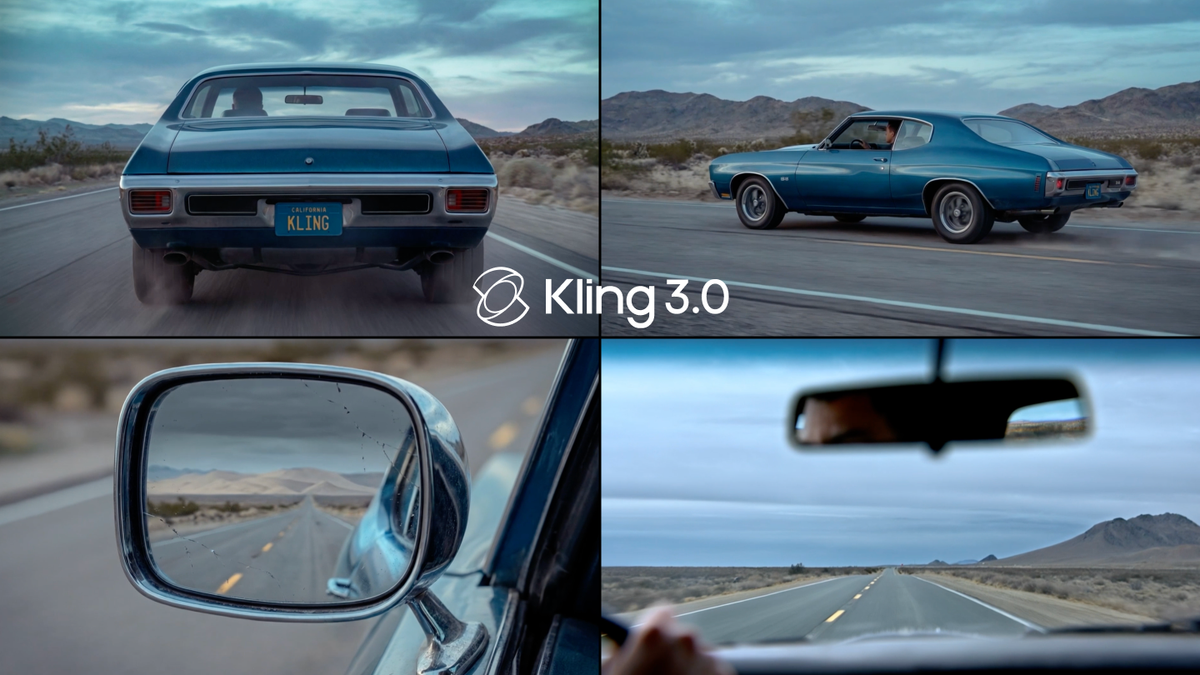
Kling VIDEO 3.0 series gives creators a more controlled way to turn a written scene into a complete video sequence. Instead of treating each prompt as a single isolated clip, Multi-Shot helps structure a scene through camera coverage, shot changes, and narrative progression within one generation.
Multi-Shot Storytelling in Kling VIDEO 3.0
The 3.0 series is built for richer AI video storytelling. VIDEO 3.0 and VIDEO 3.0 Omni support longer generation, subject consistency control, and Multi-Shot creation for more complete narrative scenes.
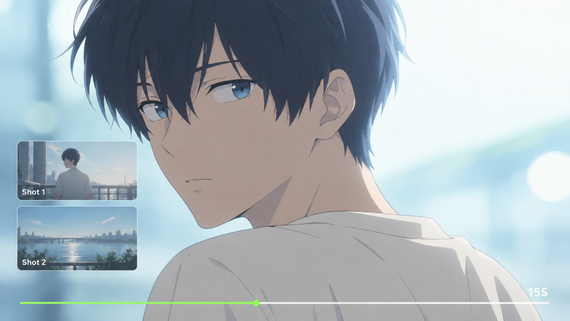
Multi-Shot and Custom Multi-Shot give creators a clearer way to shape scene coverage, pacing, and camera movement inside one generation. A prompt can define the scene, dialogue, perspectives, and visual beats, while Custom Multi-Shot supports shot-level details such as duration, framing, viewpoint, narrative content, and camera movement.
This structure helps each shot carry a clear purpose: establishing the setting, moving through dialogue, revealing an emotional reaction, or connecting one visual beat to the next. The result is a more deliberate sequence that feels planned from the start rather than assembled after the fact.
Core Multi-Shot Capabilities
Multi-Shot in the Kling VIDEO 3.0 series is designed around shot coverage, story flow, and controllable scene structure. It supports both prompt-led generation and Custom Multi-Shot controls for creators who want more precise shot-by-shot planning.
1. Prompt-Led Multi-Shot Generation
In prompt-led generation, creators describe the scene, characters, dialogue, and intended visual rhythm in natural language. The model reads the scene flow and adjusts camera angles and compositions to produce a multi-shot video in one generation.
2. Custom Multi-Shot Control
For creators who need shot-level precision, Custom Multi-Shot supports a more structured setup. Each shot can be planned with specific creative information, including:
● Shot Duration: Define how long a shot should last within the available generation duration.
● Framing and Perspective: Specify shot size, camera angle, and point of view for each beat.
● Narrative Content: Describe what happens in each shot, including character action, dialogue, and story progression.
● Camera Movement: Add movement instructions such as a push-in, pan, orbit, handheld feel, or tracking movement when they serve the scene.
This makes Multi-Shot useful for creators who want a finished sequence with clear pacing and stable visual continuity, while still keeping the process inside a single generation workflow.
Feature | Automatic Mode | Custom Mode |
Shot Planning | Model-driven | User-defined |
Duration Control | Calculated by AI | Specified per shot |
Shot Limit | Up to 6 shots | Up to 6 shots |
Best For | Fast ideation | Professional production |
Prompt | Output |
|---|---|
[Shot 1: Wide shot] A futuristic cyberpunk female pilot walking through a neon-lit hangar toward her starship. [Shot 2: Medium shot] She stops and looks at the ship, a determined expression on her face. [Shot 3: Close-up shot] Her hand touches the cold metallic hull of the ship. High consistency, cinematic lighting, 4K, realistic textures. | 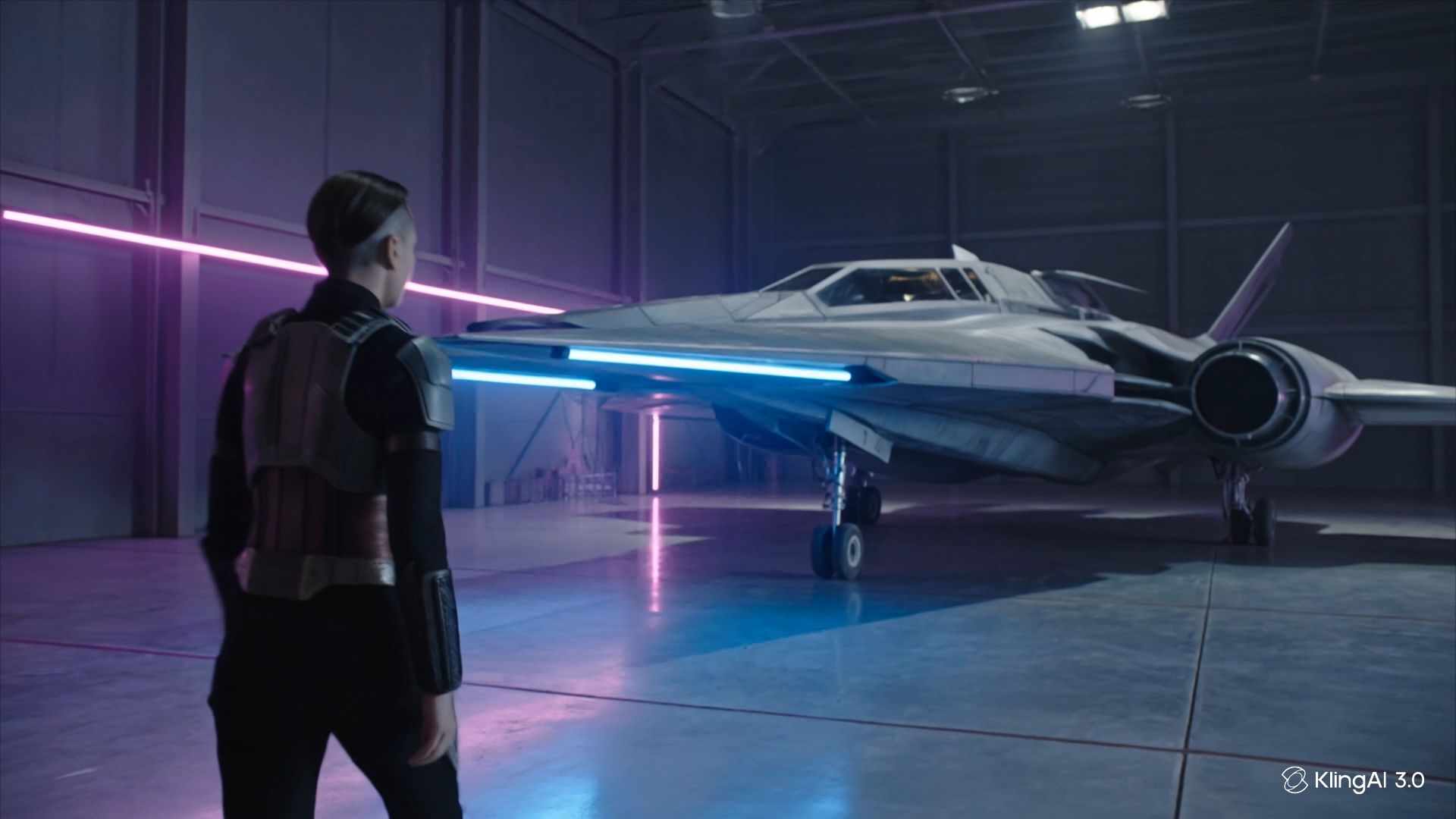  |
Cinematic Scene Coverage and Shot Control
Kling VIDEO 3.0 series is designed to understand cinematic language in prompts, including scene coverage, dialogue flow, camera angle changes, and shot composition.
Professional Camera Coverage
Multi-Shot can support common storytelling structures such as:
● Shot-Reverse-Shot Dialogue: Move between characters in a conversation while preserving the relationship between speakers.
● Cross-Cutting Dialogue: Shift between related actions or speakers across different shots to build narrative momentum.
● Voice-Over Structure: Keep a spoken line or narration connected to a changing visual sequence.
● Coordinated Camera Movement: Use movement instructions and composition changes to give each shot a clear visual role.
Prompt Adherence and Storyboard Control
The 3.0 series improves prompt adherence and gives creators more room for structured narrative. With up to 15 seconds of video and flexible duration from 3 to 15 seconds, a single generation can carry more action, character movement, and scene development.
Custom Multi-Shot Workflow
A strong Multi-Shot prompt should make the scene easy to understand. Start with the setting, characters, visual style, and the core story moment before breaking the sequence into shots.
● For each shot, describe the duration, framing, subject action, dialogue or voice-over, and camera movement. This gives the model a clearer structure for how the story should unfold.
● Keep the shot plan focused. Each shot should add a distinct visual or narrative beat rather than repeat the same information from a different angle.
● Use reference elements when the scene depends on a specific character, product, or prop. Subject references help preserve the traits of key elements as the camera angle or scene changes.
● When dialogue is part of the scene, identify which character is speaking and keep the line tied to that character. This is especially important in multi-character scenes.
The result is a more deliberate video sequence: each shot has a purpose, the pacing is easier to control, and the final output can present a complete story without fragmentary assembly.
Subject Consistency for Multi-Shot Scenes
Consistent characters and products are essential in a multi-shot sequence. The Kling VIDEO 3.0 series supports stronger subject consistency through element references, helping key subjects remain recognizable as the camera moves or the scene develops.
Creators can use image references, multi-image references, or supported video element references to anchor visual traits. These references help preserve details such as facial structure, clothing, product shape, and scene elements across shots.
For brand and product work, this consistency keeps the main subject legible throughout the sequence. A logo, package, or hero product can remain central even when the shot changes from a wider composition to a closer detail.
Elements | Prompt | Output |
|---|---|---|
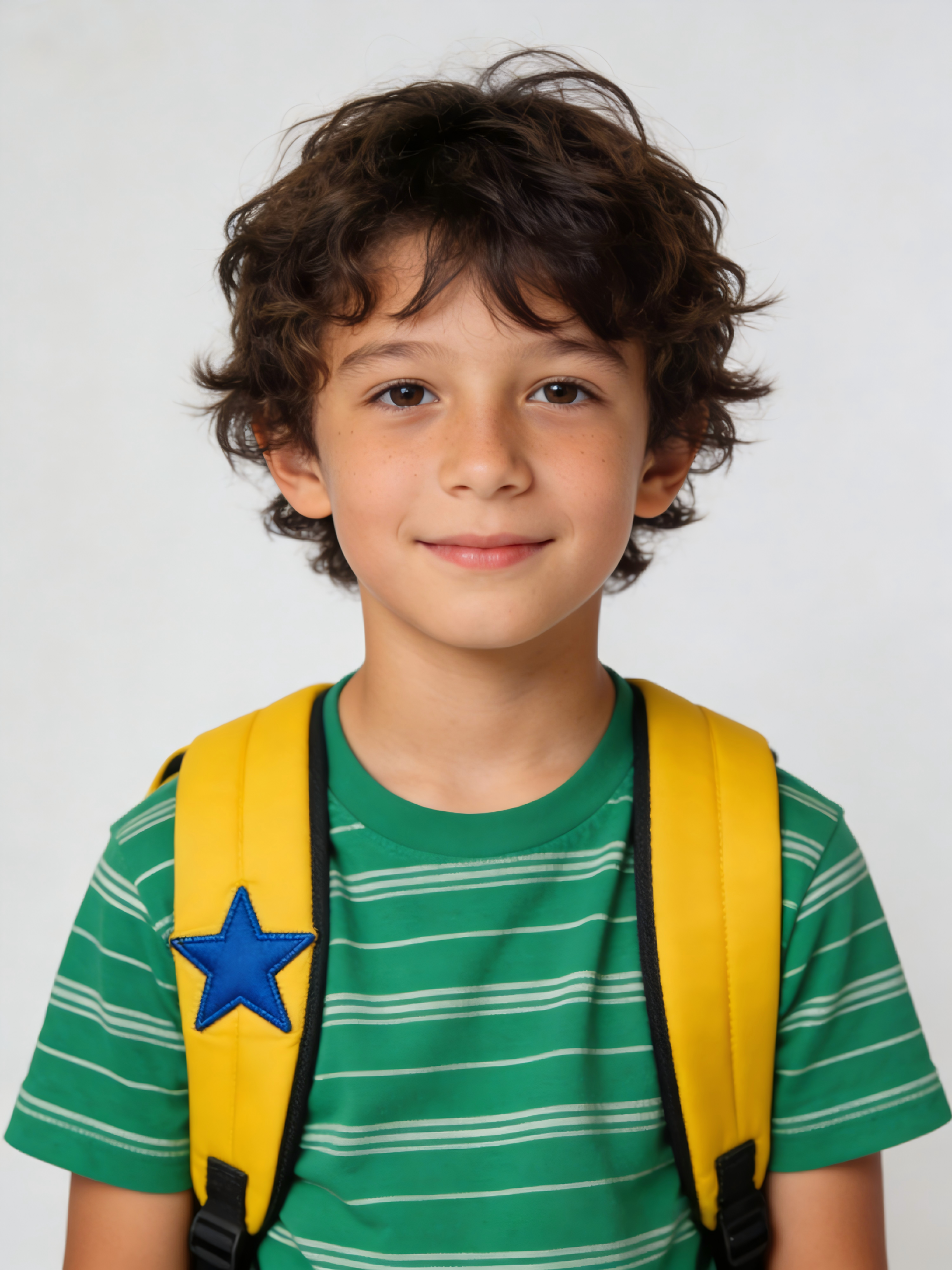 | The boy with the yellow star backpack is running through a dense green forest, then stops by a river. The backpack and his facial features remain identical in both environments. Cinematic lighting, 4K. | 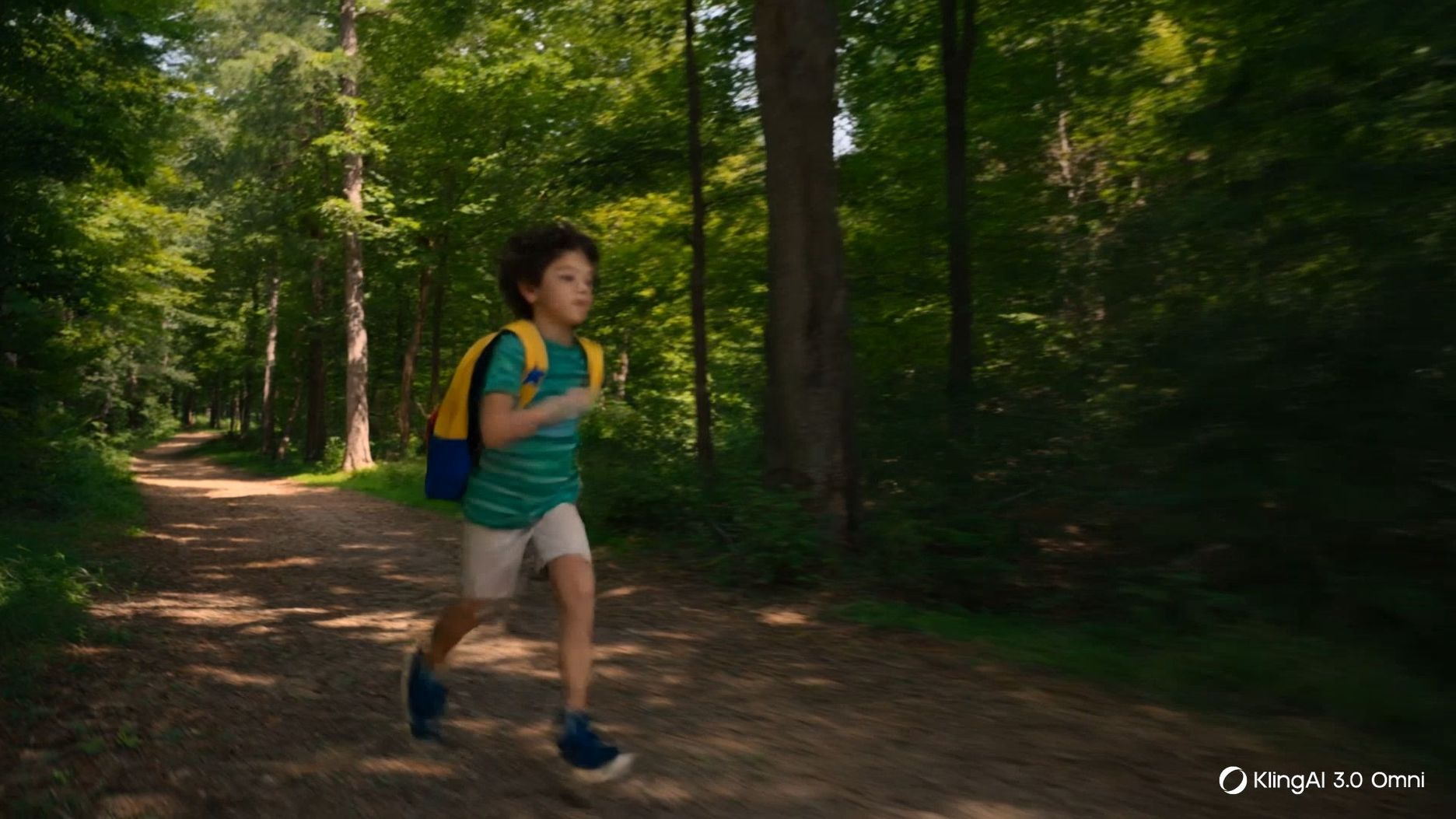 |
Best Practices for Multi-Shot Generation
For clearer Multi-Shot results, build the prompt around a shot plan rather than a loose description.
1. Define the Scene: Establish the setting, lighting, subject, and mood before the shot breakdown.
2. Write in Shot Order: Use a clear sequence such as Shot 1, Shot 2, and Shot 3, with duration where needed.
3. Specify Camera Coverage: State whether a shot is wide, medium, close-up, low angle, over-the-shoulder, or another intended framing.
4. Connect Characters and Dialogue: Name the speaker and keep dialogue attached to the right character.
5. Use References When Needed: Add element references for characters, products, props, or other subjects that must stay consistent.
Keep Each Beat Purposeful: Every shot should move the scene forward through action, emotion, information, or rhythm.
FAQs
Q1. What Is Multi-Shot in Kling VIDEO 3.0?
Multi-Shot is a Kling VIDEO 3.0 series capability that helps generate a structured video sequence with more than one shot inside a single creation. It reads scene coverage and shot information from the prompt, then adjusts camera angles and compositions to support cinematic storytelling.
Q2. How Does Custom Multi-Shot Improve Creative Control?
Custom Multi-Shot gives creators shot-level control over the structure of a sequence. A creator can specify details such as shot duration, framing, perspective, narrative content, and camera movement so each part of the video serves a defined story purpose.
Q3. Why Is Subject Consistency Important in Multi-Shot Videos?
Subject consistency keeps characters, objects, products, and scene elements recognizable across camera changes. Element references help the model preserve important visual traits so the viewer can follow the same subject throughout the sequence.
Q4. How Does 15-Second Flexible Duration Support Storytelling?
The Kling VIDEO 3.0 series supports video generation up to 15 seconds, with flexible duration from 3 to 15 seconds. That longer window gives creators more space for scene development, multi-shot pacing, dialogue, movement, and a clearer beginning-to-end structure.
Summary
Kling VIDEO 3.0 Multi-Shot gives creators a practical way to build cinematic sequences with clearer shot coverage, stronger prompt adherence, and more controllable story flow. With Custom Multi-Shot, subject consistency controls, and up to 15 seconds of flexible generation, creators can shape a complete multi-shot video inside a single creation workflow.