Creative Studio
API
Resources
Features
About Us
Download

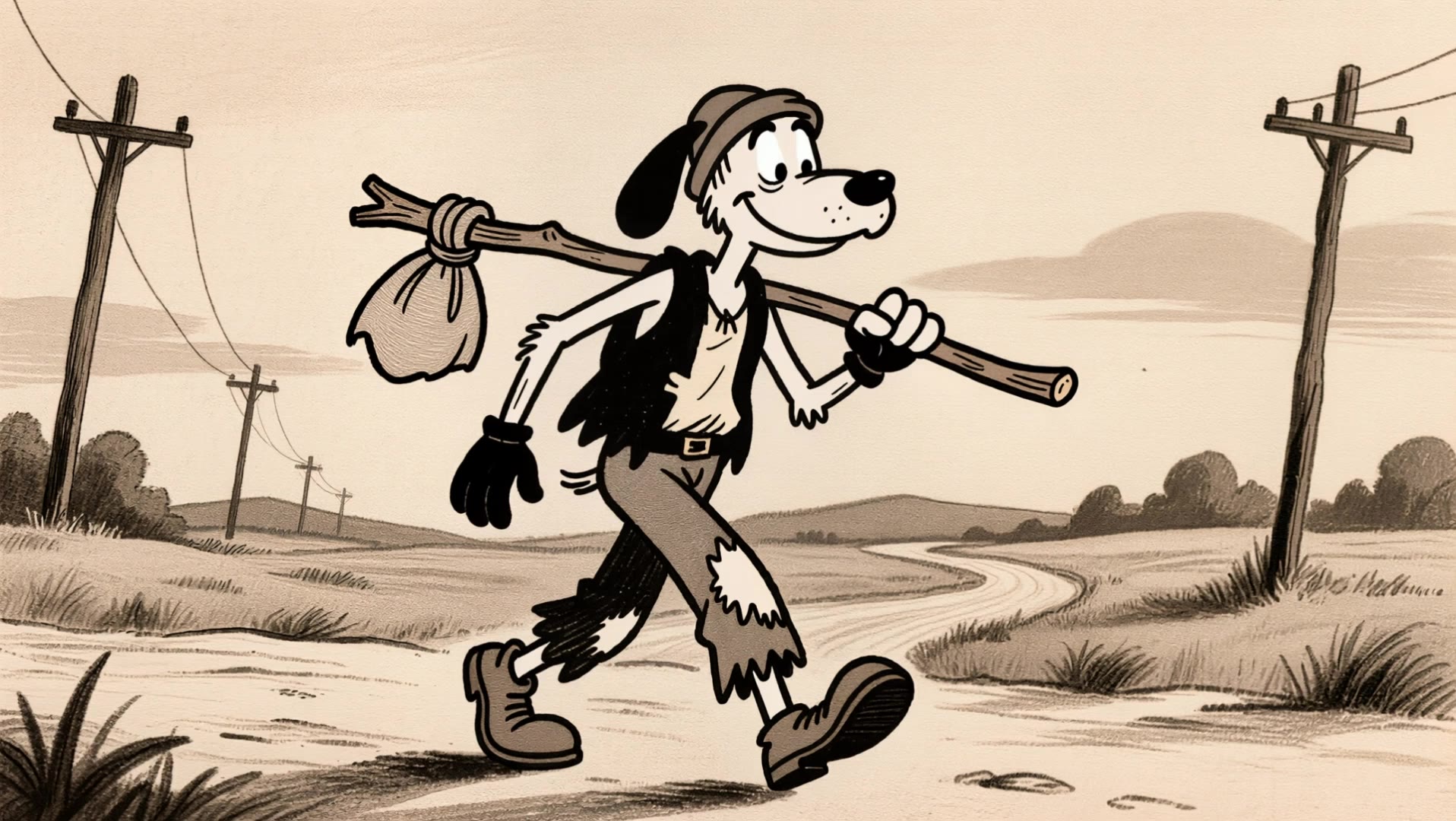
1950s cartoon style - Graffiti patterns & vintage fashion

Immerse in nostalgic 1950s cartoon style with vibrant graffiti patterns and playful, expressive characters exuding cheerful energy. Envision spy cats, confident foxes, and charming vintage-dressed women capturing the era's unique blend of whimsy and elegance. Start exploring 1950s cartoon style ideas and generate your own content with AI.

1950s cartoon style - Graffiti patterns & vintage fashion

Recommended

The Golden Age Groove - 1950s cartoon style AI video
Nagoyan avatar
Nagoyan
Old style chromatic cartoon Loop - 1950s cartoon style AI video
Robert Sweeney  avatar
Robert Sweeney
Kling AI work 298588179656098 - 1950s cartoon style AI image
Blue 💙 avatar
Blue 💙
Tequeños congelados test1 - 1950s cartoon style AI video
EwrugcKI avatar
EwrugcKI
Metalic 1950's - 1950s cartoon style AI image
Mord Kai avatar
Mord Kai
Kling AI work 299209935652819 - 1950s cartoon style AI image
Auditty avatar
Auditty
Kling AI work 313443852612005 - 1950s cartoon style AI video
cOBgEija avatar
cOBgEija
A Nidhi Girl in Cartoon - 1950s cartoon style AI image
savitakanwar23889pos avatar
savitakanwar23889pos
Kling AI work 298628149653835 - 1950s cartoon style AI image
Blue 💙 avatar
Blue 💙
Kling AI work 314869581662941 - 1950s cartoon style AI video
yhUQrSet avatar
yhUQrSet
Teddy (TED?) and Doug 2.0 - 1950s cartoon style AI video
ipandi avatar
ipandi
Kling AI work 312941156502435 - 1950s cartoon style AI video
YDFwFgOu avatar
YDFwFgOu
Kling AI work 311451780615836 - 1950s cartoon style AI image
Forever Rockin avatar
Forever Rockin
Hippie walking sandy beach - 1950s cartoon style AI image
Temmokan avatar
Temmokan
Kling AI work 307645083536083 - 1950s cartoon style AI video
WiOixenJ avatar
WiOixenJ
Kling AI work 317162462617502 - 1950s cartoon style AI video
HrSGmvFU avatar
HrSGmvFU
Kling AI work 296167606663309 - 1950s cartoon style AI image
GemJam001 avatar
GemJam001
Couple Cartoon Fantasy - 1950s cartoon style AI image
331.ヅ avatar
331.ヅ
Turn into classic cartoon style - 1950s cartoon style AI image
wgOtlPqY avatar
wgOtlPqY

How to Edit a Photo with Kling AI

Upload Your Photo

Upload Your Photo

Start with a clear photo. Add a reference image when you have a particular replacement, background, or style in mind.

Tell Kling What to Change

Tell Kling What to Change

Enter a clear text prompt, explaining what should change and what should stay the same. Kling applies the edit to the photo with AI directly, without layers or complex manual steps.

Review and Fine-Tune

Review and Fine-Tune

Check the result and the areas that matter most. When one detail needs more work, update the prompt for that area instead of starting over. Download the finished image and share it.

Create Better Backgrounds with AI

Keep the Subject When Changing Backgrounds

Keep the Subject When Changing Backgrounds

Put a person or product somewhere new without intentionally redesigning what is already working. Tell Kling IMAGE 3.0 which facial details, clothing, product shapes, materials, colors, or other features should stay familiar, then focus your prompt on the world around them.

Bring Your Art Direction into the Background

Bring Your Art Direction into the Background

When you already have a look in mind, show Kling instead of trying to describe every detail from scratch. IMAGE 3.0 supports up to 10 reference images, so you can bring in visuals for the setting, composition, color palette, props, or overall style and explain how you want each reference to influence the result.

Change the Whole Scene or Just One Detail

Change the Whole Scene or Just One Detail

A new background does not always mean starting over with the entire setting. Replace the full scene, or make a smaller change such as adding an object, removing a distraction, changing a surface, or reworking one part of the environment while leaving the rest closer to the original image.

Apps

Image to Video
Image to Video

Image to Video

Text to Video
Text to Video

Text to Video

Omni
Omni

Omni

Digital Human
Digital Human

Digital Human

Restyle
Restyle

Restyle

Text to Image
Text to Image

Text to Image

60M+
60M+
Users
600M+
600M+
AI Videos Generated
4.7 ★
4.7 ★
App Store
Industry-Leading
Industry-Leading
Cinematic 4K

Reviews

Jyo John Mulloor

Jyo John Mulloor

★★★★★

Kling AI has been instrumental in transforming my creative workflow, unlocking new dimensions of artistic expression that were once unimaginable. I use Kling AI extensively to develop high-concept visuals, animate surreal dreamscapes, and create AI-assisted films that blur the line between reality and fantasy. Kling AI’s deep learning capabilities have not only enhanced my creative efficiency but also inspired me to explore storytelling in ways I never thought possible.

James Phillips

James Phillips

★★★★★

Kling AI has transformed my workflow by collapsing timelines and democratizing production. It’s shifted my mindset from resource-dependent filmmaking to a boundless creative sandbox, where experimentation yields unexpected beauty.

KakuDrop

KakuDrop

★★★★★

I have successfully collaborated with world-renowned artists and well-known companies that are recognized globally

FAQ

Q1What is an AI image background remover?
Q2Does removing the background reduce image quality?
Q3Can I use a reference image for a new background?

Create a Whole New Look from One Photo

Swap outfits, mix references, and explore new styles with IMAGE 3.0 Omni. Keep the person recognizable and let new clothing blend naturally into the original photo.