Creative Studio
API
Resources
Features
About Us
Download

2026 phone wallpaper ideas – Kling AI inspirations

Discover AI-generated 2026 phone wallpapers by Kling AI. Get futuristic, customizable wallpapers quickly for your device.

2026 phone wallpaper ideas – Kling AI inspirations

Recommended

Kling AI work 316055105665953 - 2026 phone wallpaper AI image
Dreaming avatar
Dreaming
Elite Creator
Kling AI work 308855324505863 - 2026 phone wallpaper AI image
YAEDnkOg avatar
YAEDnkOg
Kling AI work 309379297616914 - 2026 phone wallpaper AI image
KgSMpvBe avatar
KgSMpvBe
Kling AI work 298597029656139 - 2026 phone wallpaper AI video
ThePinkPearl avatar
ThePinkPearl
Kling AI work 306590643665630 - 2026 phone wallpaper AI image
Mic avatar
Mic
Kling AI work 310749546665555 - 2026 phone wallpaper AI image
sn00pz avatar
sn00pz
Kling AI work 297281155521309 - 2026 phone wallpaper AI image
LCKQpRRL avatar
LCKQpRRL
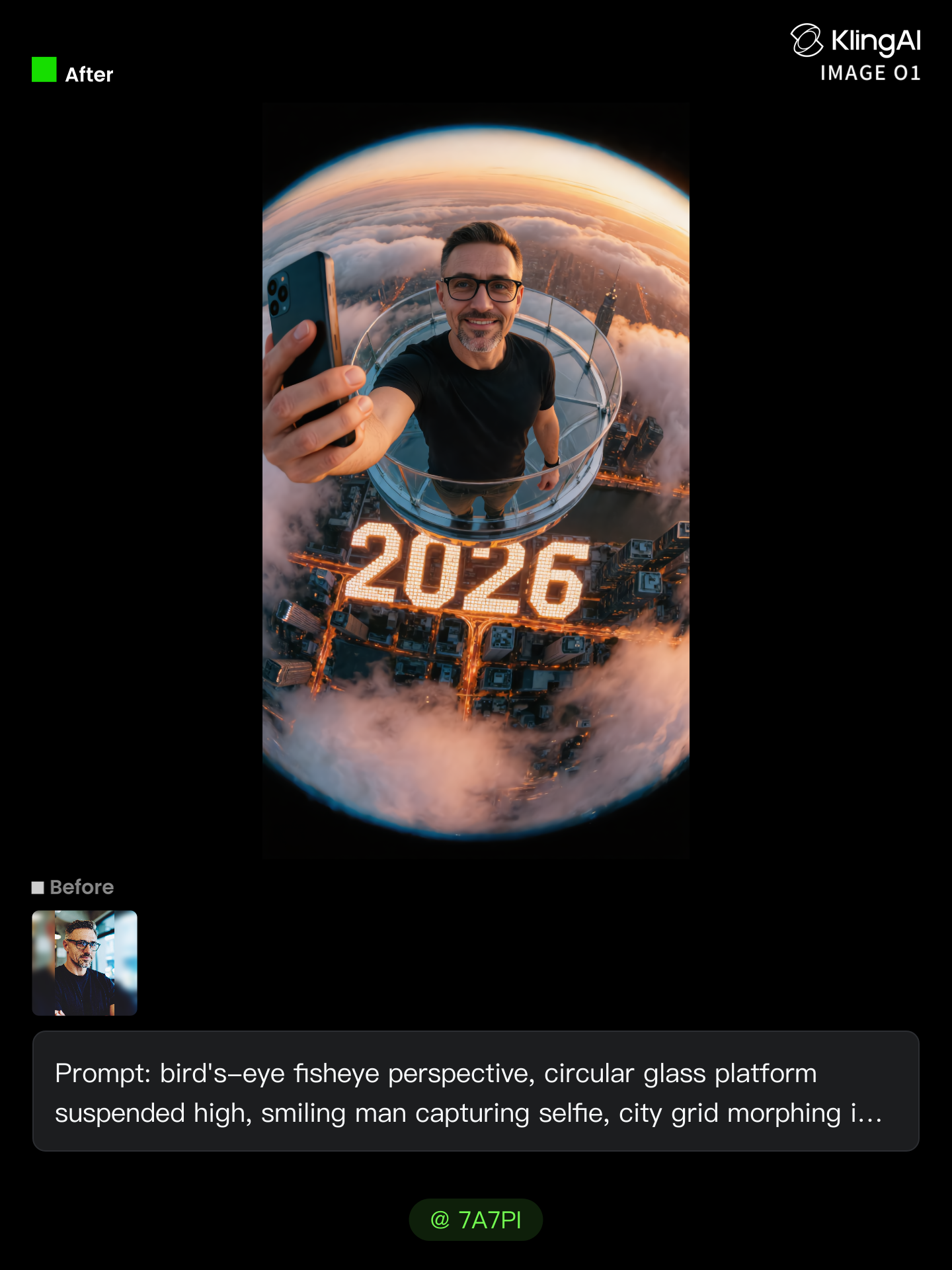
Happy New Year 2026 - 2026 phone wallpaper AI image
7A7PI avatar
7A7PI
Elite Creator
Kling AI work 312288007661930 - 2026 phone wallpaper AI image
klFeAEXq avatar
klFeAEXq
2026 - 2026 phone wallpaper AI image
Fotochydo avatar
Fotochydo
"Smartphone wallpaper format" - 2026 phone wallpaper AI image
CENCgEKU avatar
CENCgEKU
Happy 2026, or something - 2026 phone wallpaper AI video
My_AI_Fails avatar
My_AI_Fails
Kling AI work 310972006522352 - 2026 phone wallpaper AI image
QpOULOuw avatar
QpOULOuw
Kling AI work 311683021503857 - 2026 phone wallpaper AI image
aVHklzIU avatar
aVHklzIU
Kling AI work 297281341665040 - 2026 phone wallpaper AI image
LCKQpRRL avatar
LCKQpRRL
Kling AI work 321310297668422 - 2026 phone wallpaper AI image
CENCgEKU avatar
CENCgEKU
Kling AI work 312154842663009 - 2026 phone wallpaper AI image
TrizOprOd avatar
TrizOprOd
Kling AI work 310749683503972 - 2026 phone wallpaper AI image
sn00pz avatar
sn00pz
Kling AI work 297281345526785 - 2026 phone wallpaper AI image
LCKQpRRL avatar
LCKQpRRL

How to Use Kling AI Text to Speech

Step 1: Enter the Video Generation Workspace

Step 1: Enter the Video Generation Workspace

Edit your prompt to set the scene, characters, and style, or upload a reference image to shape the look of your video.

Step 2: Add Dialogue and Speech Instructions

Step 2: Add Dialogue and Speech Instructions

Add dialogue to your prompt and clearly specify which character speaks each line. You can also describe the language or dialect, speaking pace, tone, and delivery style in the prompt to guide how each character sounds.

Step 3: Choose Your Settings and Generate

Step 3: Choose Your Settings and Generate

Choose your resolution (720p, 1080p, or 4K), video length (3–15 seconds), and aspect ratio (16:9, 9:16, or 1:1). Then click Generate to create your video.

Repair, Refine, and Restore Old Photos

Restore Multiple Types of Photo Damage with AI

Restore Multiple Types of Photo Damage with AI

Kling AI helps restore old photos affected by scratches, dust, stains, creases, faded areas, and other visible signs of aging. Describe the restoration you want with natural language prompts and improve multiple types of damage in one workflow while keeping the original image structure consistent.

Preserve Faces and Original Visual Identity

Preserve Faces and Original Visual Identity

When restoring old portrait photos, keeping people recognizable is essential. Kling AI uses your uploaded photo as a visual reference to help preserve facial features, expressions, clothing details, and original composition, keeping the restored result closely connected to the original image.

Generate a Higher-Resolution Restored Version

Generate a Higher-Resolution Restored Version

Use IMAGE 3.0 Omni to generate restored photos with 2K or 4K high-resolution output. Higher-resolution images provide clearer details, smoother total transitions, and richer textures for family archives, photo books, digital collections, large displays, and high-quality printing.

Apps

Image to Video
Image to Video

Image to Video

Text to Video
Text to Video

Text to Video

Omni
Omni

Omni

Digital Human
Digital Human

Digital Human

Restyle
Restyle

Restyle

Text to Image
Text to Image

Text to Image

60M+
60M+
Users
600M+
600M+
AI Videos Generated
4.7 ★
4.7 ★
App Store
Industry-Leading
Industry-Leading
Cinematic 4K

Reviews

Huang Lu (Elson)

Huang Lu (Elson)

★★★★★

I’ve been using Kling AI since its initial release, and it’s remained one of the leading AI media generators ever since. With Kling AI, I’ve created hundreds of videos, collectively amassing millions of views.

Jyo John Mulloor

Jyo John Mulloor

★★★★★

Kling AI has been instrumental in transforming my creative workflow, unlocking new dimensions of artistic expression that were once unimaginable. I use Kling AI extensively to develop high-concept visuals, animate surreal dreamscapes, and create AI-assisted films that blur the line between reality and fantasy. Kling AI’s deep learning capabilities have not only enhanced my creative efficiency but also inspired me to explore storytelling in ways I never thought possible.

Ozan Sihay

Ozan Sihay

★★★★★

Kling AI allows me to rapidly prototype ideas, refine storytelling elements, and produce visually compelling content efficiently. It has not only accelerated my creative processes, but also deepened my understanding of how AI can enrich visual storytelling.

FAQ

Q1How can I customize my AI character?
Q2What character styles can I create with Kling AI?
Q3What is an AI Character Generator?

Bring Your Characters to Life with AI Voices

Create natural voices from text with Kling AI. Turn character dialogue into expressive speech to create realistic character videos.

Native Audio | Multilingual Dialogue | Character Voice Control