
Creative Studio
API
Resources
Features
About Us
Download

Ad Image to Video – AI-Generated Transformations

Transform your ad images into videos with AI. Explore AI-generated ideas that bring your ads to life. Customize and adapt these AI results for unique video creations.

Ad Image to Video – AI-Generated Transformations

Recommended

Generate me a new video based on - ad image to video AI image
KMsXeeno avatar
KMsXeeno
my Fast  king  ai video - ad image to video AI video
HHriGBWm avatar
HHriGBWm
Kling AI work 310274844527761 - ad image to video AI video
vvQMnkwZ avatar
vvQMnkwZ
Creat Image, Image to Video - ad image to video AI video
00:10
KLING0990 avatar
KLING0990
Kling AI work 315549115661374 - ad image to video AI image
zXcxxKHA avatar
zXcxxKHA
LA REGINA — Official Music Video - ad image to video AI video
vpTUHPNy avatar
vpTUHPNy
ADVERT IMAGE  - ad image to video AI video
JvobGxzh avatar
JvobGxzh
Kling AI work 316096516666146 - ad image to video AI image
QzQYyapu avatar
QzQYyapu
 image 1 - ad image to video AI image
CXThSvTE avatar
CXThSvTE
"IMAGE to VIDEO" - ad image to video AI video
01:14
tinta.artificial avatar
tinta.artificial
Kling AI work 312548271667659 - ad image to video AI video
AhcEmIvM avatar
AhcEmIvM
do this as an video - ad image to video AI image
CRfdyBMQ avatar
CRfdyBMQ
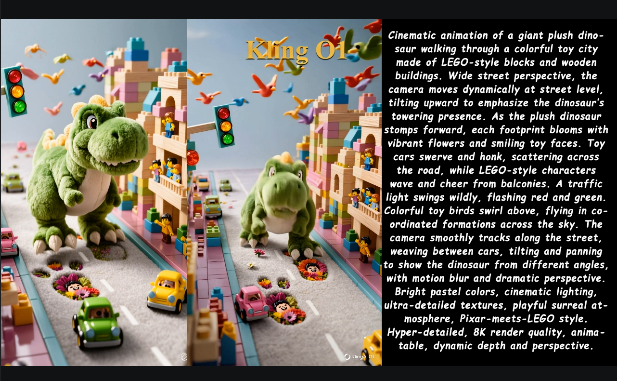
Kling O1: Image to Video - ad image to video AI video
01:14
tinta.artificial avatar
tinta.artificial
Kling AI work 314539486508321 - ad image to video AI image
xEgXqOMW avatar
xEgXqOMW
Kling AI work 308657253504364 - ad image to video AI image
lQoSUghm avatar
lQoSUghm
Kling AI work 296223780663649 - ad image to video AI image
qjhnllYW avatar
qjhnllYW
Image to video - ad image to video AI video
tKCRyKxK avatar
tKCRyKxK
Kling AI work 316244858610165 - ad image to video AI image
miichuu dhugaa avatar
miichuu dhugaa
image to video  - ad image to video AI video
QJhZiOWk avatar
QJhZiOWk

How to Enhance Video Quality in 4K

Upload Your Video

Upload Your Video

Upload a 3–10 second existing video to Kling VIDEO 3.0 Omni. Start with older footage, a family recording, a social clip, or a creative project you want to enhance.

Describe What You Want to Improve

Describe What You Want to Improve

Use a prompt to guide the changes you want to see. Refine lighting and color, adjust the composition or overall look, or ask for clearer visual detail while keeping your original video as the starting point.

Choose 4K and Generate

Choose 4K and Generate

Select 4K as the output resolution, then generate your enhanced video. Once generation is complete, download the result. The output setting determines the resolution, while your prompt guides the visual changes.

Create Richer Text to Speech Experiences with Kling AI

Generate Video with Native Audio

Generate Video with Native Audio

Create the visuals, dialogue, and sound together, with the voice included from the start. Add your script or character lines to the prompt, and Kling VIDEO 3.0 Omni generates spoken dialogue as part of the same video. This brings AI text to speech directly into the video generation process for conversations, narrated scenes, character stories, and more.

Match Every Voice to the Right Character

Match Every Voice to the Right Character

Create conversations with several characters and keep each line connected to the intended speaker. Multi-Character Coreference helps Kling VIDEO 3.0 keep each line with the intended speaker, even when three or more characters appear in the same scene. Use it for interviews, group conversations, and story scenes where several characters need to speak.

Reach More Audiences in More Languages

Reach More Audiences in More Languages

Create dialogue in Chinese, English, Japanese, Korean, and Spanish with Multilingual Content Generation. Kling VIDEO 3.0 can switch between languages within the same video and supports a range of dialects and accents for more natural character speech. This makes it easier to adapt characters and dialogue for different regions and audiences.

Apps

Image to Video
Image to Video

Image to Video

Text to Video
Text to Video

Text to Video

Omni
Omni

Omni

Digital Human
Digital Human

Digital Human

Restyle
Restyle

Restyle

Text to Image
Text to Image

Text to Image

60M+
60M+
Users
600M+
600M+
AI Videos Generated
4.7 ★
4.7 ★
App Store
Industry-Leading
Industry-Leading
Cinematic 4K

Reviews

Ozan Sihay

Ozan Sihay

★★★★★

Kling AI allows me to rapidly prototype ideas, refine storytelling elements, and produce visually compelling content efficiently. It has not only accelerated my creative processes, but also deepened my understanding of how AI can enrich visual storytelling.

Jyo John Mulloor

Jyo John Mulloor

★★★★★

Kling AI has been instrumental in transforming my creative workflow, unlocking new dimensions of artistic expression that were once unimaginable. I use Kling AI extensively to develop high-concept visuals, animate surreal dreamscapes, and create AI-assisted films that blur the line between reality and fantasy. Kling AI’s deep learning capabilities have not only enhanced my creative efficiency but also inspired me to explore storytelling in ways I never thought possible.

PJ Ace

PJ Ace

★★★★★

Kling AI has made it easy for us to generate world class visuals for Fortune 500 companies, TV shows and music for big artists. We love the easy of use of the platform and the quality of the generations. My first time using Kling AI, I got 22 million views on just one video. It's that good.

FAQ

Q1Can I use this for anime or 3D characters?
Q2What makes a good reference video for Motion Control?
Q3Can I use the audio from the reference video?

Turn Your Ideas into Stunning Images

Create realistic images, character concepts, and creative artwork with Kling AI.

Free tier available | Reference images supported | High-quality output | Fast generation