Creative Studio
API
Resources
Features
About Us
Download

AI with KlingAI – Explore AI-Generated AI Ideas

Explore AI-generated AI ideas with KlingAI. Find quick and customizable AI inspiration for your projects.

AI with KlingAI – Explore AI-Generated AI Ideas

Recommended

kling saves humanity - ai kling ai AI video
medtkr avatar
medtkr
kling ai  - ai kling ai AI video
qOSCzkWK avatar
qOSCzkWK
Kling AI work 297225829508300 - ai kling ai AI image
TPHVZidD avatar
TPHVZidD
Kling AI work 296490196615781 - ai kling ai AI image
BunnyLOVE Studios avatar
BunnyLOVE Studios
super hero kling ai - ai kling ai AI video
medtkr avatar
medtkr
super hero kling ai - ai kling ai AI video
medtkr avatar
medtkr
created with Kling AI - ai kling ai AI video
00:17
VwppnZLs avatar
VwppnZLs
merry christmas kling ai family - ai kling ai AI video
hivetechmedia avatar
hivetechmedia
Kling AI Prompt:
Realistic hair  - ai kling ai AI image
pssEICto avatar
pssEICto
Kling AI without limits - ai kling ai AI video
KLING6928 avatar
KLING6928
Kling - ai kling ai AI video
00:23
kris_ai_arts avatar
kris_ai_arts
Elite Creator
kling - ai kling ai AI video
00:15
OKCrtAKg avatar
OKCrtAKg
Kling Ai is the best - ai kling ai AI video
00:33
oRsWyRYw avatar
oRsWyRYw
kling ai - ai kling ai AI video
nYDQIKuy avatar
nYDQIKuy
Luna just validated Kling 2.6 - ai kling ai AI video
Minuit avatar
Minuit
Elite Creator
Kling AI work 309810873617607 - ai kling ai AI image
BunnyLOVE Studios avatar
BunnyLOVE Studios
Kling ai is good
 - ai kling ai AI video
sPomeRcP avatar
sPomeRcP
Kling AI for B Roll next level! - ai kling ai AI video
00:53
DZYwXzXZ avatar
DZYwXzXZ
Kling AI work 296490196612788 - ai kling ai AI image
BunnyLOVE Studios avatar
BunnyLOVE Studios

How to Upscale Video to 4K with Kling AI

Upload Your Video

Upload Your Video

Upload the video you want to improve to Kling VIDEO 3.0 Omni. You can work with clips between 3 and 10 seconds, including lower-resolution, blurry, compressed, or AI-generated footage.

Describe the Result You Want

Describe the Result You Want

Enter a prompt for any changes you want alongside the upscale. You can ask for clearer detail or adjust lighting, color, atmosphere, background, and other visual elements while keeping the original footage as your starting point.

Generate Your 4K Video

Generate Your 4K Video

Select 4K as the output resolution and generate your new video. Review the result for clarity, detail, and subject appearance, then refine your prompt or references if you want another version.

Natural Face Swaps Without the Editing Hassle

Image Face Swap Without the Busywork

Image Face Swap Without the Busywork

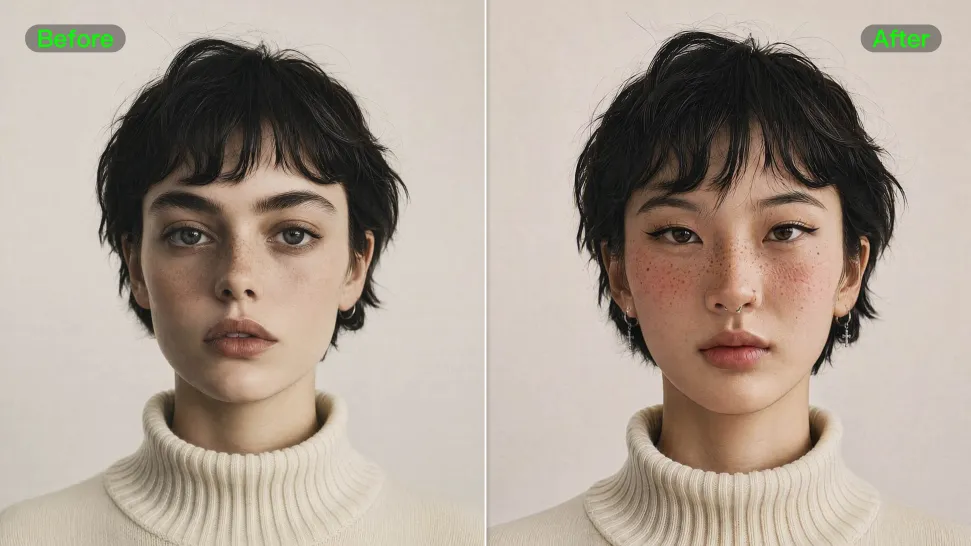
From portrait-style shots to playful creative images, Kling IMAGE 3.0 helps you create more natural and consistent face swaps. Add the photo you want to edit, provide a face reference, and tell Kling AI what you want to change. The edit can stay close to the original photo, helping the new face feel like part of the image rather than something added on top.
Keep the Same Face Across Angles and Shots

Keep the Same Face Across Angles and Shots

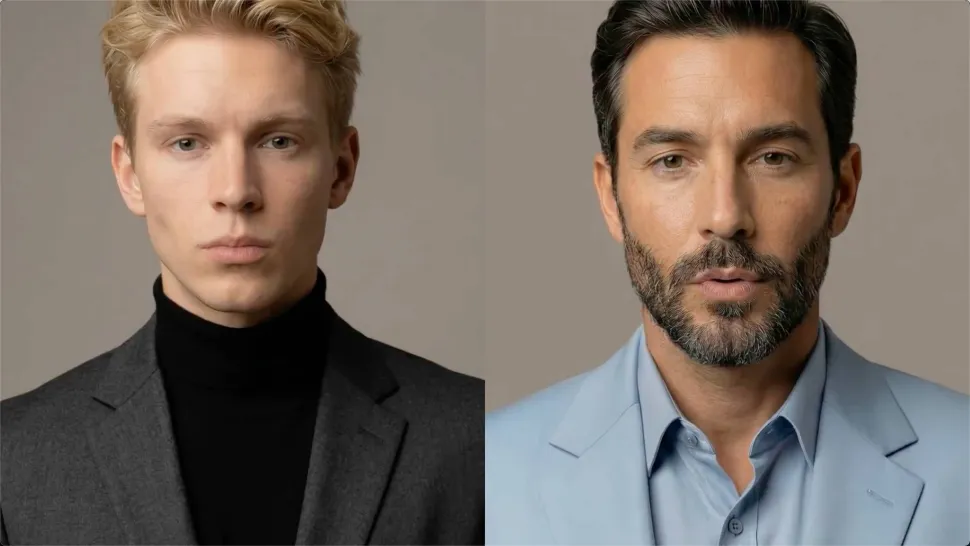
A single reference does not always show everything. Add multiple views or use a character element to give Kling AI more information about the person you want to preserve. Kling VIDEO 3.0 Omni uses those references to help maintain key identity features as the subject changes pose, the camera moves, or the scene shifts—especially useful for moving footage and multi-shot videos where consistency matters.
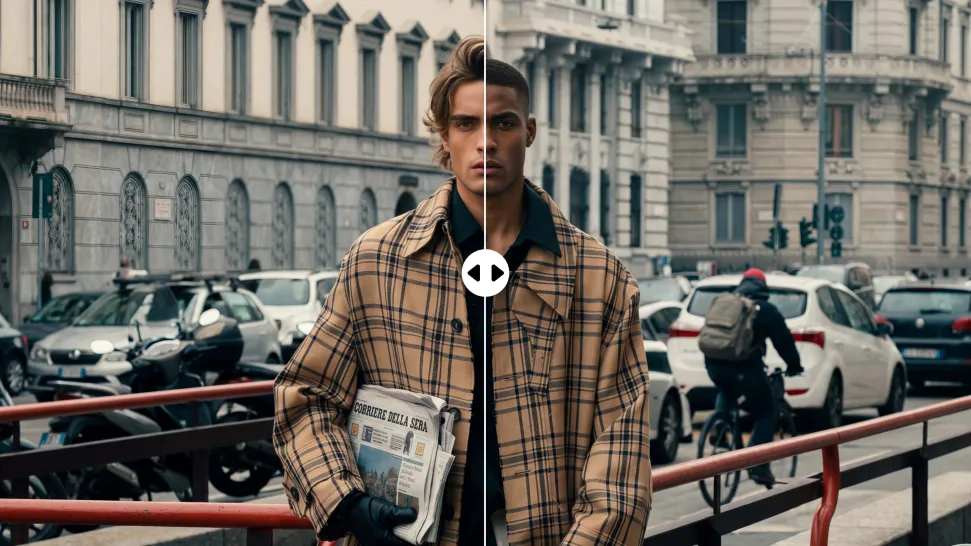
Change the Face, Keep the Scene

Change the Face, Keep the Scene

Swap the face, not the whole scene. Kling AI keeps the original lighting, mood, and overall look in place, helping the new face blend naturally into the shot while the setting and visual feel stay true to the original.

Apps

Image to Video
Image to Video

Image to Video

Text to Video
Text to Video

Text to Video

Omni
Omni

Omni

Digital Human
Digital Human

Digital Human

Restyle
Restyle

Restyle

Text to Image
Text to Image

Text to Image

60M+
60M+
Users
600M+
600M+
AI Videos Generated
4.7 ★
4.7 ★
App Store
Industry-Leading
Industry-Leading
Cinematic 4K

Reviews

Huang Lu (Elson)

Huang Lu (Elson)

★★★★★

I’ve been using Kling AI since its initial release, and it’s remained one of the leading AI media generators ever since. With Kling AI, I’ve created hundreds of videos, collectively amassing millions of views.

Déborah

Déborah

★★★★★

I use Kling AI every day. It's amazing to see the almost daily progress it makes. I used AI for fun at first, and I now find that Kling AI's animations allow me to gain professional visibility, with three times more views on my animated posts than on my static posts.

Vincent Smadja

Vincent Smadja

★★★★★

Kling AI seamlessly integrates into my creative workflow, playing a key role in transforming my images. After generating and upscaling an image, Kling becomes a crucial element, bringing my creations to life with movement and depth.

FAQ

Q1Is a video enhancer the same as a video upscaler?
Q2What can I change with text prompts?
Q3Can an AI video quality enhancer improve blurry or low-resolution footage?

Bring Your Old Photos Back to Life

Use the photo you already have as the starting point. Repair visible damage, improve faded areas, guide familiar faces with references, and create a higher-resolution version when you need it.