Creative Studio
API
Resources
Features
About Us
Download

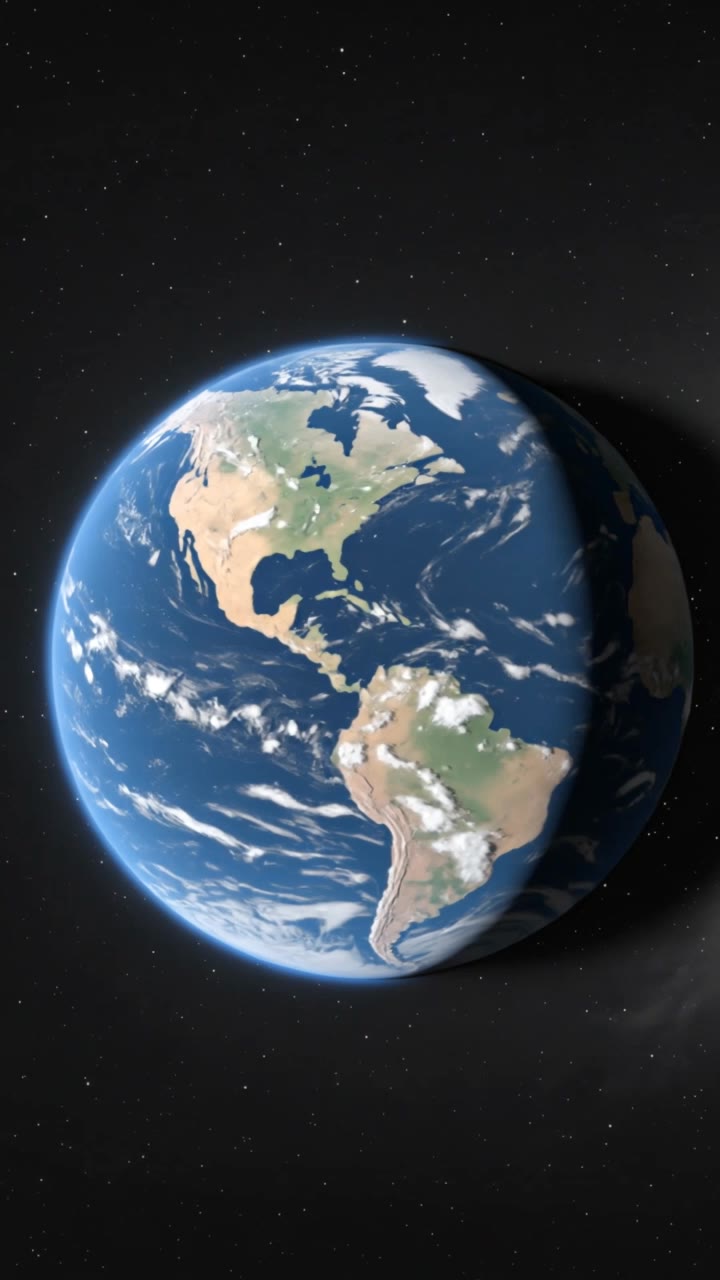
earth template - RotatingEarth & MacroMiniatures

Embrace the cosmic beauty of a rotating, lush Earth globe and the surreal charm of ultra-macro Earth miniatures transforming into cosmic jam. Start exploring earth template ideas and generate your own content with AI.

earth template - RotatingEarth & MacroMiniatures

Recommended

Earth from apocalyptic space - earth template AI image
MOMO -KLING avatar
MOMO -KLING
Glowing dark planet Earth - earth template AI video
qmbJwyIJ avatar
qmbJwyIJ
Earth viewed from space, realist - earth template AI video
CDWLvROe avatar
CDWLvROe
Earth from space at night - earth template AI image
VMDesign avatar
VMDesign
Earth from space. Natural. - earth template AI video
EDGENTERTAINMENT avatar
EDGENTERTAINMENT
Earth Godess - earth template AI video
Ivy Oshun avatar
Ivy Oshun
Peace on earth - earth template AI video
Amia Calavel avatar
Amia Calavel
Earth Zoom In - earth template AI video
Earth Zoom In
cypnMFYh avatar
cypnMFYh
Kling AI work 314242352612427 - earth template AI image
opnxKqZW avatar
opnxKqZW
Earth from space at night - earth template AI image
VMDesign avatar
VMDesign
earth spinning - earth template AI video
jLbZgBzf avatar
jLbZgBzf
Gothic Letter Avatar - earth template AI image
331.ヅ avatar
331.ヅ
Earth - earth template AI video
00:10
dgWDtGJc avatar
dgWDtGJc
Planet Earth viewed from space - earth template AI video
qmbJwyIJ avatar
qmbJwyIJ
template  - earth template AI video
QyoyJVPb avatar
QyoyJVPb

How to Extend an Image with AI

Step 1: Upload and Describe

Step 1: Upload and Describe

Upload the image you want to expand, such as a portrait, product photo, landscape, or social media visual. Use a text prompt to specify which side to extend and what should appear in the new area, such as more sky, scenery, or background details, while keeping the main subject unchanged.

Step 2: Choose the Output Settings and Generate

Step 2: Choose the Output Settings and Generate

Choose the image ratio, number of outputs, and resolution, then generate your extended image. Creating multiple versions makes it easier to compare the results and choose your favorite.

Step 3: Expand Your Image with Image Expansion

Step 3: Expand Your Image with Image Expansion

Open the Image Expansion workflow when you want a dedicated way to extend an existing image. Upload your source image, describe what should appear beyond the original frame, choose from the available output settings, and generate the expanded result.

Choose the Right Voice Workflow

Add New Audio to an Existing Video

Add New Audio to an Existing Video

Use the dedicated Lip Sync tool when your character video is already created. Upload a voiceover or song, or generate speech from text, then match the new audio to the character’s mouth movements.

Generate Dialogue with the Scene

Generate Dialogue with the Scene

Starting from scratch? Kling VIDEO 3.0 and VIDEO 3.0 Omni create dialogue, lip movement, visuals, sound effects, and ambience together. Native Audio supports Chinese, English, Japanese, Korean, and Spanish.

Keep Character and Voice Consistent

Keep Character and Voice Consistent

Create a reusable Character Element from images or a video, bind a voice tone, and carry the same appearance and voice into new scenes with VIDEO 3.0 Omni.

Apps

Image to Video
Image to Video

Image to Video

Text to Video
Text to Video

Text to Video

Omni
Omni

Omni

Digital Human
Digital Human

Digital Human

Restyle
Restyle

Restyle

Text to Image
Text to Image

Text to Image

60M+
60M+
Users
600M+
600M+
AI Videos Generated
4.7 ★
4.7 ★
App Store
Industry-Leading
Industry-Leading
Cinematic 4K

Reviews

KakuDrop

KakuDrop

★★★★★

I have successfully collaborated with world-renowned artists and well-known companies that are recognized globally

Ozan Sihay

Ozan Sihay

★★★★★

Kling AI allows me to rapidly prototype ideas, refine storytelling elements, and produce visually compelling content efficiently. It has not only accelerated my creative processes, but also deepened my understanding of how AI can enrich visual storytelling.

James Phillips

James Phillips

★★★★★

Kling AI has transformed my workflow by collapsing timelines and democratizing production. It’s shifted my mindset from resource-dependent filmmaking to a boundless creative sandbox, where experimentation yields unexpected beauty.

FAQ

Q1What makes Kling IMAGE 3.0 different from other text-to-image tools?
Q2Can I use reference images with Kling AI?
Q3Can I use Kling AI-generated images commercially?

Your Next Visual Starts Here

Start with a sentence, a sketch, or a reference photo. Shape the composition, dial in the details, and keep iterating in Kling AI.

Free tier available | Text-to-image | Image-to-image | Fast generation