Creative Studio
API
Resources
Features
About Us
Download

gem clip art - modern art & pop art vector illustration

Immerse in a world where modern art meets gem-inspired creativity, featuring elegant illustrations and vibrant designs. Unleash your imagination with unique gem clip art ideas that blend bold aesthetics and intricate details. Start exploring gem clip art ideas and generate your own content with AI.

gem clip art - modern art & pop art vector illustration

Recommended

Kling AI work 309002212502508 - gem clip art AI video
🎀librakoreaa♎️ avatar
🎀librakoreaa♎️
Kling AI work 308802452664642 - gem clip art AI image
DestinySpell avatar
DestinySpell
Kling AI work 312416434618061 - gem clip art AI image
mmDEHGYB avatar
mmDEHGYB
GGD Logo - gem clip art AI video
tMNOBPGu avatar
tMNOBPGu
Kling AI work 311903510613264 - gem clip art AI video
TheRemedy avatar
TheRemedy
Kling AI work 315815356500609 - gem clip art AI video
iZGyjqwr avatar
iZGyjqwr
Its a clip generated usingkling - gem clip art AI video
ccEEuIvO avatar
ccEEuIvO
Kling AI work 319754029521209 - gem clip art AI video
aGdhihpl avatar
aGdhihpl
Kling AI work 300324806501728 - gem clip art AI video
RedLineReelz avatar
RedLineReelz
Kling AI work 314683517668979 - gem clip art AI video
xAQebvLZ avatar
xAQebvLZ
Alien Genstone - gem clip art AI video
ugmbwuOb avatar
ugmbwuOb
Gem setting  - gem clip art AI video
00:08
gpxdeMFy avatar
gpxdeMFy
Art Noveau  - gem clip art AI image
EvelinevanHoek avatar
EvelinevanHoek
Art - gem clip art AI video
xSdfiQsG avatar
xSdfiQsG
GDO Logo - gem clip art AI video
tMNOBPGu avatar
tMNOBPGu
Alchemy - gem clip art AI video
Tetractys avatar
Tetractys
Kling AI work 313816598505287 - gem clip art AI image
Mitzins avatar
Mitzins
Conceptual art  - gem clip art AI video
rYeRcdhE avatar
rYeRcdhE

How to Make a Profile Picture with Kling AI

Start with a Photo You Like

Start with a Photo You Like

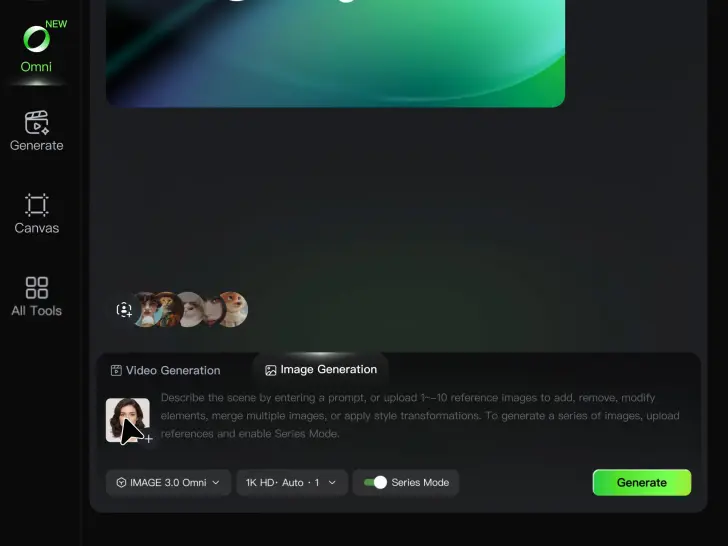
Upload a selfie or portrait where your face and the details you care about are easy to see. It does not need to look like a studio headshot—the photo is simply your starting point.

Describe Your Ideas

Describe Your Ideas

Going for a cleaner work profile? A brighter social photo? Something more creative for YouTube or gaming? Describe the background, expression, lighting, framing, or overall style you want, and mention anything you would rather leave unchanged.

Pick Your Favorite PFPs

Pick Your Favorite PFPs

Choose your preferred aspect ratio and output settings, then generate your profile picture. Review the results and select the version that best fits your professional profile, social account, YouTube channel, or gaming community.

Make Avatars Perform, Not Just Speak

More Choice, Without Losing Consistency

More Choice, Without Losing Consistency

Start with a preset avatar, select a character from your Kling AI Assets, upload an image of your own, or create someone new with AI Image. Use a polished presenter for a product demo, a creator-style host for an ad, or a more stylized character when the idea calls for it. For recurring content, save the character with the voice and performance settings you use most. The same on-screen identity is ready for the next script, without putting the setup together again.
Give Each Script the Right Delivery

Give Each Script the Right Delivery

Use a finished voiceover when the delivery is already in place, or start with written copy and choose a text-to-speech voice. Adjust the pace and emotional tone so a product pitch feels confident, a lesson stays clear, and social content can take on more energy. You can write your own performance direction or use one of Kling AI’s suggestions for the selected character. The same avatar can also deliver content in English, Chinese, Japanese, or Korean while keeping a familiar appearance on screen.
Let Movement Carry the Message

Let Movement Carry the Message

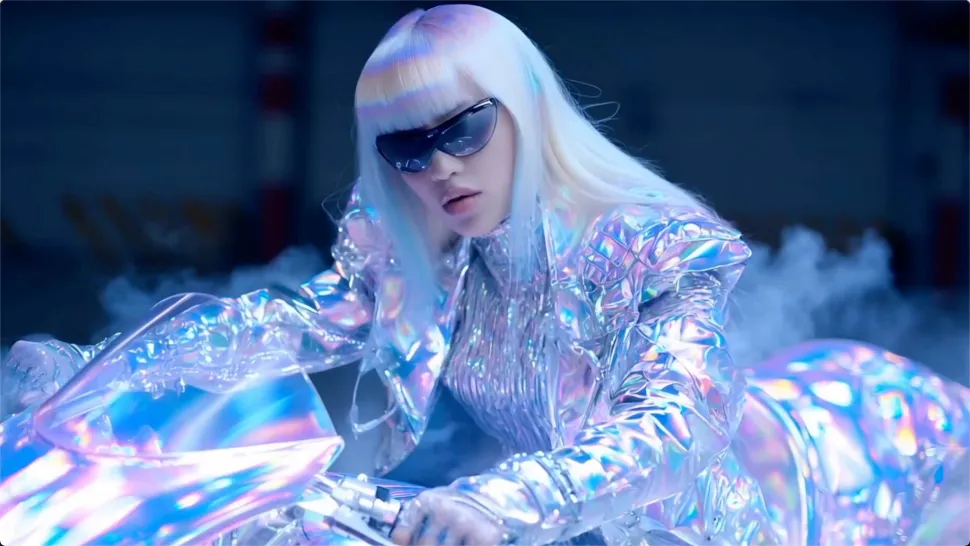
Natural lip sync is only part of the performance. An avatar can point to a product, handle an object, gesture through an explanation, react to the words, or move with the rhythm of a song. Avatar 2.0 improves hand stability and overall action quality, so the movement supports the scene instead of drawing attention away from it. Voice, expression, and body language come together as one performance—not a still image with audio layered over it.

Apps

Image to Video
Image to Video

Image to Video

Text to Video
Text to Video

Text to Video

Omni
Omni

Omni

Digital Human
Digital Human

Digital Human

Restyle
Restyle

Restyle

Text to Image
Text to Image

Text to Image

60M+
60M+
Users
600M+
600M+
AI Videos Generated
4.7 ★
4.7 ★
App Store
Industry-Leading
Industry-Leading
Cinematic 4K

Reviews

Déborah

Déborah

★★★★★

I use Kling AI every day. It's amazing to see the almost daily progress it makes. I used AI for fun at first, and I now find that Kling AI's animations allow me to gain professional visibility, with three times more views on my animated posts than on my static posts.

Ozan Sihay

Ozan Sihay

★★★★★

Kling AI allows me to rapidly prototype ideas, refine storytelling elements, and produce visually compelling content efficiently. It has not only accelerated my creative processes, but also deepened my understanding of how AI can enrich visual storytelling.

Halim Alrasihi

Halim Alrasihi

★★★★★

I use AI daily and Kling AI is a crucial part of my workflow, whether for client work or personal projects. What I love most about using Kling AI is that it provides all the tools I need in one place, from keyframes to character references, elements and special effects.

FAQ

Q1What makes Kling IMAGE 3.0 different from other text-to-image tools?
Q2Can I use reference images with Kling AI?
Q3Can I use Kling AI-generated images commercially?

Your Next Visual Starts Here

Start with a sentence, a sketch, or a reference photo. Shape the composition, dial in the details, and keep iterating in Kling AI.

Free tier available | Text-to-image | Image-to-image | Fast generation