Creative Studio
API
Resources
Features
About Us
Download

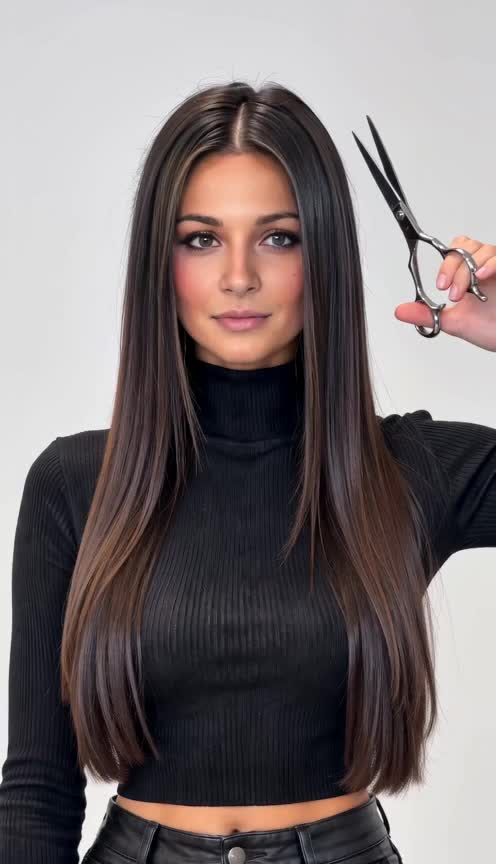
hair color tester - color transitions & dynamic visual illusions

Experience vibrant transformations with our geometric color grid and witness the magic of slomo dancing in color. Start exploring hair color tester ideas and generate your own content with AI.


hair color tester - color transitions & dynamic visual illusions

Recommended

Kling AI work 316044399611772 - hair color tester AI image
qgtjJmKs avatar
qgtjJmKs
Kling AI Prompt:
Realistic hair  - hair color tester AI image
pssEICto avatar
pssEICto
Hair transformation 💫 - hair color tester AI video
00:10
EHHlNAir avatar
EHHlNAir
Hair butter  - hair color tester AI video
aCmwkHAX avatar
aCmwkHAX
Tester - hair color tester AI video
00:05
qUalBDbW avatar
qUalBDbW
Bald no more - hair color tester AI video
fhCvowfL avatar
fhCvowfL
SLICKED-BACK HAIR & REFLECTIVE N - hair color tester AI image
Dreaming avatar
Dreaming
Elite Creator
Hair botox - hair color tester AI video
lEMOPAWq avatar
lEMOPAWq
Kling AI work 298685555658046 - hair color tester AI image
BougieBitchBianka avatar
BougieBitchBianka
Roma line  - hair color tester AI video
zqPfxAwq avatar
zqPfxAwq
A woman with long red hair walks - hair color tester AI video
Manuetta Moon avatar
Manuetta Moon
Kling 3.0 - Color Gamut - hair color tester AI image
Ady Media Design avatar
Ady Media Design
Elite Creator
Blue Hair Beauty - hair color tester AI image
Kahkmah Bahm avatar
Kahkmah Bahm
shorrt hair - hair color tester AI image
klingai.video.ai avatar
klingai.video.ai
hair flip with cool pose - hair color tester AI video
EbLQssGx avatar
EbLQssGx
Kling AI work 314690876520892 - hair color tester AI image
YRvkGHEm avatar
YRvkGHEm
Kling AI work 310738333660060 - hair color tester AI image
lYjxHVoJ avatar
lYjxHVoJ
Into the World of Color - hair color tester AI video
Daphnia_marina avatar
Daphnia_marina
Elite Creator
Hair Control - hair color tester AI video
00:30
Sabai Goldstream avatar
Sabai Goldstream

How to Use Kling AI Art Generator

Start with a Prompt

Start with a Prompt

Open IMAGE 3.0 Omni. Write what you want to make, upload an existing image, or add references that show the character, object, composition, or style you want Kling to follow.

Set the Art Direction

Set the Art Direction

Add the details that matter to the piece: medium, palette, mood, lighting, framing, perspective, or another visual cue. When you use several references, tell Kling what each one contributes instead of leaving the relationship between them ambiguous.

Generate and Keep Working

Generate and Keep Working

Generate the artwork, review the result, and adjust the prompt or creative direction if needed. For connected images, continue the idea with Image Series.

Improve Video Quality Beyond Resolution

Give Your Video a Cinematic Finish in 4K

Give Your Video a Cinematic Finish in 4K

Choose 4K in the output settings to give your footage a finely detailed finish. From the texture of fabric to the contours of a face, bring small details into view for larger screens and close-up shots. Give family recordings, social clips, and creative projects a richer presentation.

Fix Lighting, Color, and the Overall Look

Fix Lighting, Color, and the Overall Look

A good clip can still fall flat because of dull color, poor lighting, or an awkward composition. Use prompts to reduce visible grain and digital noise in low-light footage, then refine the lighting, color, and composition. Turn an ordinary view into an expressive close-up, bring warmth to a dim scene, or change the weather and time of day. Shape the overall look without adjusting every element by hand.

Fill in the Gaps for More Fluid Motion

Fill in the Gaps for More Fluid Motion

Upload your video and describe the missing action or moment you want to add. Add reference images when needed, then use Kling to generate additional footage that helps connect existing moments with less manual editing.

Apps

Image to Video
Image to Video

Image to Video

Text to Video
Text to Video

Text to Video

Omni
Omni

Omni

Digital Human
Digital Human

Digital Human

Restyle
Restyle

Restyle

Text to Image
Text to Image

Text to Image

60M+
60M+
Users
600M+
600M+
AI Videos Generated
4.7 ★
4.7 ★
App Store
Industry-Leading
Industry-Leading
Cinematic 4K

Reviews

Huang Lu (Elson)

Huang Lu (Elson)

★★★★★

I’ve been using Kling AI since its initial release, and it’s remained one of the leading AI media generators ever since. With Kling AI, I’ve created hundreds of videos, collectively amassing millions of views.

James Phillips

James Phillips

★★★★★

Kling AI has transformed my workflow by collapsing timelines and democratizing production. It’s shifted my mindset from resource-dependent filmmaking to a boundless creative sandbox, where experimentation yields unexpected beauty.

Halim Alrasihi

Halim Alrasihi

★★★★★

I use AI daily and Kling AI is a crucial part of my workflow, whether for client work or personal projects. What I love most about using Kling AI is that it provides all the tools I need in one place, from keyframes to character references, elements and special effects.

FAQ

Q1What Is an AI Video Editor?
Q2Does Kling support AI lip sync?
Q3Can I edit a video with AI using text?

Take Your Photo in a New Direction

Start with the image you have and rework it for the look, message, or moment you have in mind.

Object removal | Background changes | Portrait retouching | Photo restyling