Creative Studio
API
Resources
Features
About Us
Download

AI-generated jewellery style ideas – Design elegant pieces

Explore AI-generated jewellery style ideas to design elegant pieces. Quickly find and adapt these concepts to fit your fashion and accessory projects.

AI-generated jewellery style ideas – Design elegant pieces

Recommended

Kling AI work 310304771666612 - jewellery style AI image
YhwHBTVz avatar
YhwHBTVz
Kling AI work 296549491504086 - jewellery style AI image
Quotesa avatar
Quotesa
Kling AI work 321288799667311 - jewellery style AI image
uwCfugXx avatar
uwCfugXx
Kling AI work 319447053527841 - jewellery style AI video
RWYxGkfc avatar
RWYxGkfc
Kling AI work 307988184615131 - jewellery style AI image
IcUBnTFk avatar
IcUBnTFk
your thought got cut off! 🦄🐎  - jewellery style AI image
CldJUuyJ avatar
CldJUuyJ
jewellery  - jewellery style AI video
qZUmzpcy avatar
qZUmzpcy
Kling AI work 307791455507310 - jewellery style AI image
kkkkh avatar
kkkkh
Kling AI work 297520775612304 - jewellery style AI image
BPLGSxhV avatar
BPLGSxhV
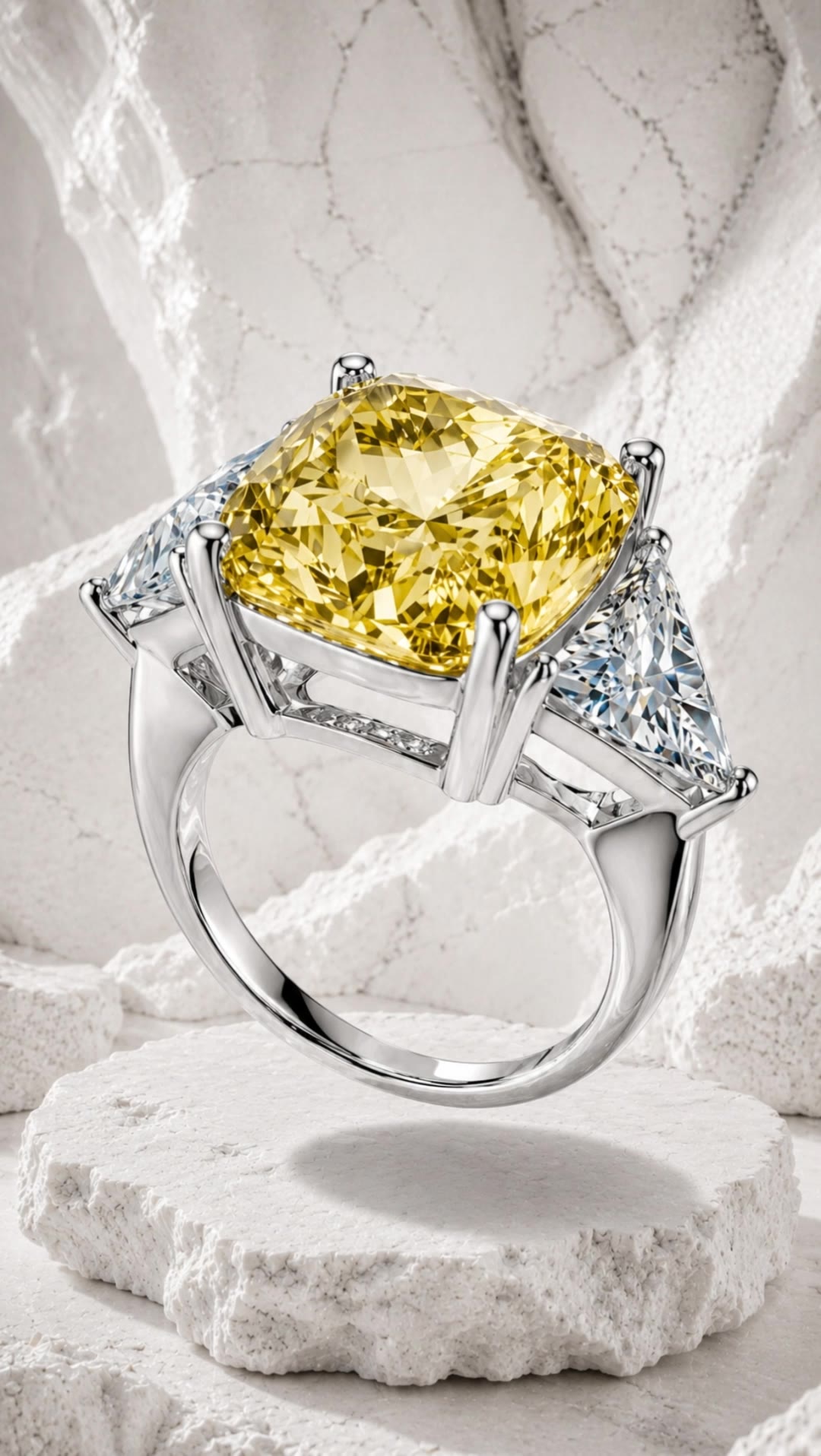
Yellow Diamond Ring - jewellery style AI video
Qelto avatar
Qelto
Kling AI work 317880726614044 - jewellery style AI video
vYeaiTTw avatar
vYeaiTTw
Kling AI work 297066657500683 - jewellery style AI video
Solo Surya avatar
Solo Surya
Kling AI work 316972546325548 - jewellery style AI video
rAGJDiFm avatar
rAGJDiFm
Jewellery photoshoot - jewellery style AI video
00:05
agiCxdxg avatar
agiCxdxg
Kling AI work 308546464665604 - jewellery style AI video
asKbiwyG avatar
asKbiwyG
Jewellery ad - jewellery style AI video
jlKpEEuT avatar
jlKpEEuT
Kling AI work 313922595617544 - jewellery style AI video
cRKTmqGM avatar
cRKTmqGM
Kling AI work 316253515526333 - jewellery style AI video
lisnfHWh avatar
lisnfHWh
final jewellery making - jewellery style AI video
UvehvaEo avatar
UvehvaEo

How to Remove Watermarks from Photos with Kling AI

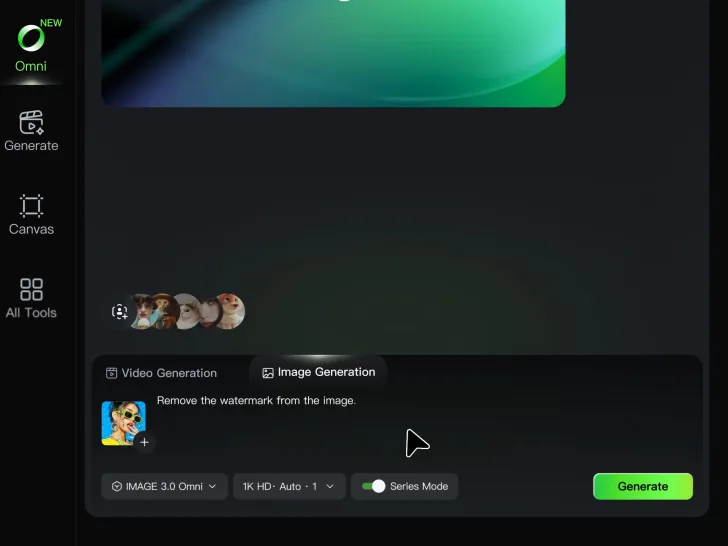
Step 1: Upload Your Image

Step 1: Upload Your Image

Upload the image you want to clean up. For the best starting point, choose an image where the watermark or unwanted mark is clearly visible.

Step 2: Describe the Change

Step 2: Describe the Change

Tell Kling AI what you want removed. Keep the instruction focused on the edit, and mention any important parts of the image you want to leave as they are.

Step 3: Generate and Review

Step 3: Generate and Review

Generate your edited image at higher output resolutions and review the result. Kling AI removes unwanted elements while keeping your image clear and detailed.

Effortless Background Removal, Refined Details, New Visual Possibilities

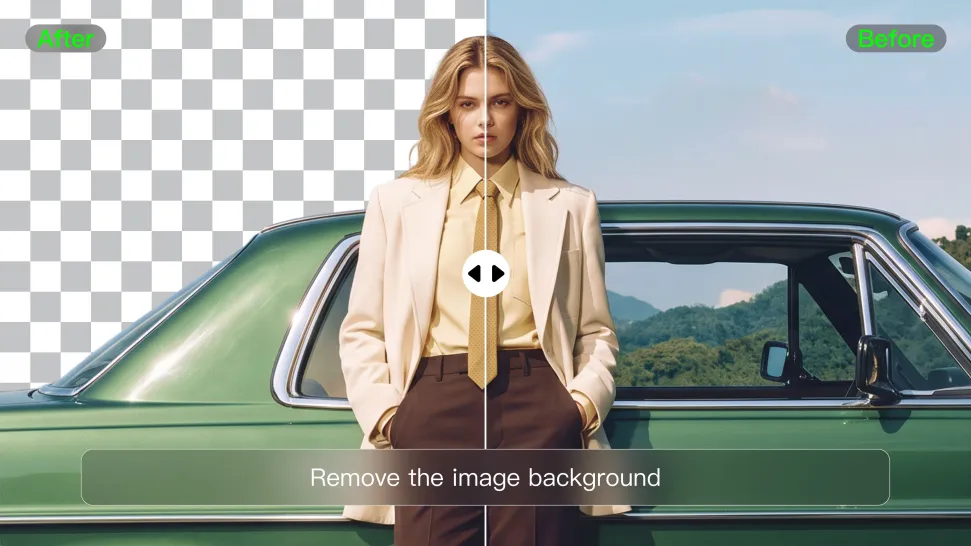
Remove Image Backgrounds with Simple Prompts

Remove Image Backgrounds with Simple Prompts

When you want to isolate a person, product, or other subject, Kling AI keeps background removal simple. A short prompt like “Remove the background” or “Keep the person and remove everything behind them” can clear away the surroundings without tracing edges by hand.
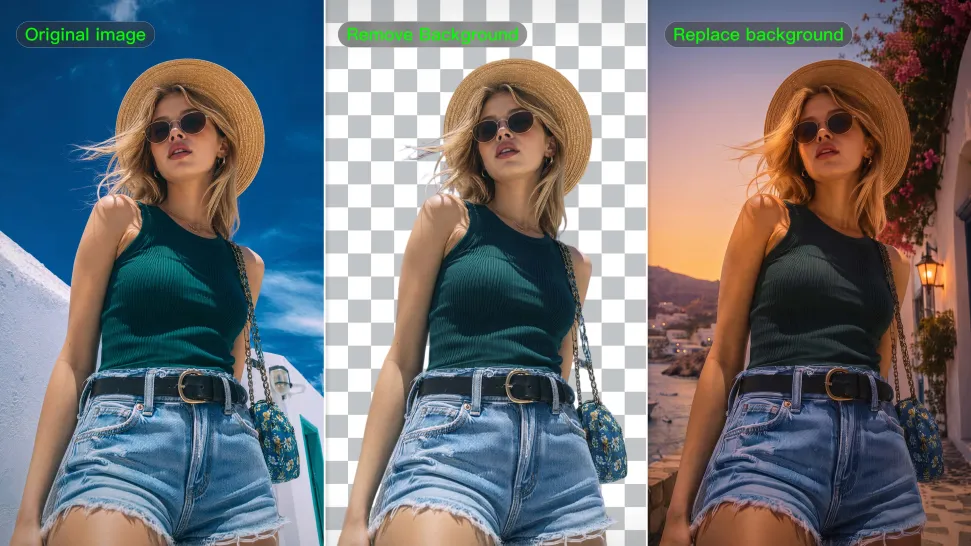
Keep Important Subject Details

Keep Important Subject Details

Removing the background does not mean you want the subject itself to change. Kling IMAGE 3.0 supports targeted image editing while helping preserve important visual characteristics such as the subject's appearance, shape, style, lighting, and texture. You can also specify what should stay unchanged when the image includes details that matter to the final result.
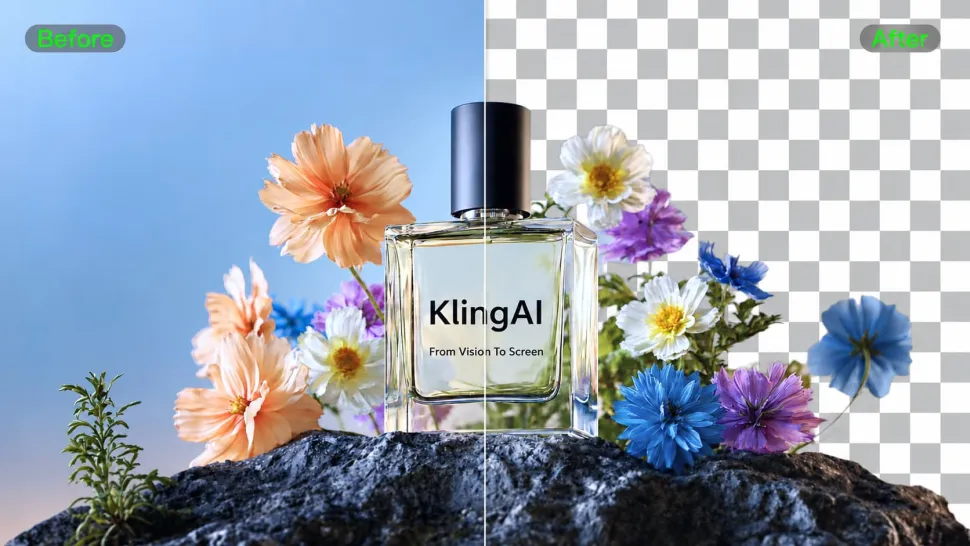
Create Background-Free Images in 2K or 4K

Create Background-Free Images in 2K or 4K

When you need more detail or higher resolution, Kling IMAGE 3.0 Omni lets you create images with background removals and output them in 2K or 4K. They’re ideal for product displays, posters, marketing assets, presentations, and designs that need to work across different sizes.

Apps

Image to Video
Image to Video

Image to Video

Text to Video
Text to Video

Text to Video

Omni
Omni

Omni

Digital Human
Digital Human

Digital Human

Restyle
Restyle

Restyle

Text to Image
Text to Image

Text to Image

60M+
60M+
Users
600M+
600M+
AI Videos Generated
4.7 ★
4.7 ★
App Store
Industry-Leading
Industry-Leading
Cinematic 4K

Reviews

Maria Rubtsova

Maria Rubtsova

★★★★★

I’m Maria Rubtsova, an AIGC digital artist passionate about creating stunning visuals in the worlds of fashion, aesthetics, and fantasy. I use KlingAi to bring imagination to life through video. My work is all about exploring beauty, emotion, and the limitless possibilities of digital art.

Samuele Poggi (@visualsk2)

Samuele Poggi (@visualsk2)

★★★★★

I use Kling AI daily to push the limits of AI filmmaking. It allows me to create highly cinematic content, blending AI and VFX to develop innovative projects. It has significantly impacted my creative process, enabling me to achieve complex animations that would otherwise require high production budgets.

Ozan Sihay

Ozan Sihay

★★★★★

Kling AI allows me to rapidly prototype ideas, refine storytelling elements, and produce visually compelling content efficiently. It has not only accelerated my creative processes, but also deepened my understanding of how AI can enrich visual storytelling.

FAQ

Q1Is Kling AI only for editing existing videos?
Q2Which languages does Kling AI support for dialogue?
Q3Can an AI video editor remove or replace objects?

Take Your Photo in a New Direction

Start with the image you have and rework it for the look, message, or moment you have in mind.

Object removal | Background changes | Portrait retouching | Photo restyling