
Creative Studio
API
Resources
Features
About Us
Download

Keyboard Wallpaper Ideas – AI-Generated Designs

Explore keyboard wallpaper ideas with AI. Find designs that can be personalized to your liking. Benefit from AI-made visuals that are simple to adapt and use.

Keyboard Wallpaper Ideas – AI-Generated Designs

Recommended

Kling AI work 307267303613231 - keyboard wallpaper AI image
npUaQglL avatar
npUaQglL
Kling AI work 312453434523492 - keyboard wallpaper AI image
uJSetdYF avatar
uJSetdYF
Kling AI work 311346666526495 - keyboard wallpaper AI video
XsWDvJTW avatar
XsWDvJTW
Live Wallpaper - keyboard wallpaper AI video
Louis avatar
Louis
Elite Creator
Kling AI work 308668024667790 - keyboard wallpaper AI image
EgwvcCnA avatar
EgwvcCnA
Kling AI work 314271051508586 - keyboard wallpaper AI video
fuCEFhuU avatar
fuCEFhuU
Kling AI work 312375509664160 - keyboard wallpaper AI video
JtRNHhtj avatar
JtRNHhtj
Anime character wallpaper  - keyboard wallpaper AI video
Epic Live Wallpaper  avatar
Epic Live Wallpaper
Kling AI work 306767240508952 - keyboard wallpaper AI image
sRxMLwrS avatar
sRxMLwrS
Kling AI work 312154842663009 - keyboard wallpaper AI image
TrizOprOd avatar
TrizOprOd
Keyboard typing - keyboard wallpaper AI video
SAMANTHA avatar
SAMANTHA
Kling AI work 300778397501077 - keyboard wallpaper AI video
Anthony Celeste avatar
Anthony Celeste
Kling AI work 309194213503554 - keyboard wallpaper AI image
FTEnRALB avatar
FTEnRALB
Kling AI work 296976570613954 - keyboard wallpaper AI video
pierce chavez avatar
pierce chavez
Keyboard - keyboard wallpaper AI video
00:43
zLTEzIwh avatar
zLTEzIwh
Kling AI work 309155892611817 - keyboard wallpaper AI image
Dreaming avatar
Dreaming
Elite Creator
Kling AI work 313459198666713 - keyboard wallpaper AI image
TrizOprOd avatar
TrizOprOd
Kling AI work 312553655662867 - keyboard wallpaper AI image
tom aura avatar
tom aura
Kling AI work 310335821661328 - keyboard wallpaper AI image
Dreaming avatar
Dreaming
Elite Creator

How to Generate AI Voices from Text with Kling AI

Step 1: Set Up Your Characters

Step 1: Set Up Your Characters

Start with a character in your prompt, or add a supported image, Character Element, or video reference when you already have a specific character in mind.

Step 2: Add Dialogue and Voice Direction

Step 2: Add Dialogue and Voice Direction

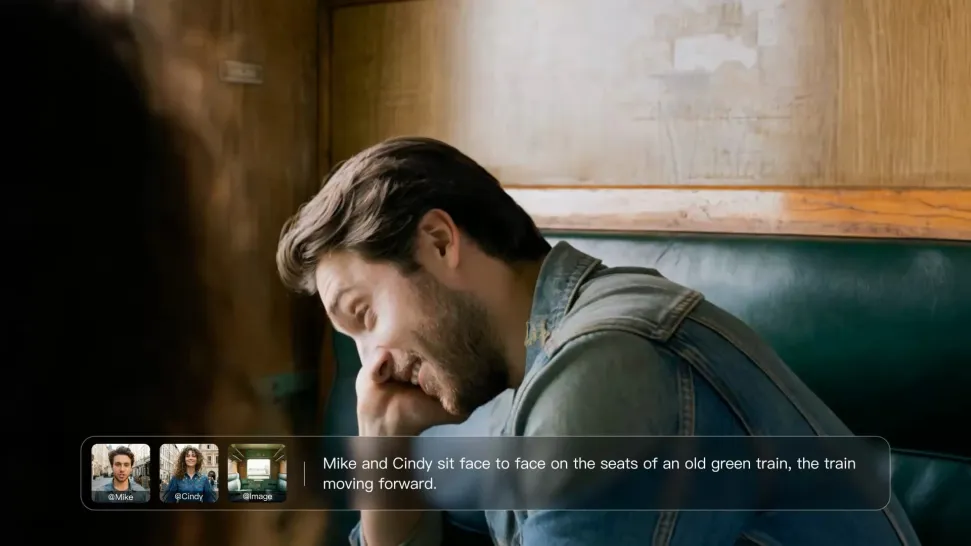
Write each character's dialogue and make the speaker clear in your prompt. Add directions for the language, accent, tone, emotion, or delivery when they matter to the scene. For scenes with multiple speakers, keep each character's name, line, and voice direction clearly connected.

Step 3: Generate Videos with Native Audio

Step 3: Generate Videos with Native Audio

Generate with Native Audio to create the dialogue as part of the video itself. Kling VIDEO 3.0 Omni produces voice, facial performance, lip movement, visuals, ambience, and supporting sound within the same generation.

Make Every Voice Feel Part of the Story

Generate Dubbing Together with Video

Generate Dubbing Together with Video

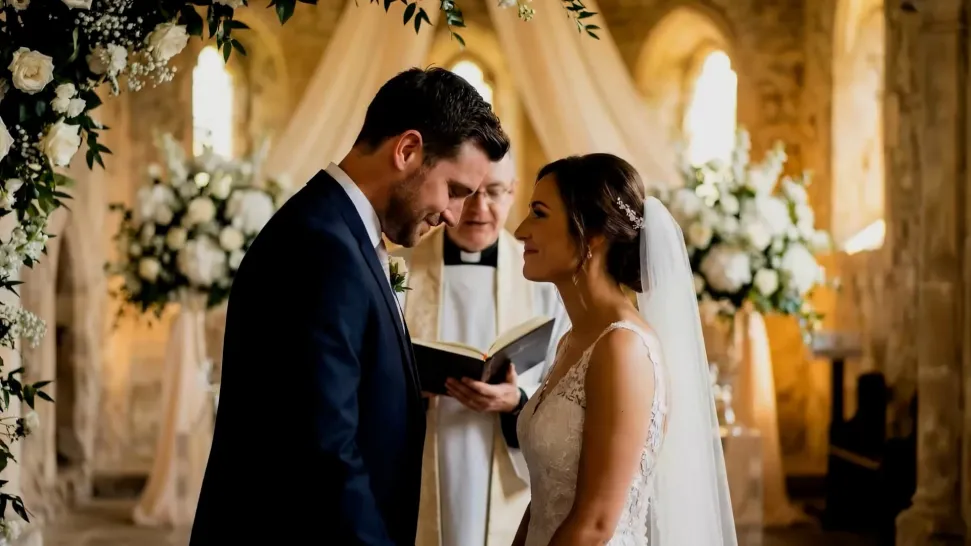
Dubbing does not have to begin after the visuals are done. Kling VIDEO 3.0 can generate character dialogue, lip movements, ambience, and sound effects alongside the video, so more of the scene comes together in one pass. Spend less time recording separate voiceovers, layering audio, and lining up tracks later, and more time shaping the story and visuals.
Reach More Audiences with Multilingual Dialogue

Reach More Audiences with Multilingual Dialogue

Create dialogue in Chinese, English, Japanese, Korean, and Spanish, or let characters switch between supported languages within the same scene. You can also specify supported dialects and accents in your prompt, giving you more flexibility for cross-cultural stories, travel content, global campaigns, and multilingual character interactions.
Direct Tone and Speaking Style Through Prompts

Direct Tone and Speaking Style Through Prompts

When several characters share a scene, keep each line connected to the intended speaker. Kling VIDEO 3.0 supports multi-character dialogue and speaker matching, making it easier to create interviews, group conversations, family scenes, and story-driven videos where several characters speak.

Apps

Image to Video
Image to Video

Image to Video

Text to Video
Text to Video

Text to Video

Omni
Omni

Omni

Digital Human
Digital Human

Digital Human

Restyle
Restyle

Restyle

Text to Image
Text to Image

Text to Image

60M+
60M+
Users
600M+
600M+
AI Videos Generated
4.7 ★
4.7 ★
App Store
Industry-Leading
Industry-Leading
Cinematic 4K

Reviews

James Phillips

James Phillips

★★★★★

Kling AI has transformed my workflow by collapsing timelines and democratizing production. It’s shifted my mindset from resource-dependent filmmaking to a boundless creative sandbox, where experimentation yields unexpected beauty.

Halim Alrasihi

Halim Alrasihi

★★★★★

I use AI daily and Kling AI is a crucial part of my workflow, whether for client work or personal projects. What I love most about using Kling AI is that it provides all the tools I need in one place, from keyframes to character references, elements and special effects.

Maria Rubtsova

Maria Rubtsova

★★★★★

I’m Maria Rubtsova, an AIGC digital artist passionate about creating stunning visuals in the worlds of fashion, aesthetics, and fantasy. I use KlingAi to bring imagination to life through video. My work is all about exploring beauty, emotion, and the limitless possibilities of digital art.

FAQ

Q1Will AI restoration change faces in old photos?
Q2Do I need a high-resolution scan for photo restoration?
Q3Can restored photos be printed?

Start Creating AI Videos with Kling

Turn your text or images into a stunning, high-quality video in seconds. No watermarks, No complicated setup.

Free tier includes watermark (Memberships are watermark-free) | 1080p export (Pro unlocks 4K) | Instant results