Creative Studio
API
Resources
Features
About Us
Download

Landscape Video Ideas – AI-Generated Inspiration

Find AI-generated landscape video ideas. Create stunning and unique content with ease.

Landscape Video Ideas – AI-Generated Inspiration

Recommended

Kling AI work 314659624528105 - landscape video AI video
NXJmPHxd avatar
NXJmPHxd
A-List Look - landscape video AI video
A-List Look
cIOUpVja avatar
cIOUpVja
Kling AI work 310579821663440 - landscape video AI video
OFWvkpnJ avatar
OFWvkpnJ
the wide snowy landscape of Yell - landscape video AI video
craftneed AI avatar
craftneed AI
Kling AI work 296629454502575 - landscape video AI video
GatGooAM avatar
GatGooAM
Peaceful Nature Landscape - landscape video AI image
TAHA SARWAR avatar
TAHA SARWAR
snowy landscape of Yellowknife - landscape video AI video
craftneed AI avatar
craftneed AI
Kling AI work 310460575618279 - landscape video AI image
UyFhgvqF avatar
UyFhgvqF
Aerial landscape - landscape video AI video
jangel85 avatar
jangel85
tropical landscape - landscape video AI video
Logotypin avatar
Logotypin
Elite Creator
Extraterrestrial landscape - landscape video AI video
Hugues avatar
Hugues
Use the uploaded video as the ex - landscape video AI image
NUFsXjGe avatar
NUFsXjGe
Kling AI work 312560668522446 - landscape video AI video
bokiYLBC avatar
bokiYLBC
Kling AI work 316009886527698 - landscape video AI video
QbHjdyFK avatar
QbHjdyFK
Cinematic landscape - landscape video AI image
DJ AIMEDIA avatar
DJ AIMEDIA
general a video about the genesi - landscape video AI image
bBdlAAMC avatar
bBdlAAMC
Wide landscape shot. - landscape video AI video
00:10
VFdPEpfF avatar
VFdPEpfF
Nature - landscape video AI video
zeLqaMuC avatar
zeLqaMuC
couple cinematic video - landscape video AI video
oZgmbcSS avatar
oZgmbcSS

How to Remove Background from Image

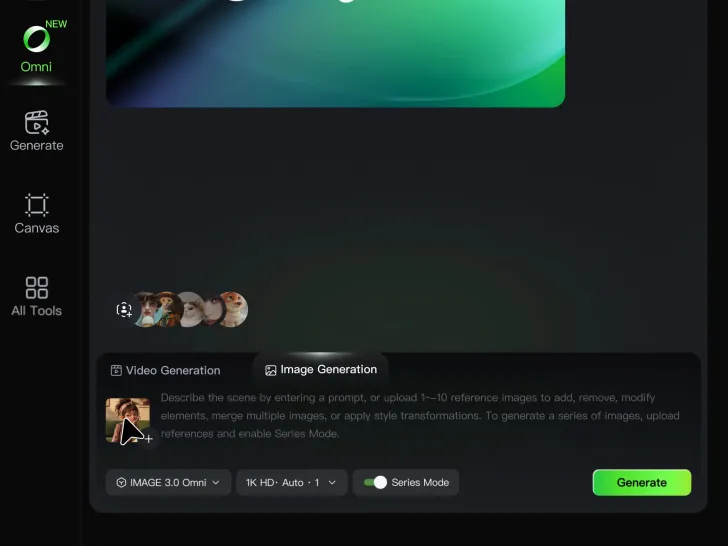
Step 1: Upload Your Image

Step 1: Upload Your Image

Upload the image you want to edit and choose the subject you want to keep. A clear source image makes it easier to separate the subject from the surrounding background.

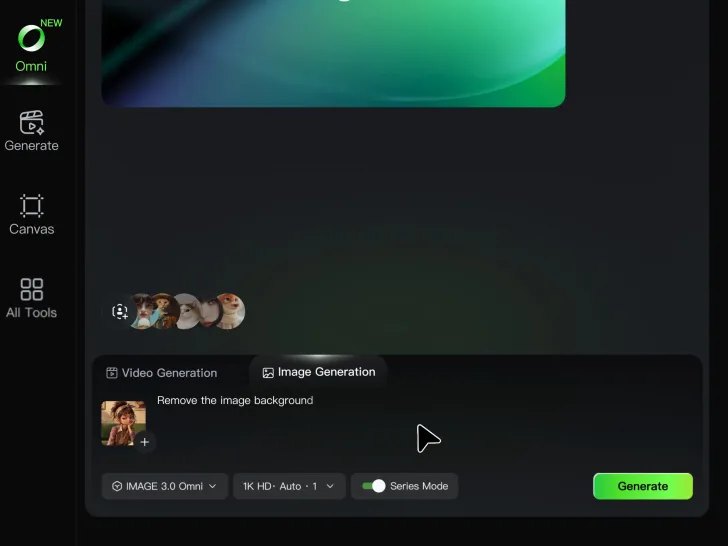
Step 2: Remove or Replace the Background

Step 2: Remove or Replace the Background

Use a simple prompt to remove the existing background while keeping the main subject intact. Keep the result transparent when you need a clean cutout, or describe a new setting if you want to replace the original background directly.

Step 3: Generate and Download

Step 3: Generate and Download

Generate your edited image and review the result. Download the background-free image, or continue refining the new setting, subject details, and overall look with Kling AI.

Create More Realistic Looks with Kling AI

Use Different References for Specific Outfit Details

Use Different References for Specific Outfit Details

Mix and match details from multiple reference images instead of relying on just one. Assign each reference to a different part of the look, from clothing and footwear to smaller accessories, while IMAGE 3.0 Omni combines them into a single outfit. The result is a more controlled styling process and a final look that stays closer to your creative direction.

Change the Outfit, Keep the Person

Change the Outfit, Keep the Person

Changing the clothes should not make the person look like someone else. IMAGE 3.0 Omni helps keep key details such as the face, hairstyle, pose, and overall appearance familiar and recognizable, making it easier to try casual looks, formalwear, or completely different styles while keeping the same person consistent.

Make New Clothes Look Like Part of the Photo

Make New Clothes Look Like Part of the Photo

A convincing AI clothes swap should look like the outfit belongs in the original image. IMAGE 3.0 Omni works with the existing lighting, perspective, textures, and surroundings so the new outfit blends more naturally with the scene, helping fabric, folds, accessories, and other details feel less edited and more like part of a real fashion photo.

Apps

Image to Video
Image to Video

Image to Video

Text to Video
Text to Video

Text to Video

Omni
Omni

Omni

Digital Human
Digital Human

Digital Human

Restyle
Restyle

Restyle

Text to Image
Text to Image

Text to Image

60M+
60M+
Users
600M+
600M+
AI Videos Generated
4.7 ★
4.7 ★
App Store
Industry-Leading
Industry-Leading
Cinematic 4K

Reviews

Samuele Poggi (@visualsk2)

Samuele Poggi (@visualsk2)

★★★★★

I use Kling AI daily to push the limits of AI filmmaking. It allows me to create highly cinematic content, blending AI and VFX to develop innovative projects. It has significantly impacted my creative process, enabling me to achieve complex animations that would otherwise require high production budgets.

Maria Rubtsova

Maria Rubtsova

★★★★★

I’m Maria Rubtsova, an AIGC digital artist passionate about creating stunning visuals in the worlds of fashion, aesthetics, and fantasy. I use KlingAi to bring imagination to life through video. My work is all about exploring beauty, emotion, and the limitless possibilities of digital art.

Vincent Smadja

Vincent Smadja

★★★★★

Kling AI seamlessly integrates into my creative workflow, playing a key role in transforming my images. After generating and upscaling an image, Kling becomes a crucial element, bringing my creations to life with movement and depth.

FAQ

Q1What kinds of objects can AI remove from a photo?
Q2Can I remove text or signs from a photo?
Q3Can I remove multiple objects from one image?

Create an Avatar That Feels Like Yours

Start with a photo or a prompt, explore different styles, and keep shaping the details until the character fits the look you want.