Creative Studio
API
Resources
Features
About Us
Download

Magic Style Ideas – AI Image Inspirations

Explore AI-generated magic style ideas. Create enchanting and mystical visuals effortlessly.

Magic Style Ideas – AI Image Inspirations

Recommended

Kling AI work 307954120666826 - magic style AI video
sdDUrlmW avatar
sdDUrlmW
Magic Room Transformation - magic style AI video
Dooi avatar
Dooi
Kling AI work 314661604614347 - magic style AI image
Aintelligencer avatar
Aintelligencer
Magic - magic style AI video
00:03
CyiVrXEV avatar
CyiVrXEV
magic'  - magic style AI video
Spinning Cards
cGHFFcyy avatar
cGHFFcyy
White Magic - magic style AI video
KLING1838 avatar
KLING1838
A little magic - magic style AI video
VRcreativ avatar
VRcreativ
Elite Creator
Magic - magic style AI video
KristinaChi avatar
KristinaChi
The Magic of Santa Claus - magic style AI video
nao_aiart_047 avatar
nao_aiart_047
fantasy witch with a magic book - magic style AI video
Wolshebnaja avatar
Wolshebnaja
Kling AI work 295895458616042 - magic style AI image
gKnBcgjK avatar
gKnBcgjK
Kling AI work 312012990507269 - magic style AI video
nBfktdaH avatar
nBfktdaH
Kling AI work 306988510663037 - magic style AI video
Vantasy avatar
Vantasy
Her 2nd transformation - magic style AI video
boifjuGS avatar
boifjuGS
Retro ad poster - magic style AI image
evvallo_motion avatar
evvallo_motion
Kling AI work 317530034665470 - magic style AI video
QbtzQxdJ avatar
QbtzQxdJ
Kling AI work 296436207613937 - magic style AI image
BunnyLOVE Studios avatar
BunnyLOVE Studios
Kling AI work 316513254618500 - magic style AI video
Mc_AI Creator avatar
Mc_AI Creator
A little magic 💕 - magic style AI video
00:13
7A7PI avatar
7A7PI
Elite Creator

How to Extend an Image with AI

Step 1: Upload and Describe

Step 1: Upload and Describe

Upload the image you want to expand, such as a portrait, product photo, landscape, or social media visual. Use a text prompt to specify which side to extend and what should appear in the new area, such as more sky, scenery, or background details, while keeping the main subject unchanged.

Step 2: Choose the Output Settings and Generate

Step 2: Choose the Output Settings and Generate

Choose the image ratio, number of outputs, and resolution, then generate your extended image. Creating multiple versions makes it easier to compare the results and choose your favorite.

Step 3: Expand Your Image with Image Expansion

Step 3: Expand Your Image with Image Expansion

Open the Image Expansion workflow when you want a dedicated way to extend an existing image. Upload your source image, describe what should appear beyond the original frame, choose from the available output settings, and generate the expanded result.

Make a Stronger First Impression Wherever You Show Up

Give a Casual Photo a More Put-Together Look

Give a Casual Photo a More Put-Together Look

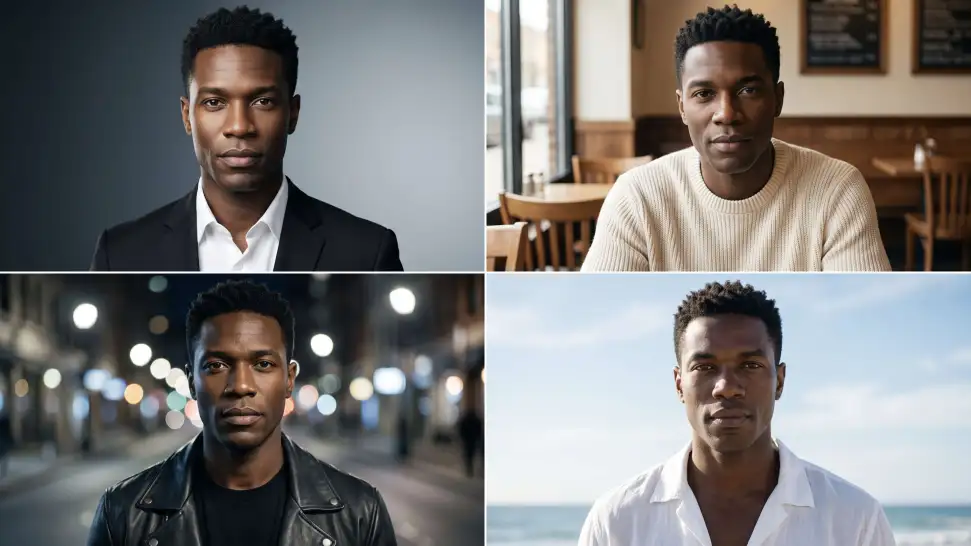
You do not need a new photoshoot every time your profile picture feels dated. Start with a photo you already like, then improve the lighting, composition, styling, or overall presentation to give it a cleaner, more intentional look for a résumé profile, business page, creator account, or personal site.
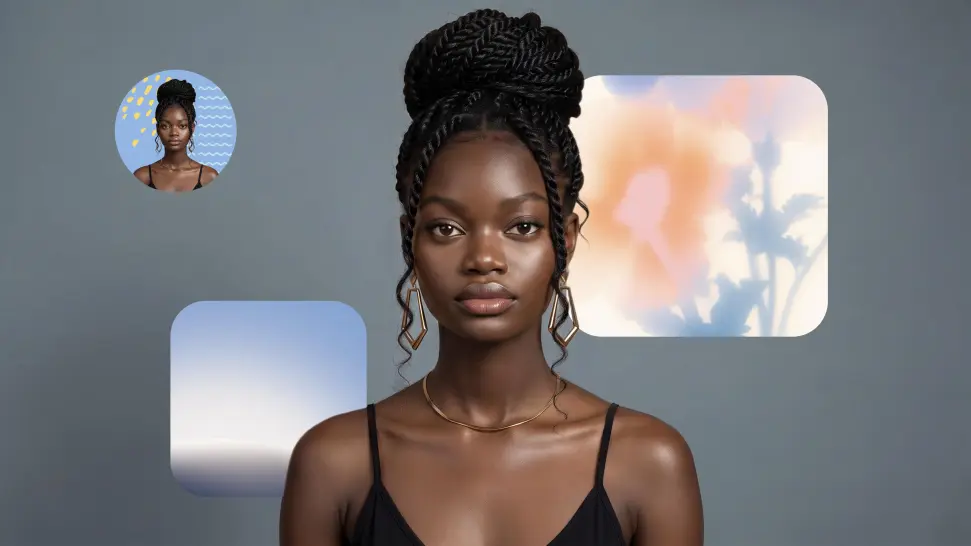
Keep the Face People Already Know

Keep the Face People Already Know

A new profile picture should still feel familiar. Use your portrait as the visual reference while you change the mood, styling, background, or setting, so recognizable facial details and your overall appearance can stay closer to the photo you started with.
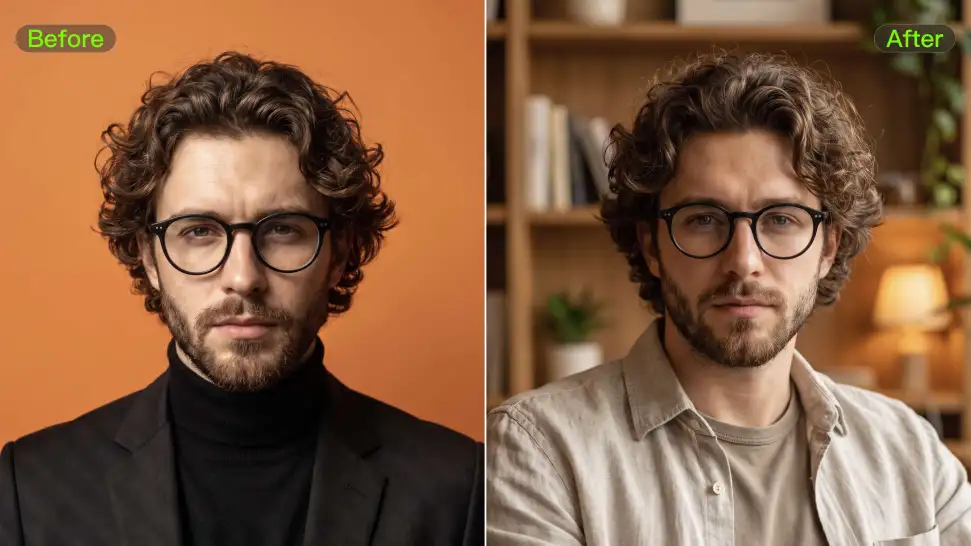
Change the Look to Fit the Platform

Change the Look to Fit the Platform

The photo that works on LinkedIn may not be the one you want on YouTube, Instagram, Discord, or a gaming profile. Give the same portrait a different mood, crop, background, or visual treatment depending on where you plan to use it. Go understated for work, more expressive for social, or give your creator profile a look that feels more like your brand.

Apps

Image to Video
Image to Video

Image to Video

Text to Video
Text to Video

Text to Video

Omni
Omni

Omni

Digital Human
Digital Human

Digital Human

Restyle
Restyle

Restyle

Text to Image
Text to Image

Text to Image

60M+
60M+
Users
600M+
600M+
AI Videos Generated
4.7 ★
4.7 ★
App Store
Industry-Leading
Industry-Leading
Cinematic 4K

Reviews

Halim Alrasihi

Halim Alrasihi

★★★★★

I use AI daily and Kling AI is a crucial part of my workflow, whether for client work or personal projects. What I love most about using Kling AI is that it provides all the tools I need in one place, from keyframes to character references, elements and special effects.

Jyo John Mulloor

Jyo John Mulloor

★★★★★

Kling AI has been instrumental in transforming my creative workflow, unlocking new dimensions of artistic expression that were once unimaginable. I use Kling AI extensively to develop high-concept visuals, animate surreal dreamscapes, and create AI-assisted films that blur the line between reality and fantasy. Kling AI’s deep learning capabilities have not only enhanced my creative efficiency but also inspired me to explore storytelling in ways I never thought possible.

Huang Lu (Elson)

Huang Lu (Elson)

★★★★★

I’ve been using Kling AI since its initial release, and it’s remained one of the leading AI media generators ever since. With Kling AI, I’ve created hundreds of videos, collectively amassing millions of views.

FAQ

Q1Can Kling AI dub an existing video?
Q2How does AI dubbing work?
Q3Can AI dubbing include ambience and sound effects?

Remove Distractions. Make Every Image Count.

Clean up portraits, product shots, travel photos, social content, and other images by removing the elements that pull attention away from what matters.