Creative Studio
API
Resources
Features
About Us
Download

r app - Taxi Services & Location-based Discovery

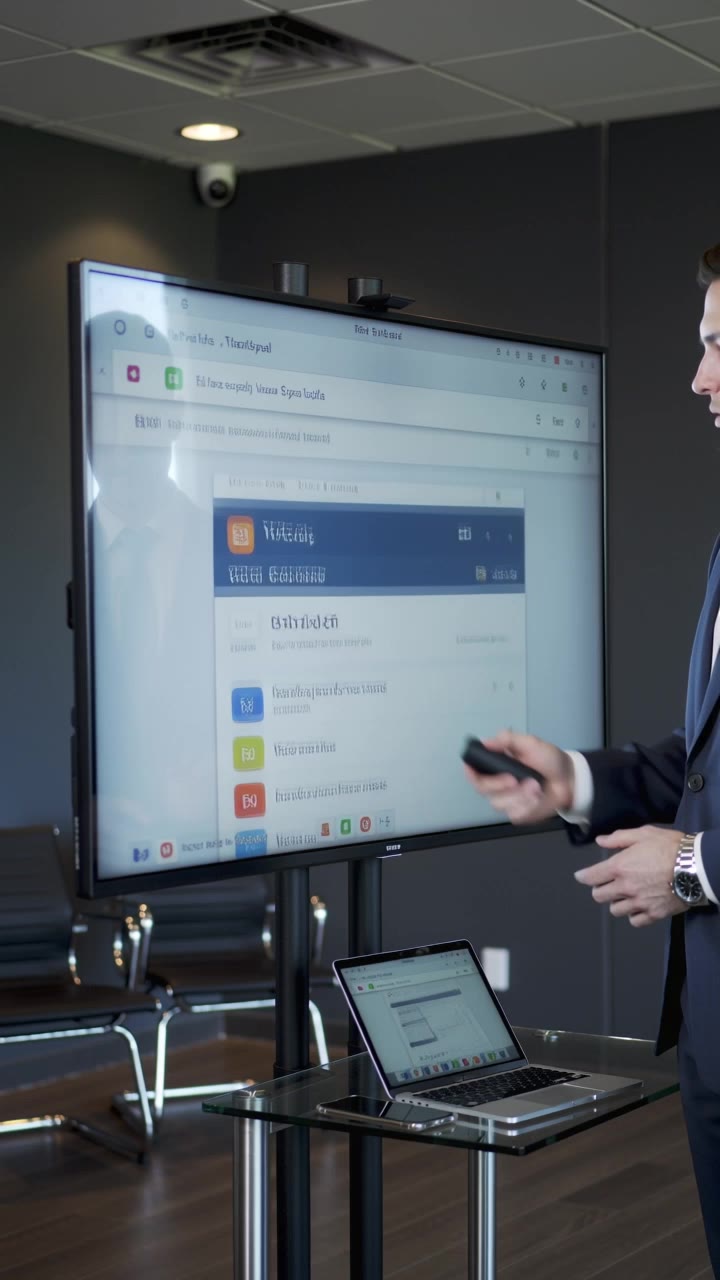
Experience seamless navigation with high-definition app icons and explore innovative solutions like locating the best local stylists or finding nearby amenities. Start exploring r app ideas and generate your own content with AI.

r app - Taxi Services & Location-based Discovery

Recommended

Kling AI work 310490061666587 - r app AI image
EROfjVuc avatar
EROfjVuc
Kling AI work 298554440505525 - r app AI video
DfdIRZXb avatar
DfdIRZXb
Kling AI work 309477340618478 - r app AI video
CTgQLqhM avatar
CTgQLqhM
Kya mast app h kling - r app AI video
00:41
oMAppeJr avatar
oMAppeJr
Kling AI work 319150620663333 - r app AI video
rUnJdirs avatar
rUnJdirs
heavens values - r app AI image
iYmisZyu avatar
iYmisZyu
piloto mostrando app - r app AI video
SALVADOR FOTI avatar
SALVADOR FOTI
Kling AI work 310925038503125 - r app AI video
LzvIKKNZ avatar
LzvIKKNZ
Pixar-style app ad. - r app AI video
00:35
NuraDajio avatar
NuraDajio
Kling AI work 297485689618709 - r app AI image
yLrGRNVo avatar
yLrGRNVo
Kling AI work 299158059650625 - r app AI video
Marika.montuje avatar
Marika.montuje
https://pro.klingai.com/h5-app/s - r app AI video
UWOCokih avatar
UWOCokih
Kling AI work 875945786411581535 - r app AI video
00:05
AlEqzeHI avatar
AlEqzeHI
Kling AI work 314416232610958 - r app AI image
ChtIdylz avatar
ChtIdylz
Kling AI work 311572382611320 - r app AI image
XsVqVJhf avatar
XsVqVJhf
PRIMEIRO - r app AI video
lGNXxkQj avatar
lGNXxkQj
Kling AI work 869599017368817681 - r app AI video
00:14
Lion+Beru avatar
Lion+Beru
Kling AI work 317661059527568 - r app AI image
AbwPffMR avatar
AbwPffMR

How to Upscale Video to 4K with Kling AI

Upload Your Video

Upload Your Video

Upload the video you want to improve to Kling VIDEO 3.0 Omni. You can work with clips between 3 and 10 seconds, including lower-resolution, blurry, compressed, or AI-generated footage.

Describe the Result You Want

Describe the Result You Want

Enter a prompt for any changes you want alongside the upscale. You can ask for clearer detail or adjust lighting, color, atmosphere, background, and other visual elements while keeping the original footage as your starting point.

Generate Your 4K Video

Generate Your 4K Video

Select 4K as the output resolution and generate your new video. Review the result for clarity, detail, and subject appearance, then refine your prompt or references if you want another version.

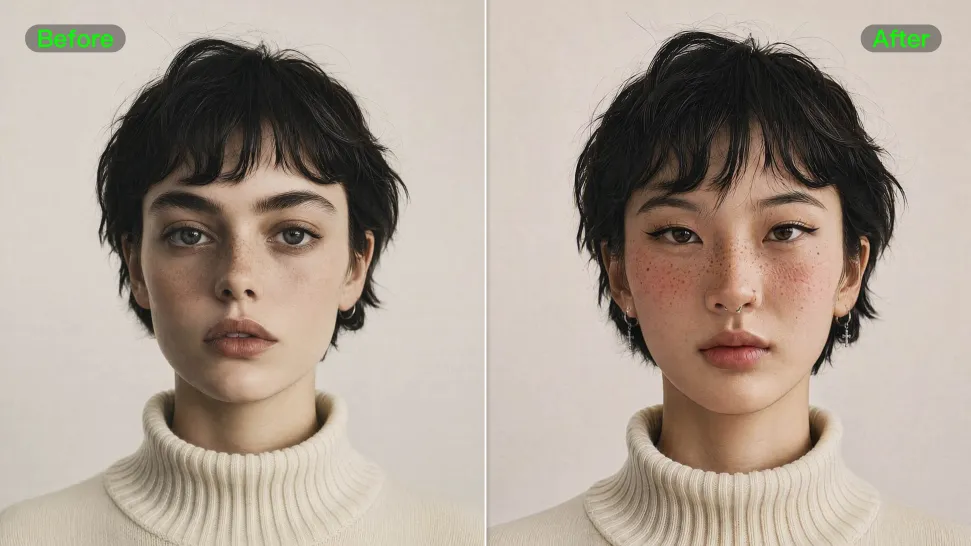
Natural Face Swaps Without the Editing Hassle

Image Face Swap Without the Busywork

Image Face Swap Without the Busywork

From portrait-style shots to playful creative images, Kling IMAGE 3.0 helps you create more natural and consistent face swaps. Add the photo you want to edit, provide a face reference, and tell Kling AI what you want to change. The edit can stay close to the original photo, helping the new face feel like part of the image rather than something added on top.
Keep the Same Face Across Angles and Shots

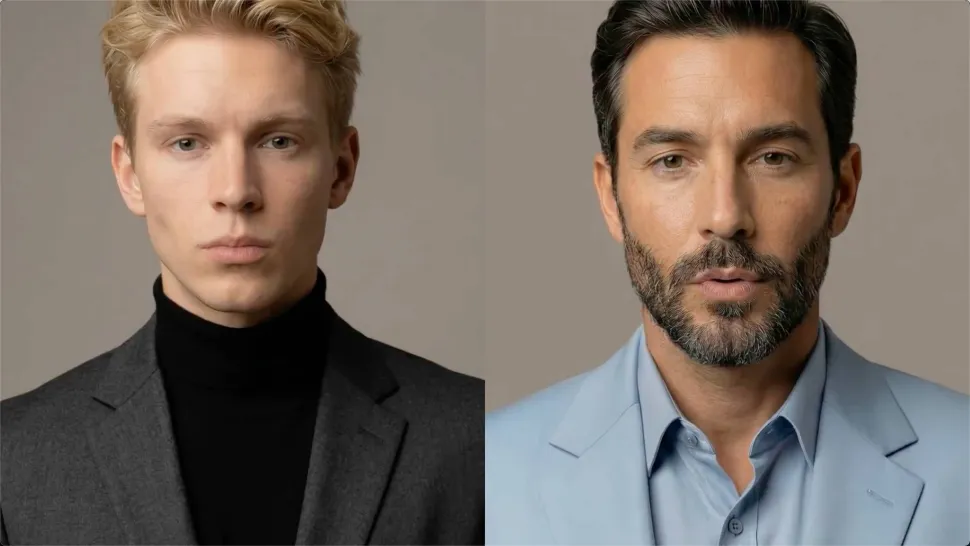
Keep the Same Face Across Angles and Shots

A single reference does not always show everything. Add multiple views or use a character element to give Kling AI more information about the person you want to preserve. Kling VIDEO 3.0 Omni uses those references to help maintain key identity features as the subject changes pose, the camera moves, or the scene shifts—especially useful for moving footage and multi-shot videos where consistency matters.
Change the Face, Keep the Scene

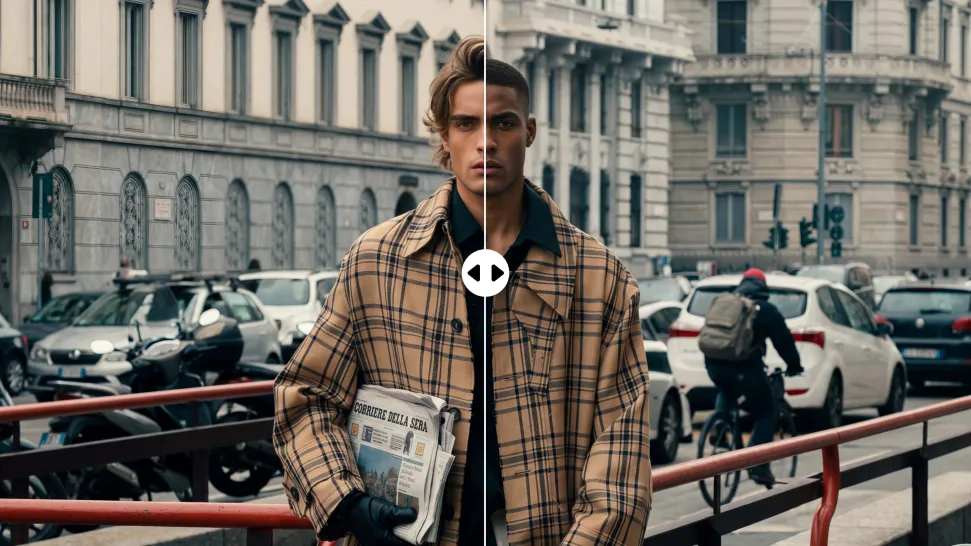
Change the Face, Keep the Scene

Swap the face, not the whole scene. Kling AI keeps the original lighting, mood, and overall look in place, helping the new face blend naturally into the shot while the setting and visual feel stay true to the original.

Apps

Image to Video
Image to Video

Image to Video

Text to Video
Text to Video

Text to Video

Omni
Omni

Omni

Digital Human
Digital Human

Digital Human

Restyle
Restyle

Restyle

Text to Image
Text to Image

Text to Image

60M+
60M+
Users
600M+
600M+
AI Videos Generated
4.7 ★
4.7 ★
App Store
Industry-Leading
Industry-Leading
Cinematic 4K

Reviews

Jyo John Mulloor

Jyo John Mulloor

★★★★★

Kling AI has been instrumental in transforming my creative workflow, unlocking new dimensions of artistic expression that were once unimaginable. I use Kling AI extensively to develop high-concept visuals, animate surreal dreamscapes, and create AI-assisted films that blur the line between reality and fantasy. Kling AI’s deep learning capabilities have not only enhanced my creative efficiency but also inspired me to explore storytelling in ways I never thought possible.

Samuele Poggi (@visualsk2)

Samuele Poggi (@visualsk2)

★★★★★

I use Kling AI daily to push the limits of AI filmmaking. It allows me to create highly cinematic content, blending AI and VFX to develop innovative projects. It has significantly impacted my creative process, enabling me to achieve complex animations that would otherwise require high production budgets.

Halim Alrasihi

Halim Alrasihi

★★★★★

I use AI daily and Kling AI is a crucial part of my workflow, whether for client work or personal projects. What I love most about using Kling AI is that it provides all the tools I need in one place, from keyframes to character references, elements and special effects.

FAQ

Q1What is an AI image extender?
Q2Can I control what appears in the expanded part of the image?
Q3How is AI image extension different from resizing or stretching an image?

Make Your Profile Picture Stand Out

Start with the photo you already have and turn it into something you feel better putting your name next to. Keep it professional, make it more personal, or give it a completely different mood—the final look is yours to shape.