Creative Studio
API
Resources
Features
About Us
Download

ultraviolet comic - comic style & comic book cover

Dive into vibrant ultraviolet comic artistry and dynamic comic book style visuals. Start exploring ultraviolet comic ideas and generate your own content with AI.

ultraviolet comic - comic style & comic book cover

Recommended

Kling AI work 312382924504621 - ultraviolet comic AI image
alab' avatar
alab'
✨🔸✨  comic style ✨🔸✨ - ultraviolet comic AI video
01:28
KIYO avatar
KIYO
Kling AI work 308444263501597 - ultraviolet comic AI image
Amraa avatar
Amraa
Kling AI work 307582854534172 - ultraviolet comic AI video
PCwcSjsq avatar
PCwcSjsq
Kling AI work 316862541504460 - ultraviolet comic AI image
sZqqbKZl avatar
sZqqbKZl
Kling AI work 316332072661430 - ultraviolet comic AI image
ZVdnVPrm avatar
ZVdnVPrm
Kling AI work 308308628664261 - ultraviolet comic AI image
Forever Rockin avatar
Forever Rockin
Kling AI work 307218965531140 - ultraviolet comic AI image
bVRZCvmD avatar
bVRZCvmD
Kling AI work 313262267612106 - ultraviolet comic AI image
Forever Rockin avatar
Forever Rockin
Kling AI work 313281734521217 - ultraviolet comic AI image
RuWTUrUR avatar
RuWTUrUR
Kling AI work 308307429537877 - ultraviolet comic AI image
Forever Rockin avatar
Forever Rockin
Kling AI work 308444233536005 - ultraviolet comic AI image
Amraa avatar
Amraa
comic  - ultraviolet comic AI video
00:05
NwpVEelI avatar
NwpVEelI
Kling AI work 308308606661158 - ultraviolet comic AI image
Forever Rockin avatar
Forever Rockin
Kling AI work 308307470613958 - ultraviolet comic AI image
Forever Rockin avatar
Forever Rockin
Comic Villain - ultraviolet comic AI video
00:05
WAJxdHcV avatar
WAJxdHcV
Kling AI work 316332240667247 - ultraviolet comic AI image
ZVdnVPrm avatar
ZVdnVPrm
✨🔸✨  comic style +✨🔸✨ - ultraviolet comic AI video
01:27
KIYO avatar
KIYO
Kling AI work 308307451662954 - ultraviolet comic AI image
Forever Rockin avatar
Forever Rockin

How to Restore Old Photos with Kling AI

Upload Your Old Photo

Upload Your Old Photo

Upload a scanned photo, faded print, damaged portrait, or black-and-white image. Your original photo gives Kling the visual reference for the people, objects, composition, and details you want to keep.

Describe the Restoration You Want

Describe the Restoration You Want

Use a prompt to describe the improvements you want, such as removing scratches, reducing stains, restoring faded colors, enhancing facial details, or repairing damaged areas. You can also mention what should stay consistent, like expressions, clothing, or the overall look of the original photo.

Generate Your Restored Photo

Generate Your Restored Photo

Generate your restored version and compare it with the original. If an important detail changes, update your prompt or add another reference and try again.

Make Images Clearer, Sharper, and More Detailed

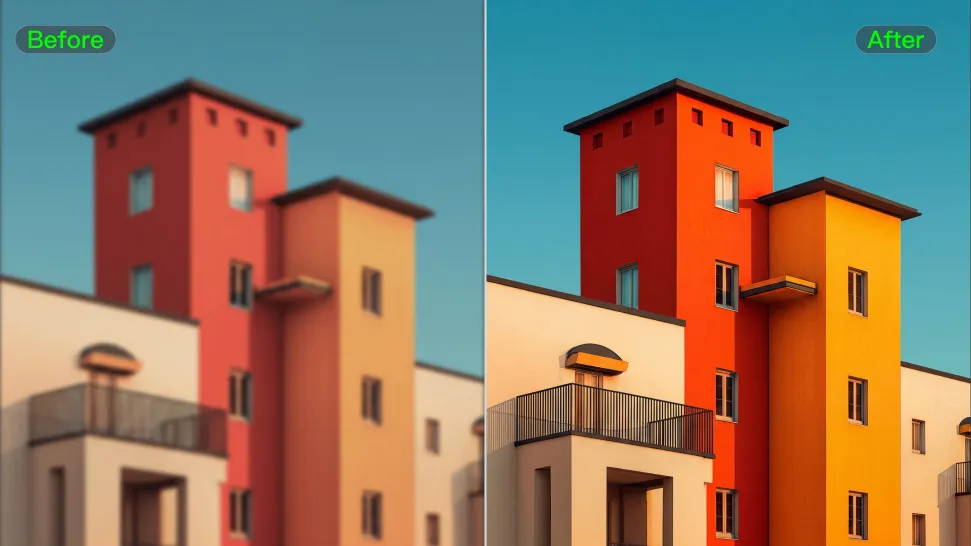
Make Soft or Blurry-Looking Images Clearer

Make Soft or Blurry-Looking Images Clearer

Improve images that look soft, blurry, or short on detail so important subjects appear clearer and easier to recognize. Kling IMAGE 3.0 Omni can refine facial features, object edges, textures, and other key areas while preserving the overall look and character of the original image.
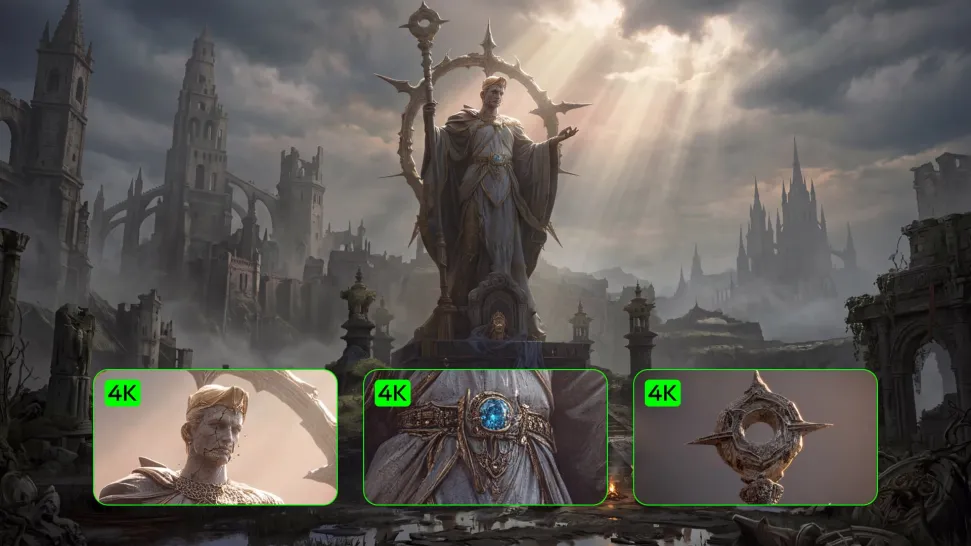
Enhance Low-Resolution Images in 2K/4K

Enhance Low-Resolution Images in 2K/4K

Need more resolution for a larger screen, campaign visual, product image, or creative project? Use your existing image as the starting point and generate a higher-resolution version in native 2K or 4K. You get more room for fine textures and visual detail to come through, making your result better suited to larger displays, print, presentations, and other high-resolution uses.

Improve Color and Lighting Your Way

Improve Color and Lighting Your Way

If your image feels too dark, flat, or visually uneven, describe the look you want and guide changes to lighting, shadows, contrast, color tone, or saturation. You can create softer light, richer color, or a more balanced finish while keeping control over the overall visual direction.

Apps

Image to Video
Image to Video

Image to Video

Text to Video
Text to Video

Text to Video

Omni
Omni

Omni

Digital Human
Digital Human

Digital Human

Restyle
Restyle

Restyle

Text to Image
Text to Image

Text to Image

60M+
60M+
Users
600M+
600M+
AI Videos Generated
4.7 ★
4.7 ★
App Store
Industry-Leading
Industry-Leading
Cinematic 4K

Reviews

Maria Rubtsova

Maria Rubtsova

★★★★★

I’m Maria Rubtsova, an AIGC digital artist passionate about creating stunning visuals in the worlds of fashion, aesthetics, and fantasy. I use KlingAi to bring imagination to life through video. My work is all about exploring beauty, emotion, and the limitless possibilities of digital art.

PJ Ace

PJ Ace

★★★★★

Kling AI has made it easy for us to generate world class visuals for Fortune 500 companies, TV shows and music for big artists. We love the easy of use of the platform and the quality of the generations. My first time using Kling AI, I got 22 million views on just one video. It's that good.

Ozan Sihay

Ozan Sihay

★★★★★

Kling AI allows me to rapidly prototype ideas, refine storytelling elements, and produce visually compelling content efficiently. It has not only accelerated my creative processes, but also deepened my understanding of how AI can enrich visual storytelling.

FAQ

Q1What is the difference between a background remover and a background changer?
Q2Can Kling AI change the background of a photo?
Q3Can I remove the background from a logo?

Keep the Shot. Change the Background.

Remove the background you do not want or move existing footage into a new scene - without rebuilding the shot frame by frame.