
Creative Studio
API
Resources
Features
About Us
Download

wat gif - Angkor Wat temple & Wat Arun animation

Experience the mesmerizing blend of ancient temples and modern AI animation with unique wat gif concepts. Dive into captivating visuals featuring Angkor Wat's grandeur and Wat Arun's serene beauty. Start exploring wat gif ideas and generate your own content with AI.

wat gif - Angkor Wat temple & Wat Arun animation

Recommended

wat - wat gif AI video
00:08
CxPkORXf avatar
CxPkORXf
Kling AI work 321854701655211 - wat gif AI image
lKdKbEti avatar
lKdKbEti
Kling AI work 319568251524512 - wat gif AI video
FvEFnmmt avatar
FvEFnmmt
Kling AI work 319601415502136 - wat gif AI video
WFigPBgn avatar
WFigPBgn
Kling AI work 316138957660166 - wat gif AI image
ksTIWRXN avatar
ksTIWRXN
Kling AI work 321498118662705 - wat gif AI video
TxKXvUnP avatar
TxKXvUnP
Kling AI work 312458815612007 - wat gif AI video
hMkBDlln avatar
hMkBDlln
Kling AI work 301198768652965 - wat gif AI image
Анасия avatar
Анасия
Kling AI work 317239947304343 - wat gif AI image
lOtWOwba avatar
lOtWOwba
Kling AI work 313592981618541 - wat gif AI image
PlsIbHsZ avatar
PlsIbHsZ
Kling AI work 319442595615131 - wat gif AI image
hCKPHTuz avatar
hCKPHTuz
Kling AI work 297139950504533 - wat gif AI video
สุเมธ avatar
สุเมธ
Kling AI work 319352122668922 - wat gif AI video
NINENINE.99 avatar
NINENINE.99
Kling AI work 311417062520281 - wat gif AI image
ozbqrJLB avatar
ozbqrJLB
Kling AI work 312384969663177 - wat gif AI image
DtFczOGp avatar
DtFczOGp
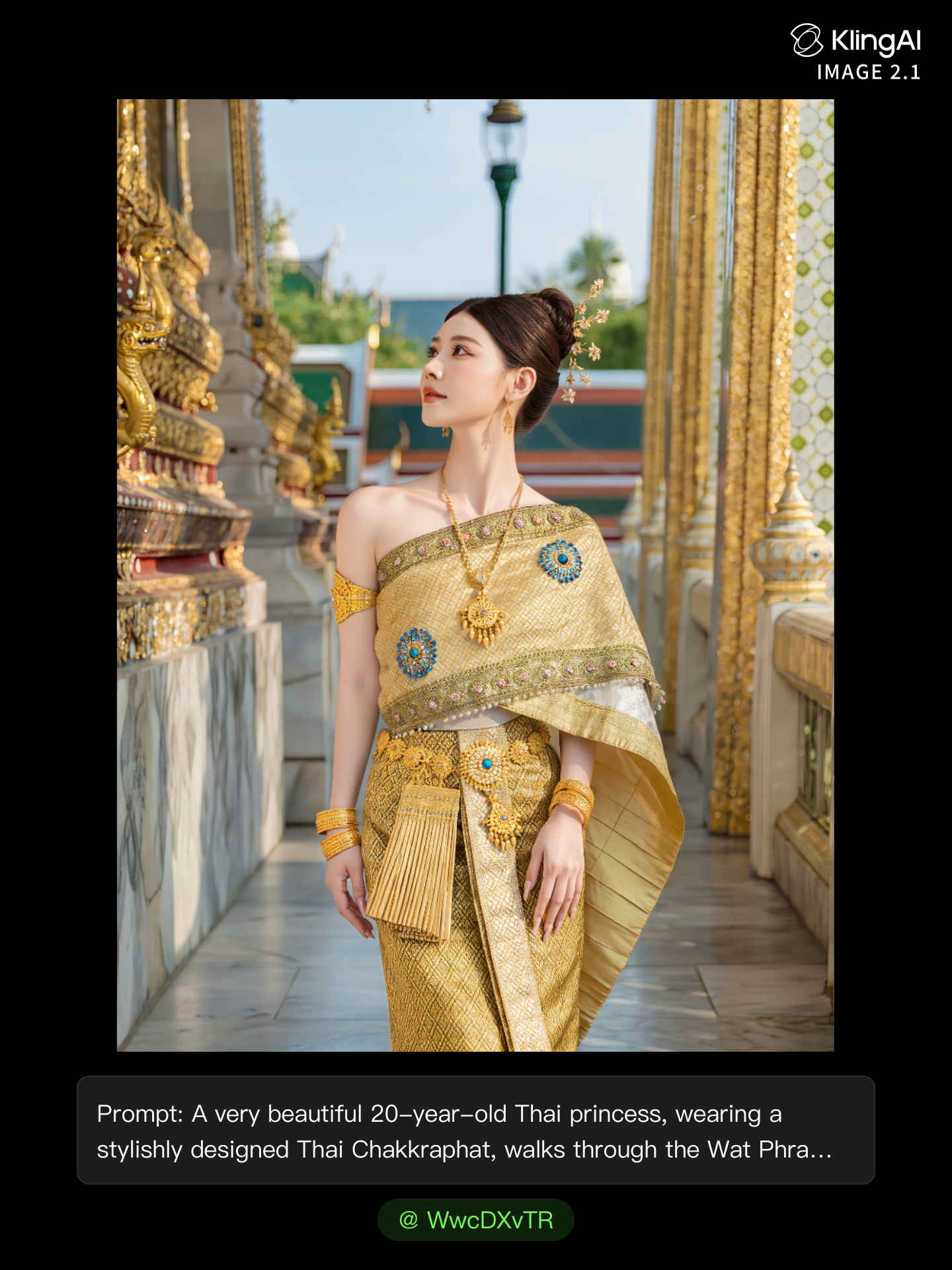
A majestic Wat Phra Kaew - wat gif AI image
MOMO -KLING avatar
MOMO -KLING
Kling AI work 317789404662479 - wat gif AI image
WwcDXvTR avatar
WwcDXvTR
Kling AI work 314053459508089 - wat gif AI video
zigOqcGu avatar
zigOqcGu
ごきげんよう - wat gif AI video
jbpEHcmw avatar
jbpEHcmw

How to Create an AI Video from a Script

Start with a Scene or Story Beat

Start with a Scene or Story Beat

Paste in the part of your script you want to see on screen. Include the setting, characters, action, and dialogue that matter to the scene. Camera direction and visual style can stay simple at first, you can get more specific when you start shaping the shots.

Turn the Scene into a Shot Sequence

Turn the Scene into a Shot Sequence

Switch on Multi-Shot and let Kling work out the scene transitions and camera coverage from your prompt. Already have the sequence in your head? Open Custom Multi-Shot and lay out the individual shots yourself, including how long they last and what happens in each one.

Generate with Native Audio

Generate with Native Audio

Set the duration and available output options, then generate your sequence. Native Audio can bring dialogue, ambience, and sound effects into the same generation, so the result does not have to begin as a silent set of shots. Kling VIDEO 3.0 supports scenes up to 15 seconds in a single generation.

Create AI Art with More Creative Control

Bring More Than a Prompt to Your Art

Bring More Than a Prompt to Your Art

Start with words, a sketch, a photo, or the references that already capture part of your idea. IMAGE 3.0 can use up to 10 reference images, so you can bring a character from one image, an outfit from another, and a different setting or art style into the same creation. Use references for the details you want to keep, then use your prompt to decide what changes.

Find the Look That Fits Your Idea

Find the Look That Fits Your Idea

Create pencil drawings, watercolor paintings, anime art, comics, concept art, 3D-inspired images, and more. Try a completely different style, or fine-tune the one you already have. Kling AI also gives you control beyond the art style. Reframe the scene, shift the viewing angle, change the lighting or color palette, and keep refining the image until the whole piece comes together

Create a Series, Not Just a Single Image

Create a Series, Not Just a Single Image

Keep a character, setting, or visual style recognizable across multiple pieces of artwork with IMAGE 3.0 Omni. Generate new poses, scenes, and compositions while keeping the details that tie the series together. It works especially well for character concepts, comics, storyboards, and other ideas that need to develop across several images. Generate in native 2K or 4K when you want more detail in the finished artwork.

Apps

Image to Video
Image to Video

Image to Video

Text to Video
Text to Video

Text to Video

Omni
Omni

Omni

Digital Human
Digital Human

Digital Human

Restyle
Restyle

Restyle

Text to Image
Text to Image

Text to Image

60M+
60M+
Users
600M+
600M+
AI Videos Generated
4.7 ★
4.7 ★
App Store
Industry-Leading
Industry-Leading
Cinematic 4K

Reviews

KakuDrop

KakuDrop

★★★★★

I have successfully collaborated with world-renowned artists and well-known companies that are recognized globally

Ozan Sihay

Ozan Sihay

★★★★★

Kling AI allows me to rapidly prototype ideas, refine storytelling elements, and produce visually compelling content efficiently. It has not only accelerated my creative processes, but also deepened my understanding of how AI can enrich visual storytelling.

Déborah

Déborah

★★★★★

I use Kling AI every day. It's amazing to see the almost daily progress it makes. I used AI for fun at first, and I now find that Kling AI's animations allow me to gain professional visibility, with three times more views on my animated posts than on my static posts.

FAQ

Q1Do I need to mask the subject frame by frame?
Q2How do I remove the background from a video?
Q3Can Kling AI make a video background transparent?

Give Photos and Videos a Whole New Face

Upload your photo or video, add the face you want to swap in, and let Kling AI recreate the scene while keeping the look, motion, and surroundings feeling natural.

Effortless Face Swaps | Facial Detail Control | Natural Blending