
Creative Studio
API
Resources
Features
About Us
Download

xl video - ASMR experiences & music video insights

Engage with captivating ASMR and music video content, alongside innovative AI-generated scenes and behind-the-scenes footage. Start exploring xl video ideas and generate your own content with AI.


xl video - ASMR experiences & music video insights

Recommended

Kling AI work 320856381653701 - xl video AI video
YxkTBZlL avatar
YxkTBZlL
hacer video - xl video AI image
wdgONJrh avatar
wdgONJrh
Kling AI work 319057530662768 - xl video AI video
rAAuPabh avatar
rAAuPabh
my Fast  king  ai video - xl video AI video
HHriGBWm avatar
HHriGBWm
Kling AI work 313777326521949 - xl video AI video
Tomas avatar
Tomas
video oromoo  - xl video AI image
PpqmtOUs avatar
PpqmtOUs
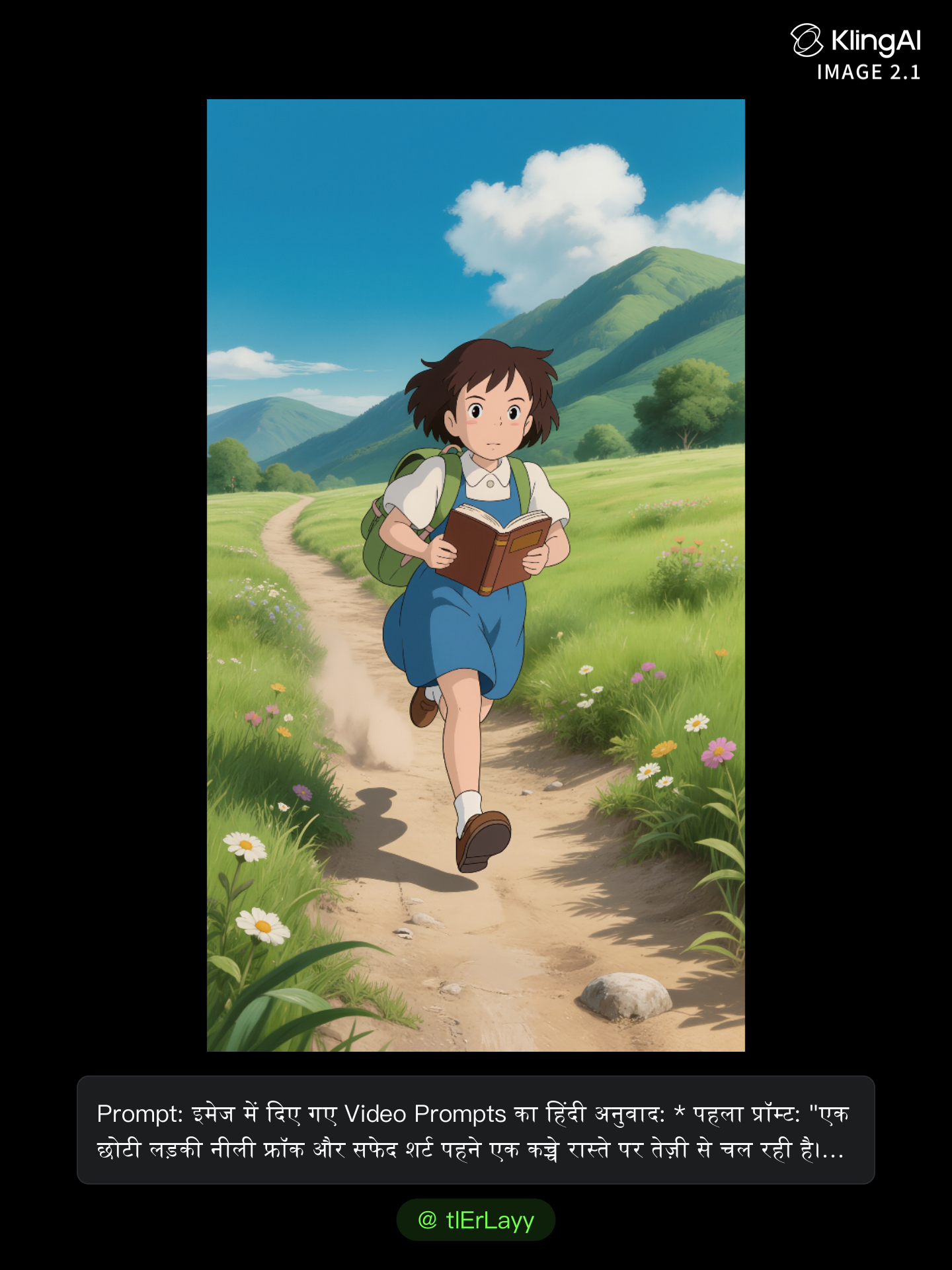
video 10 - xl video AI image
tlErLayy avatar
tlErLayy
Kling AI work 316166989526107 - xl video AI video
OHdACEEs avatar
OHdACEEs
Kling AI work 318878160503959 - xl video AI video
SRWnyArF avatar
SRWnyArF
Kling AI work 310471489526245 - xl video AI video
ilenia iorio avatar
ilenia iorio
video  - xl video AI image
kUyzVMWa avatar
kUyzVMWa
Sport video - xl video AI video
Alberto avatar
Alberto
Kling AI work 312311333615392 - xl video AI video
ptKhszmf avatar
ptKhszmf
Use the uploaded video as the ex - xl video AI image
NUFsXjGe avatar
NUFsXjGe
do this as an video - xl video AI image
CRfdyBMQ avatar
CRfdyBMQ
Kling AI work 314972811662896 - xl video AI video
OSWFSxmb avatar
OSWFSxmb
general a video about the genesi - xl video AI image
bBdlAAMC avatar
bBdlAAMC
Muslims video  - xl video AI video
CcVerNoh avatar
CcVerNoh
GMC ar animation  - xl video AI video
Jimmy Ostalo avatar
Jimmy Ostalo

How to Upscale Video to 4K with Kling AI

Upload Your Video

Upload Your Video

Upload the video you want to improve to Kling VIDEO 3.0 Omni. You can work with clips between 3 and 10 seconds, including lower-resolution, blurry, compressed, or AI-generated footage.

Describe the Result You Want

Describe the Result You Want

Enter a prompt for any changes you want alongside the upscale. You can ask for clearer detail or adjust lighting, color, atmosphere, background, and other visual elements while keeping the original footage as your starting point.

Generate Your 4K Video

Generate Your 4K Video

Select 4K as the output resolution and generate your new video. Review the result for clarity, detail, and subject appearance, then refine your prompt or references if you want another version.

Natural Face Swaps Without the Editing Hassle

Image Face Swap Without the Busywork

Image Face Swap Without the Busywork

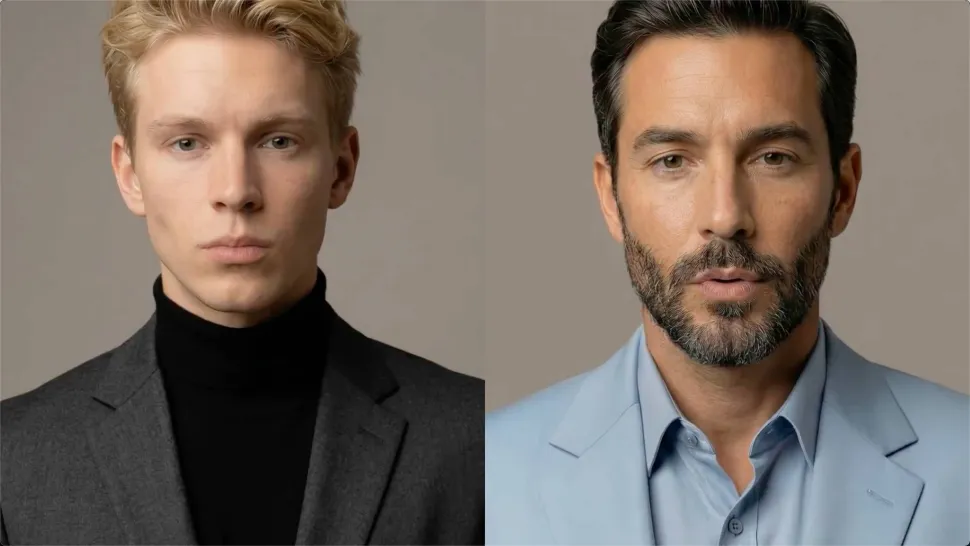
From portrait-style shots to playful creative images, Kling IMAGE 3.0 helps you create more natural and consistent face swaps. Add the photo you want to edit, provide a face reference, and tell Kling AI what you want to change. The edit can stay close to the original photo, helping the new face feel like part of the image rather than something added on top.
Keep the Same Face Across Angles and Shots

Keep the Same Face Across Angles and Shots

A single reference does not always show everything. Add multiple views or use a character element to give Kling AI more information about the person you want to preserve. Kling VIDEO 3.0 Omni uses those references to help maintain key identity features as the subject changes pose, the camera moves, or the scene shifts—especially useful for moving footage and multi-shot videos where consistency matters.
Change the Face, Keep the Scene

Change the Face, Keep the Scene

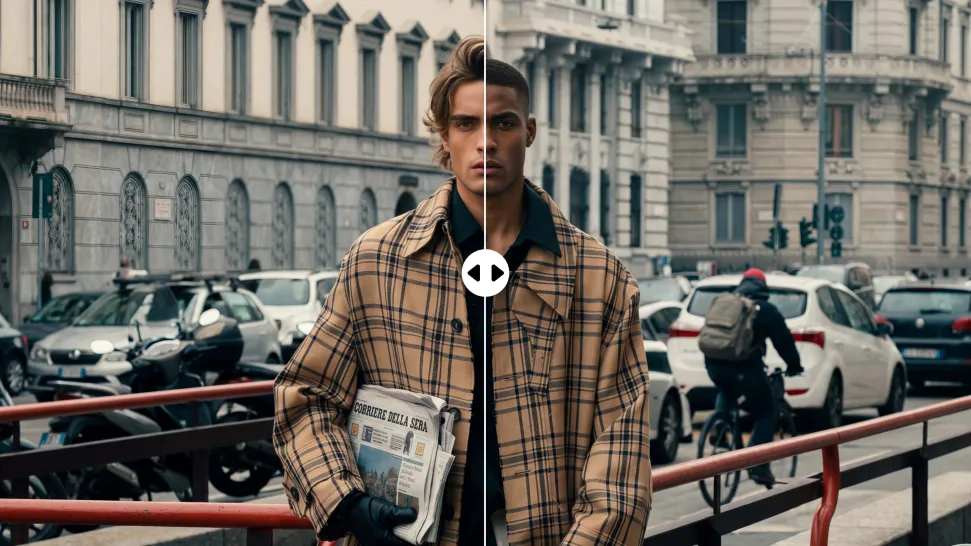
Swap the face, not the whole scene. Kling AI keeps the original lighting, mood, and overall look in place, helping the new face blend naturally into the shot while the setting and visual feel stay true to the original.

Apps

Image to Video
Image to Video

Image to Video

Text to Video
Text to Video

Text to Video

Omni
Omni

Omni

Digital Human
Digital Human

Digital Human

Restyle
Restyle

Restyle

Text to Image
Text to Image

Text to Image

60M+
60M+
Users
600M+
600M+
AI Videos Generated
4.7 ★
4.7 ★
App Store
Industry-Leading
Industry-Leading
Cinematic 4K

Reviews

James Phillips

James Phillips

★★★★★

Kling AI has transformed my workflow by collapsing timelines and democratizing production. It’s shifted my mindset from resource-dependent filmmaking to a boundless creative sandbox, where experimentation yields unexpected beauty.

Vincent Smadja

Vincent Smadja

★★★★★

Kling AI seamlessly integrates into my creative workflow, playing a key role in transforming my images. After generating and upscaling an image, Kling becomes a crucial element, bringing my creations to life with movement and depth.

Halim Alrasihi

Halim Alrasihi

★★★★★

I use AI daily and Kling AI is a crucial part of my workflow, whether for client work or personal projects. What I love most about using Kling AI is that it provides all the tools I need in one place, from keyframes to character references, elements and special effects.

FAQ

Q1What is the best text-to-video AI generator?
Q2Why do AI-generated videos sometimes look inconsistent?
Q3What languages does Kling AI native audio support?

Ready to See What Your Image Can Become?

Create a finished visual designed to stand out, tell your story, and take your idea further with Kling AI.

Free tier available | Image stylization | 2K/4K output