AI video for TikTok
Make it for the phone. A TikTok clip is vertical, instant and single-minded — here's a real 9:16 generation built for the feed, the landscape-vs-vertical proof, and the settings that matter.
On this page
Set Video Ratio to 9:16 in the settings chip, describe one subject in bold motion on a simple neon-or-colour background, and generate — the clip comes out phone-shaped, like the real dancer demo here. Add trending sound and captions in TikTok's own editor when you post, and label realistic AI content with TikTok's AI label.
A feed-ready clip, generated tall
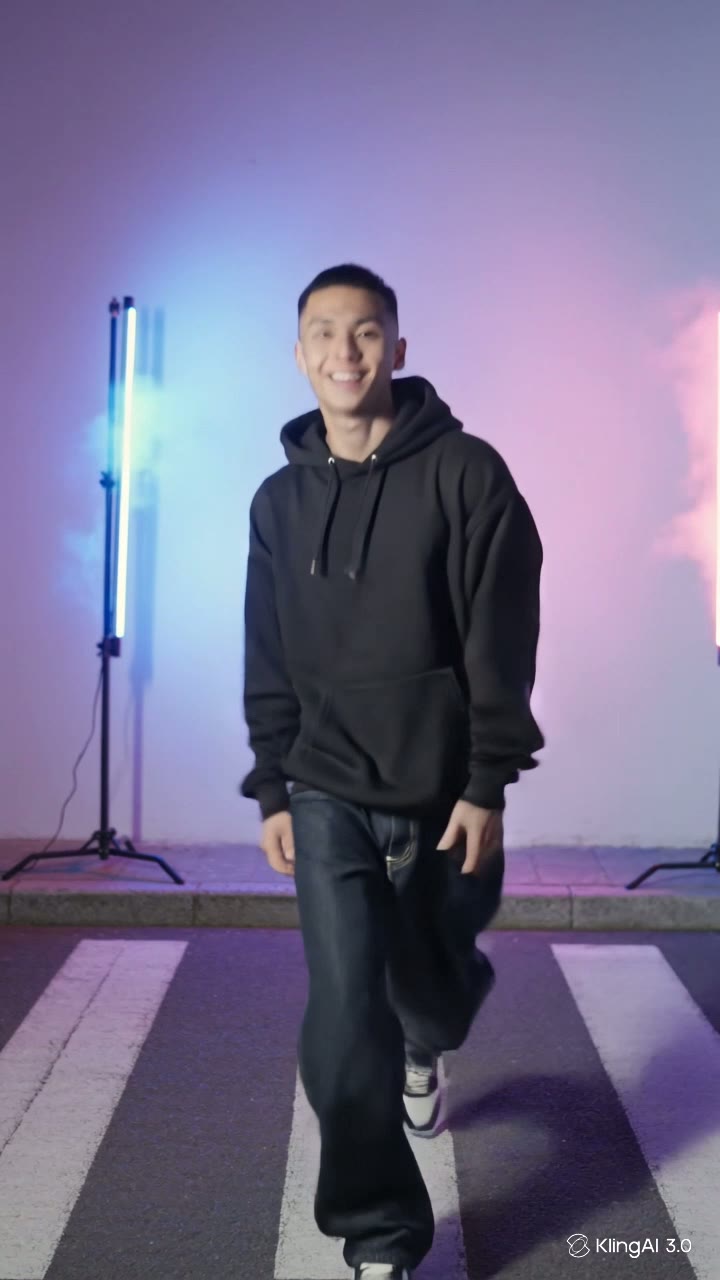
This is a real, unedited Kling generation at the 9:16 setting — one creator, bold motion, a graphic neon background, framed for a phone. The exact prompt is under the clip:
Vertical phone-screen video: a young streetwear creator in a plain black hoodie with no printed text or graphics does a quick playful dance toward the camera on a night city street, the background lit by soft abstract neon glow in pink and blue with no readable signs or lettering anywhere, energetic and fun, framed tall for a phone screen, camera locked off.
Built for the swipe. The subject is already moving in frame one, the background is pure colour and glow, and the tall frame fills the feed — nothing here waits to get good.
Why 9:16 — the same scene, two shapes
The same prompt, generated twice — once landscape, once vertical. On a phone, the difference is the whole game: the 16:9 version becomes a letterboxed strip, while the 9:16 version owns the screen:
16:9 — the landscape take
9:16 — the vertical take
Same scene, different job. Keep 16:9 for YouTube and the web, 1:1 for feeds that crop square — and give TikTok the tall one. Ratio is a generation-time choice, not a crop: generate at the shape you'll publish.
How to make a TikTok clip
Switch the ratio to 9:16 before you generate
In the settings chip under the prompt box, set Video Ratio to 9:16. TikTok is a fullscreen vertical feed, and a clip generated tall fills the phone; a landscape clip gets letterboxed into a strip. The demo above was generated at exactly this setting.
Design for the first second
The feed decides in one swipe. Put the subject front and centre, already moving — a dance step toward the camera, a reveal, a reaction — rather than a slow establishing build. The energy has to be visible in the poster frame, not a promise for later.
One subject, bold motion, simple background
A phone screen is small: one person or object, one clear action, and a background that stays graphic — glow, colour, texture — reads instantly. Describe clothing as plain and keep lettering out of the scene, since generated text comes out garbled.
Finish it in TikTok
Kling hands you the clip; the TikTok side — trending sounds, captions, stickers, posting — happens in the TikTok editor. Upload the vertical file, add the sound there, and let the app's own tools do the platform-native finishing.
There's no TikTok mode — you set the 9:16 ratio and design for the feed: one subject, instant motion, a graphic background, plain clothing with no lettering (generated text comes out garbled). Sounds, captions, stickers and posting happen in TikTok's own editor, and TikTok asks creators to label realistic AI-generated content when publishing. Generate the clip here, finish it there.