AI Christmas videos, warm on cue
Cosy, on cue. A prompt can render the whole warm feeling of Christmas — here's a real festive scene, and how to prompt the light, the glow and the snow.
On this page
Build a warm festive setting (a decorated tree, a fireplace, stockings, a snowy window), lean into warm light and glow (golden light, twinkling fairy lights, firelight), and add a little seasonal motion (falling snow, flickering fire, a gentle glide). Keep characters original and decorations generic so it stays yours. It's text-to-video, as in the real demo here; add your greeting or photos on top in an editor.
A cosy Christmas scene
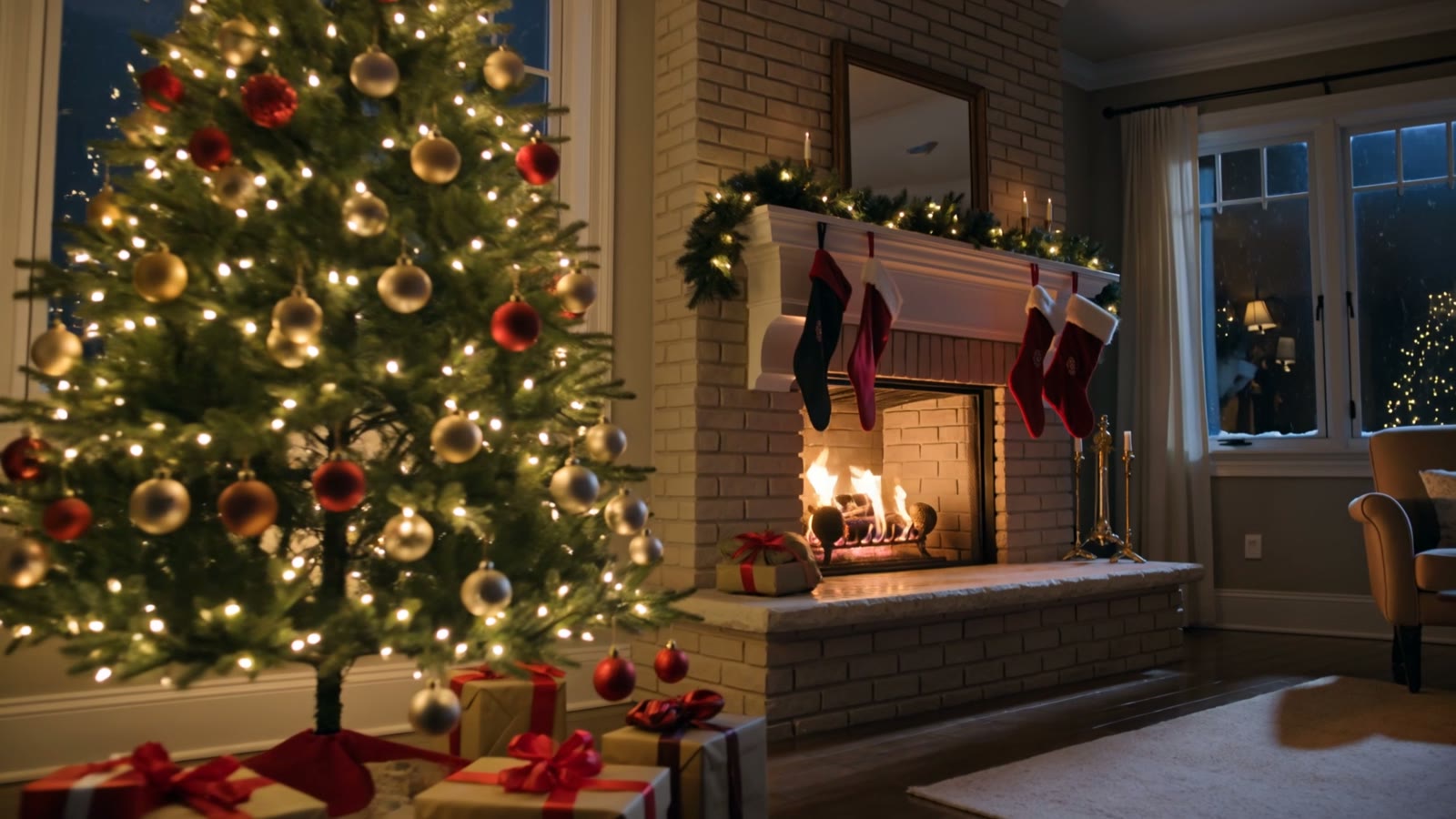
This is a real, unedited Kling text-to-video generation — the whole warm feeling of Christmas from one prompt. The tree, the fire, the snow outside and the gentle glide are what make it heartwarming:
Cinematic shot slowly gliding through a cozy living room decorated for Christmas, a glowing decorated tree with twinkling lights and wrapped presents beneath, a crackling fireplace with stockings, warm golden light, snow falling outside the window, festive and heartwarming, smooth forward camera, photorealistic.
Setting, glow, motion. The decorated room says Christmas, the warm golden light and twinkling lights set the cosy mood, and the falling snow plus gentle glide bring it to life — heartwarming in a sentence.
How to prompt a Christmas video
Build a warm, festive setting
Lead with the scene: a decorated tree, a crackling fireplace, stockings, a snowy window. Pile on the cosy festive details — they're what make a holiday clip feel warm and instantly recognisable.
Lean into warm light and glow
Christmas is a lighting mood: warm golden light, twinkling fairy lights, the glow of a fire, candlelight. Name those sources and the scene turns cosy and heartwarming.
Add the seasonal motion
A little movement brings it alive: snow falling softly outside, firelight flickering, tree lights twinkling, a gentle glide through the room. One or two of these turn a static scene into a living moment.
Keep characters and brands generic
For festive scenes with characters, design your own rather than using a branded Santa or a known holiday character, and skip real-brand decorations. A generic cosy scene keeps your clip yours and free to use.
There's no holiday mode — it's text-to-video prompted for the cosy setting, the warm glow and the seasonal motion that make Christmas feel like Christmas. Perfect for greeting videos, social posts, title backdrops and shop or event displays. One safety note: keep any characters original and decorations generic rather than using a branded character or logo, so the clip stays yours. For a real greeting with real people, add your own photos or footage via image-to-video.