AI pixel art animation & game sprites
Retro art, now moving. AI can bring a pixel-art scene or sprite to life — flickering lights, drifting fireflies, an idle bob — without losing the crisp pixels. Here's a real one.
On this page
Start from a clean pixel-art image (your own sprite works), load it into image-to-video, and prompt small looping ambient motion — flickering lanterns, drifting fireflies, an idle bob. Keep the movement slow and subtle so the sharp pixel edges survive; big or fast motion blurs the look. The result is a living pixel scene from a real, unedited generation, great for game backdrops and store loops.
A pixel scene, alive
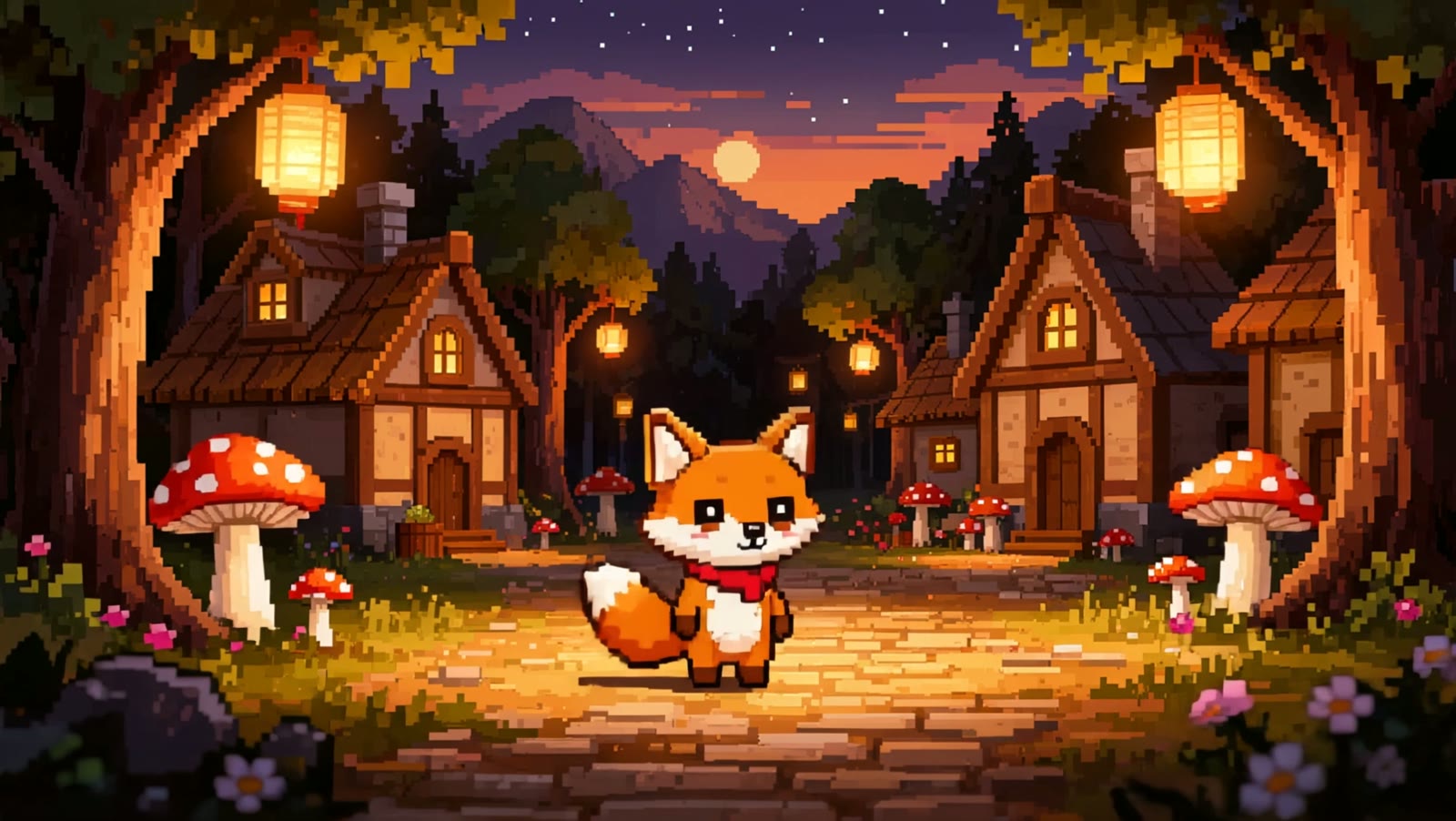
The still at the top — an original 16-bit village, generated in Kling — went into image-to-video with a prompt for gentle ambient motion. Four real, unedited seconds later the lanterns flicker, fireflies drift, and the little fox idles, all while the pixels stay crisp:
The paper lanterns flicker and glow warmly, the little fox character idly bobs and its tail sways gently, fireflies drift through the air, a few leaves fall softly, the red mushrooms sway slightly, subtle looping ambient idle animation, everything stays in crisp clean pixel-art style.
Small motion, big life. Nothing races across the frame — the lights flicker, the fox breathes, the fireflies drift. That restraint is exactly what keeps the pixels sharp instead of smearing them.
How to animate pixel art
Start from a clean pixel-art image
Use your own sprite or scene, or generate one. A crisp, well-composed pixel image with clear elements — lights, foliage, a character — gives the animation obvious things to move. The demo scene was generated in Kling for this example.
Load it into image-to-video
Add the pixel image as the start frame in Kling's Video Generation. This animates from your exact artwork, so the palette and pixel style you designed carry straight into the clip.
Prompt gentle, looping ambient motion
Ask for small, repeatable movements — lanterns flickering, fireflies drifting, a character's idle bob, leaves falling. Ambient idle motion loops well and suits the game-scene feel far better than a dramatic camera move.
Keep the motion subtle to protect the pixels
Big, fast motion smears the crisp edges that make pixel art read as pixel art. Prompt slow and small, say the style stays pixel-art, and the clip keeps its sharp retro look while still feeling alive.
There's no special pixel mode — this is Kling's normal image-to-video, and the whole craft is restraint. Pixel art lives or dies on its crisp edges, so you prompt slow, small, looping ambient motion and tell it the pixel style stays. Push for a big camera move or fast action and the edges blur into mush; keep it gentle and you get a living retro scene that still reads, pixel for pixel, like the art you started with.