AI interior design videos
Glide through the room. A prompt can render a beautifully designed interior and walk you through it — here's a real one, plus four more room styles to copy.
On this page
Name the style and the room together (a Scandinavian bedroom, an industrial kitchen), fill it with signature details and materials, light it for the mood, and ask for a slow forward glide. Kling renders a designed room and walks you through it — ideal for staging, concept and mood. It's a style of space, not a specific real property, so film or use real photos for an actual listing you're marketing.
A room, walked through
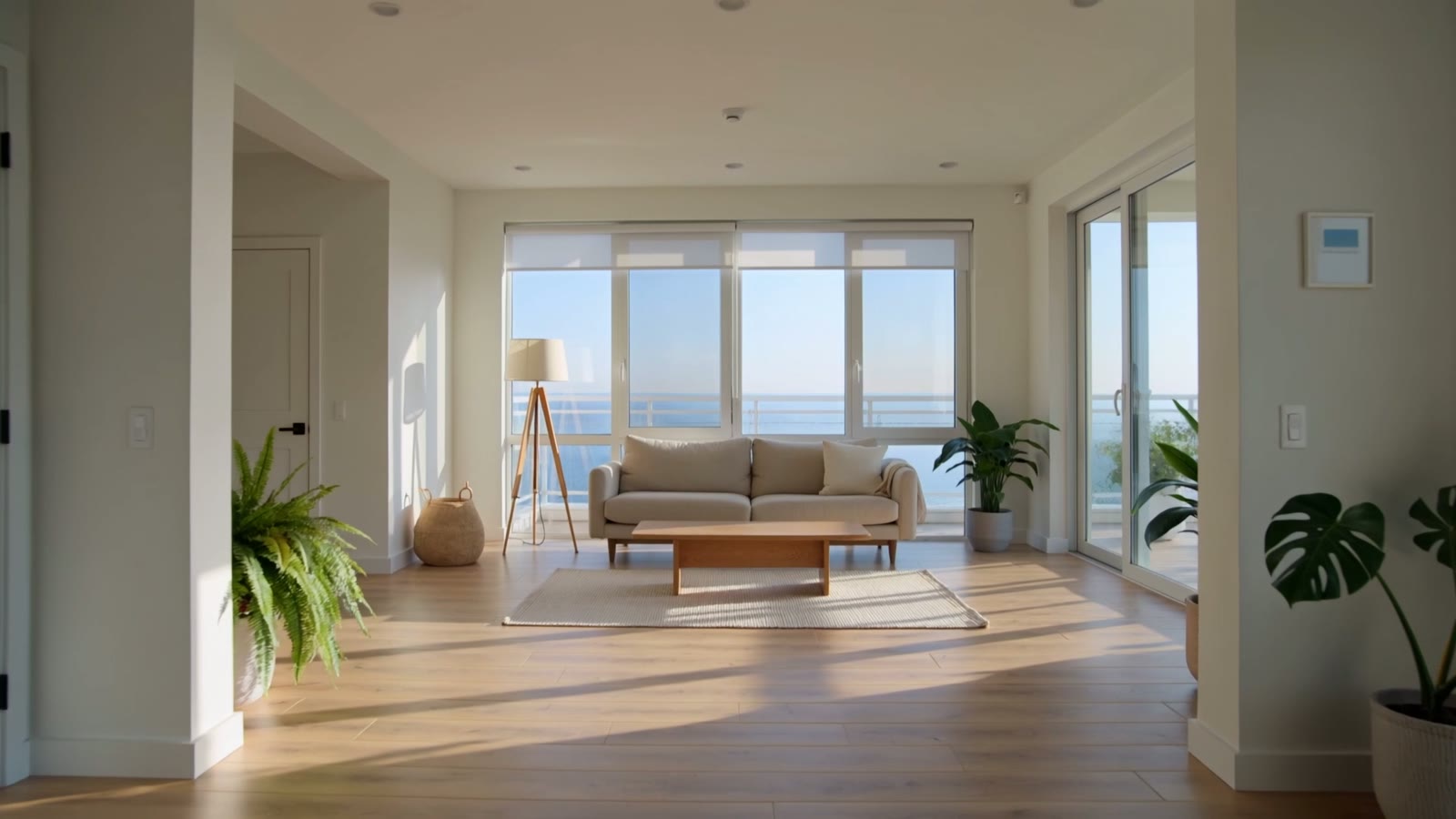
This is a real, unedited Kling text-to-video generation — a smooth glide through a bright, designed living room. No camera, no location; the prompt named the style, the details and the light:
Cinematic slow gliding shot through a bright modern living room with large windows, minimalist furniture, warm natural light, indoor plants and elegant decor, cozy and stylish, smooth flowing camera moving forward, architectural interior, photorealistic.
Details plus light make it real. The large windows, plants and elegant decor give the room its character; the warm natural light and the slow forward glide make it feel like a designed, walkable space.
More room styles to copy
Four more copy-paste room prompts — a Scandinavian bedroom, an industrial kitchen, a luxury bathroom and a home office. Same pattern: style + room, signature details, the right light, a slow glide.
Cinematic slow gliding shot through a bright Scandinavian bedroom, pale wood floors, soft white bedding, a large window with sheer curtains, potted plants and warm morning light, calm and airy, smooth forward camera, architectural interior, photorealistic.
Cinematic slow gliding shot through a stylish industrial kitchen, exposed brick, matte black fixtures, a large island with pendant lights, stainless steel appliances, moody warm lighting, smooth flowing camera, architectural interior, photorealistic.
Cinematic slow gliding shot through a luxurious modern bathroom, marble surfaces, a freestanding tub by a window, brass fixtures, soft diffused light and greenery, spa-like and serene, smooth forward camera, architectural interior, photorealistic.
Cinematic slow gliding shot through a cosy home office, a warm wood desk, shelves of books, a comfortable chair, a window with plants and soft afternoon light, inviting and productive, smooth flowing camera, architectural interior, photorealistic.
How to prompt an interior walkthrough
Name the style and the room
Lead with both: ‘a bright Scandinavian bedroom’, ‘a stylish industrial kitchen’. The design style plus the room type gives the model a clear, coherent space to build rather than a generic interior.
Fill it with specific details
Rooms feel real in the details — pale wood floors, a freestanding tub, exposed brick, potted plants, pendant lights. Name a few signature pieces and materials and the space reads as designed, not empty.
Light it for the mood
Interior footage lives on light: warm morning light for airy and calm, soft diffused light for spa-like, moody warm lamps for cosy. The light sets the whole feeling of the room.
Glide the camera slowly forward
Walkthroughs are smooth and unhurried — a slow forward glide or a gentle pan that reveals the space. Ask for smooth flowing motion so it reads as an architectural tour, not a shaky handheld clip.
This generates beautiful, stylised interiors from a prompt: name the style, the details and the light and Kling glides you through a designed room. It's ideal for concept and mood — staging inspiration, design pitches, style reels, backdrops. One honesty line for real estate: a generated room is not a specific real property, so don't present AI interiors as photos of an actual listing you're selling. For a real space, film it or start from real photos with image-to-video.