How to make photorealistic AI video
Footage, not a render. The gap between “obviously AI” and “looks real” is mostly in the prompt. Here's a real shot that reads like cinematography, and how to get there.
On this page
Photorealism comes from the prompt, not a setting. Write like a cinematographer: name the shot and a real camera/lens feel, motivate the lighting (where it comes from, what it does), add mundane physical detail (steam, droplets, crema), and keep the subject and motion simple. Those cues push the model toward footage and away from the generic AI look. Simple, physically-grounded subjects read as real far more easily than complex human action.
A shot that reads as real
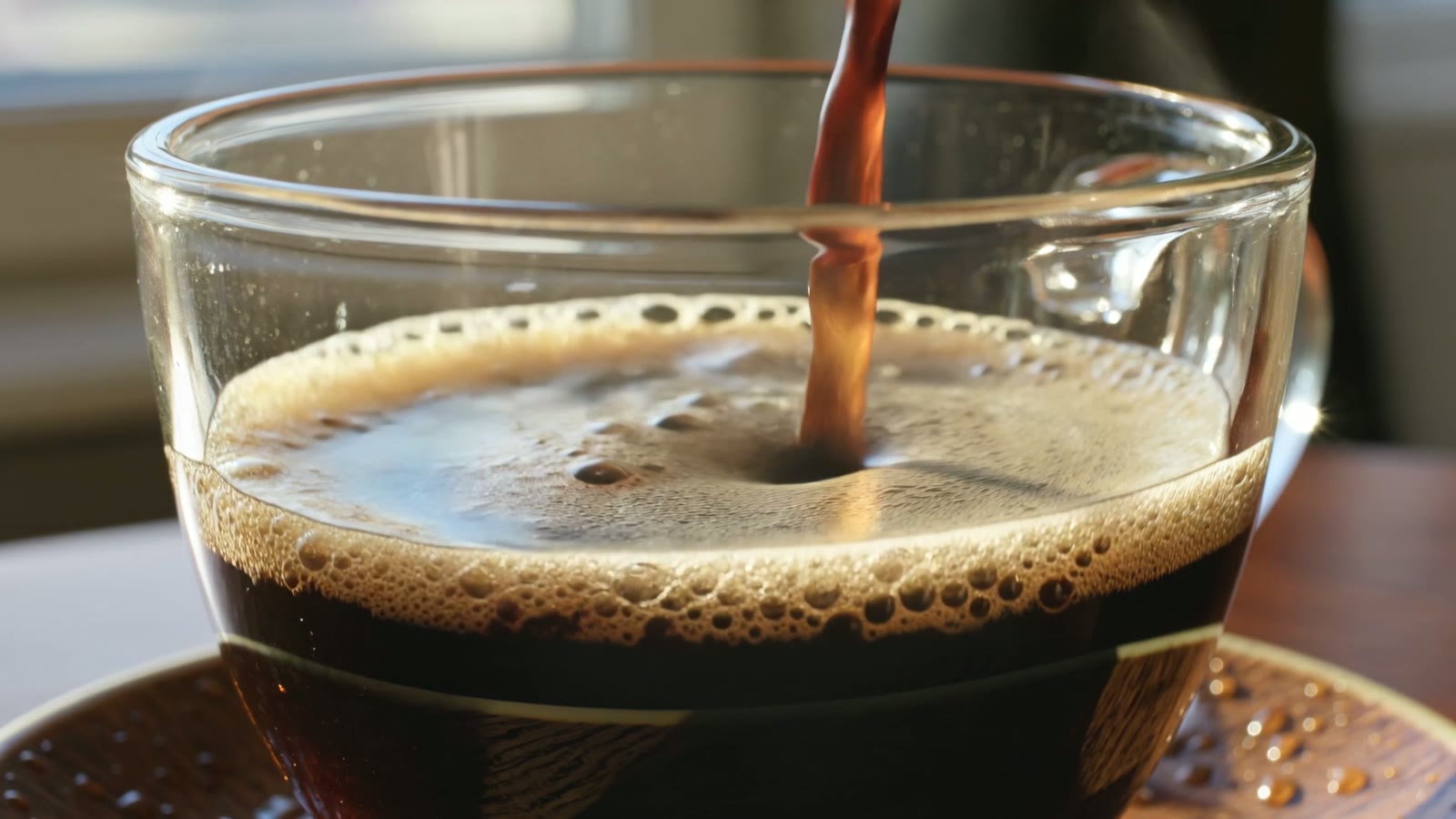
This is a real, unedited Kling text-to-video generation — no reference footage. It reads like a shot from a coffee commercial because the prompt was written like one: a real lens feel, motivated light, and the small physical details the eye checks for:
Extreme close-up of hot coffee being poured into a clear glass cup, swirling crema and tiny bubbles, delicate steam rising, warm morning light through a window, small water droplets on the wooden table, hyper-realistic, shot on a cinema camera, shallow depth of field, ultra-detailed, photorealistic.
Read the prompt like a shot list. Lens feel, light source, real physics, mundane detail. Every clause is doing a job the eye checks — that's what separates “footage” from “render.”
How to prompt for realism
Prompt like a cinematographer
Realism starts with camera language. Name a real lens and camera feel — “extreme close-up, shot on a cinema camera, shallow depth of field” — so the model aims for footage, not an illustration. Vague prompts drift toward the generic AI look.
Ground it in real light and physics
Say where the light comes from and what it does: “warm morning light through a window, soft reflections, steam rising.” Real, motivated lighting and believable physics (liquid, steam, droplets) are what the eye reads as real.
Add mundane, imperfect detail
Perfection reads as fake. A few ordinary details — tiny bubbles, water droplets on the table, a slightly uneven surface — ground the shot. Over-clean, flawless scenes are a classic AI tell.
Keep the subject and motion simple
Photorealism holds best on one clear subject with restrained motion. A slow, single action — a pour, a drift, a gentle push-in — stays believable; complex action and fast motion are where warping and the tell-tale AI wobble creep in.
There's no “make it real” switch — photorealism is something you prompt for, clause by clause. Describe the shot the way a cinematographer would (camera, lens, light), ground it in real physics and mundane imperfection, and keep the motion simple enough that the model doesn't strain and warp. And be honest about difficulty: contained subjects and slow single actions read as real easily; crowds, fast motion and intricate hands are where the AI tells still show, so pick your shots accordingly.