AI nature & timelapse videos
A day, in a few seconds. AI can generate the look of compressed time from a prompt — here's a real rose blooming on cue, and prompts for skies, water and the seasons.
On this page
Name the phenomenon and the speed — ‘timelapse of clouds rolling’ or ‘slow-motion wave breaking’ — set the light and any colour shift, and keep the camera mostly still so the scene's own change is the motion. Kling generates the look of compressed or stretched time from a short clip, ideal for cinematic B-roll and mood. The demo here is a real rose blooming from bud to open; the starter prompts cover skies, auroras, waves and seasons.
A rose, blooming on cue
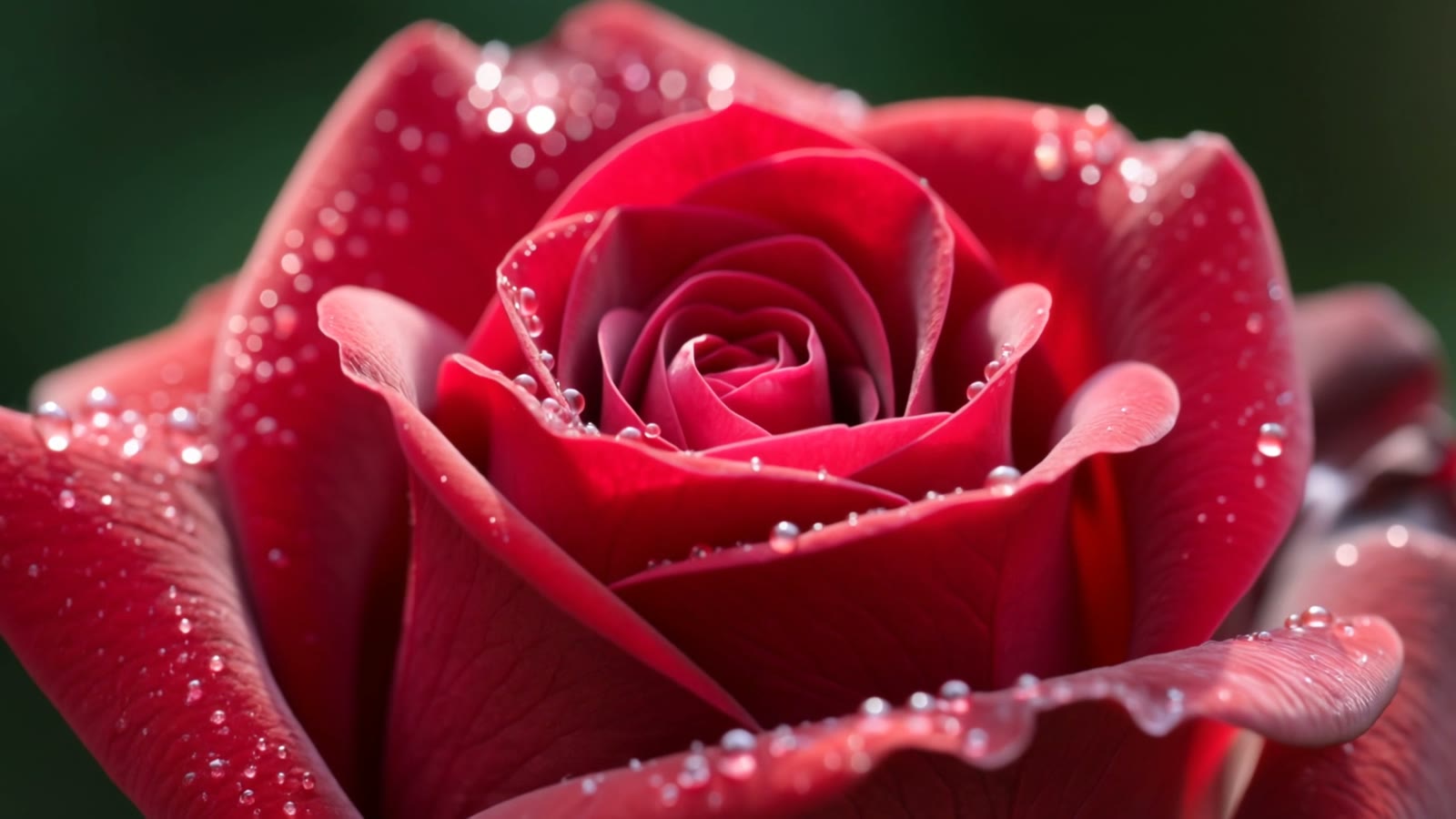
This is a real, unedited Kling text-to-video generation. Over four seconds a tightly closed bud unfurls into a full, dewy bloom — the look of a timelapse that would take a real camera the better part of a day:
Cinematic macro timelapse of a single red rose blooming, a tightly closed bud unfurling its petals open in smooth accelerated motion, tiny dewdrops glistening on the petals, soft natural light, dark blurred green background, shallow depth of field, mesmerizing, photorealistic.
‘Timelapse’ and ‘accelerated motion’ do the work. Those two cues tell the model to compress time so the bloom happens in seconds; the macro framing and shallow focus keep every petal and dewdrop crisp.
More nature & timelapse prompts
Four more copy-paste prompts — a rolling cloudscape, the northern lights, a slow-motion wave and a tree through the seasons. Note which are timelapse and which are slow motion: that one word sets the whole feel.
Cinematic timelapse of dramatic clouds rolling over a mountain range at sunset, the sky shifting from gold to deep purple, long shadows sweeping across the valley, accelerated motion, warm-to-cool colour shift, wide static shot, photorealistic.
Cinematic timelapse of the aurora borealis rippling in green and violet waves across a starry night sky above a snowy pine forest, reflections on a still frozen lake, slow accelerated motion, cold serene atmosphere, wide shot, photorealistic.
Cinematic slow-motion close-up of a turquoise ocean wave curling and breaking, sunlight glinting through the spray, foam and droplets suspended in the air, deep blue water, powerful and mesmerising, side-on tracking shot, photorealistic.
Cinematic timelapse of a single oak tree through the seasons, leaves turning from spring green to autumn gold then falling bare into winter snow, the meadow around it shifting colour, smooth accelerated transition, wide static shot, photorealistic.
How to prompt nature & timelapse
Name the phenomenon and the speed
Say what changes and how fast: ‘timelapse of clouds rolling’, ‘slow-motion wave breaking’. Timelapse and slow motion sit at opposite ends of speed, and naming which one you want is the single most important cue for this kind of shot.
Set the light and the colour shift
Nature footage lives on light. Name the time of day and any colour change — ‘sunset, gold shifting to purple’, ‘cold blue moonlight’. A shifting sky is what makes a timelapse feel alive.
Keep the camera mostly still
Timelapse and nature shots work best from a locked-off or slowly-moving camera, so the change in the scene — the clouds, the bloom, the tide — is the motion. A wide static shot lets the phenomenon be the star.
Generate a set of matching moments
One clip is a moment; a nature piece is several. Generate a few — a sky, a bloom, a wave — in the same palette and light, and you have a matching set of calm, cinematic scenes ready to publish.
A real timelapse is shot over hours or days; here Kling generates the look of compressed time from a short clip and your words. That's ideal for mood, B-roll and establishing shots — a bloom, a moving sky, a changing season in a few seconds — and it means a shot that would take a real camera a full day arrives in a couple of minutes. Treat it as cinematic nature footage, not a scientific record of a specific place or event.