AI sneaker & footwear videos
A drop teaser from a sentence. The studio-lit, rotating, splashy look that sells a sneaker — here are two real ones, and how to prompt the light, the motion and the premium feel.
On this page
Get in close so the shoe is the hero, light it dramatic in a dark studio, add one hero motion (a turntable rotation, a powder burst, a boot step), keep it premium and clean, and slow it down. Kling makes a generic unbranded sneaker from text, ideal for mood, as in the two real demos here. To feature your actual product, start from a photo with image-to-video so the clip shows your real shoe.
Two sneaker shots, two real clips
Two takes on the sneaker hero shot — the calm and the explosive — both real and unedited from Kling. The exact prompts are under each clip to copy.
The rotation · a sneaker on a pedestal
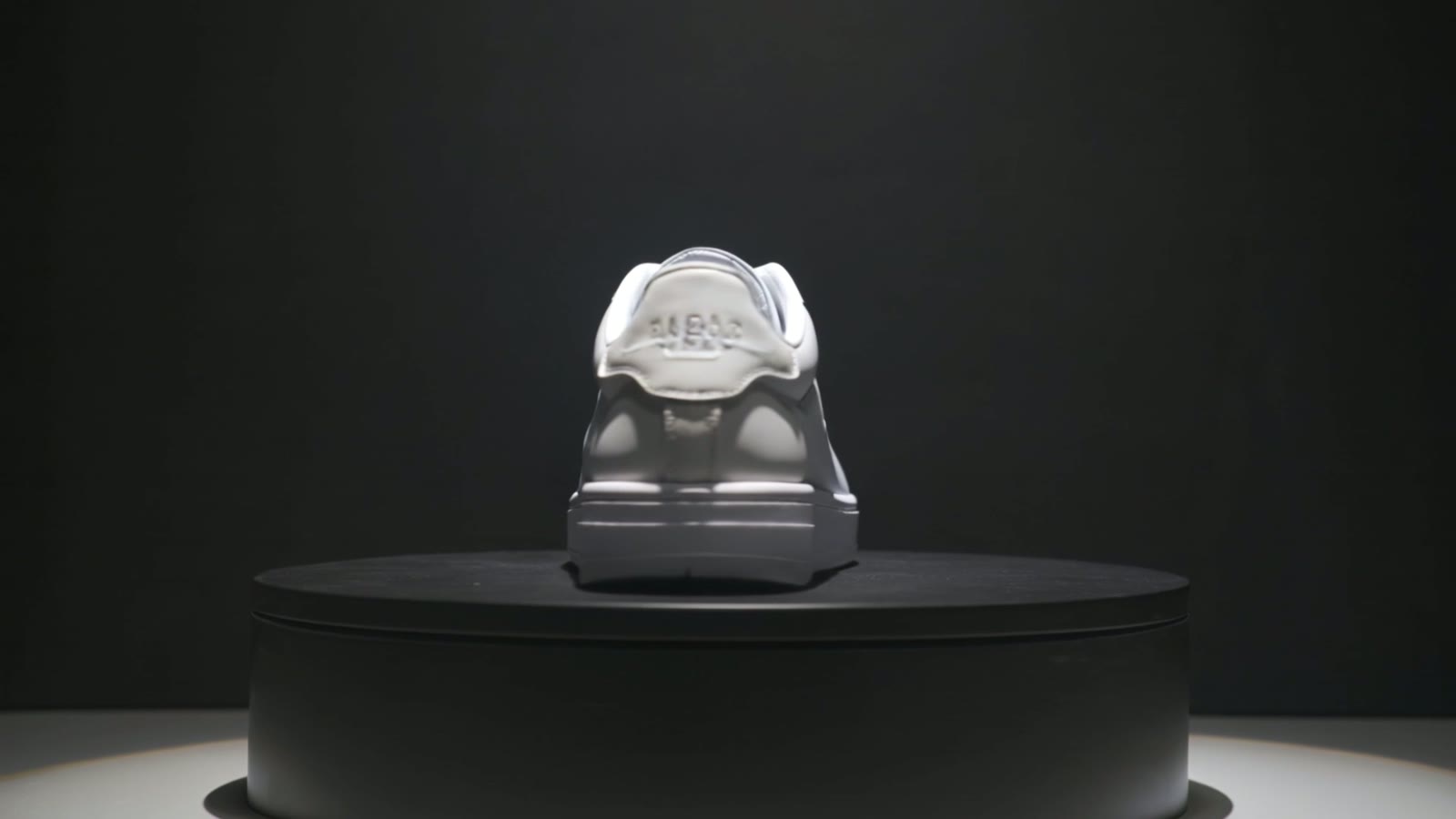
Cinematic close-up of a modern white sneaker rotating slowly on a pedestal in a dark studio, dramatic spotlight, glossy reflections, sleek and premium, smooth turntable camera, photorealistic, a plain unbranded generic sneaker with no logos.
Studio light and a slow spin sell it. The dark studio, the dramatic spotlight and the glossy reflections make the shoe look high-end; the slow turntable rotation shows every angle, the way a real product ad would.
The splash · a powder burst
Cinematic close-up of a sneaker suspended in mid-air with a dynamic burst of colourful powder exploding around it, dramatic studio light, energetic and bold, slow motion, photorealistic, a generic unbranded sneaker with no logos.
Energy makes it scroll-stopping. The colourful powder exploding around the suspended sneaker in slow motion turns a product shot into a bold, dynamic hero moment — the punchy counterpart to the clean rotation.
Four more footwear prompts
Four more copy-paste footwear prompts — a laces-and-fabric close-up, a sole-tread detail, a reflective-floor orbit, and a hiking boot on a trail. Every one is a generic, unbranded shoe; swap it for your product and keep it logo-free.
Cinematic extreme close-up of a sneaker's laces and textured knit fabric, soft studio light raking across the material, shallow depth of field, premium and tactile, slow camera, photorealistic, a generic unbranded sneaker with no logos.
Cinematic close-up of the rugged tread sole of a sneaker rotating in dramatic light, deep grooves and texture, bold and detailed, slow turntable camera, photorealistic, a generic unbranded sneaker with no logos.
Cinematic shot of a sneaker on a glossy reflective floor in a moody studio, a crisp mirror reflection below, dramatic rim light, sleek and premium, slow orbit camera, photorealistic, a generic unbranded sneaker with no logos.
Cinematic close-up of a rugged hiking boot stepping onto a rocky mountain trail, dust and grit kicking up, warm outdoor light, adventurous and tough, slow motion, photorealistic, a generic unbranded boot with no logos.
How to prompt a sneaker video
Get in close and make the shoe the hero
Footwear sells on shape and detail, so ask for a close-up that fills the frame with the sneaker — the silhouette, the texture, the sole. Distance loses the premium feel; the product filling the frame is what makes it look like a real ad.
Light it dramatic in a studio
A sneaker looks premium under studio light: a dark background, a dramatic spotlight or rim light, glossy reflections. Ask for a ‘dark studio, dramatic spotlight, glossy reflections’ and the shoe reads as high-end and desirable rather than flat.
Add one hero motion
Give the shot life with a single move: a slow turntable rotation, a burst of powder, a boot stepping onto a trail, an orbiting camera. Name that one hero motion — it's what turns a static product shot into a scroll-stopping clip.
Keep it premium and clean
Let nothing compete with the shoe. Ask for a simple dark background, a glossy reflective floor, a clean pedestal. An uncluttered, polished frame is what keeps the focus on the product and makes the whole clip feel expensive.
Use your real sneaker with image-to-video
For a generic hero shot, text-to-video like the demos is instant. But to feature your actual product, start from a photo of it with image-to-video and prompt the rotation or camera move, so the clip shows your real shoe — the right path for a store, ad or listing.
There's no sneaker mode — it's text-to-video prompted for the close-up, the dramatic studio light, the hero motion and the clean frame that make footwear look premium. The demos make a generic, unbranded sneaker from text, ideal for concept and mood. To feature your actual sneaker, start from a photo of it with image-to-video and prompt the rotation or camera move, so the clip shows your real shoe. Keep the text version logo-free, and check your platform's video specs before you post to a store, ad or listing.