AI jewelry & accessory product videos
One photo, a sparkling showcase. Turn a still jewelry shot into the slow rotating video that sells stones and finish — here's a real one, photo to sparkle.
On this page
Start from a sharp macro photo of the piece on a clean background, load it into image-to-video, and prompt a slow smooth rotation with the light catching the stones as it turns. Say the background and lighting stay still so it reads as a clean turntable. The rotation is what animates the sparkle. Kling exports a standard clip; check your marketplace's video specs before uploading.
A ring, turning in the light
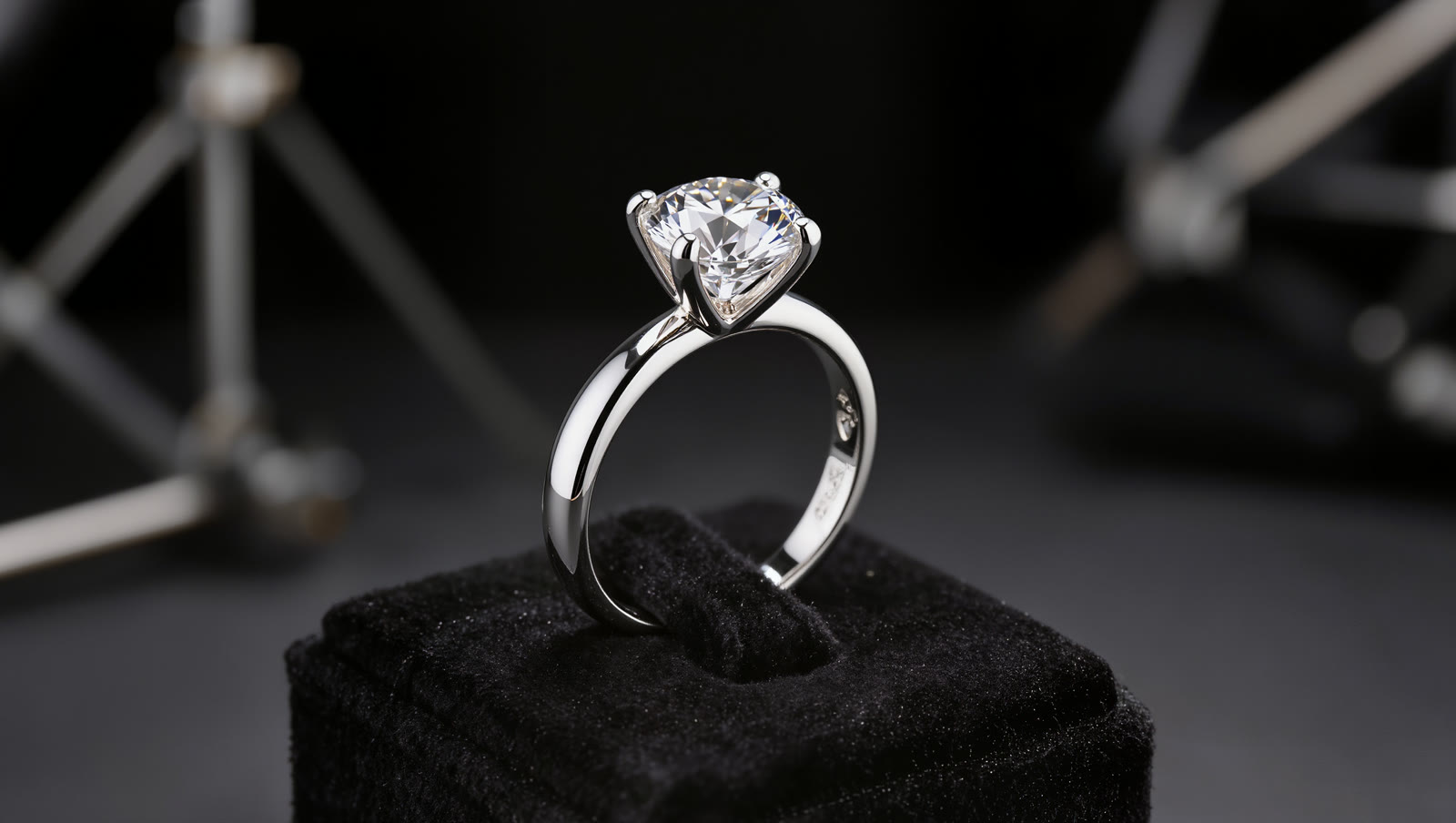
The still at the top — a studio shot of a diamond solitaire — went into image-to-video with a prompt for a slow turn. Four real, unedited seconds later the ring rotates on its stand and the diamond catches the light with every degree:
The diamond ring slowly rotates a smooth full turn on its display stand to show it from every angle, the diamond sparkles and catches the light with each turn, soft reflections shift across the polished band, background and lighting stay completely still, elegant clean product showcase, smooth steady motion.
The turn is what makes it sparkle. As the facets move relative to the light, the diamond glints — something a still photo simply can't do. Slow and steady keeps it looking premium.
How to make a jewelry video
Start from a sharp macro photo
Jewelry sells on sparkle and detail, so begin with a crisp, well-lit close-up on a clean background — the same hero shot you'd use in a listing. The sharper the stones and metal in the still, the more convincing the glint once it moves.
Load it into image-to-video
Add the photo as the start frame in Kling's Video Generation so it animates your actual piece, keeping the exact stones, setting and finish you photographed.
Prompt a slow rotation and sparkle
Ask for a smooth, slow turn that shows the piece from every angle, with the light catching the stones as it moves. Slow and steady reads as premium; a fast spin looks cheap and blurs the detail buyers want to see.
Keep only the piece moving
Say the background and lighting stay still, so the rotation reads as a clean product turntable rather than the whole scene drifting. Then check your marketplace's video specs — length, resolution, no outside branding — before uploading.
There's no jewelry-specific tool here — it's Kling's ordinary image-to-video, prompted for the slow rotation and sparkle a display piece calls for. That's why the same recipe works for a ring, a watch, a necklace or a pair of sunglasses. Start from a sharp photo, keep the motion slow so the detail stays crisp, animate only the piece, and confirm your marketplace's video rules before it goes live.