AI stylist: one piece, multiple looks
Take one piece you're deciding on and see it styled several different ways. Not a product photo, not an exact try-on — a stylist's "here's how this could work" visualized before you commit.
On this page
Use the same garment as an image reference across multiple generations, describing a full style direction each time — the piece stays consistent while the rest of the look changes, giving you real options to compare before deciding.
A real example: one coat, two directions
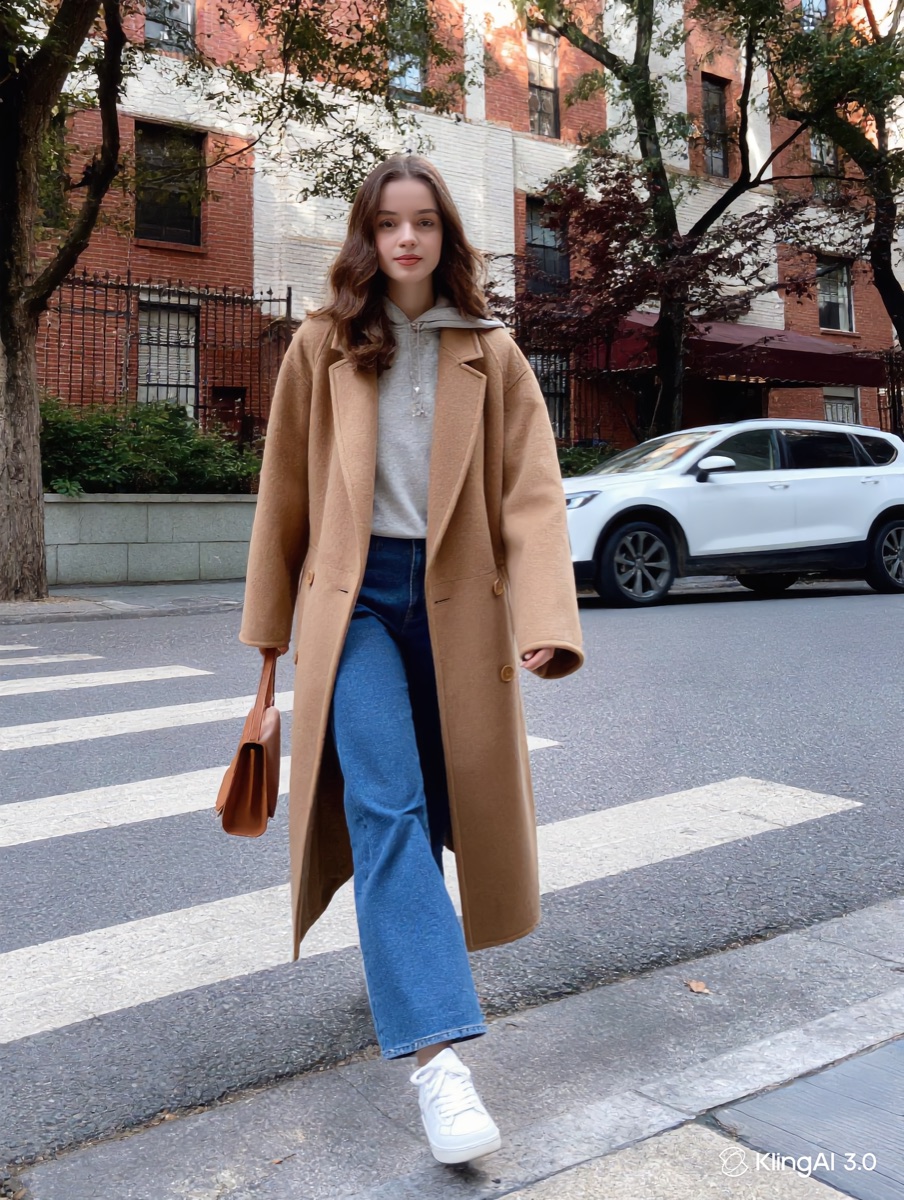
Same camel wool coat, used as the image reference for both generations — only the style direction in the prompt changed:
“Styled for a casual weekend look with jeans and white sneakers, walking on a city sidewalk, natural daylight.”
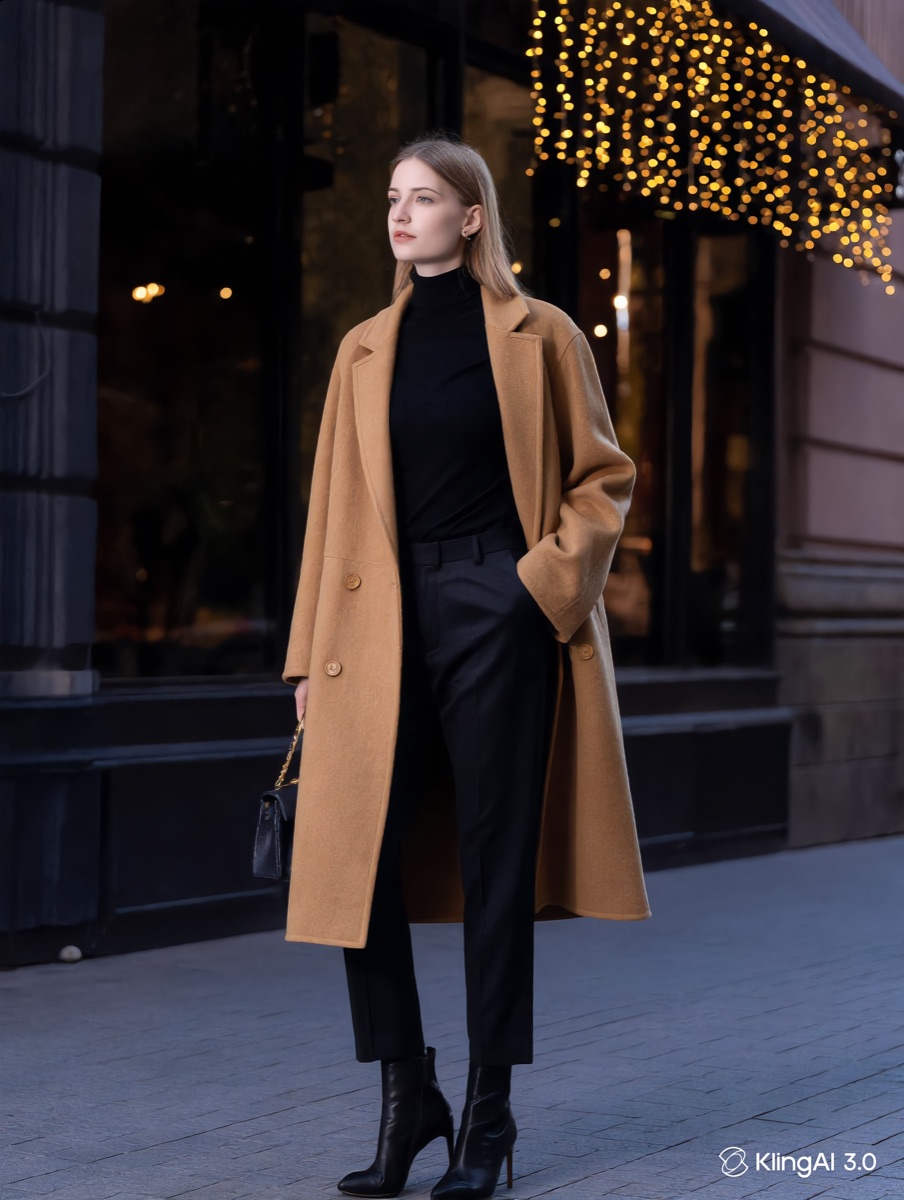
“Styled for an elevated evening look with a black turtleneck, tailored trousers and heeled boots, city street at dusk.”
The coat is the one constant. Everything else in the prompt is what makes these two looks feel like completely different outfits.
How to build a look
Start with two photos: the person and the piece
Upload a clear full-body photo of yourself (or your model) and a clean, well-lit shot of each garment you're styling — a coat, a dress, a statement piece, alone on a plain background. The person photo is what makes the result a look on you rather than on a stranger.
Add both as image references in one generation
Load the person photo and the garment photo(s) together in Kling's IMAGE 3.0 image-reference slot — it reads the face and build from one reference and the exact garment from the other, so both carry over while the styling around them changes.
Describe one complete style direction
Name the full look, not just the garment: the other clothing, the setting, the mood — "casual weekend" and "elevated evening" pull very differently even on the same base piece.
Repeat with a different style direction
Generate a second (or third) version using the same reference image but a different style description, then compare them side by side before deciding.
Honest limits
This is a styling and decision-support tool, not an exact virtual fitting room — the garment carries over closely but not pixel-perfectly between generations, and this workflow doesn't composite the piece onto a photo of your own body.