How to try on clothes online with AI
See it on, before you buy it. Kling can show a garment on you from two photos — yours and the garment’s — no fitting room required. Here's a real outfit swap, and how it actually works.
Add a full-length photo of yourself and a garment photo as two image references in the same generation, then prompt the swap — “the same person wearing this instead of their current top, same pose and background.” Kling reads the person from one reference and the clothing from the other and generates a new combined photo. It's a re-render, not a pixel-exact edit, so generate a few and keep the most convincing fit.
One outfit change, two references
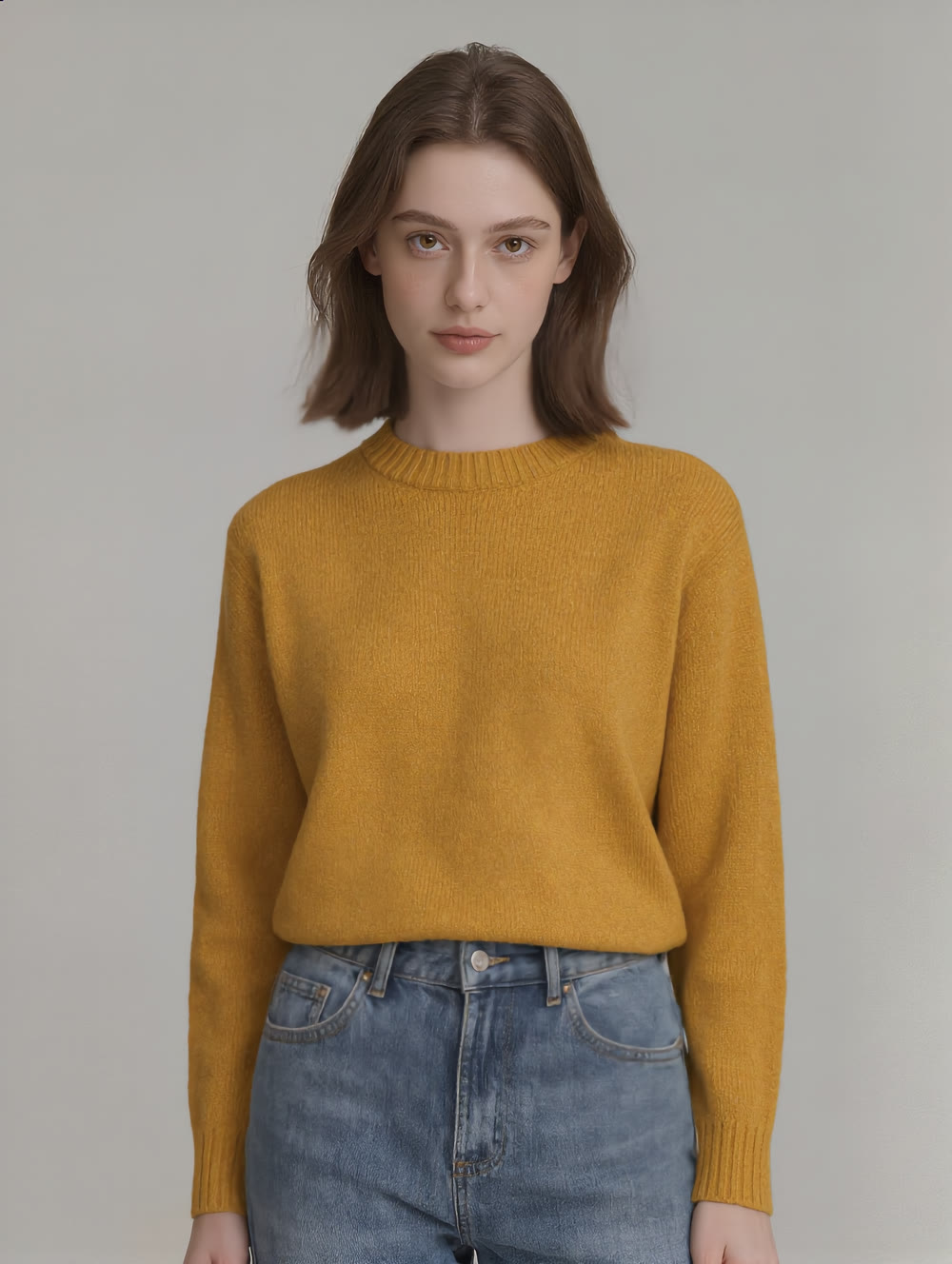
The demo below uses a synthetic model as the stand-in for your own photo — the workflow is identical with a photo of yourself. The first image shows that virtual model in a plain white t-shirt. Below it, the same model re-rendered wearing a mustard knit sweater — built from that model photo plus a separate garment photo, combined in one generation. Both are real, unedited results:
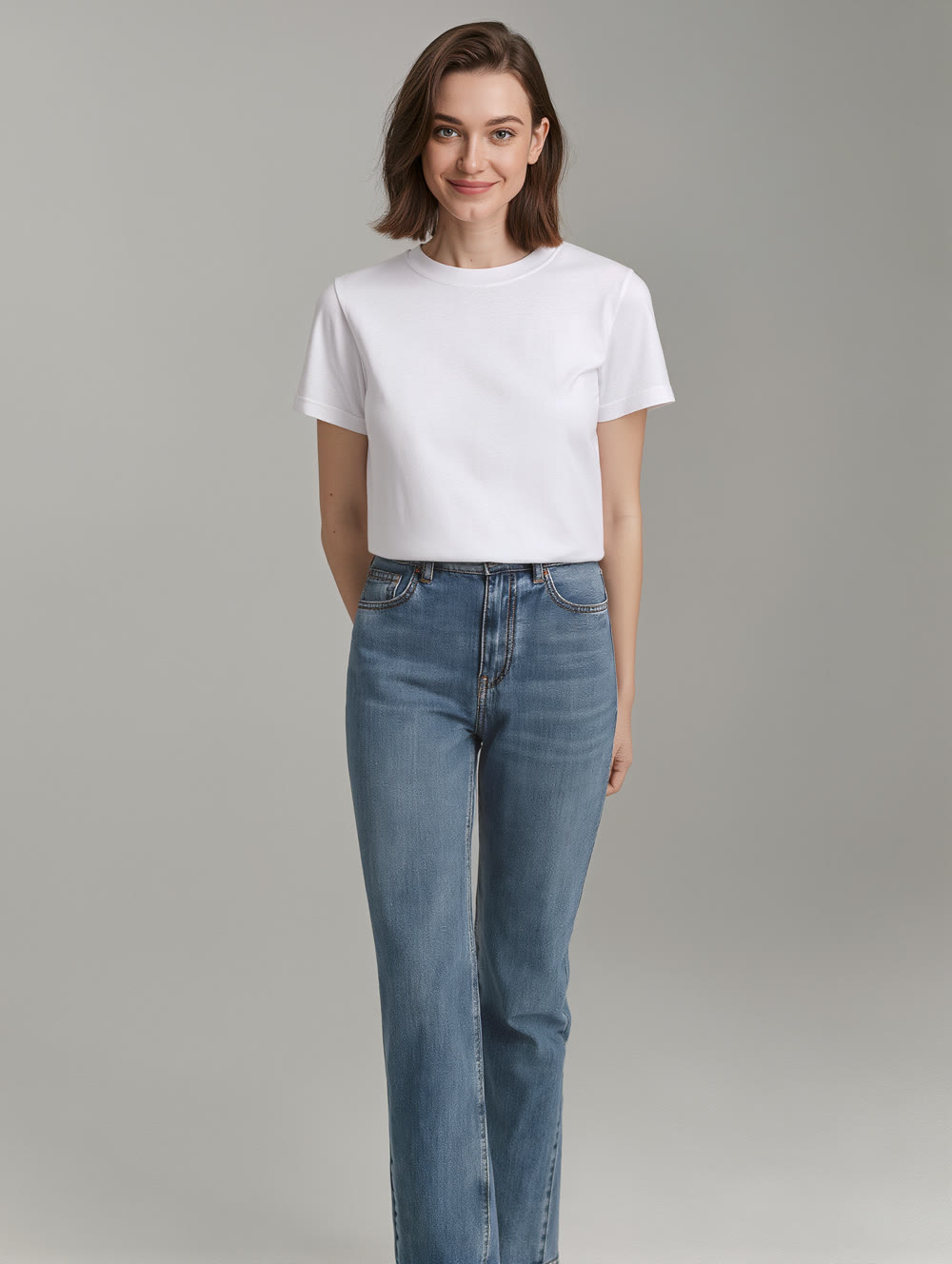
The woman from the first image now wearing the mustard yellow knit sweater from the second image instead of her white t-shirt, same pose, same jeans, same plain grey studio background and lighting, full body shot, photorealistic.
Same person, new top. The pose, hair, jeans and background carried through from the reference — only the garment on top changed, exactly as prompted.
How to try on clothes with AI
Start with your photo and a garment photo
You need two images: a full-length photo of yourself — front on, plain background works best — and a clear shot of the garment you want to try, laid flat or on a plain background with nothing else in frame.
Add both as image references
Load your photo and the garment photo as two Image References in the same generation. Kling reads the person from one and the clothing from the other, rather than needing them photographed together.
Prompt the swap, not the scene
Describe what changes: “the same person now wearing this sweater instead of their t-shirt, same pose, same background.” Naming what should stay put helps the result read as the same photo, restyled.
Generate a few and check the fit
Outfit changes vary run to run — the drape, the fit and the pose can shift slightly. Make several and keep the one where the garment sits naturally and the person still looks like themselves.
This builds a new image from a person reference and a garment reference — it isn't a guaranteed pixel-exact edit of your own photo, and small details like drape or exact fit can shift between generations. For your own photo specifically, Kling's dedicated AI Virtual Try-On tool takes a photo of you plus a garment photo and works the same way, purpose-built for that exact pairing. Either way: clear references in, generate a few, keep the one where the fit convinces.