AI yoga videos: prompt the exact pose
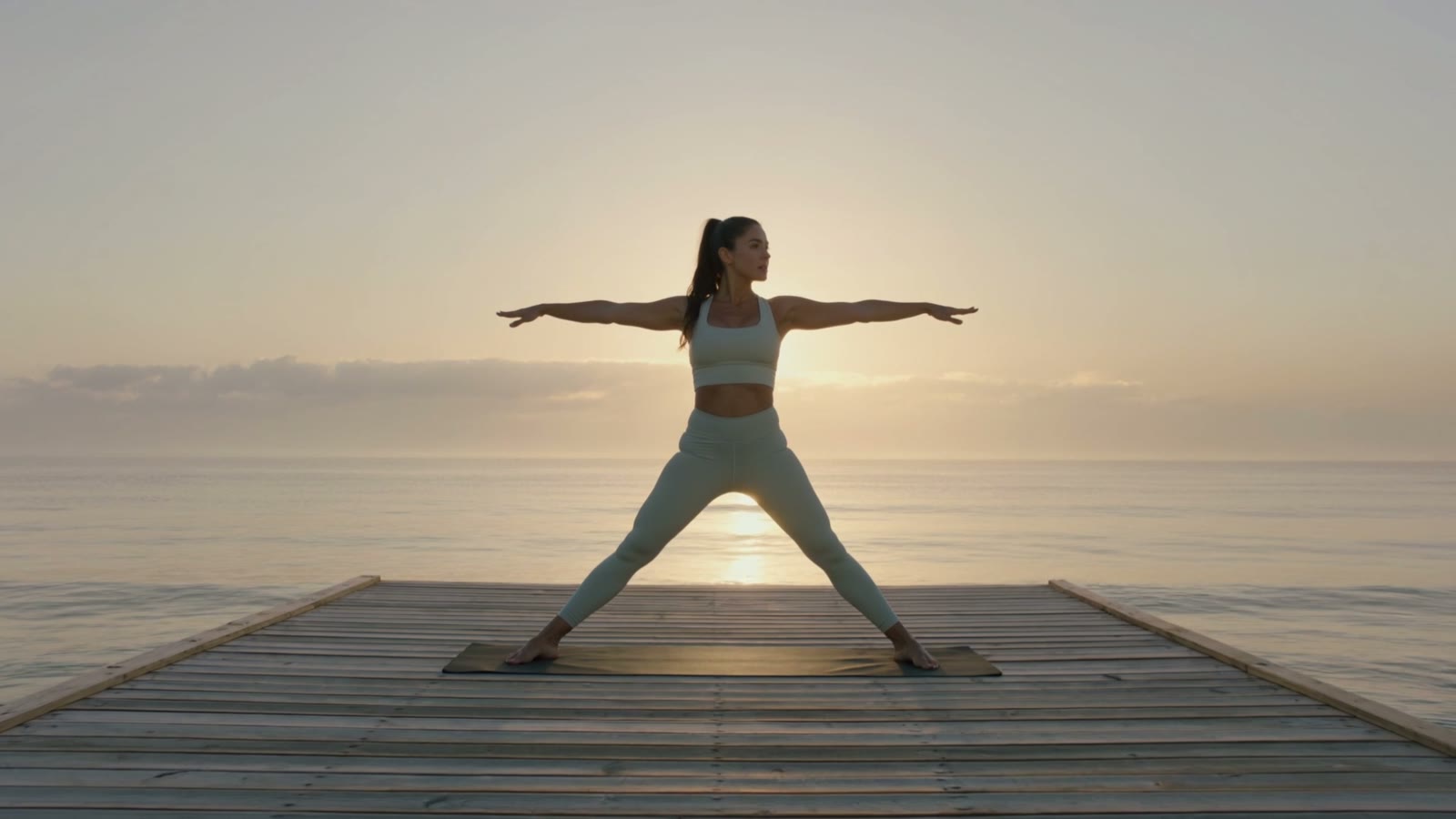
Name the pose, get the pose. The heart of an AI yoga video is describing the asana itself — here's a real sunrise clip of a wide-stance warrior pose, and how to prompt the pose, the setting and the light.
On this page
Describe the exact pose first — name the asana and how the body holds it — then set a serene setting, soft golden light, and a slow, still camera, one pose per generation. Kling turns the description into a yoga pose clip — ideal for class intros, pose-of-the-week posts and studio loops. It's not a specific instructor or studio, as in the real sunrise demo here; film or use image-to-video for that.
A named pose, at sunrise
This is a real, unedited Kling text-to-video generation — the serene, peaceful mood of a wellness moment from one prompt. The calm ocean, the soft sunrise light and the held pose are what make it feel tranquil:
Cinematic shot of a person holding a graceful yoga pose on a wooden deck at sunrise, calm ocean and soft golden light behind, mist and stillness, serene and peaceful, slow gentle camera, wellness style, photorealistic.
Setting, soft light, stillness. The deck by the calm ocean sets the serene scene, the soft golden sunrise light makes it warm and peaceful, and the single held pose with a slow camera keeps everything calm — a moment of quiet, from a sentence.
How to prompt a yoga video
Name the exact pose or flow
This is the heart of a yoga video: describe the asana itself, in detail. Name it — a wide-stance warrior pose, tree pose, a seated forward fold, a slow sun-salutation flow — and describe the body: arms extended level, hips squared, gaze over the front hand. The more precisely you describe the pose, the more the clip reads as real yoga rather than a person vaguely stretching.
Set a serene, natural setting
Put the pose somewhere peaceful — a deck by a calm ocean, a quiet studio with soft light, a misty forest clearing, a mountaintop at dawn. The tranquil setting carries the restful mood around the pose.
Bathe it in soft, calm light
Ask for soft golden sunrise light, a gentle glow, warm diffuse morning light — nothing harsh. That soft, warm light is what makes a yoga scene feel serene and inviting rather than clinical.
One pose per generation, camera slow and still
Keep each clip to a single held pose or one slow transition, with a gentle camera or a mostly static frame. A sequence is several generations — one asana each — not one busy clip. The stillness is what lets the pose read clearly and feel meditative.
There's no yoga mode — it's text-to-video prompted with a precise description of the pose, plus the serene setting and soft light that make it calm. It's ideal for mood and concept: class and app intros, meditation backdrops, ambient loops, studio and retreat promos. One honesty line for a real business: a generated wellness scene is a style of moment, not a specific instructor or your actual studio, so don't present it as real footage of a real person or place. For that, film it or start from real photos with image-to-video.