Make your pet dance with AI
One photo, one very good boy, dancing. Drop a picture of your pet into AI, prompt the moves, and watch it bust out a dance — here's a real one, paws and all.
On this page
There's no one-tap pet-dance button — you use ordinary image-to-video. Start from a clear, single-pet photo (your own pet works), load it as the start frame, and prompt the dance in plain words: hind legs, bobbing side to side, paws waving to a beat, tail wagging. Keep it short and vertical for socials. The clearer the photo and the more specific the motion, the better the dance reads.
A corgi, cutting loose
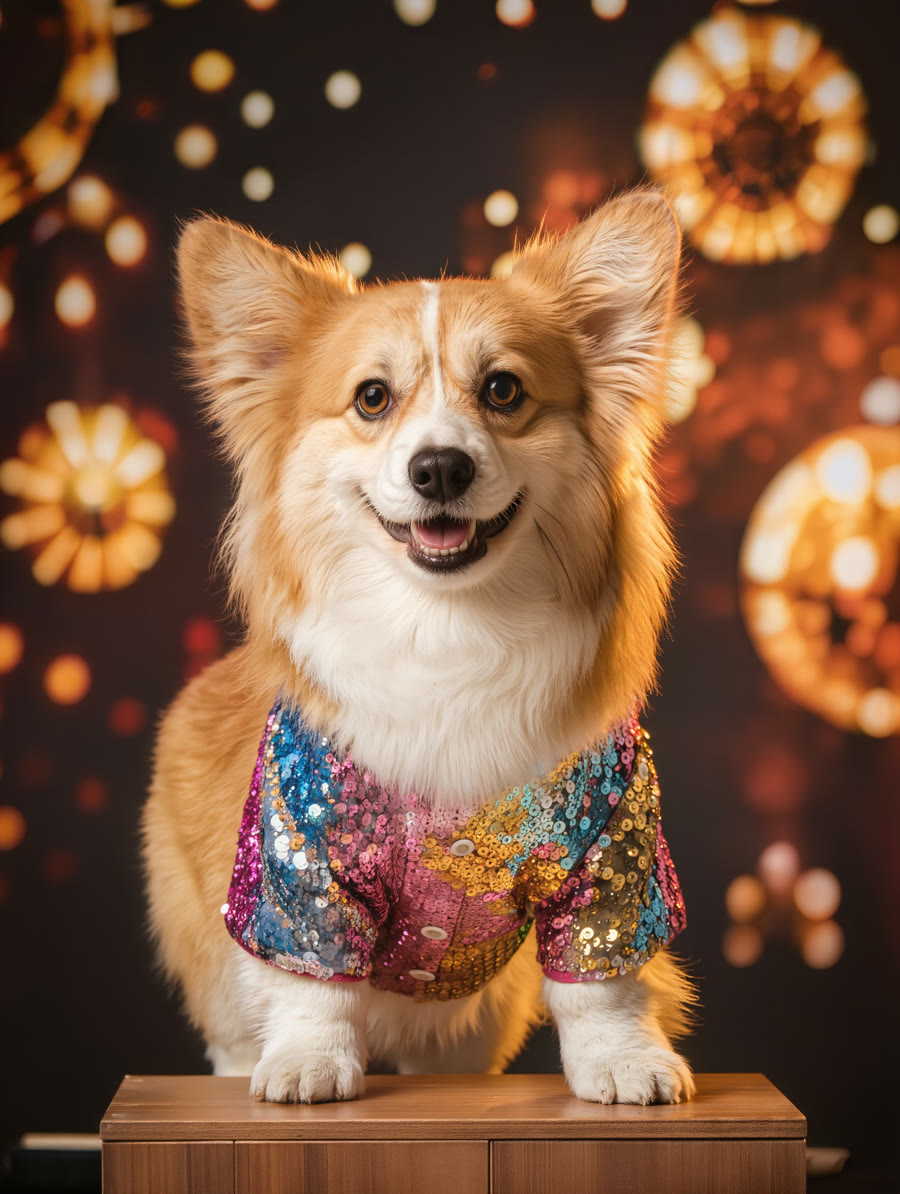
The corgi photo at the top was generated in Kling for this demo, then loaded straight into image-to-video as the start frame with a dance prompt. Four real, unedited seconds later, it's up on its hind legs, paws waving and tail wagging under the disco lights — no preset, just image-to-video and a clear motion prompt:
The corgi dances happily on its hind legs, bobbing and swaying rhythmically from side to side, front paws waving and bouncing to a beat, tail wagging, head bopping, energetic fun little dance, soft disco lights flashing in the background, the corgi stays centered on the stage.
Same corgi, now busting a move. The photo fixed the pet; the prompt supplied the dance. Swap in a photo of your own dog or cat and the exact same recipe applies.
How to make your pet dance
Start with a clear photo of your pet
One pet, well-lit, as much of the body in frame as you can — a real snapshot of your own dog or cat works. A clean, uncluttered background gives the AI the best read; a busy scene makes the motion messier.
Load the photo into image-to-video
Add it as the start frame in Kling's Video Generation. This keeps your actual pet's look and animates from it, rather than inventing a new animal.
Prompt the dance in plain words
Describe the moves: “dances on its hind legs, bobbing side to side, front paws waving to a beat, tail wagging.” The more specific the motion, the more it reads as a real little dance instead of a wobble.
Keep it short and vertical for socials
A few seconds is plenty for a dancing-pet clip, and vertical (9:16) fits TikTok, Reels and Shorts where these thrive. Generate a couple of takes and keep the one where the dance lands best.
Kling has no dedicated “make my pet dance” effect, and that's fine: this is plain image-to-video with a dance-motion prompt. Start from a clear photo of your pet, load it as the start frame, and describe the moves you want. Because you're writing the motion rather than tapping a preset, you control how big the dance is — and you can point it at your own pet instead of a stock one. Keep the moves believable and the photo clean, and it lands.