Image-to-video prompts: how to describe motion for a still image
Same photo, two prompts, two real results. Below: one vague prompt and one specific prompt, both run on the exact same source image, both shown unedited — so you can see exactly what specificity changes.
On this page
Name one exact physical motion and state the camera behavior explicitly. Vague instructions like "make it come alive" give the model nothing concrete to animate — the test below shows the difference on the same photo.
A real weak-vs-strong test
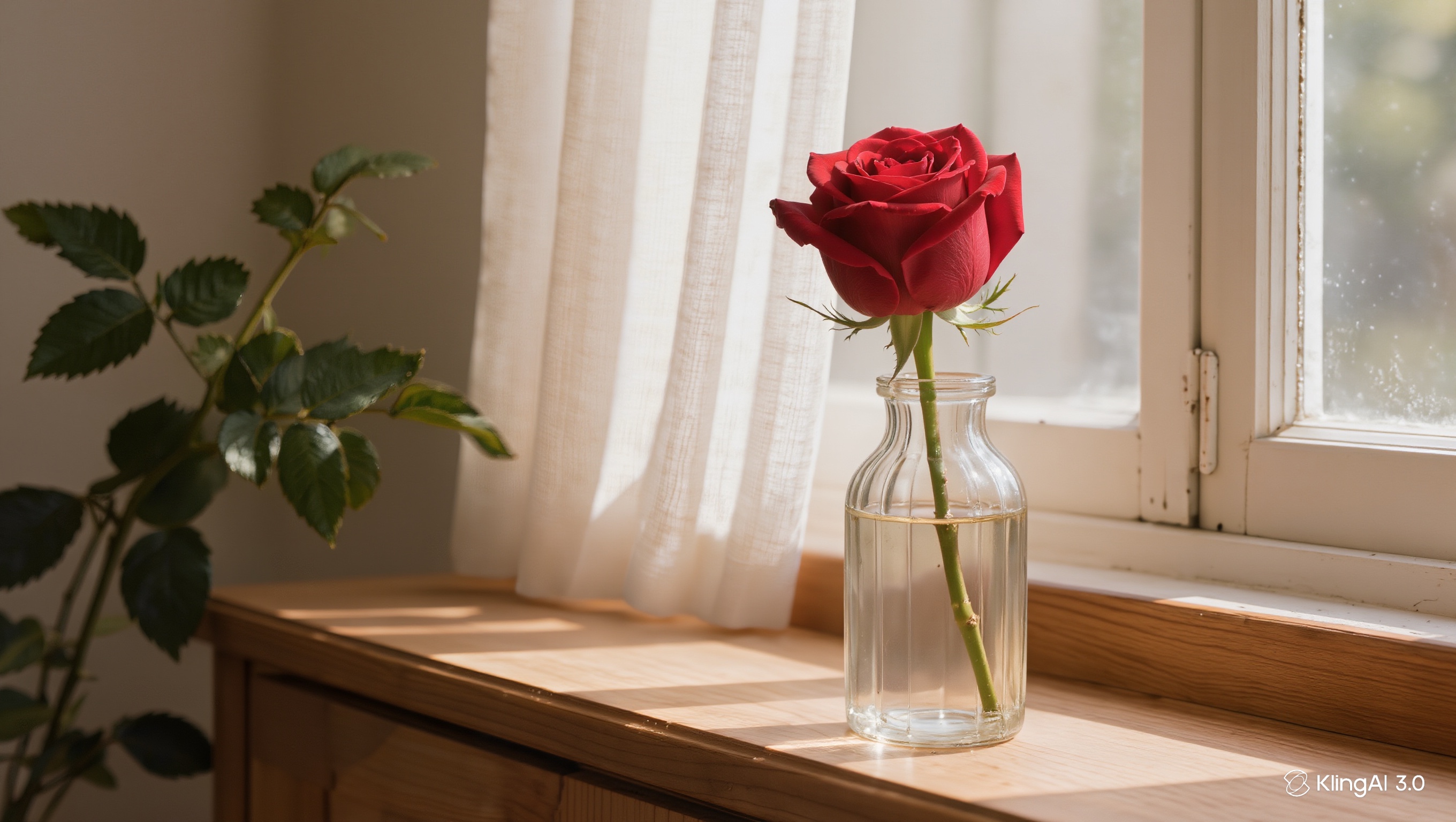
Same rose photo, same generation settings, only the prompt changed:
“Make it come alive”
No specific motion named — the model has to guess.
“The rose petals tremble slightly and the sheer curtain behind sways gently as a light breeze drifts through the window, dust motes floating in the sunbeam, camera locked off”
Two named motions, explicit camera behavior.
How to write the strong version
Start from a source image that already reads as "about to move"
A subject mid-pose, near an implied motion (wind, water, light), or with something naturally in motion nearby animates more convincingly than a flat, static arrangement.
Name one exact physical motion, not a feeling
"Make it come alive" gives the model nothing to act on. "Petals tremble slightly, curtain sways in a breeze" names specific things that specifically move.
State the camera behavior explicitly
"Camera locked off" removes the least predictable variable from the generation. Add camera movement only after a static-camera version already works.
Compare the result against the prompt, not just against the photo
Check whether what actually moved matches what the prompt named — if the model animated something you didn't ask for, or ignored what you did ask for, that's the signal to make the prompt more specific, not less.
A specific prompt improves the odds, but it isn't a guarantee — the same strong prompt can still produce a weaker result on a second attempt, since generation isn't perfectly deterministic. If a specific prompt still underperforms, try simplifying to one motion instead of two before assuming the technique doesn't work.
The model doesn't know what "alive" means for your photo. It only knows what you tell it moves.
Ten copy-paste image-to-video prompts
Ten motion prompts by subject type, each built on the same discipline — one named motion, everything else held still, camera locked off. Copy one and swap the details for your photo:
Her hair drifts in a light breeze and she blinks slowly, a soft smile forming; everything else stays still, camera locked off.
The bottle stays perfectly still while a fine mist drifts across the light behind it; slow shimmer on the glass, camera locked off.
Clouds drift slowly from left to right and the grass ripples in waves; the mountains and sky hold steady, camera locked off.
The surface ripples outward gently from the centre, catching the light; reflections wobble softly, camera locked off.
Steam curls upward from the cup in one thin ribbon, dispersing near the top of frame; the table and mug stay still, camera locked off.
The curtain sways once in a slow breeze and settles; folds catch the window light, nothing else moves, camera locked off.
The cat's tail flicks once and its ears turn toward the window; body and background stay still, camera locked off.
Light sweeps slowly along the car's body from front to rear, reflections travelling across the paint; the car itself stays parked, camera locked off.
Fine snow falls steadily through the streetlight; footprints and parked cars stay untouched, camera locked off.
The candle flame flickers and leans gently, its glow pulsing on the nearby pages; everything else holds still, camera locked off.
The built-in prompt generator (DeepSeek‑R1)
Kling ships a prompt generator inside the composer: the DeepSeek‑R1 panel opens beside the prompt box, takes a rough idea or an uploaded image, and hands back polished prompt suggestions, each with its own Generate button. One thing to know for image-to-video: in our runs its suggestions describe the scene, not the motion — so use it for the scene wording, then add the motion line yourself using the recipes above. The full walkthrough, with screenshots of the panel, is in the prompt-generator guide.
What testing this costs
| Step | Estimate | Notes |
|---|---|---|
| One image-to-video generation | Check the cost shown on the Generate button | 1080p, Multi-Shot and Native Audio off — the setup used for both tests in this article |
| Two attempts on the same source image | Two video generations | What comparing a weak and a strong prompt on one photo takes, as done here |
| Time per attempt | 5–10 minutes | Per generation, not per comparison |