Book trailer maker: make one with AI
Set the mood in seconds. AI can generate the atmospheric, cinematic shots a book trailer opens on — here's a real one, and how the title cards and music come together after.
On this page
Decide the trailer's mood first, then prompt Kling's text-to-video for a few atmospheric establishing shots — light, weather and a slow cinematic move that fit your genre. Kling generates the footage; the title cards, book cover, voiceover and music are added afterwards in a video editor. That split — AI for the shots, an editor for the story — is how book trailers are built.
From synopsis to shots: a real three-beat trailer
The whole method in one worked example. Start with the book's synopsis — here, an original mini-mystery:
A lighthouse keeper spends her last season alone at Aldery Point. The night the light fails in the worst storm in years, she must guide her brother's boat home by hand.
Split it into three beats, and each beat becomes one shot — all three below are real, unedited Kling generations, each prompt quoting its beat and repeating the same palette so they cut together:
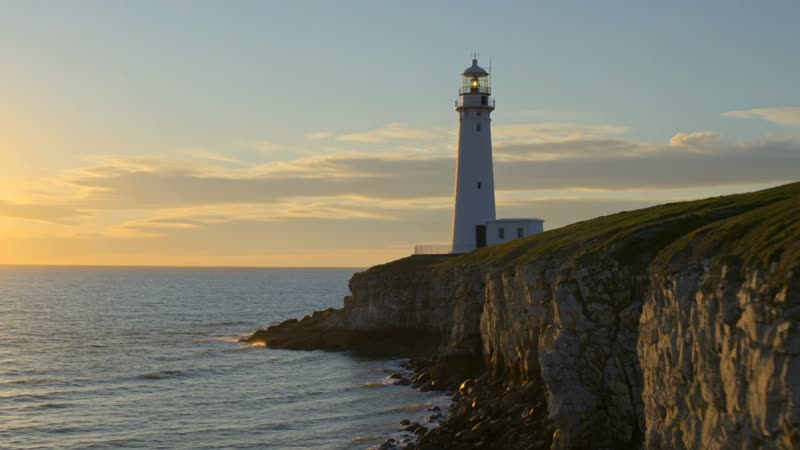
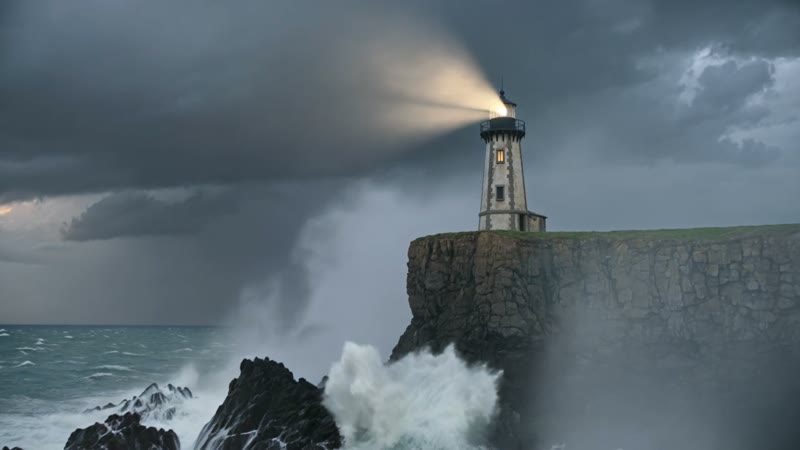
Beat 1 · the keeper alone before the storm
Book trailer shot 1 of 3, from the synopsis beat "a lighthouse keeper alone before the storm": an old stone lighthouse on a storm-lashed cliff at dusk, waves crashing on the rocks below, rain beginning to streak, moody desaturated teal and amber palette, cinematic and dramatic, slow push-in toward the lighthouse, photorealistic.
Beat 2 · the night the light fails
Book trailer shot 2 of 3, from the synopsis beat "the night the light fails, she works by lamplight over the old charts": inside a lighthouse room at night, a woman in a wool sweater lights an oil lamp over a hand-drawn nautical chart, warm lamplight against cold blue window light, rain on the glass, the same moody desaturated teal and amber palette, cinematic, slow drift, photorealistic.
Beat 3 · guiding the boat home
Book trailer shot 3 of 3, from the synopsis beat "she guides her brother's boat home through the storm by hand": a small wooden fishing boat fighting through huge dark waves toward rocky cliffs at night, a lighthouse beam sweeping across the storm and rain, dramatic spray, the same moody desaturated teal and amber palette, cinematic and tense, photorealistic.
Synopsis in, storyboard out. Each prompt quotes its beat from the synopsis and repeats the palette line, so three separate generations read as one trailer. Cut them together in order, add the title card and your cover, and it's done.
How to make a book trailer
Start from the synopsis and split it into beats
Paste your book's synopsis or outline and mark three or four beats — the moments with a clear picture in them. Each beat becomes one shot's brief. The demo above is exactly this: a three-sentence synopsis, three beats, three shots.
Turn each beat into a shot prompt
Quote the beat in the prompt, translate it into a scene, and repeat the same palette-and-mood line in every shot so the set cuts together. Kling generates up to 15 seconds per shot, so one beat per clip rather than forcing one clip to do everything.
Keep the motion cinematic and slow
Trailers breathe. Slow pushes, drifting fog, a sweeping beam read as tension; frantic motion undercuts it. Prompt a steady, deliberate move so each shot feels composed.
Assemble in an editor: text, cover, sound
Kling gives you the footage. The title cards, quotes, your book cover, voiceover and music go in afterwards in any video editor — that layer is what turns atmospheric clips into a trailer.
Kling has no “book trailer” mode and won't add your title cards, cover or narration — it generates the moving shots. The trailer itself comes together in a video editor, where you cut the clips to a rhythm, drop in the type and your cover, and lay music underneath. That's not a workaround; it's how trailers are made. Prompt for atmosphere here, tell the story in the edit.