Cinematic AI video: the craft
Cinema is a vocabulary. Light, lens, camera movement and the cut — name them and Kling renders them. Here's a real sequence that cuts like an edited film, and the craft behind it.
Turn Multi-Shot on in video generation and Kling cuts between framings of your scene within one render — a wide, a close-up, a moving shot — instead of a single continuous take. Describe one scene, name the shots and their order, and you get a small pre-edited sequence. Keep it short; for a longer film, stitch several multi-shot pieces in an editor.
A sequence that cuts like film
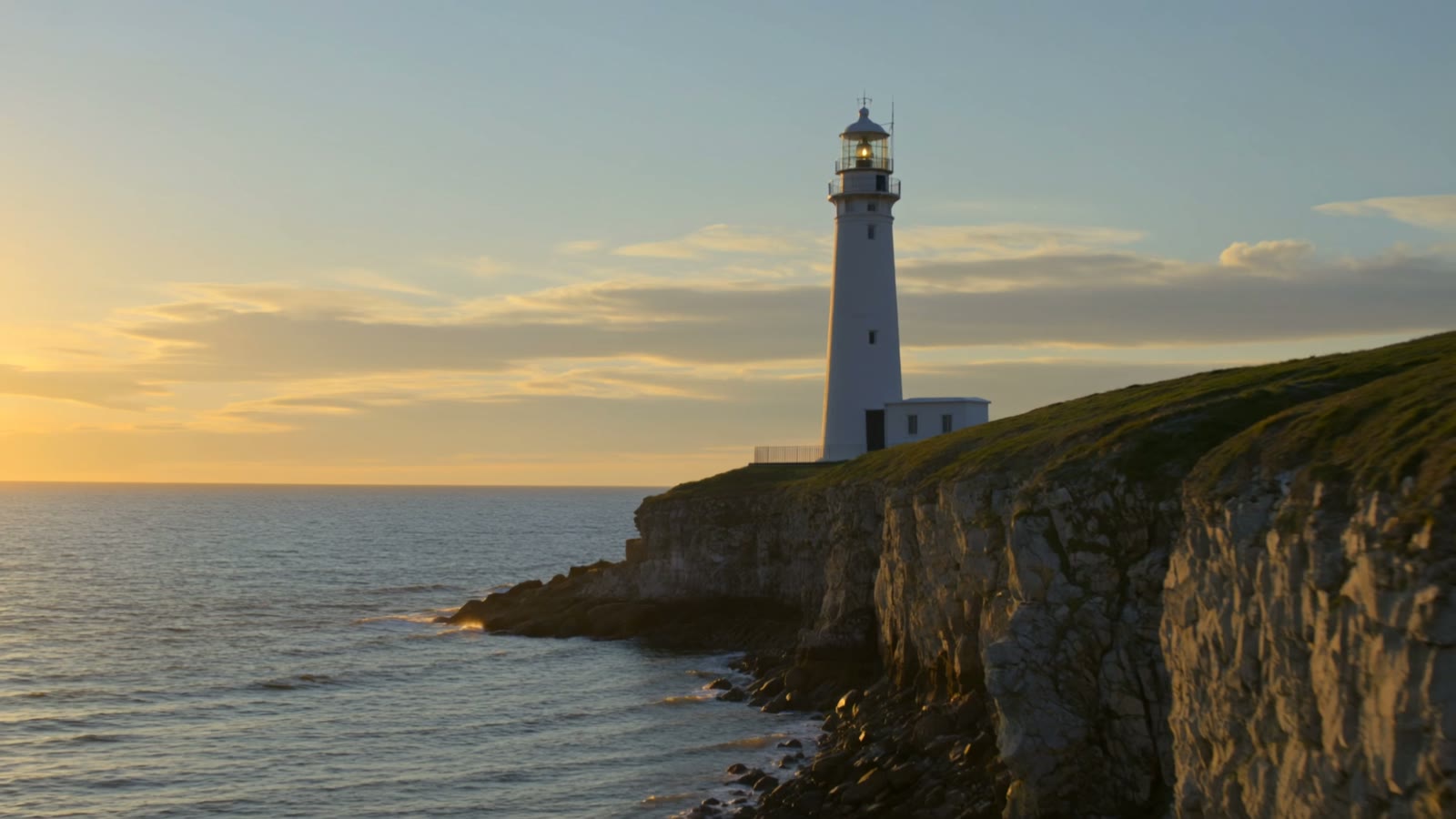
This is a single generation with Multi-Shot on — watch it cut between framings of the same coastal scene rather than holding one continuous shot:
A coastal lighthouse at golden hour: a wide establishing shot of the lighthouse on the cliffs, then a closer shot of the lamp room, then a slow moving shot along the shoreline. Cinematic, natural cuts between shots.
One prompt, a small edit. The wide, the closer framing and the moving beat were all composed and cut together inside a single generation — no editing app touched this clip.
How to prompt cinematic video
Speak the language of cinema
Cinematic is specific: name the light (golden hour, hard rim light, soft haze), the framing (wide establishing, extreme close-up), and the mood. “Cinematic” alone is a hint; the named craft is what actually changes the render.
Move the camera with intent
A cinematic camera does one deliberate thing — a slow push-in, a drift along the shoreline, a locked-off hold. Name the movement and its speed; an unmotivated wander is the fastest way to lose the filmic feel.
Cut like an editor — turn Multi-Shot on
For a sequence rather than a single take, switch Multi-Shot on and name the shots in order: establish wide, punch in, end on a moving beat. Kling cuts between the framings inside one render — the demo below is exactly that.
Keep it short, then extend in an editor
Multi-Shot makes a brief sequence, not a whole film. For anything longer, generate several multi-shot pieces around different beats and cut them together in any free editor — the AI handles the shots, you handle the story.
Multi-Shot cuts between shots of the one scene you describe — it's a mini-sequence, not a multi-location movie. Keep every shot tied to a single place or subject, give them an order, and keep the piece short. For a full story, generate several multi-shot pieces for different beats and cut them together in an editor. And check the credit total before generating — Multi-Shot adds to the baseline cost and can reset on by default.