AI news anchor videos
A presenter, on demand. An AI avatar can deliver your script to camera like a news anchor — here's a real one, sound and all, plus how to script it and use it responsibly.
Pick a professional to-camera avatar, write a concise broadcast-style script (greeting, top story, hook), choose a clear steady voice, and keep the camera still — Kling generates a presenter reading it with lip-synced audio, as in the real demo here. It speaks the exact script you write; it doesn't research or write the news, so keep your content true and label AI presenters where it matters.
A presenter, reading to camera
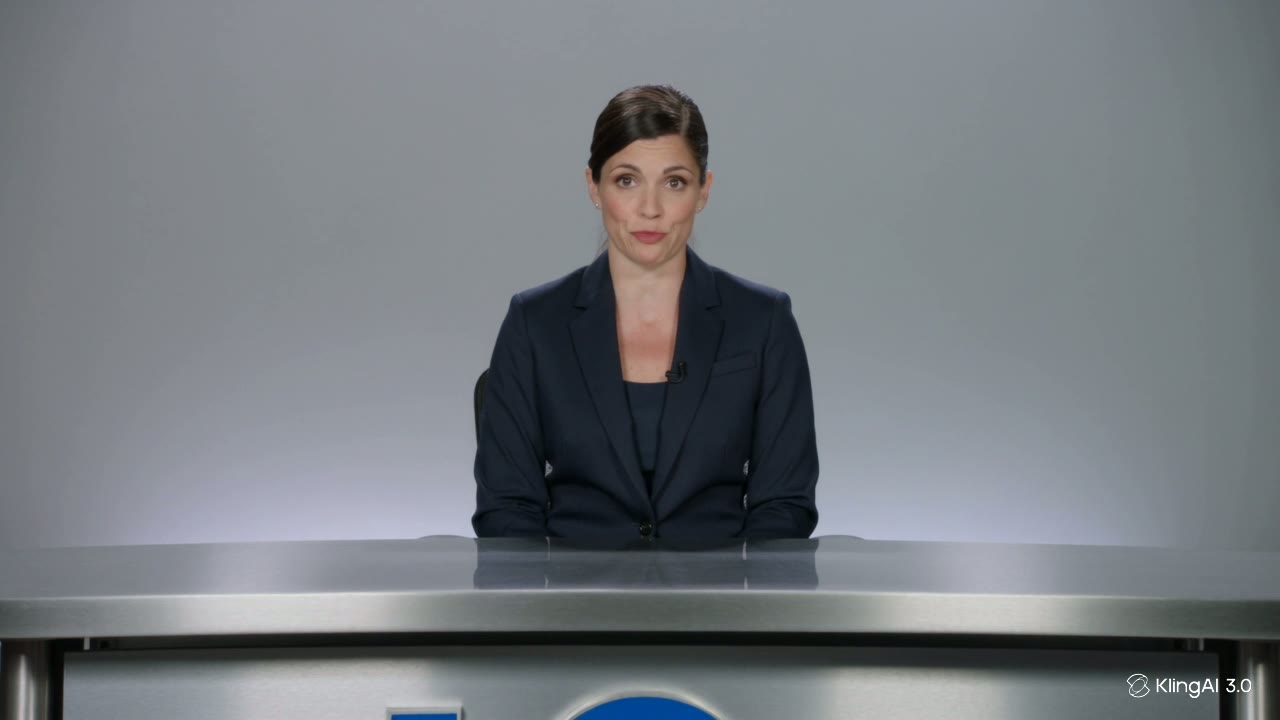
This is a real, unedited Kling VIDEO 3.0 generation — the anchor, the desk and the voice all came from the prompt below, including the accent, which was specified in words: “in a standard American broadcast accent”. Press play with sound on:
A professional news anchor in a navy blazer sits at a plain unmarked news desk facing the camera and says in a standard American broadcast accent, "Tonight, we look at how one photo becomes a finished news brief." Steady posture, studio lighting, camera locked off.
The accent is an instruction. The quoted sentence became the spoken line, and the delivery followed the accent named in the prompt — the prompt field supports multiple languages, dialects and accents, so the voice’s localisation is a choice you write, not luck.
How to make a news-style presenter
Pick a presenter and a clean setting
Choose an avatar with a professional, to-camera look — a talking-head at a desk reads instantly as a news anchor. A calm, uncluttered background keeps the focus on the delivery, just like a real news desk.
Write the script like a broadcast
News has a rhythm: a greeting, the top story in a clear sentence, a hook to keep watching. Write in that voice — concise, spoken, confident — and the avatar delivers it with matching, lip-synced audio.
Control the voice and the accent
Two routes. In VIDEO 3.0, write the delivery into the prompt — name the language and accent (‘a standard American broadcast accent’, as the demo does) alongside the quoted line. Or use the Avatar (Digital Human) tool for longer scripts: its Voice Selection panel offers preset voices by profession — including anchor-style reads — each with a preview button, plus speech rate and emotion, and you can upload your own recorded voice-over for complete control of the accent.
Keep the camera still
A news read is composed and stationary. Ask for a still camera and minimal hand movement so the presenter stays anchored to camera — the authority of the format comes from that steadiness.
This creates the look of a news broadcast — a presenter reading your script to camera — which is genuinely useful for explainers, internal comms, training, product updates and news-style social content. It also carries a responsibility: a realistic anchor can make anything sound official, so use it for content that's clearly yours and true, label AI presenters where it matters, and never dress up misinformation as real news. Kling speaks the script you write — keeping that script honest is on you.