AI talking photo: one still starts talking
Give a still photo a voice. Upload the photo into VIDEO 3.0, put the words in quotation marks, and the clip renders speaking — picture and voice together. Here's a real one, audio kept in.
On this page
Upload one clear front-facing portrait into VIDEO 3.0 as the start frame, put the words you want spoken in quotation marks in the prompt, and the clip renders already speaking — mouth movement and voice generated together, audio baked in. No camera, no microphone, no real footage of the person needed.
A still photo, talking
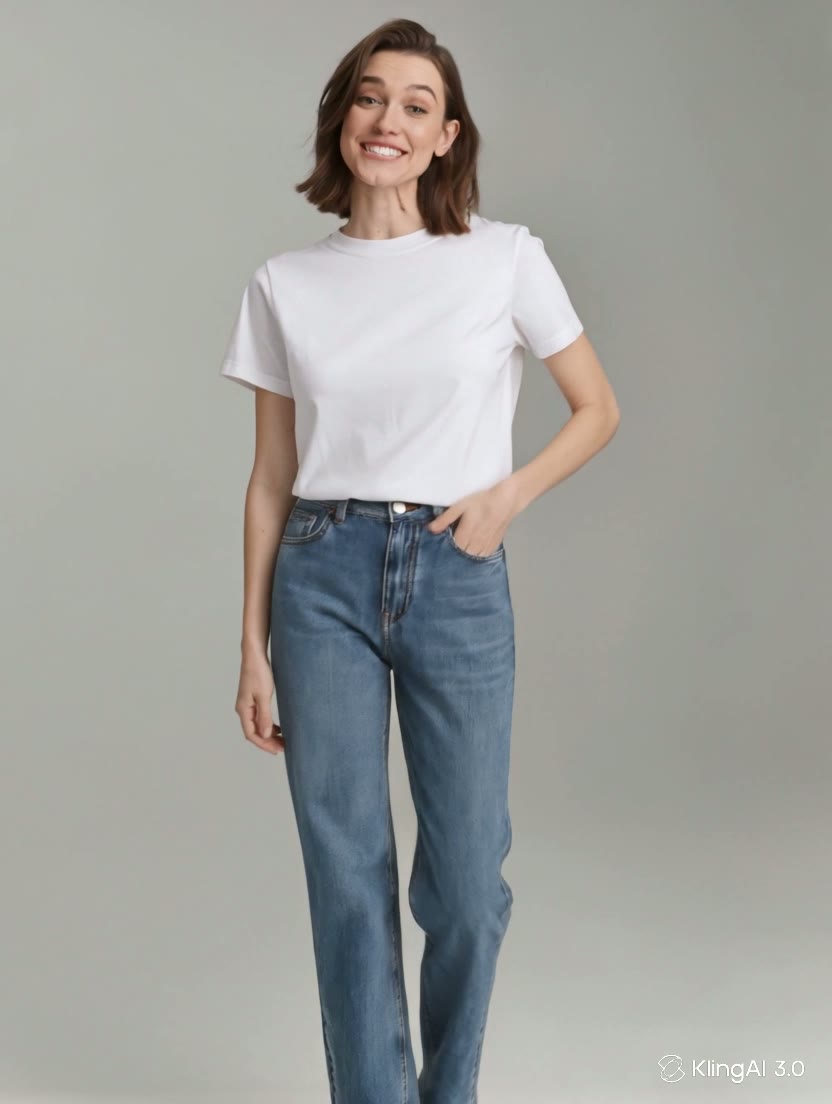
This started as one still photo — the same full-body shot used elsewhere on this site — uploaded as the start frame in VIDEO 3.0 with the quoted line in the prompt. No video was ever filmed. Press play with sound on:
The woman in the photo comes to life and says, “One photo is enough to start talking.” Natural lip movement and a warm smile, a small head movement, everything else in the photo stays exactly as it is, camera locked off.
One image in, one talking clip out. The voice you hear and the mouth movement were both generated in a single VIDEO 3.0 pass — the only input was the still photo and the prompt above.
How to make a photo talk
Upload the photo as the start frame
In video generation (VIDEO 3.0), add your still as the start frame — a clear, front-facing portrait with the mouth visible works best. A real headshot or an AI-generated face both work; only animate a likeness you have the right to use.
Put the words in quotation marks
Write the prompt around the quoted line — she says, "your words here." The quoted text becomes the actual speech, and the prompt field supports multiple languages, dialects and accents, so you can shape the delivery too.
Keep the rest of the photo still
Add the guardrails in the same sentence: natural lip movement, a small head movement, everything else in the photo stays still, camera locked off. That keeps it reading as your photo speaking, not a new scene.
Generate with Native Audio on, then listen back
The voice renders with the picture — one output, already talking. Play it back with sound to check the line is spoken as written and the face still looks like the photo before you use it.
Lip sync animates a face from one still plus audio — it can nail the mouth and a natural expression, but it can't invent a real recording or reveal how someone actually sounds. Long scripts drift more than short ones, and side-on or half-hidden faces sync worse than a clean front-on shot. Most important: only animate your own likeness, an original AI character, or footage you're licensed to use — never make a real person appear to say something they never said.