AI YouTube thumbnail maker
Stop the scroll. AI builds the bold, high-contrast backdrop and subject a thumbnail needs — here are three real ones, and how to prompt the hook and leave room for your title.

On this page
Lead with one clear emotion or hook, go high-contrast and saturated, make the subject big and simple, and leave space on one side for a title. Generate the backdrop and subject with AI, then add your bold title text in an editor. Design at 1280×720. The three real examples here — reaction, gaming and tech — each build around one hook.
Three real thumbnail examples
Three thumbnail styles — reaction, gaming and tech review — all real, unedited 16:9 Kling generations, each with open space for a title. The exact prompts are under each to copy.
Reaction · a shocked face
A bold eye-catching YouTube thumbnail, a surprised original man with an exaggerated shocked expression pointing at a big glowing yellow question mark, bright high-contrast colours, dramatic lighting, empty space on one side for a title.
Emotion sells the click. An exaggerated expression and a glowing question mark create instant curiosity — and the open side leaves room for a punchy title.
Gaming · a neon action scene
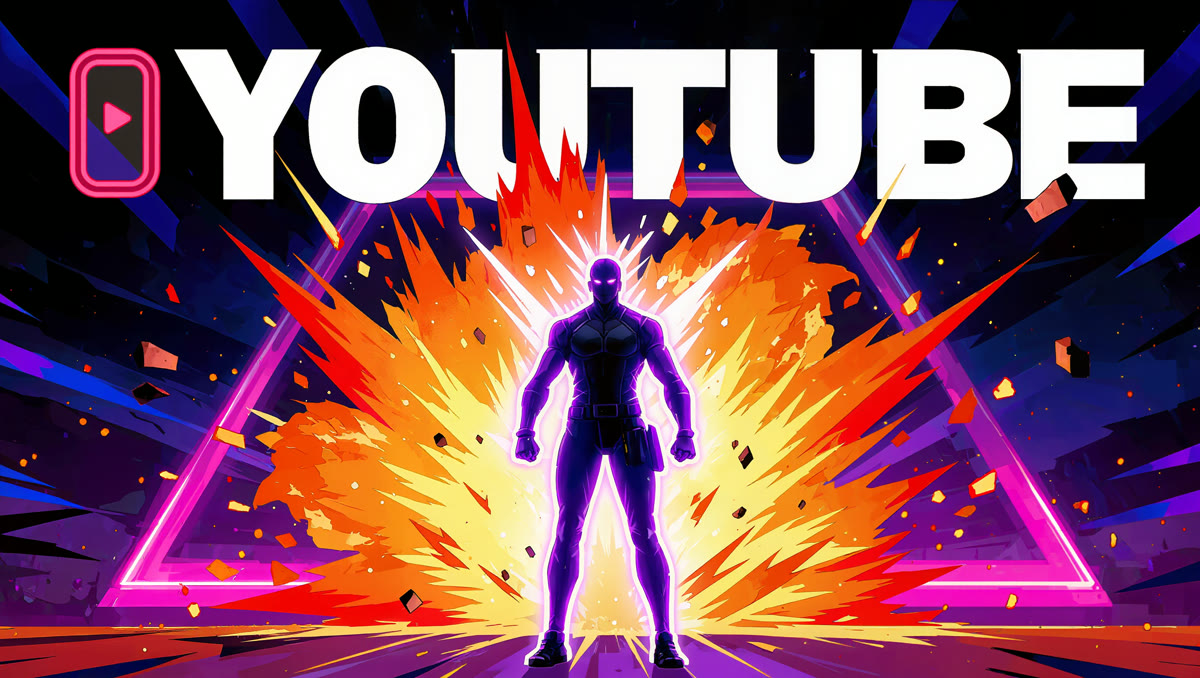
A bold gaming YouTube thumbnail, a dramatic neon game-style scene with an explosion and a glowing original character silhouette, vivid saturated colours, high contrast, energetic, empty space for a title.
Energy and contrast. A neon explosion and a bold silhouette read as high-stakes action even at thumbnail size — exactly what a gaming video wants.
Tech review · a product hero
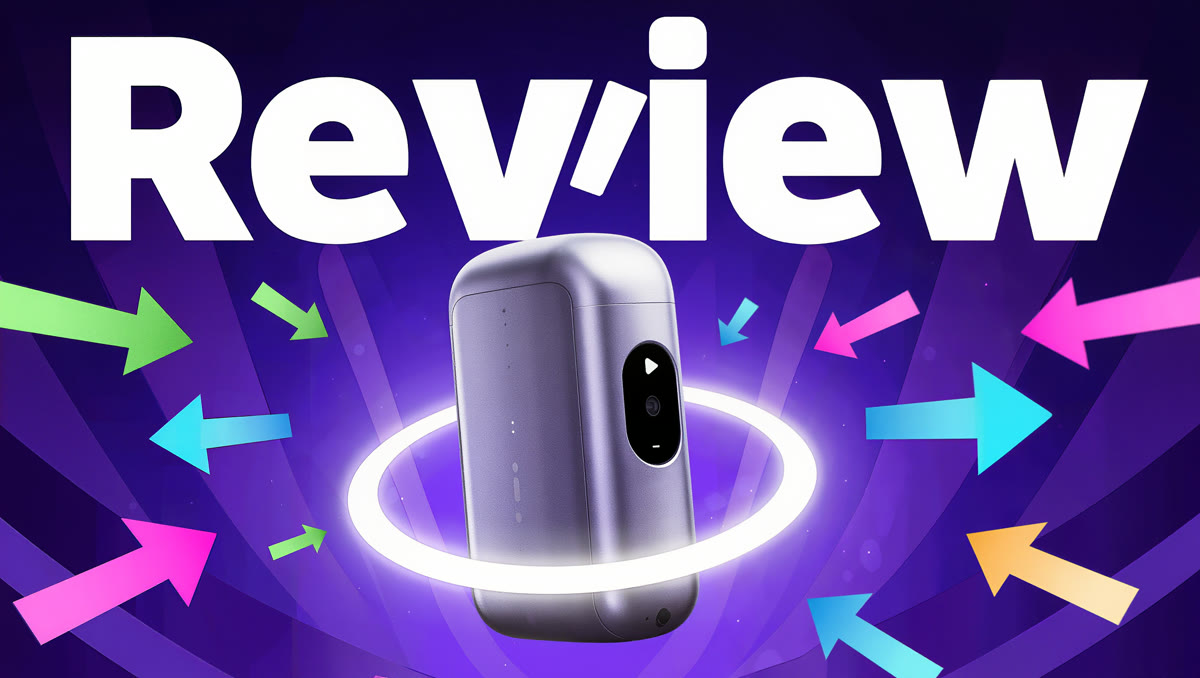
A bold tech-review YouTube thumbnail, a sleek generic unbranded gadget on a vibrant blue-purple gradient background with bright arrows and a glowing highlight circle, clean high-contrast, eye-catching, empty space for a title.
Clean and pointed. A single generic gadget, a bold gradient and a couple of arrows focus the eye — a clean review look with obvious space for a title.
How to make a thumbnail
Lead with one clear emotion or hook
Thumbnails win on feeling. Pick one — shock, curiosity, excitement, a big question — and build the image around it. An exaggerated expression or a single bold visual hook stops the scroll far better than a busy, literal scene.
Go high-contrast and saturated
Thumbnails are seen tiny and next to dozens of others, so ask for bright, high-contrast, saturated colours and dramatic lighting. Punchy colour and strong contrast are what make a thumbnail pop in a crowded feed; muted, subtle images disappear.
Make the subject big and simple
One large, clear subject — a face, a character, a product — reads at thumbnail size; a cluttered scene doesn't. Ask for the subject filling much of the frame, with a clean, simple background behind it.
Leave space for your title text
Ask for ‘empty space on one side for a title’. Thumbnails need a few big, bold words, so composing the image with a clear open area means your text lands cleanly instead of fighting the picture.
Add the title text in an editor
Generate the backdrop and subject with AI, then add your actual title text on top in any editor — big, bold, high-contrast, just a few words. Keeping the text as a separate layer means it stays crisp and you can tweak the wording without regenerating.
There's no thumbnail mode — it's text-to-image prompted for the hook, the high contrast and the big simple subject that make a thumbnail pop, with open space left for a title. Generate the backdrop and subject at 16:9, then add your actual title text on top in an editor — AI is unreliable at clean readable words, and a separate text layer stays crisp and easy to change. Keep it brand-safe: original people, generic unbranded products, no real logos or someone else's face without permission.