How to animate old family photos
A faded portrait, gently brought to life. A soft blink, a faint smile — here's a real AI-animated vintage photo, and how to keep the motion subtle, believable and respectful.
On this page
Get a clean digital copy of the print — a straight-on phone photo works — then ask Kling for one or two tiny movements — a soft blink, a faint smile — with the camera held still and the clip kept short. That gentle motion is what brings an old portrait to life without losing the likeness or the aged-photo texture. Keep it a keepsake, not a claim of real footage.
A vintage photo, gently alive
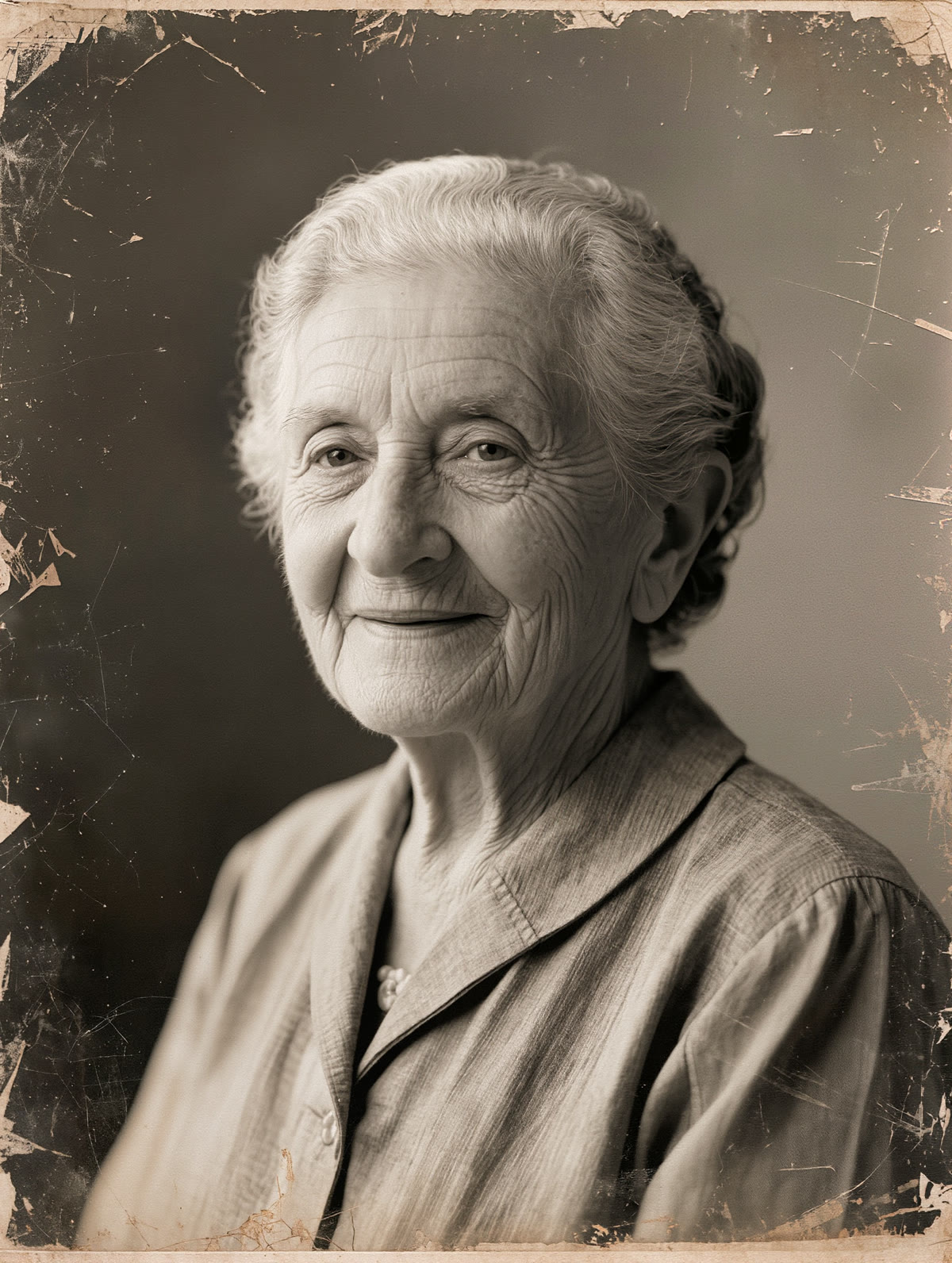
This began as a single faded portrait. With one small, respectful motion applied, the face softens into life — a gentle blink and the hint of a smile, the aged texture kept intact:
The elderly woman gently comes to life in the old photograph: she blinks softly, a faint warm smile forms, a very subtle head tilt and gentle breathing, calm and respectful. The camera stays completely still, motion minimal and natural, aged photo texture preserved.
One still, one breath of life. The motion is invented, not recovered — a tender reimagining of the photo, kept small enough that the person you remember stays intact.
How to animate an old photo
Digitize the print first — a straight-on photo of it works
Kling doesn't scan physical prints, so start from the best digital copy you have: a straight-on phone photo taken in soft, even light, or an existing digital file. Kling animates whatever detail is in the upload, so a sharp, glare-free copy gives the gentlest, most believable motion.
Ask for small, human motion
The magic is restraint. Prompt one or two tiny movements — “she blinks softly and a faint warm smile forms, subtle breathing” — and say the camera stays still. Big head turns or fast motion are where an old face starts to look wrong.
Keep the clip short
A few seconds is plenty. Short clips hold the likeness and the aged-photo texture together; longer generations give the face more time to drift away from the person you remember.
Watch it back before you share it
Play the clip and check the eyes, mouth and edges. If a feature warps or the expression feels off, regenerate with even smaller motion — a gentle, accurate blink beats a dramatic but uncanny one.
This is the one place to be most careful. AI animates a face by inventing plausible motion — it does not know, and cannot recover, how your grandmother actually smiled or moved. Keep the motion gentle, keep the clip short, and be honest with your family that it's an AI reimagining rather than found footage. Treated that way, an animated heirloom is a lovely tribute; treated as real, it misremembers the person it's meant to honour.