Restyle a photo into a new art style
Keep the scene, change the look. AI restyle reinterprets your photo in a new medium while holding the composition — here’s a real canal street turned into an oil painting.
On this page
Add your photo as an image reference so the AI holds the composition, then prompt only the style you want — “impressionist oil painting, visible brushstrokes.” Restyle reinterprets the surface while keeping the scene’s layout. Generate a few, keep the one where the look is strong but the scene still reads, and use generic art styles you have the right to.
Photo into a painting
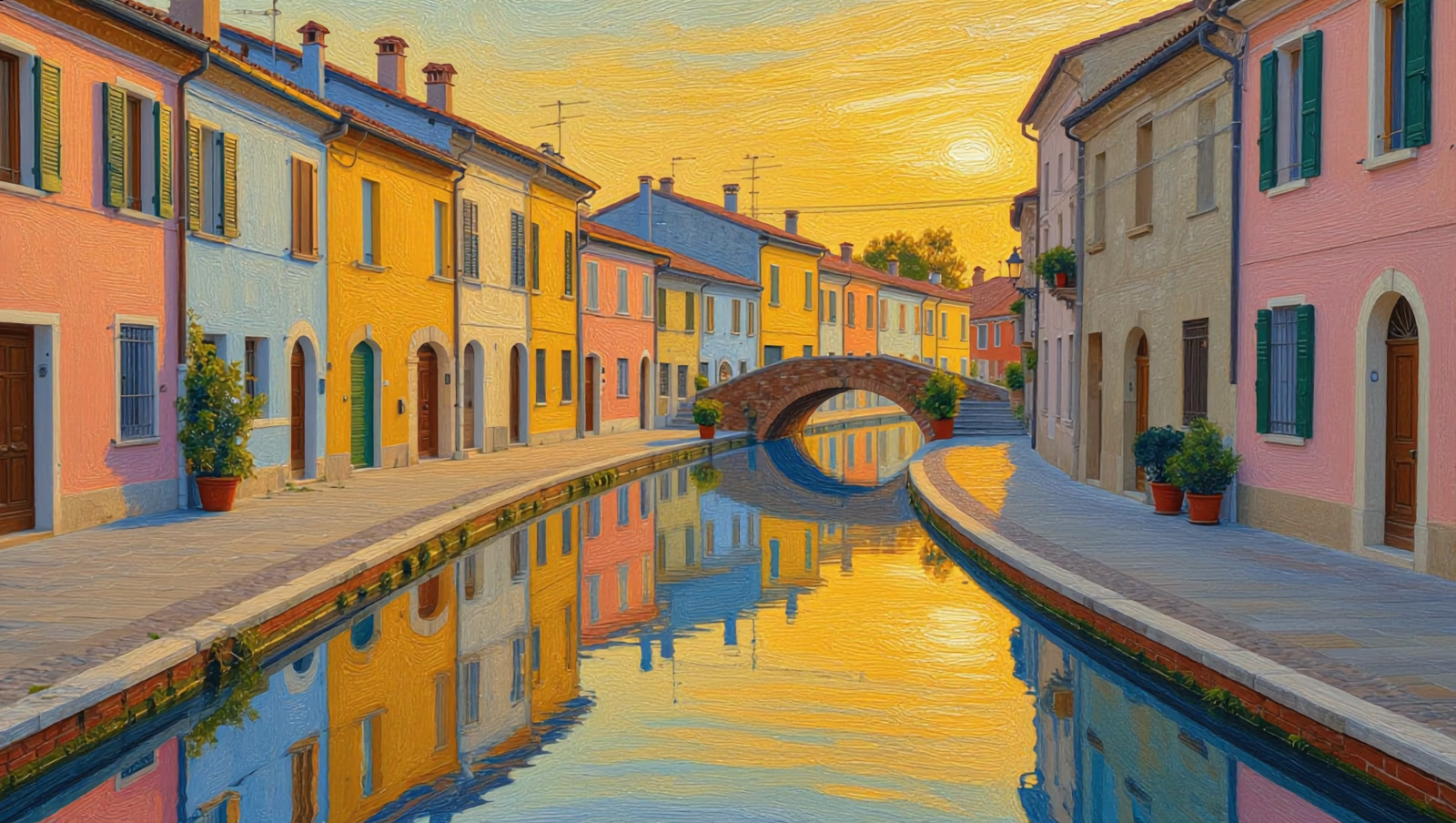
The first image is a photorealistic canal street. Below it, the same scene restyled by Kling into a soft impressionist oil painting — same layout, new medium. Both are real, unedited generations:
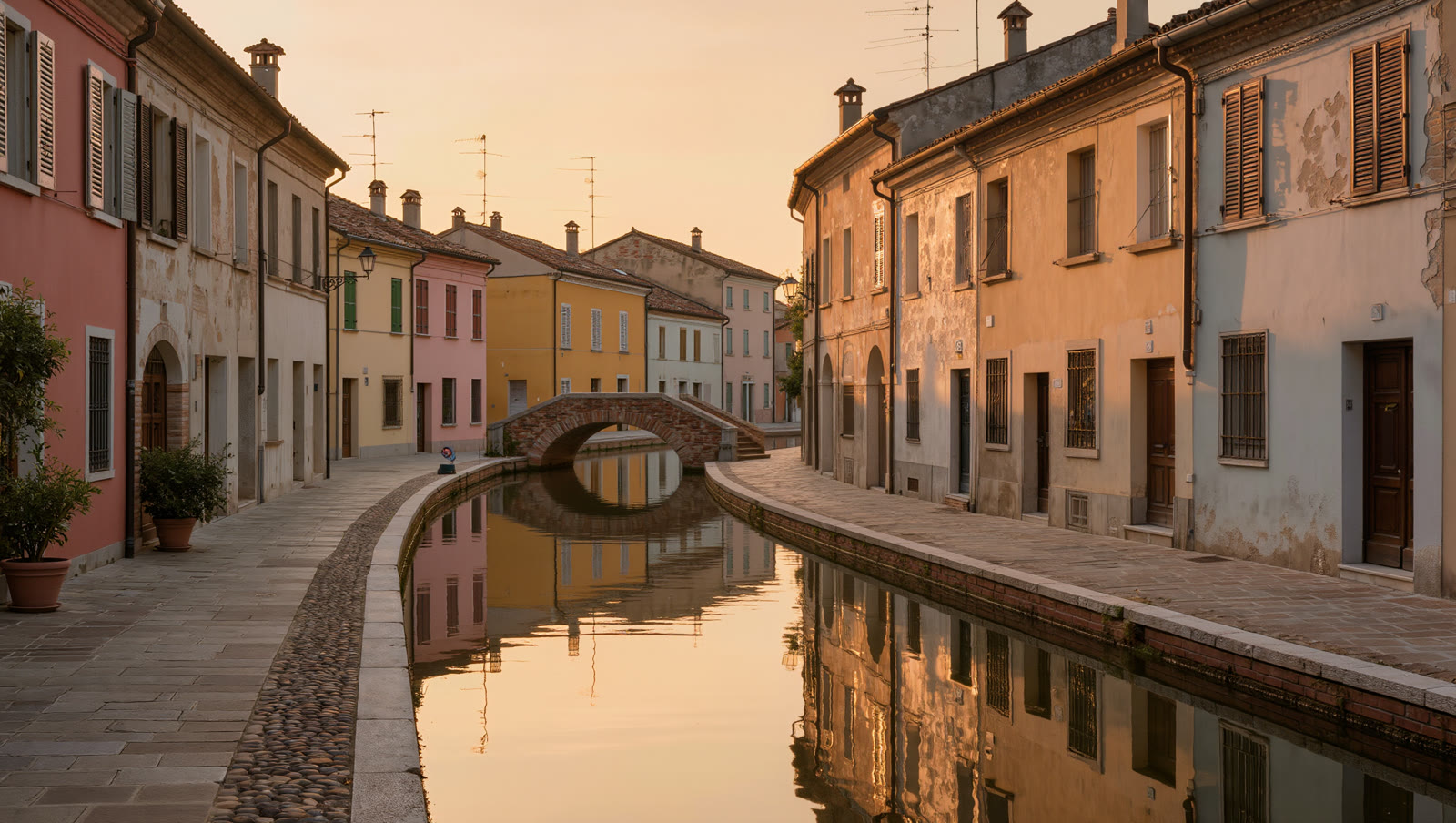
Restyle this exact canal street scene as a soft impressionist oil painting, visible textured brushstrokes, warm painterly light, gentle colour blending, fine-art canvas look, same composition and buildings.
Same street, new medium. The buildings, bridge and reflections stay in place; only the surface — brushwork, palette, light — is reinterpreted.
How to restyle a photo
Pick a photo with clear shapes
Restyle keeps composition and reinterprets surface. A photo with strong, readable shapes — buildings, a horizon, a clear subject — carries into a new style far better than a busy, cluttered frame.
Add it as an image reference
Load your photo as a reference so the AI holds the layout and only changes the look. This is what keeps the restyle recognisably your scene instead of a loosely-related new image.
Name the style, not the scene
Describe only the look you want — “soft impressionist oil painting, visible brushstrokes, warm light.” Let the reference carry the scene while your words set the medium, palette and mood.
Generate a few and pick the read
Styles vary run to run. Make several and keep the one where the new look is strong but the scene still reads clearly — reject any where the style smeared away the shapes you cared about.
Restyle rebuilds your image in a new look — it holds the composition but reinterprets the surface, so fine detail, small text and exact faces can shift. That’s ideal for turning a scene into art; it’s the wrong tool when a detail must stay pixel-exact. Keep to broad, generic styles you have the right to use — a generic ‘oil painting’ on your own photo is fine; imitating a specific living artist’s signature or a franchise look is not.