Digital storytelling reaching a peak requires the selection of the correct creative partner. Professional tools now offer specialized paths for different production needs. Mastery over the visual world begins with a clear understanding of model capabilities. Such a choice determines the balance between creative freedom and industrial consistency in every generation.
The Core of Modern AI Models
The current Kling VIDEO 3.0 series gives creators two closely related paths. The choice is not about shorthand names; it is about matching the model to the creative workflow.
Kling VIDEO 3.0 is well-suited for prompt-led video creation. It supports Text-to-Video, Image-to-Video, Start and End Frames-to-Video, Native Audio, Multi-Shot, start frame plus element reference, multi-character coreference, multilingual support, dialects and accents, 15-second output, and flexible duration.
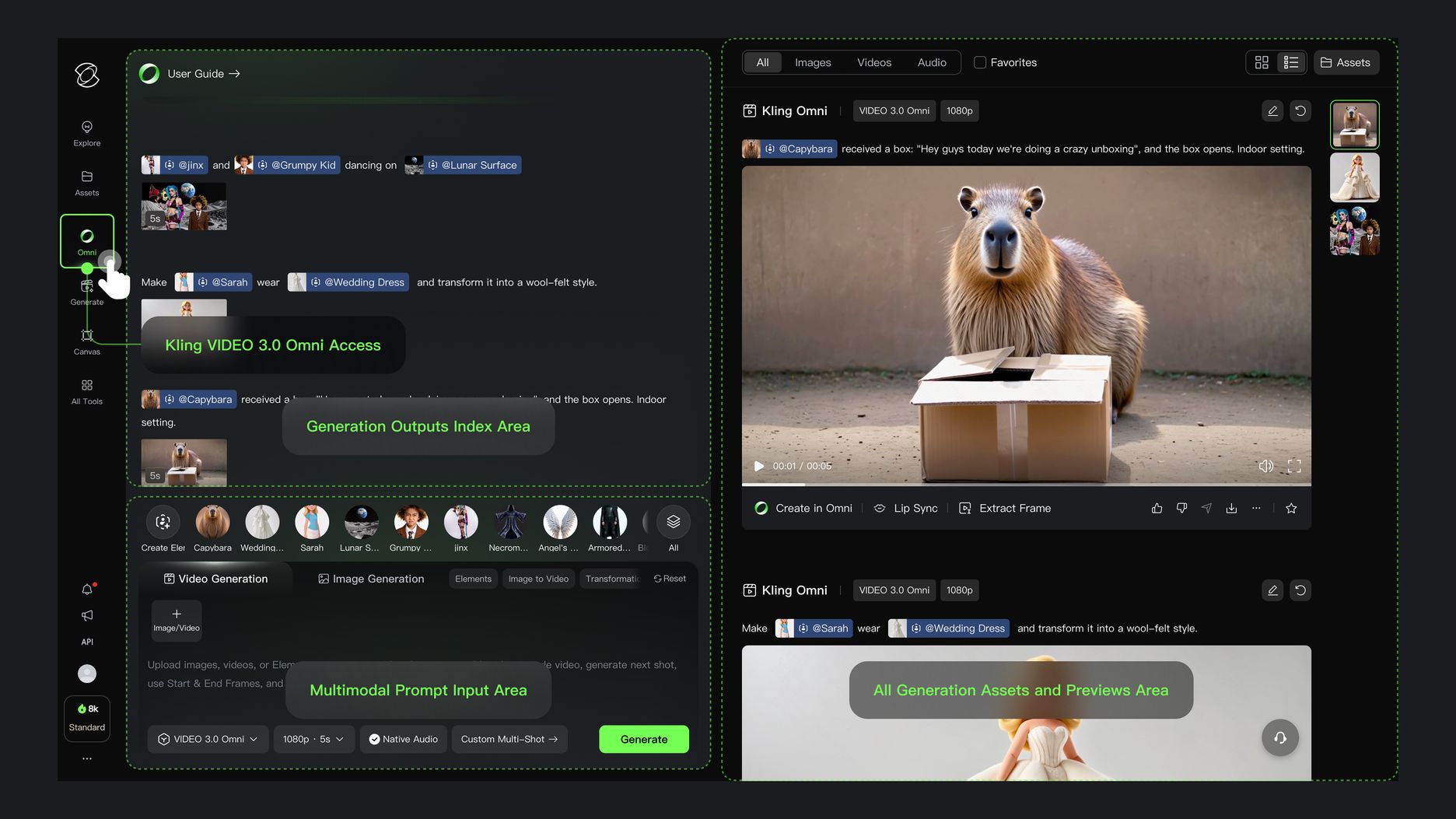
Kling VIDEO 3.0 Omni extends the reference-driven workflow. It supports Native Audio and Multi-Shot across multiple creation modes, video element reference, element voice control, multi-shot generation, and up to 15 seconds of video.
Kling VIDEO 3.0 | Kling VIDEO 3.0 Omni |
|---|---|
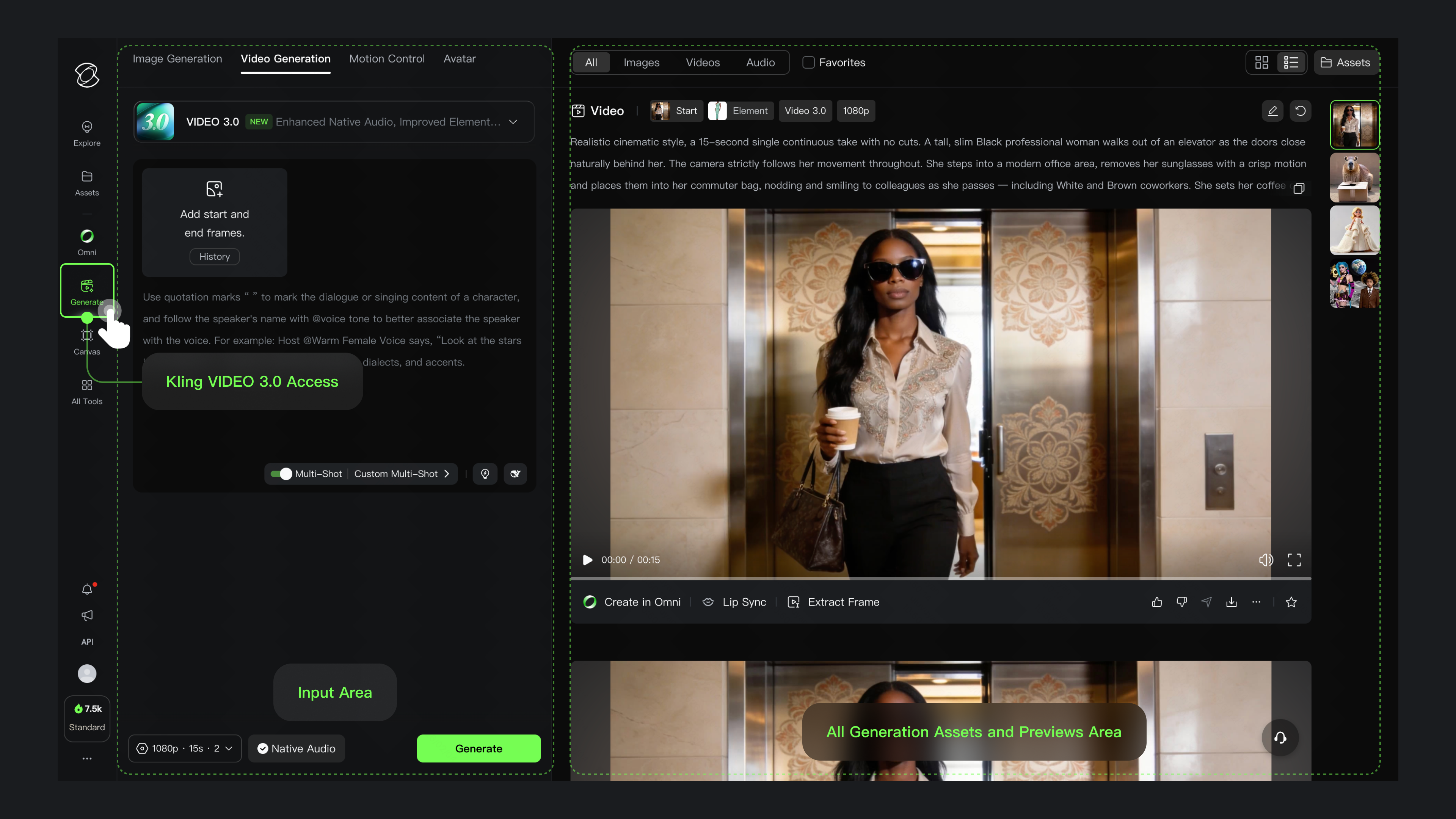 |  |
Kling VIDEO 3.0: The Power of the Script
Kling VIDEO 3.0 is designed for projects that rely on detailed prompting and complex character interactions. It represents a significant leap forward in the ability of AI to understand and execute human-centric narratives.
Multi-Character Coreference and Group Scenes
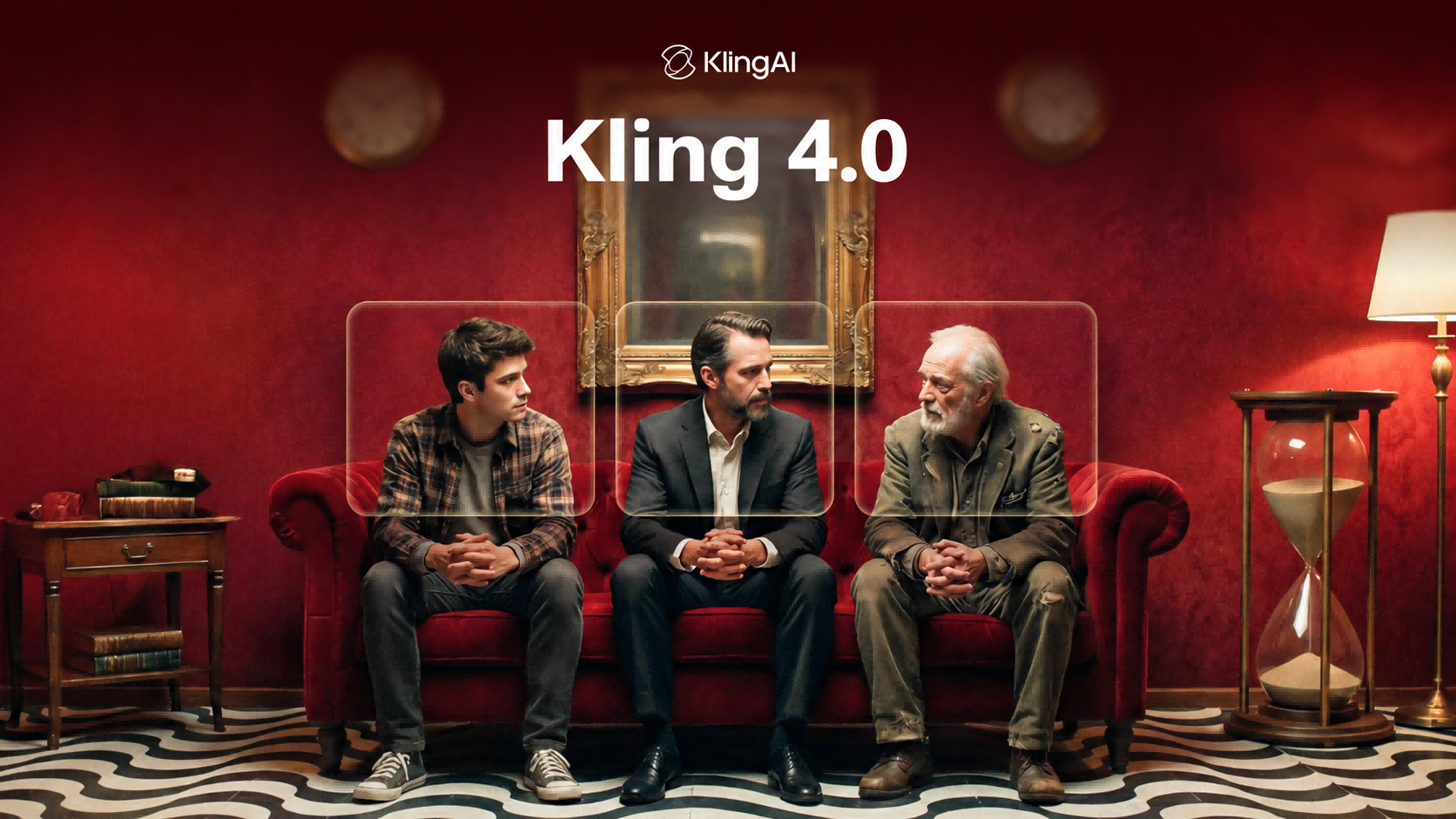
Kling VIDEO 3.0 supports Multi-Character Coreference for scenes with three or more characters.
For group scenes, describe each person clearly and keep roles, actions, and speaker lines easy to follow. Clear subject labels help Kling VIDEO 3.0 apply Multi-Character Coreference in scenes with three or more characters.
Multi-Shot and Structured Storytelling
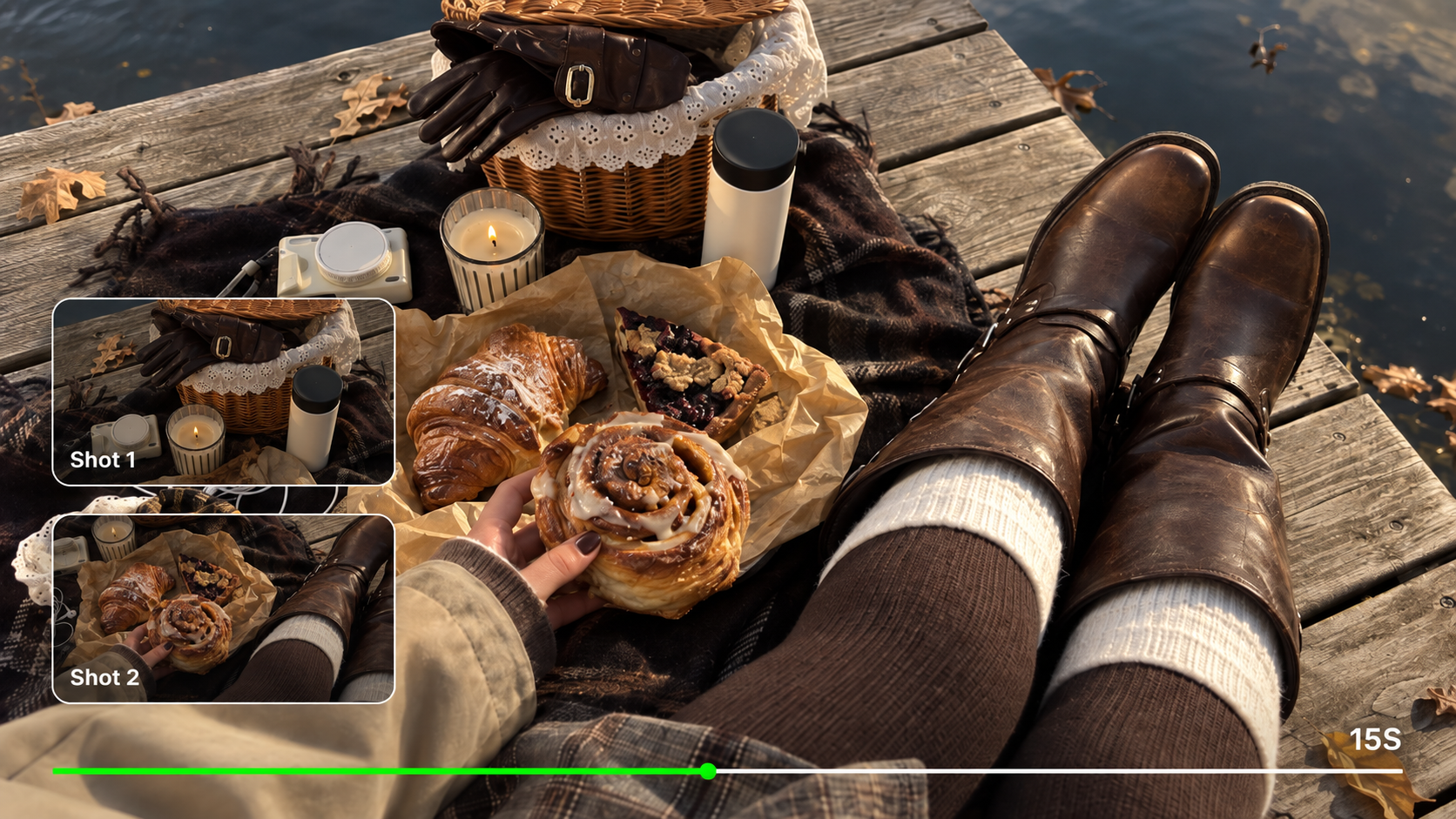
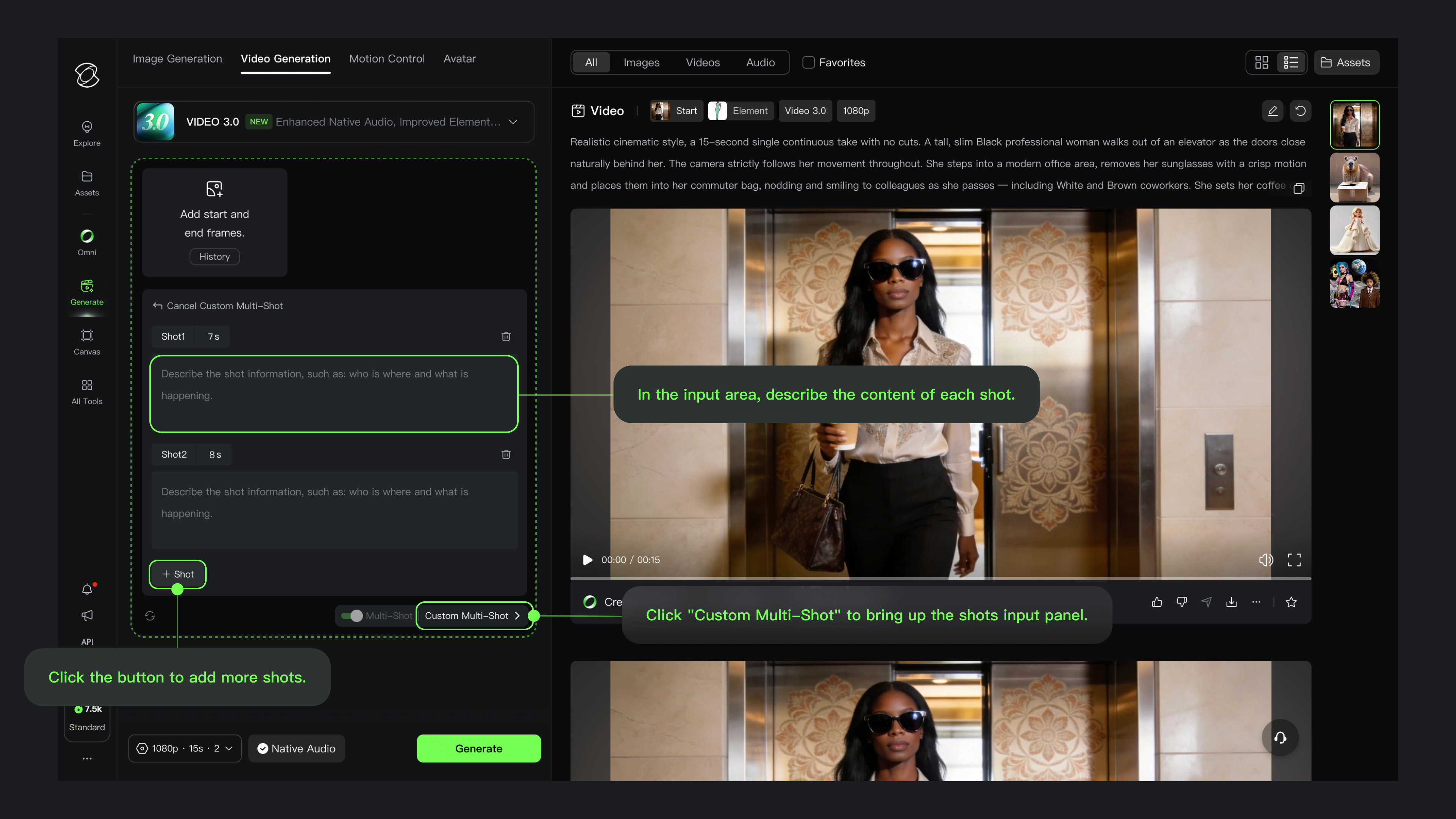
Kling VIDEO 3.0 supports Multi-Shot creation, helping a scene move through more shots and coverage in one generation. It can adjust camera angles and compositions based on scene coverage and shot information in the prompt.
This makes Kling VIDEO 3.0 a strong choice for prompt-led storytelling, especially when the creator wants to describe the scene, dialogue, camera coverage, and pacing directly in text.
 |
|
Kling VIDEO 3.0 Omni: The Pillar of Consistency
Kling VIDEO 3.0 Omni is built for projects where reference consistency matters. It is especially useful when a character, product, or branded subject needs to stay recognizable across shots and scenes.
Elements 3.0 and Video Reference Control
Kling VIDEO 3.0 Omni supports video element reference and element voice control. These capabilities help creators work with character or subject references while keeping voice and visual identity connected in supported workflows.
Reference materials are valuable for recurring characters, product stories, and brand campaigns where the same subject should remain recognizable.
Integrated Audio-Visual Harmony
Kling VIDEO 3.0 and Kling VIDEO 3.0 Omni both support Native Audio. Kling VIDEO 3.0 Omni adds stronger reference workflows for cases where voice tone and character identity need to stay connected.
Native Audio can include dialogue, sound effects, and ambience that match the visual scene. In multi-character scenes, clear speaker descriptions help keep dialogue aligned with the intended character.
Feature Category | Kling VIDEO 3.0 | Kling VIDEO 3.0 Omni |
Primary Workflow | Prompt-led creation with Text-to-Video, Image-to-Video, Start & End Frames-to-Video, and Start Frame + Element Reference. | Reference-driven creation with Text-to-Video, Image-to-Video, Start & End Frames-to-Video, Multi-image Reference, Element Reference, and Video Element Reference. |
Reference and Consistency | Start Frame + Element Reference, multi-character coreference (3+), and stronger prompt adherence for prompt-led scenes. | Multi-image Reference, Element Reference, Video Element Reference, and Element Voice Control for reference-led character or product workflows. |
Audio and Dialogue | Native Audio with dialogue, lip-sync alignment, multilingual support in Chinese, English, Japanese, Korean, and Spanish, plus dialects and accents. | Native Audio plus Added Element Voice Control, helping voice tone stay connected with a character element in reference workflows. |
Duration | Flexible duration from 3 to 15 seconds; up to 15s output. | Up to 15s output. |
Multi-Shot and Shot Control | Multi-Shot and Custom Multi-Shot for scene coverage, shot planning, camera angles, composition, duration, framing, viewpoint, narrative content, and camera movement. | Multi-Shot generation in reference-driven workflows, using video and element references to keep subjects or products consistent. |
Elements | Prompt | Output | ||
|---|---|---|---|---|
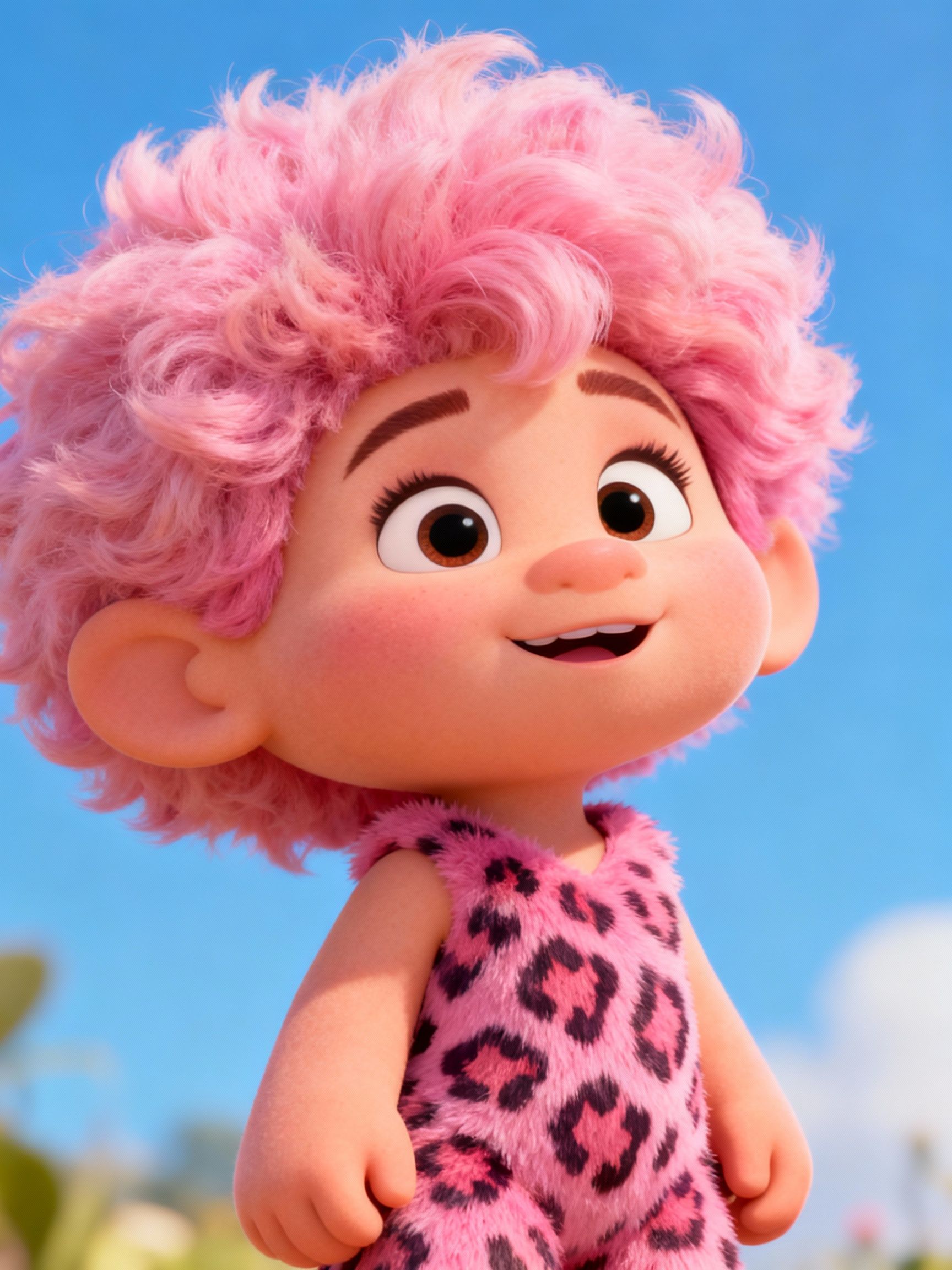 | 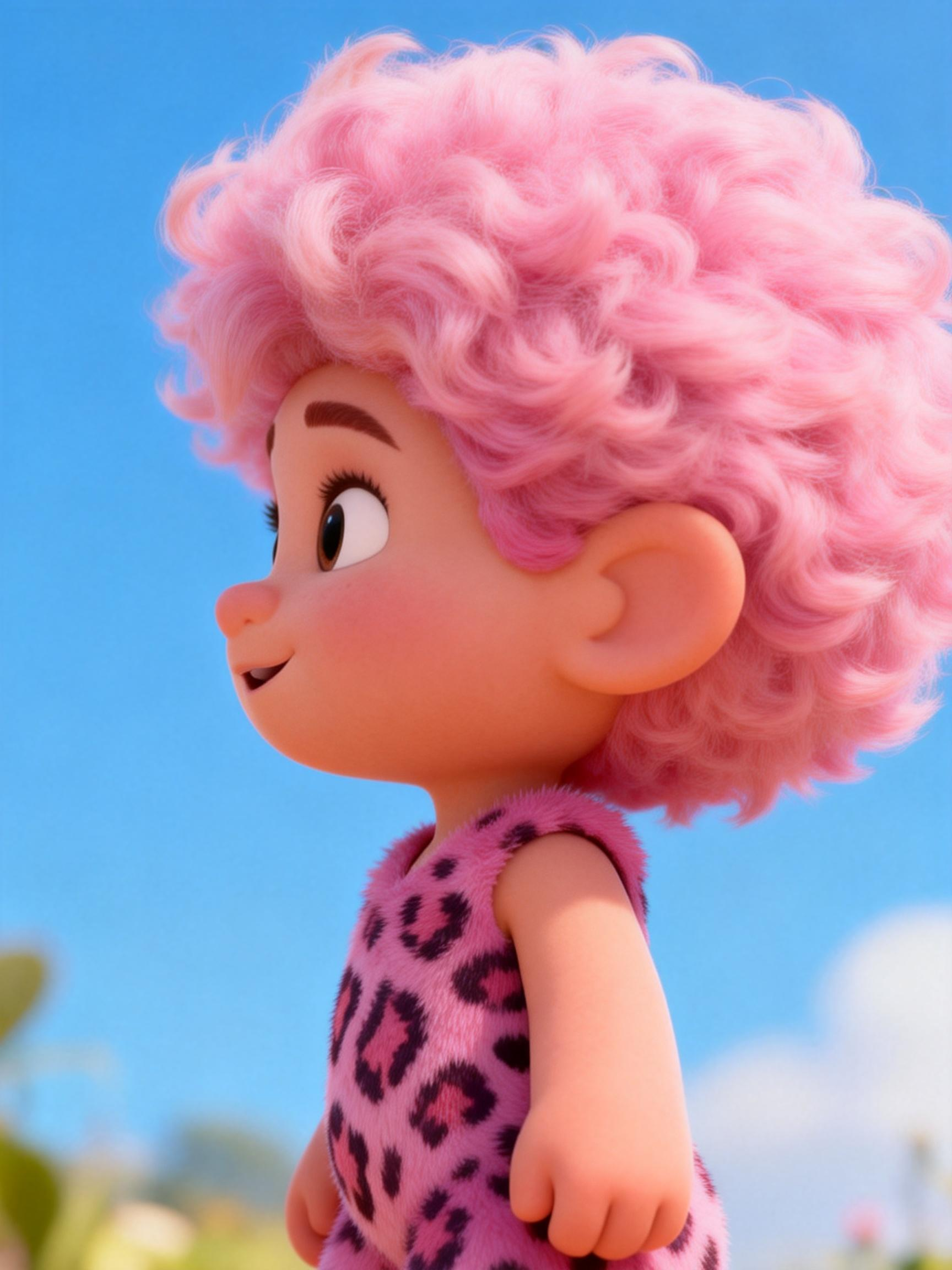 | 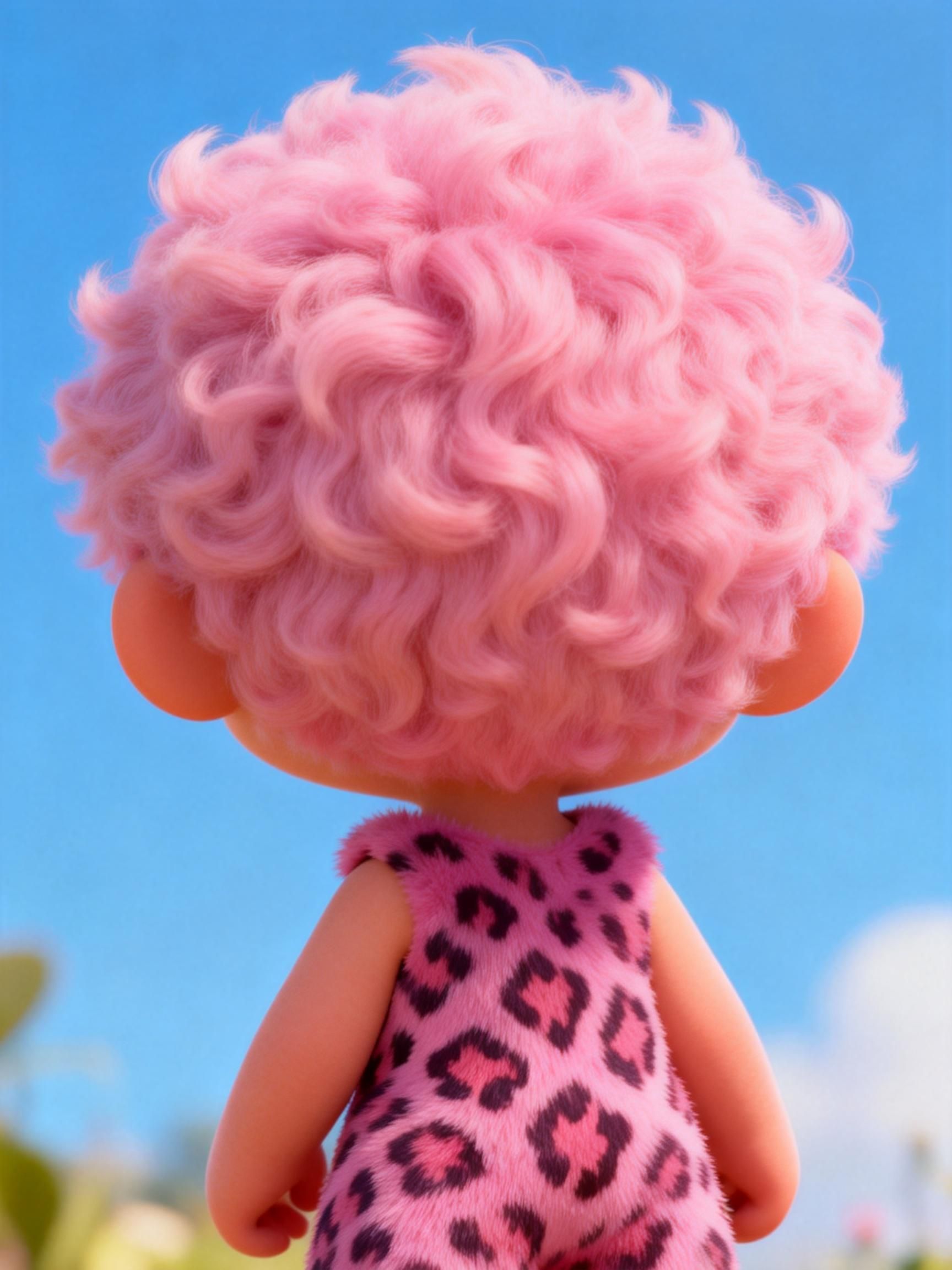 | @Explorer is live, welcoming everyone to her world. She says, "Do you know what the most interesting thing in the world is? It's going on an adventure with me! The next stop is the Atlantic Ocean!" Cut to a panoramic view of the Atlantic, where @Explorer is steering through a storm. | 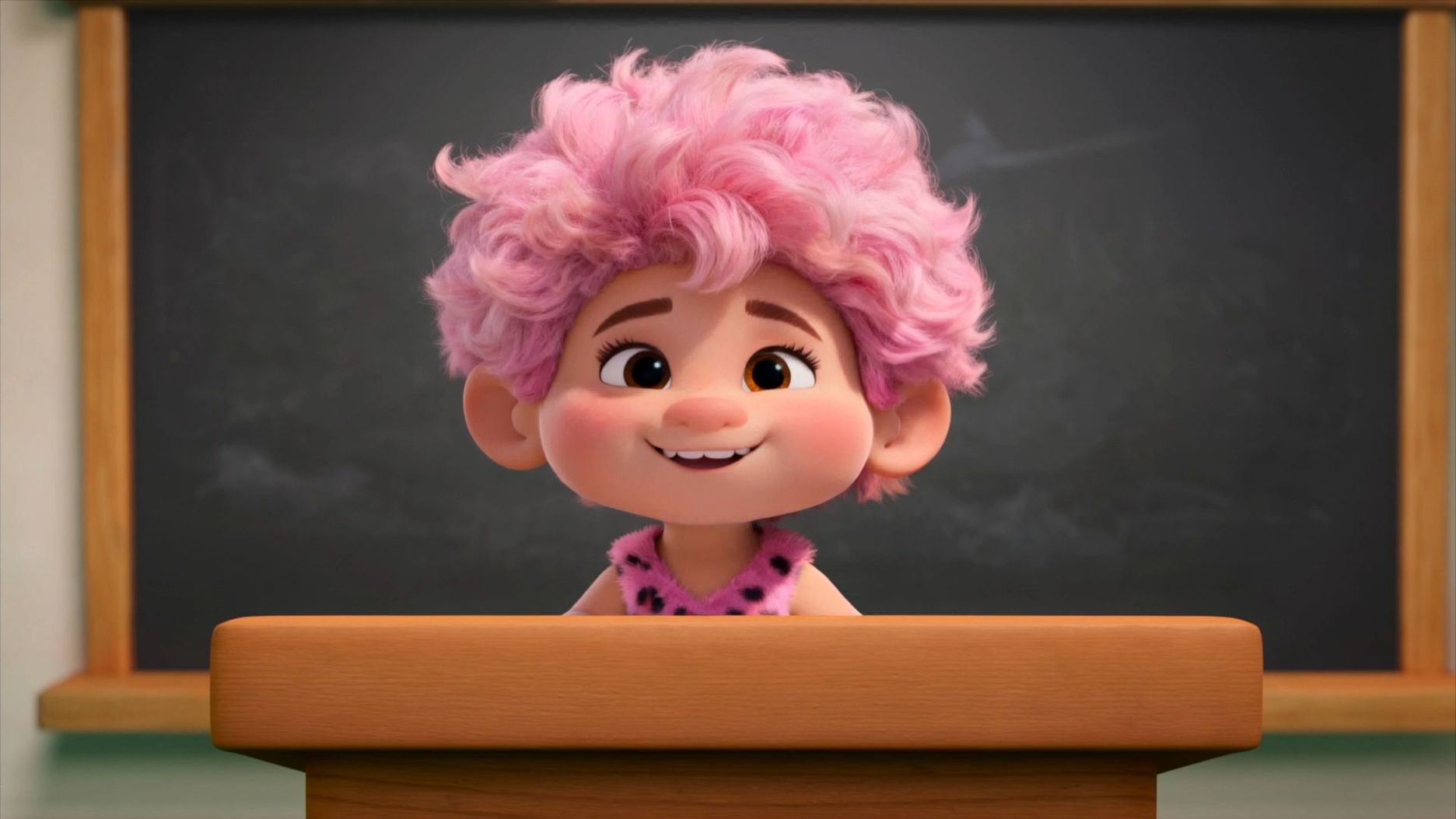  |
Use Case Analysis: Making the Right Choice
Choosing between Kling VIDEO 3.0 and Kling VIDEO 3.0 Omni depends on the production goal, the need for references, and the level of consistency required.
When to Select Kling VIDEO 3.0
Use Kling VIDEO 3.0 when the scene is primarily driven by prompt writing and the creator wants fast exploration of visual ideas.
● Prompt-Led Storytelling: Build scenes from written descriptions, dialogue, camera coverage, and mood.
● Multi-Character Scenes: Use the model when a prompt needs to handle three or more characters with clearer coreference.
● Multi-Shot Creation: Use the model for structured narrative scenes with shot changes and longer scene development.
Kling VIDEO 3.0 is a practical choice when the prompt carries most of the creative direction and no complex reference setup is required.
When to Select Kling VIDEO 3.0 Omni
Use Kling VIDEO 3.0 Omni when the project depends on reference consistency, character identity, product fidelity, or voice connection.
● Brand Advertising: Keep a product, spokesperson, or branded character recognizable across a scene.
● Serialized Narratives: Maintain the same character identity and voice tone across recurring story content.
● Reference Workflows: Use image, multi-image, element, or video references when visual continuity is central to the output.
Kling VIDEO 3.0 Omni is the better fit when the reference material is part of the creative brief, not just optional inspiration.
Multilingual Dialogue and Global Reach
Kling 3.0 supports Native Audio for multilingual dialogue, including Chinese, English, Japanese, Korean, and Spanish, along with dialects and accents. For scenes that move between languages, keep each speaker, line, language, and delivery note clear in the prompt so dialogue, lip movement, and facial expression remain coherent.
For global campaigns, write the scene around the intended audience and language context: who is speaking, which language or accent they use, what emotion carries the line, and how the camera frames the speaker. This keeps multilingual dialogue easy to follow while preserving the character’s identity and performance.
Decisions for Modern Content Creators
Model choice should follow the project requirement: prompt-led scene writing, reference material, Native Audio, Multi-Shot planning, duration, or voice connection.
Choose Kling VIDEO 3.0 for prompt-led scripts, Multi-Shot scenes, flexible duration, and broad creative exploration. Choose Kling VIDEO 3.0 Omni when reference images, video elements, element voice control, or high subject consistency are central to the project.
The 3.0 series supports Native Audio, Multi-Shot creation, stronger prompt adherence, and up to 15 seconds of video generation.
FAQs
Q1. What Is the Fundamental Difference Between Prompt Driven and Reference-driven Models?
A prompt-led model such as Kling VIDEO 3.0 focuses on transforming written scene direction into video. A reference-driven model such as Kling VIDEO 3.0 Omni is better when existing images, elements, video references, or voice controls need to guide the result.
Q2. How Does Native Audio Synchronization Improve the Realism of Multi-Character Scenes?
Native Audio keeps sound and visible performance connected during generation. In supported multilingual scenes, dialogue, lip movement, and expression can remain natural and coherent across different languages and accents.
Q3. Why is Multi-Character Coreference Critical for Complex Storytelling in AI Video?
Multi-character coreference helps Kling VIDEO 3.0 track three or more subjects in a scene. That makes group scenes, dialogue, and crowded environments easier to describe with clarity.
Q4. When Should a Creator Choose Kling VIDEO 3.0 Omni Over the Standard Model?
Choose Kling VIDEO 3.0 Omni when the project needs stronger reference consistency for a specific character, product, or voice. It is especially useful for brand work, recurring characters, and reference-driven creative workflows.
Q5. How Does the Credit System Impact Large-Scale Production Planning?
Credits shape production planning because larger projects need room for tests, revisions, final exports, and higher-resolution outputs. Estimate the number of scenes, variants, retries, and final deliverables before choosing a plan, then keep a credit reserve for review rounds. Credits, prices, plan benefits, and access rules can change as Kling AI products are updated.
Check out the current plans for more details
Last Words
Kling VIDEO 3.0 and Kling VIDEO 3.0 Omni serve different creative needs inside the same 3.0 series. Kling VIDEO 3.0 is strong for prompt-led Multi-Shot storytelling, while Kling VIDEO 3.0 Omni is stronger for reference-driven work with video elements, element voice control, and recurring subject consistency.